also @ TechSpot: iTunes 11.0.3 delivers revamped MiniPlayer, security fixes

NT Kernel & System running high CPU usage

Discussion in 'Windows OS' started by Nomore, Dec 24, 2008.

  1. Nomore Newcomer, in training

    My problem is,when after install windows vista 32,64bit or window xp32bit

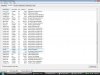
    Then i view WIndows Task Manager Processes:

    Image Name:System
    Description:NT kernel& system

    Running around 50%-70%

    I dint install any driver or software yet just fresh windows


    Anyone know how solve?Help pls~~~~

    PIC >>> 224B4E2.tmp.jpg
  2. gillianbrown Banned Posts: 141

    Please could you attach a screen shot of your task managers processes?
  3. Nomore Newcomer, in training

    Anyone know pls help~~~~~~~~~~
  4. gillianbrown Banned Posts: 141

    Do you have NetGadget installed? If so, uninstalling or disabling it may well fix your problem.
  5. Nomore Newcomer, in training

    No,i dint installed any program.The problem already start when successfully installed windows.
  6. gillianbrown Banned Posts: 141

    Try closing the sidebar if you have it open and see if that has any effect.
     
  7. Nomore Newcomer, in training

    I got disable the side bar also......
  8. king21092 Newcomer, in training Posts: 156

    You can't end the system process, thats what keeps your computer running stable, without things that aren't wanted happening.
  9. gillianbrown Banned Posts: 141

    Sorry mate, but I'm out of ideas on this I'm afraid. maybe someone else will have ideas.
  10. Nomore Newcomer, in training

    Anyway thks for helping .....