also @ TechSpot: Qualcomm shows off Mirasol, 1.5-inch panel shipping in products soon

Random restarts

Discussion in 'Windows BSOD, Freezing, Restarting Help' started by Marcella, Jun 4, 2012.

Post New Reply
  1. Marcella Newcomer, in training

    Hello, Ive been getting random restarts on my machine. I'm running windows 7 Enterprise, and I've reinstalled Windows several times thinking it may be a software problem, but it keeps happening. The latest re-install was on May 30th. I cannot figure out what is wrong. Any help would be greatly appreciated. I have included the .dmp files.

    Thanks :)

    Attached Files:

  2. Rabbit01 TechSpot Enthusiast Posts: 763   +12

    I'm not knowledgeable enough w/ the minidump files, so can't help you there. What I do suggest is test the memory w/ Memtest86+. Download the iso and burn it to a CD, then boot your computer w/ it and let test the RAM. Test might take a while depends on the size and number of RAM installed. My past experiences w/ truly random BSOD/restarts on my and my parents' computer turned out to be bad memory.
  3. terry5880 TechSpot Enthusiast Posts: 420

    if you can do a maleware bytes scan download for free google it I had that after doing a scan and clean it was gone .on tht note u reinstalled so that wont be problem. just suggestion . I hope its someting simple for ya bud .. if not that then u are looking at hardware prob but im sure someone will be along soon to help u with mini dumps
  4. Tmagic650 TS Ambassador Posts: 18,747   +62

    The minidumps don't show anything suspicious. Do you have any yellow exclamation points in the device manager? Is Windows fully updated?
  5. Marcella Newcomer, in training

    Thanks for the replies and suggestions. I have not seen any exclamation points in device manager, and since it is a fresh install, I haven't gotten all the updates done yet, but will soon. I'm now running memtest86+ and will post results when it's done.
  6. Dawn1113 TechSpot Booster Posts: 342   +54

    I would follow all the above recommendations. Make sure you complete at least seven passes of Memtest86+. The more the better.

    Is this a new build, Marcella? Or have you added new hardware to your system lately?
     
  7. Marcella Newcomer, in training

    Dawn, I built this machine about 2.5 yrs ago and the only two things I've added are a bigger heat-sink for the CPU, and a 40-in-1 card reader(which I'm removing to see if that helps). I ran memtest86+ for 2.5 hrs, and no errors after test 8. I'm going to let it run overnight, and I also reset all bios settings back to default. In memtest86+, it said the ECC was not enabled, should I enable it? Thanks.
  8. Rabbit01 TechSpot Enthusiast Posts: 763   +12

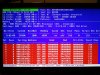
    Doesn't sound like you have RAM problem then. If there's a problem, it'll show up almost right away during the 1st pass. I happened to take a picture last month as I ran the test.

    Attached Files:

  9. Marcella Newcomer, in training

    - Thanks for the pic. I'm going to run everything at default settings and see if it's a bios issue as I had it OC'd for a few days to test the machine. I may have forgotten a few settings before setting defaults. Hopefully it's just the issue with the card reader, I'll post in a few days if the problem is solved or not. Thanks so much for your help :)
  10. Tmagic650 TS Ambassador Posts: 18,747   +62

    ECC should remain disabled...
  11. Dawn1113 TechSpot Booster Posts: 342   +54

    I'd say reverting back to default settings would be a good idea until you resolve the problems you've been having. I'd even go so far as to clear CMOS -- which on my board is easy enough to do -- if your system had been previously overclocked. But then you may want to wait for the opinion of experienced overclockers about that. Plenty of them here and very knowledgeable, too.

    Good luck!
  12. bazz2004 TechSpot Maniac Posts: 168

    It's worth checking the temperatures with something simple and free like HWMonitor. The only things you've changed are the heatsink plus a card reader. Maybe the heat sink hasn't seated properly and the computer is overheating when stressed? Windows 7 Enterprise? Is this a business computer running a genuine copy of Windows? I've heard that if Windows isn't properly registered the computer can shut down after a couple of hours.
  13. bazz2004 TechSpot Maniac Posts: 168

    I found this from Microsoft which confirms that you have to validate the OS.

    Here’s what you need to know:
    This is trial software designed for IT Professionals interested in experiencing the Windows 7 Enterprise on behalf of their organization so please read the following to get an idea of the risks and key things you need to know before you install.
    We do not recommend that you install this if you are a not an IT Professional or not professionally managing corporate networks.

    Guidelines on usage:
    • Protect your PC and data. Be sure to back up your data and please don’t test Windows 7 on your primary home or business PC.
    • You have 10 days to activate the product. If not activated within 10 days, the system will shut down once every hour until activated. Unsure on how to activate? Visit our FAQ.
    • The 90-day Trial is the full working version of the Windows 7 Enterprise, the version most of you will be working with in your corporate environment. It will not require a product key (it is embedded with the download).
    • The 90-day Trial will shut down once every hour when you have reached the end of the 90-day evaluation period.
    • The 90-day Trial is offered for a limited time and in limited quantity. The download will be available through December 31, 2012, while supplies last.
    • After the 90-day Trial expires, if you wish to continue to use Windows 7 Enterprise, please note that you will be required to purchase and perform a clean installation of Windows 7, including drivers and applications. Please keep this in mind; Windows 7 Enterprise is not available through retail channels.
  14. Tmagic650 TS Ambassador Posts: 18,747   +62

    Yes Marcella,
    it is time to invest in a proper retail version of Windows :(
  15. Marcella Newcomer, in training

    Thank you everyone for your replies :)

    I have recently switched to the release preview of Windows 8. It was working fine until last week. I do understand that it is still not the official release version. However, I have been experiencing random restarts again. BSOD is caused by ntoskrnl.exe+5229d1. Minidump file included. Thanks in advance.

    Attached Files:

  16. terry5880 TechSpot Enthusiast Posts: 420

    Firstly, I haven't had a BSOD problem(s) in a while, so forgive me if I say something stupid.
    Second, I believe ntoskrnl.exe BSOD could be caused by boot.ini if it is erased or corrupted. Try booting into safe mode with command prompt and type in "chkdsk /f" without the quotation marks and wait a while. WARNING:This command erases/fixes any corrupted data on the HDD so some of your personal files may be erased. Then reboot normally. If the problem still occures, insert your Windows Seven CD/DVD and boot from it. Then repair your system.
    That's all I can think of for now.
  17. Tmagic650 TS Ambassador Posts: 18,747   +62

    Okay, the minidump is blank and because you are using a "clean" version of Windows, The problem has to be a bios setting or a hardware fault...