also @ TechSpot: Check your bill: AT&T adds new 'administrative fee' to wireless bills

Serious graphics issues with ATI Radeon HD 5870

Discussion in 'Audio and Video' started by Nomorelols, May 12, 2010.

  1. Nomorelols Newcomer, in training

    Hi all!

    I'm sick to death of these issues i've been getting!

    It effects games, general programs (like microsoft word and image viewing software), my desktop... everything!

    In games it usually shows up as crazy flashing tiny blocks everywhere, what seems to seems to be layers and filters stuffing up and big lines appearing from 3D things that shoot across the screen uncontrollably. i underline this because it seems to be the most common and dibilitating problem in games. the same issues happen in almost ALL my games so i can safely say its not a game with the problem.

    When im not playing games, which is all the time because games are impossible, i will get random lines shooting across my screen (changing the theme from aero to classic does nothing). and i will also get little screw ups here and there. Sometimes the screen gets super stuffed up and will freeze, the result is i have to restart my computer. sometimes these crazy lines appear heaps when logging on and i never even get to log on before the computer freezes up. Im not convinced its my computer, i think the graphics card is just going mental.

    The guy who built my computer said there is a known problem with my graphics card communicating with my motherboard, and this represents its self as when i turn on the computer sometimes the computers display output won't work and the moniter gets nothing. this can be solved by simply restarting and this issue is fairly scarce.

    I've attached some images, you can see in half life 2 that it is going bonkers, this same glitch happens in battlefield 2 bad company, counterstrike source, garrysmod, fallout 3, gta 4, and many more just to name a few.

    the other image is the catalyst control centre. you can see a line shooting out of the fountain in the small picture, and if you look closely you can see one on the otherside aswell.

    i've done the obvious, drivers are up-to-date, etc.

    IF ANYONE HAS SEEN THIS BEFORE OR CAN OFFER ANY SUGGESTIONS IT WOULD BE GREATLY APPRECIATED!!!

    thanks heaps

    Attached Files:

  2. Ritwik7 TechSpot Chancellor Posts: 2,281   +6

    Ok. Firstly, what PSU are you using to power your system? Ensure that you have over 550W of power with sufficient amperage (above 30A at least) on the 12V rails.

    Monitor your system temperatures using HWMonitor. Check whether they are too high.

    Also, it might be preferable to set all settings to "Application Controlled" in CCC.

    After this, if everything is in order and the card still causes issues, I suggest you RMA it.
  3. Nomorelols Newcomer, in training

    Hi!

    Thanks for your advice - sorry I haven't been at my computer for a couple of days, i've had a lot of work on.

    im not sure on the specs of my psu, how should i check it out ? open up the computer...?

    do you believe that psu can really cause such issues?

    also what does it mean to RMA it.

    sorry, stupid questions.

    cheers
  4. Ritwik7 TechSpot Chancellor Posts: 2,281   +6

    To check your PSU specs you will have to open up the case. It may be possible that the PSU is causing the problems.

    Did you have any other GPU before this? If yes, ensure that you have removed those earlier drivers.

    RMA refers to returning goods to your supplier / vendor to have the product repaired or replaced or in order to receive a refund or credit for another product from the same retailer or corporation within the product's warranty period.
  5. mailpup TS Special Forces Posts: 7,909   +77

    To see the specs of your power supply, yes, you have to open the PC to see the specs sticker on the side of the PSU.

    RMA = return merchandise authorization. Typically if you have to return (for refund or exchange) an item that was purchased online, by mail or telephone and sent by common carrier, you need an RMA first. If the item was purchased at a retail store, you just bring it back to the store.

    If purchased online, for example, you may have the option of returning the item to the online seller if you are within a certain time period such as 30 or 60 days. See the seller's website for details. If that window has passed, you would have to return directly it to the manufacturer for repair or replacement as long as it is within the factory warranty period.

    Edit: Ritwik7 beat me to it.
  6. Asha Newcomer, in training

    I have seen this before and I find it strange that you have this with a HD5870 as I presume the card is quite new. Anyway, follow the previous posters their advice and check your PSU, it was the first thing I thought about.

    While reading your post I realised that I have the exact same problem with my laptop (ATI X1800 videocard). I also know what causes it: heat. It started when I had the laptop for about 1.5 year. I opened it and cleaned it and it did get better but I still have it sometimes. In my case there is no doubt at all: heat is the cause.

    Download GPU-Z from techpowerup (can't post the link soz). GPU-Z provides an option to write all the important information from your GPU to disk in a log file which is updated once every second. Run the program, enable the log (second tab), play a game until the problem starts, play a short while longer but not more then 30 seconds or so. You could damage the videocard beyond repair if it does overheat too much. When done check the log file for strange things like: GPU temperature, component temperatures, power drawn, ...

    I consider any temperature over 90°C to be a serious problem. My old HD4850 started to act all weird when going over 92-94°C.

    Good luck.
     
  7. EpicPie Newcomer, in training Posts: 55

    It's either your power supply not being powerful enough or you overclocked your graphics card to high and it's beginning to artifact.
  8. red1776 Omnipotent Ruler of the Universe Posts: 5,795   +24

    That really looks like memory overheating and or overclocked to high.
  9. Arris TechSpot Evangelist Posts: 4,308   +17

    I'd say that its more likely heat related than PSU.
    Before buying a new PSU (unless you find you have a 300w one or other low wattage) try running the with window open in the room you have the computer in (if you are in a climate where that will cool the room :p ). Or have the case open and a desk fan or something blowing some air through the machine. You can monitor temperatures with MSI Afterburner tool, my 5850's core has gone up to about 89 degrees when running at 850mhz. Check out temperatures and if everything seems ok then look to the PSU (unless as already stated you have a low wattage one).

    I'm running my card on a Shuttle PC with a 400w PSU (Although it states "The 80 PLUS® performance specification is a standard which requires power supplies in computers and servers to be 80% or greater energy-efficient. This makes an 80 PLUS® certified power supply at least 33% more efficient than current power supplies.") so it doesn't always have to be a 550w-1000w PSU. Above a certain wattage, as long as you don't have many HDs and additional devices using power, quality of the PSU matters more than the high wattage.
  10. Nomorelols Newcomer, in training

    HOLY CRAP! you guys are geniuses....

    thanks for all your help, im going through your suggestions and trying to eliminate the possibilites to find the true cause...... starting with downloading GPU-Z

    IF ANYONE IS INTERESTED...
    this might all sound too superficial or impossible, but the weather in Sydney, Australia has dropped HEAPS in temperature, quite dramaticly, we were going into winter and we've had some really coooold days - and aaaah, my computer seems to be working 100% now... sometimes. Its like working 100% awesomly, 50% of the time - if that makes sense..... weather related??? heat related? is that possible?

    its pretty freaking cold in this room and its working well now. and when it was in its peak of not working, it was summer.... is it really possible for outside temp to influence inside the computer temp?
  11. Arris TechSpot Evangelist Posts: 4,308   +17

    Yes. The airflow for PCs is usually designed to have an intake fan(s) drawing air into the PC chassis (often on the front) and an exhaust fan(s) at the back. This pulls air from the room through the PC and out again which takes heat generated by the components with it. So the ambient temperature will affect the temperature of the system, the cooler the temperature in the room, the cooler the air and the cooler the system.

    When you boot your PC you will see an option to press Delete or F2 key or other to get into the System Bios. A lot of modern systems use Smart Fans which adjust the speed they run at as temperatures increase. You can have a look here to see if you have any options to enable such a feature. Or you may be able to simply increase the speed at which the system fans run at to help lower temperatures. This might only be required during summer, so you don't have to suffer fast noisy fans all year round :)

    Here is a more detailed explanation - Computer Cooling
  12. Nomorelols Newcomer, in training

    Hi guys, and especially Arris - sorry for maybe wasteing your time on he heating thing...

    The problems back and as strong as ever. and no matter how many times i restart my computer its still here in force - I downloaded GPU -Z can someone make any sense of these results?

    The VDDC current is getting smashed, everything else seems normal - but i don't know, i will upload the screen shot - i think the computer graphics glitches have been captured in the screen shot so you should be able to see what im going through here :)

    more random hints....

    *everything graphically is stuffed. especially games, they all have major issues.... EXCEPT FOR alien vs predator... i run it in dx11 mode. it really is the most intensive of all my graphics programs and i can run it on full with no problems. EVERY OTHER GAME i've tested doesnt work well. also its not just games as i've explained... its anything visual, internet explorer, word, excel, notepad you name it.

    *also every time i turn my computer the problem is there but its better or worse each time. (?)

    *ps my graphics card/system has not been overclocked.....

    Attached Files:

  13. gwailo247 TechSpot Chancellor Posts: 2,105   +18

    Sounds like the guy who built your computer didn't do a good job. If he built it from scratch, with brand new components, you shouldn't be getting this corruption. If you recycled old parts with a new GPU, then you may have a cause.

    I'm not sure what he means about an incompatibility, but if he knows that they don't work together, why did he put them together? Did you pick out the parts and he assembled it? Or did he pick out the parts for you?

    I've only had this happen twice, once it was the cooling on graphics card dying, I set a room fan on full blast pointed an the open case, and it did the trick until I replaced the cooling. The second time is on a very old computer, but I haven't bothered to diagnose it yet.
  14. Punkid TechSpot Enthusiast Posts: 533

    lol thats the reason why smart people buy stuff from the green team and not ATI :p
  15. red1776 Omnipotent Ruler of the Universe Posts: 5,795   +24


    Indeed...think of all the interest that "smart people" are earning on their money waiting for the green team to actually get some mainstream cards to market.
  16. Punkid TechSpot Enthusiast Posts: 533

    yeah that too....and the driver support....and the fact that most games prefer nvidia cards....and the better looking cards :p
  17. red1776 Omnipotent Ruler of the Universe Posts: 5,795   +24

    ....except one of us is kidding

    while that was true at one time, it is no longer.

    a more subjective statement you will not find....and who cares?

    and the driver support what?
  18. Punkid TechSpot Enthusiast Posts: 533

    mayb some people actually ARE getting the interest :p


    most reviews state otherwise


    true,its subjective but ATI cards look like cheap toys


    the catalyst thing isnt as good as nvidia control panel...also they stop supporting their cards sooner than nvidia...take the mobility x700, introduced in 2004, no drivers for windows 7 whereas nvidia cards from 2004 are still supported
  19. Punkid TechSpot Enthusiast Posts: 533

    [IMG]

    [IMG]


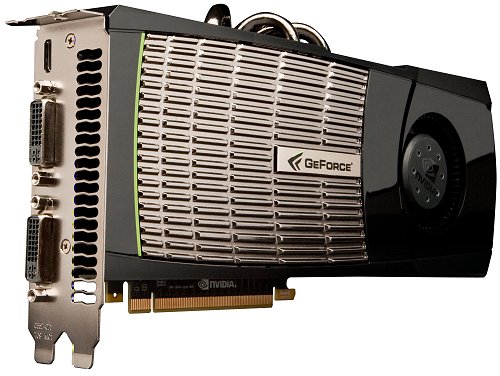
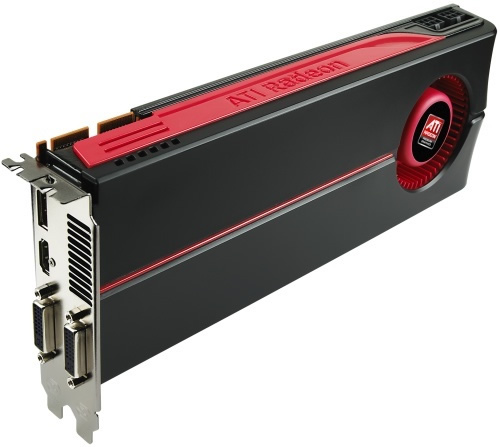
    i'd say its not even suubjective for these two ^ , the nvidia cards look much better
  20. Ritwik7 TechSpot Chancellor Posts: 2,281   +6

    @ Punkid - Don't start fanboy theatrics here. When selecting a GPU one needs to simply see the price / performance ratio and pick. Maybe at one time nVidia had better driver support but ATI has been churning out pretty good drivers recently. As for looks of the card - who cares? Do you?

    The current Radeon 5000 Series has done brilliantly well. I personally own both an nVidia XFX 9800GT and a Powercolor ATI Radeon HD 4890. Neither card has disappointed me.

    Do you think that you are "smarter" than red1776 just because you own an nVidia 9500GT and he owns 4x ATI Radeon HD 4850? :)