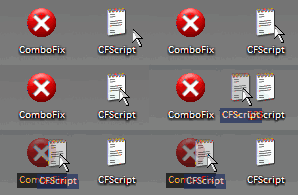
Copy the contents of the below quote box to Notepad; Save As FixReg.reg to your Desktop. DO NOT run it as this time we will do that later in Safe Mode.
Code:
[b]REGEDIT4
[-HKEY_LOCAL_MACHINE\SOFTWARE\Microsoft\Windows\CurrentVersion\ShellServiceObjectDelayLoad][/b]
Close Notepad.
You might want to copy and paste these instructions into a notepad file, and save it to your desktop. Then you can have the file open in safe mode, so you can follow the instructions easier.
Boot into Safe Mode
- Restart your computer and start pressing the F8 key on your keyboard.
- Select the Safe Mode option when the Windows Advanced Options menu appears, and then press ENTER.
Run Hijackthis and Select Do A System Scan Only
Put a check mark next to the following entries:
R0 - HKCU\Software\Microsoft\Internet Explorer\Main,Start Page = http://softwarereferral.com/jump.php?wmid=6010&mid=MjI6Ojg5&lid=2
O9 - Extra button: Messenger - {FB5F1910-F110-11d2-BB9E-00C04F795683} - C:\Program Files\Messenger\msmsgs.exe (file missing)
O9 - Extra 'Tools' menuitem: Windows Messenger - {FB5F1910-F110-11d2-BB9E-00C04F795683} - C:\Program Files\Messenger\msmsgs.exe (file missing)
O21 - SSODL: DrvChk - {79434c55-a887-4ed1-91c4-b203c689f6d5} - C:\WINDOWS\Resources\DrvChk.dll (file missing)
O21 - SSODL: omlbpkaw - {9B9A3222-80AD-41F9-B758-F1DB740914D3} - C:\WINDOWS\omlbpkaw.dll (file missing)
O21 - SSODL: pmsoarbf - {F7E11537-24B8-4CAF-9B0D-8111233F5365} - C:\WINDOWS\pmsoarbf.dll (file missing)
Select Fix Checked
Close Hijackthis
Locate FixReg.reg on your Desktop. Double-click on it and answer 'Yes' when asked if you want to merge with the registry.
Restart your computer into normal mode
Run a new scan with Hijackthis and attach the log