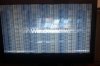
Hey - in my experience, a poorly seated video card can cause a lot of problems. I had a similar issue a few months ago.
If you know how, I would try and re-seat it, if not - best let someone who does take a look at it.
If you do end-up attempting to re-seat it, just make sure that
1. The power is off - and the computer is unplugged
2. The eliminate the charge that your computer stores (hit the power button while its off)
3. Ground yourself - usually touching the metal on the inside of your case is sufficient enough to eliminate the static charge inside of you if you popping on your computer for a brief visit.
4. Remove the DVI/other connection cables from the card. Take out the video card but be careful handling it - do not touch the gold pins at the bottom - try to hold the card by its edges/case.
5. Carefully re-insert the card into the same slot that you found it in.
6. Close the case.
7. Connect all cables that you unplugged.
8. Power Up.
Good Luck! - and if you need any help - feel free to private message me.