also @ TechSpot: Gamers spend more money on iOS than dedicated handhelds

Vista won't boot to desktop

Discussion in 'Windows BSOD, Freezing, Restarting Help' started by learninmypc, Nov 22, 2012.

Post New Reply
  1. learninmypc TechSpot Guru Posts: 2,996   +97

    A friend just stopped by & asked me if I could get her friends laptop fixed. I turned it on & got the attached VISTA.jpg
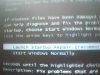
    After X amount of seconds, it goes to a black screen,a progress bar shows up at the bottom & then this shows up
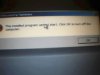
    SYSTEM RECOVERY OPTIONS.jpg I click ok & it shuts down. I did try the start windows normally option,but no go. Is it shot or is there hope? :)
  2. learninmypc TechSpot Guru Posts: 2,996   +97

    I just talked to the friend that handed me the laptop & she said there are no recovery disks available. I forgot to ask her how this happened.:oops:
  3. Cobalt006 TechSpot Booster Posts: 811   +43

    Can you get it into safe mode? If so if she happens to know what program that is causing this she maybe able to remove it. If not it should have a recovery partion on it.
  4. learninmypc TechSpot Guru Posts: 2,996   +97

    No, can't get into safe mode & no recovery partition I can see of or know of.:(
  5. Cobalt006 TechSpot Booster Posts: 811   +43

    What is the make and model? Some laptop recovery drives are hidden
  6. learninmypc TechSpot Guru Posts: 2,996   +97

    I believe its a satellite L300 - 1EJ SYSTEM UNIT
    MODEL NO. PSLB8E-05X00HAR

    Possibly obtained in the Philippines because I see foreign characters on the keyboard.
     
  7. Cobalt006 TechSpot Booster Posts: 811   +43

    Its a toshiba then. If so try tapping f8 from a cold boot. See if it brings up the safe boot menu. If so at the top of the menu.You should see repair computer. If so This is where you will fine the recovery drive. If F8 don't work some toshiba are boot in to recovery buy tapping the number 0 at startup.
  8. learninmypc TechSpot Guru Posts: 2,996   +97

    Ok, I tapped f8 & did as you say but still no joy.
    So now I'm going to try the number zero as in 0. Still no joy.
    Will retry the first option to look at ALL options.
  9. Cobalt006 TechSpot Booster Posts: 811   +43

  10. learninmypc TechSpot Guru Posts: 2,996   +97

    Still no joy. I may have to change the OS from Vista to XP Pro, which I know aint fun.
  11. Cobalt006 TechSpot Booster Posts: 811   +43

    She can order recovery disk threw the Toshiba support site for 29.95. Which would bring it back to its orginal factory condition. Plus then she would have the disk for the next time. Plus this disk would have all the drivers for the laptop. Toshiba loads a lot of their crap on these laptops sometimes changing the os . Is not such a great ideal.
  12. learninmypc TechSpot Guru Posts: 2,996   +97

    Thank you, I'll let her know.
  13. Cobalt006 TechSpot Booster Posts: 811   +43

    Ok your welcome.