also @ TechSpot: Bill Gates is once again the richest person in the world

WINDOWS MESSENGER NOT WORKING! Please help.

Discussion in 'Storage and Networking' started by taicheng, Sep 17, 2006.

  1. taicheng Newcomer, in training Posts: 46

    MY windows messenger is no working. It comes up with an error code: 80048820 nad extended error code: 80048412. Some other things that I think are related to this problem are:
    -My time will not synchronize...when I click "Update Now" "An error occured getting the status of the last synchronization. The RPG server is unavailable." I was trying to update with "time.windows.com" and "time.nist.gov" but both do not work.
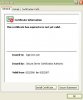
    -I also have a problem with this certificate thing...it keeps saying it has expired. I'll take some screenshots for you to look at and hopefully you can solve my problems. :)
    Attached Files:

  2. Tmagic650 TS Ambassador Posts: 18,720   +61

    How long have these errors been happening? Have you installed or removed any programs or utilities recently?

    Try downloading RegScrubXP and run it. It is a free utility that cleans your registry safely and it works very well. Do a Google Search to find it
  3. WiggyUK Newcomer, in training

  4. taicheng Newcomer, in training Posts: 46

    ive had it for around a week so far, but I just couldn't find any solutions. Ill try those.
  5. taicheng Newcomer, in training Posts: 46

    "WiggyUK Alright mate. Here's a simple solution to get it back up and running: http://files.konphuzion.net/MEF/Mess...or Fixer.rar

    has worked on EVERY system I have tried it on with WLM Messenger errors so far. Hope it helps."
    it isnt working for me...this error pops up:
  6. taicheng Newcomer, in training Posts: 46

    No clue...my dad did something to computer last week. thats when i couldnt use msn messenger anymore. used msn webmessenger. I fixed 20 poblems already...I can't do anymore...is there another program, and if so, how should i choose what errors to fix?
     
  7. taicheng Newcomer, in training Posts: 46

    Here's more error screens on the certificate problem:
  8. Tmagic650 TS Ambassador Posts: 18,720   +61

    I don't use Windows Messenger or MSN Messenger, I use Google Talk. Are you talking about using RegScrubXP? If so, fix all errors it finds. There is a script that will remove Messenger. You can Google for that too. Once messenger is removed, you may be able to reinstall it, so that it works correctly.

    The invalid certificates are another matter... I have never delt with invalid certificates. Are you sure you don't have a virus or spyware infection?
  9. taicheng Newcomer, in training Posts: 46

    Pretty sure my dad just deleted a lot of stuff he shouldn't have...and Reg.ScrubXP only allows me to fix 20 errors...after that, you have to pay 30$ for the full version -,-. I've already tried removing messenger and reinstallign 3 times now. All three times failed.
  10. taicheng Newcomer, in training Posts: 46

    OK, I am pretty sure it has somehing to do with my firewall now...I tried the messenger error fixer and it says it has fixed it...but the error still pops up saying i should check my firewalls settings...could someone help me disable messenger from firewall?
  11. Tmagic650 TS Ambassador Posts: 18,720   +61

    The regscrubXP I'm using is freeware, make sure you are using that program and not a trial version of anything. What firewall are you using? In all the firewalls I have seen, you can create exceptions to allow programs to operate. Most firewalls will notify you of programs that they intend to block, and they will ask you if you want to block or unblock.

    Here's a link to RegscrubXP freeware:

    http://www.freedownloadscenter.com/Search/regscrubxp.html
  12. taicheng Newcomer, in training Posts: 46

    I don't know, my firewall is the one supplied i tihnk? No lcue, because I don't haev a firewall icon, I have to go into network connections internet settings.
  13. taicheng Newcomer, in training Posts: 46

    I tried freeware version and got rid of everything, problem still persists, it has to be the firewall
  14. taicheng Newcomer, in training Posts: 46

    made a screenie
  15. taicheng Newcomer, in training Posts: 46

    oops, was too big b4...didnt notice
  16. Tmagic650 TS Ambassador Posts: 18,720   +61

    You are probably using the Windows XP native firewall. Are you running XP, SP2 fully updated, using Windows update?

    Go into Control Panel, Security Center, Windows Firewall... select the Exceptions tab, and see if MSN Messenger or Windows Messenger is in the exceptions list. If it is not, add it
  17. Tmagic650 TS Ambassador Posts: 18,720   +61

    Your last screenie shows that you are in the wrong place... Those screenies are neat though... How do you create them?
  18. taicheng Newcomer, in training Posts: 46

    F12, paint, select areas =) turn into JPEG format
  19. taicheng Newcomer, in training Posts: 46

    security centre?
  20. taicheng Newcomer, in training Posts: 46

    I'm using windows xp professional by the way..if that helps