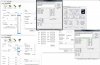
Hello, sorry to say i have no idea with what im doing on overclocking a phenom, the whole hex thing messes with my head lol, but ya heres the full low down of current specs
XFX 750a 1.3 Bios
Phenom 9600 BE
2x2 Gig dual chan ocz sli ram 800 mhz < if u know about ram to that would be nice since the other 4 gigs are on the way xD
1000 watt ultra sli psu
2x 9800GTX+ in sli
1TB dying Seagate Barracuda 7200
Ritwik7
09-10-2009, 03:02 AM
You may want to check these out : http://www.extremetech.com/article2/0,2845,2188777,00.asp
http://www.extremetech.com/article2/0,2845,2249942,00.asp
However, the 9600 does not seem to be a particularly efficient overclocker. Be careful and ensure that you have replaced the stock HSF that ships with the processor with a far better one. Read a few more reviews and benchmarks. I could provide a few more links if you require.
Also, give a shot to the AMD Overdrive utility. You have an unlocked multiplier in your BE processor and it's a good utility to help you easily OC.
Ad
09-10-2009, 03:02 AM
Sev
09-10-2009, 05:03 AM
You may want to check these out : http://www.extremetech.com/article2/0,2845,2188777,00.asp
http://www.extremetech.com/article2/0,2845,2249942,00.asp
However, the 9600 does not seem to be a particularly efficient overclocker. Be careful and ensure that you have replaced the stock HSF that ships with the processor with a far better one. Read a few more reviews and benchmarks. I could provide a few more links if you require.
Also, give a shot to the AMD Overdrive utility. You have an unlocked multiplier in your BE processor and it's a good utility to help you easily OC.
AMD Overdrive does seem to work with my mobo, i have installed but it says its not a AMD 7-series mobo.. but yet it is.. my computer just hates me, and i got it overclocked to 2.5 stable without editing the voltage i can get it to 2.6 but after a min or 2 it locks up and hangs no bsod thou.... so i really need the hex for the Core VID and all the P-state hex codes.. dont know them hoping i can get the exact ones for my mobo right now im running off of just another forum : http://www.ocia.net/articles/k10overclock/page2.shtml and i have read both those articales before and they dont seem to be of any help.. and my max temp @ load is 54º that ive seen so far and this is with my settings at 220 Mhz HT multiplier 4x HT Bus freq @ 880 mhz
Ritwik7
09-10-2009, 07:24 AM
2.5GHz from 2.3 is a small step up. Anyhow, you could try increasing the Core VID a little bit and then bump up the multiplier. What is your current VID?
Jawshh
09-10-2009, 07:28 AM
Make sure you are using a good CPU cooler.
red1776
09-10-2009, 10:20 AM
Hi sev,
try these settings *****make sure you monitor cooling***** no really make sure you monitor cooling!
CPU Vid 1.40
NB 1.09 - 1.10
@ 2.8 Ghz
this assumes that you have sufficient cooling, otherwise this chip is not a good overclocker.
Sev
09-10-2009, 01:35 PM
Hi sev,
try these settings *****make sure you monitor cooling***** no really make sure you monitor cooling!
CPU Vid 1.40
NB 1.09 - 1.10
@ 2.8 Ghz
this assumes that you have sufficient cooling, otherwise this chip is not a good overclocker.
i have the thermaltake max orb what i need to know thou is the Hex verson of the voltages i got the CPU multiplier saved on favs but dont know the VID and NB hex in the Custom P-States Menu
Sev
09-10-2009, 01:36 PM
2.5GHz from 2.3 is a small step up. Anyhow, you could try increasing the Core VID a little bit and then bump up the multiplier. What is your current VID?
my current is 1.3
Sev
09-10-2009, 01:41 PM
ok i found what i think to be the right Hex's said this is from a 730a.. never heard of that board.. lol
HEX = Volts HEX = Volts
00 = 1.5500 14 = 1.3000
01 = 1.5375 15 = 1.2875
02 = 1.5250 16 = 1.2750
03 = 1.5125 17 = 1.2625
04 = 1.5000 18 = 1.2500
05 = 1.4875 19 = 1.2375
06 = 1.4750 1A = 1.2250
07 = 1.4625 1B = 1.2125
08 = 1.4500 1C = 1.2000
09 = 1.4375 1D = 1.1875
0A = 1.4250 1E = 1.1750
0B = 1.4125 1F = 1.1625
0C = 1.4000 20 = 1.1500
0D = 1.3875 21 = 1.1375
0E = 1.3750 22 = 1.1250
0F = 1.3625 23 = 1.1125
10 = 1.3500 24 = 1.1000
11 = 1.3375 25 = 1.0875
12 = 1.3250 26 = 1.0750
13 = 1.3125 27 = 1.0625
if this is right let me know
also added is what i think the multiplier is for this board from www.osia.net
Sev
09-10-2009, 01:47 PM
also added from XTREME SYSTEM thread.. from Tony.
K10 has totally independent clock control over CPU-NB and CPU core. In the DFI bios you will see the following under CPU features.
CPU DID
CPU FID
CPU DID = multiplier divider
CPU FID = actual multi in HEX
I mapped some common values out for CPU muti.
HEX Multi
00 = 08
01 = 08.5
02 = 09
03 = 09.5
04 = 10
05 = 10.5
06 = 11
07 = 11.5
08 = 12
09 = 12.5
0A = 13
0B = 13.5
0C = 14 ETC
Now we have a CPU DID also, this can be 1,2,4,8,16
things get good from 11 onwards using the 2 4 8 or 16 dividers and ODD ratio's
setting 06 FID and 2 DID will give 5.5, setting 01 FID and DID2 will give 8.25 so yes you can have quarter multipliers also.
Remember DID1 will give FID/1=FID with no adjustment...2 4 8 16 give the special ratio's
Again we can DID or divide by 1 or 2...so 07HEX with DID2 will give 5.5 for the NB Multi
So how does this translate, well remember HTT is 200 by default so 01HEX=5X
5X200HTT=1000MHZ
02HEX=6X so 6x200 for 1.2GHZ etc
CPU NB and Link Multipliers are unlocked on ALL CPU's, there are rules though.
HT link speed can NOT exceed NB clock speed, but HT link can be lower than NB core clock.
NB Clock is what decreases L3 cache latency and so improves performance.
Overall HTT speed is dependent on many things, NB core clock, HT link and CPU multi, different configs give differing results..we just need to reasrch the best for now.
i noticed the hex's are differnet since he is also running a different system but it makes the light seem brighter in the dark tunnel of overclocking
Ad
09-10-2009, 01:47 PM
Sev
09-10-2009, 01:51 PM
so with all this information could someone give me good settings to get to 2.8 or around there including correct voltages well avg that wont kill my system lol
Sev
09-10-2009, 01:55 PM
also another thing i noticed when i lower the mulitplier down to like 10x vista loads does its checking get to the Welcome screen gets threw that but then hangs on loading User ill get to my desktop and then around 30-40 seconds later just freezes any ideas
Sev
09-10-2009, 01:56 PM
10x = 2000mhz if im right
Ritwik7
09-10-2009, 02:02 PM
Well I'm not too sure, but using your Hex tables and red's recommended settings @ 2.8GHz it comes to:
CPU Multiplier : 0c (x14 multiplier as your chip freq is 200MHz)
CPU VID : 0c (1.4V)
NB VID : 24 (1.1V)
Hopefully that's right.
Sev
09-10-2009, 05:08 PM
tried, failed :\ this processor is crap for overclocking.. after i pass 2.5 its either a hang or bsod wtf man!! lol hell ive lowered the muliplier to 8.5x and still after 225 it likes to hang or bsod.. finally got the nvidia control panel to let me change the multiplier.. dont know how but just happened.. and then i lower it there it still says 11.5x but in cpu-z it gets the real or so called real multiplier nvidia says its still @ 2.4~~ cpuz says its @ 1.6 :\ edit in nvidia to 230 BSOD or hang xD this cpu sucks or my mobo is dying hard..
Sev
09-10-2009, 05:09 PM
oh yea and when i edit the mulitplier in bios vista wont even load, it will get pass the boot check but loading desktop it hangs.. could my HDD be causing this cuz it ticks alot and ive been meaning to get a new one but it still runs its just a pain
Sev
09-10-2009, 05:15 PM
Well I'm not too sure, but using your Hex tables and red's recommended settings @ 2.8GHz it comes to:
CPU Multiplier : 0c (x14 multiplier as your chip freq is 200MHz)
CPU VID : 0c (1.4V)
NB VID : 24 (1.1V)
Hopefully that's right.
and yes the muliplier is right but the VID might not be im not really sure
red1776
09-10-2009, 06:20 PM
Sev,
are you checking the voltage with CPUZ or something?
Sev
09-10-2009, 06:35 PM
yea cpu-z and speedfan Vcore is running @ 1.27 so 1.3v
Sev
09-10-2009, 06:37 PM
Core temp is 35ºC , CPU is 41ºC, so the temps are good and this is @ 3.3% usage @ 2505.2mhz, x11.5 , 217.9 Bus, 1960mhz HT Bus
red1776
09-10-2009, 06:47 PM
did you try the 1.4v @ 2.8?
Sev
09-10-2009, 06:51 PM
Here is a pic of everything
Sev
09-10-2009, 06:51 PM
ya.. didnt work so well
Sev
09-10-2009, 06:56 PM
http://bjorn3d.com/forum/showthread.php?t=30802 has a full list of the correct hex values for those who didnt know me included
red1776
09-10-2009, 07:03 PM
unfortunately that may be all there is...its just not a good OC chip...not sure why they made it a BE under the best of circumstances, 2.8 is the best those went. you getting any noticable performance increase from the 2.5?
Sev
09-10-2009, 07:06 PM
like 10+FPS in counter strike source but thats it.. amazing how a Athlon x2 4400 can beat a phenom 9600 BE in performance lol...
Sev
09-10-2009, 07:41 PM
so 2568 mhz @ 1.5v is not stable xD got up to 61 the stopped prime 65 since i heard 64C is max on these gunna lower to 1.475 and see how that goes
ya so it seems the engineering samples are the only 9600 BEs that can get 2 2.8 stable actually 2.6 stable xD from what ive read there is a massive gap in performance from cpu to cpu it all depends if ur lucky on the one you get will work with overclocking i have tried this @ 2.6 at 1.5 volts and it still does not want to work like it will load threw bios absolutely fine but as soon as bootmger from vista ends, well thats all your gunna get.. this really has made me unsatisfied as an AMD fan.. well there always the Phenom II x4 945 that is already at 3.0 guess after i buy that ill sell this one on ebay or something, actually no i wont ill prolly just throw it away cuz for overclocking it is junk.. im so glad i didnt have to write a review on this thing... AMD would be ruined xD
Sev
09-11-2009, 12:26 AM
found this and thought wow 3.0 on this CPU, LIES!!! http://enthusiast.hardocp.com/article/2007/12/20/amd_phenom_9600_black_edition_overclocking
Sev
09-14-2009, 08:35 PM
well Phenom Blows.. Athlon Rules xD http://valid.canardpc.com/cache/banner/709800.png (http://valid.canardpc.com/show_oc.php?id=709800)
red1776
09-14-2009, 08:51 PM
well Phenom Blows.. Athlon Rules xD http://valid.canardpc.com/cache/banner/709800.png (http://valid.canardpc.com/show_oc.php?id=709800)
that's almost unbelievable, that's either exotic cooling, or Photoshopped, or that person got real lucky and got one that was mis-binned.
Sev
09-14-2009, 09:47 PM
that's almost unbelievable, that's either exotic cooling, or Photoshopped, or that person got real lucky and got one that was mis-binned.
dude thats my athlon xD
Sev
09-14-2009, 09:48 PM
and i can take a ss if u want xD it can go higher if i want it to but i dont wanna blow it up xD
Sev
09-14-2009, 09:50 PM
i dropped my ram down to 533 mhz (266 in bios)
Sev
09-14-2009, 09:50 PM
and i use the Thermal take max orb thing is huge but it works well
Sev
09-14-2009, 09:54 PM
go here it explains it all http://valid.canardpc.com/show_oc.php?id=709800
red1776
09-14-2009, 10:18 PM
ummm....an athlon x2 4400 @ 3.27Ghz @ 1.344 with an max orb?...sorry...I don't think so...good luck Sev lol
Sev
09-14-2009, 10:21 PM
man i wish i could prove it more lol its just nuts i didnt think it would do it i was like **** it xD and did it and xD it works prime95 puts the temp up to 63ºC which is boarder line but xD i never get it to 100% highest it usually maxs @ 78% and im also using a window fan and an AC'd room so thats my "Exotic cooling" xD
Sev
09-15-2009, 01:01 AM
ummm....an athlon x2 4400 @ 3.27Ghz @ 1.344 with an max orb?...sorry...I don't think so...good luck Sev lol
LOL hey red.. 3.3 xD http://valid.canardpc.com/show_oc.php?id=710057 look for yourself xD 1ghz overclock xD now thats nice
Sev
09-15-2009, 01:02 AM
think i should go higher? xD
fimbles
09-23-2009, 07:52 AM
Quote "well Phenom Blows.. Athlon Rules xD"
My phenom 9500 overclocks from 2.2 to 2.6 using amd overdrive, Using a stock 9850 black HSF without any heat issues ( +4 degrees) or voltage mods whatsoever. Ran everest at 100% for a good 2 hours with no issues! I only did this to stuff my brotheres 9850, Then set it back to stock!
I have seen people running them at 3.0 ghz with better cooling!