You are using an out of date browser. It may not display this or other websites correctly.
You should upgrade or use an alternative browser.
You should upgrade or use an alternative browser.
Overclock..eh?
- Thread starter kyleman
- Start date

Rage_3K_Moiz
Posts: 5,403 +43
It's normally done using the BIOS Setup utility, where u increase the CPU's multiplier to bring up the frequency. Too high a multiplier might cause the CPU to overheat, so a bit of research and caution can go a long way in preventing this.


MetalX
Posts: 1,364 +4
Some Pentium 2s (or mine at least) overclock really far... it's just that they burn out. I ran my stock P2 400MHz at 1439Mhz for like 9 minutes... It booted into windows and ran CPU-Z for a bit but that's it... I recommend not overclocking them as far as mine because the temperature of mine got up to like 145C with a full window fan blowing on it. Of course it didn't last long at that temp 
But yea, you can't really overclock without an aftermarket motherboard. It needs to have a BIOS that allows overclocking.
But yea, you can't really overclock without an aftermarket motherboard. It needs to have a BIOS that allows overclocking.

TimeParadoX
Posts: 2,222 +4
Same thing, go to your BIOS
If you really want to overclock so much you'll need a good CPU ( like Duo Core from Intel or something ) and a mobo that is OCable ( Overclockable just incase you're wondering )
Most Mobos coming out these days are OCable because alot of people are wanting to make their machines run alot faster and stuff but dont Overclock too much because your system will :hotbounce then :hotouch: then i'll be with all the ladies
If you really want to overclock so much you'll need a good CPU ( like Duo Core from Intel or something ) and a mobo that is OCable ( Overclockable just incase you're wondering
) Most Mobos coming out these days are OCable because alot of people are wanting to make their machines run alot faster and stuff but dont Overclock too much because your system will :hotbounce then :hotouch: then i'll be
with all the ladies
TimeParadoX
Posts: 2,222 +4
T
tifc8lraz
TimeParadoX said:Oh he didnt know how to get into BIOS :haha:
Thanks daniel for telling him how to enter it
Not all people are all-knowing about computers, I remember a time when I thought that a Celeron D was a good processor
! Thank God for this website and my ever growing fascination with computers!
kyleman
Posts: 91 +0
Lol shutup
Im 13..
Well I got into it then into Advanced BIOS...I saw nothing that said overclock or multiply
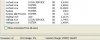
Here is my everest report for the overclock section..
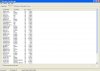
Also sorry for the double post..but here is the procceses from the task manager...ive been told that I have to many. What ones can I get rid off?
Im 13..
Well I got into it then into Advanced BIOS...I saw nothing that said overclock or multiply
Here is my everest report for the overclock section..
Also sorry for the double post..but here is the procceses from the task manager...ive been told that I have to many. What ones can I get rid off?
Attachments

zephead
Posts: 1,554 +0
that processor runs a bit hot, but you should be able to push it a bit on stock cooling. the i865 chipset rocks. you'll probably have to look under chipset configuration in the bios.
i've seen systems with over 55 processes running, all of them with legitimate purpose. if you're concerned, i reccomend running lavasoft ad-aware SE personal (www.lavasoftusa.com) to check for spyware, that is unless you already have a functioning spyware protection program.
i've seen systems with over 55 processes running, all of them with legitimate purpose. if you're concerned, i reccomend running lavasoft ad-aware SE personal (www.lavasoftusa.com) to check for spyware, that is unless you already have a functioning spyware protection program.

KingCody
Posts: 964 +8
Hi kyleman,
normally, I don't like to discourage anybody from overclocking, but if you don't know what a BIOS is (and that's ok), then you're not ready for overclocking. in other words, you have to learn how to walk before you can run. If you don't fully know what you're doing, or you don't know your limits then you can easily destroy your computer by overclocking it.
my advice is to do some research. specifically look for and familiarize yourself the following terms:
cheers :wave:
normally, I don't like to discourage anybody from overclocking, but if you don't know what a BIOS is (and that's ok), then you're not ready for overclocking. in other words, you have to learn how to walk before you can run. If you don't fully know what you're doing, or you don't know your limits then you can easily destroy your computer by overclocking it.
my advice is to do some research. specifically look for and familiarize yourself the following terms:
- BIOS
- CMOS
- CPU multiplier
- FSB (front side BUS)
- RAM Divider (or ratio)
- memory timings
- VCORE
- VDIMM
- PCI/AGP frequency
- PCI/AGP lock
- if you increase your FSB by 50MHz but leave you RAM:FSB ratio at 1:1, why won't your computer boot up or even allow you to enter the BIOS?
- how do you fix it so that you can re-enter your BIOS again?
- why can't I increase the multiplier?
cheers :wave:
kyleman
Posts: 91 +0
sorry..i dont think i will overclock this computer..
but one more question..
One the pentium 2 i am building. I am going to put in a geocube radeon 6550
Umm well anyway its a typical pentium 2 with the big cpu that sticks out.
Would i be able to get a better cpu on it?
Im not sure if you can put new cpus on an old mobo..
Can you?
but one more question..
One the pentium 2 i am building. I am going to put in a geocube radeon 6550
Umm well anyway its a typical pentium 2 with the big cpu that sticks out
.Would i be able to get a better cpu on it?
Im not sure if you can put new cpus on an old mobo..
Can you?
Similar threads
- Replies
- 24
- Views
- 189


- Replies
- 1
- Views
- 96

Latest posts
-
 Intel Arc Pro B70 Tested: The Gaming GPU Intel Never Released
- Melkor Unlimited replied
-
Cinder City becomes the first PC game to recommend 64GB of RAM, and at the worst time
- Melkor Unlimited replied
-
Does the Nvidia App Hurt Performance? We Benchmarked It.
- Rapob replied
-
The Real Reason Nvidia Has Abandoned PC Gamers
- Rapob replied
-
TechSpot is dedicated to computer enthusiasts and power users.
Ask a question and give support.
Join the community here, it only takes a minute.