Welcome to the TechSpot OpenBoards. Please read the FAQ if you have any questions. Sign up or Login to participate.
Collaborate in the cloud with Office, Exchange, SharePoint, and Lync
|
|||||||
Collaborate in the cloud with Office, Exchange, SharePoint, and Lync
Google Search results redirected
|
|
Thread Tools | Search this Thread |
|
#1
|
|||
|
|||
|
Google Search results redirected
Hi,
I've been reading threads here for a long time but only just registered today. My computer is infected with multiple issues (possibly a rootkit in addition to trojans, etc) but I am not sure what to do next. I have the exact same symptoms as described in thread 69052 from this site (sorry it's not a link but I don't have 5 posts yet) What appear to be valid Google results come up, but when I click on them most of the time I am redirected to other sites (which IE is blocking). Hovering over the URL, it appears correct. However, after clicking on the search result the URL will first say something like: google.ca/search ?hl=en&q=sample+search+results&meta= (always seems to end in "&meta=") This then gets directed to another site. Most often it tries to send me to something called search-daily.com, which is on IE's blacklist. Also multiple warnings from ESET anti-virus of trojans, BHO's, etc, and fake virus warnings have reappeared as well. I thought I had this system cleaned up but apparently not!! I've attached an HJT log. Wasn't sure if I should do a ComboFix one or not; I've never used that program. I am very grateful for any help you're able to offer. Thanks so much. BB |
|
#2
|
||||
|
||||
|
First,
Go to add/remove programs and unistall HijackThis, your version is out of date, Second, I need you to follow all the steps HERE and then post back with the three requested logs as attachments
Dont forget to make sure that AVG is set to quarantine the results, that HJT is the last step and to let us know the results of the antirootkit scan. |
|
#3
|
|||
|
|||
|
Hey there,
Thank you for the response. I've gone through the 15 steps as requested... whew... that was quite the lengthy exercise! My ESET scan in safe mode took a good 16 hours all on it's own! I've had a number of indications of both Virtumundo and a trojan called Pakes appear, though all's been quiet since late Friday night. Attached are the 3 requested logs. Note, I have a dual boot system. The C: drive is XP Home and is not really used anymore, but it remains on my system just in case I forgot a file and need to go find it at some point. But I think by now it's safe to say anything on C: that is problematic can be removed, the drive can be formatted if needed, whatever. The H: drive is where XP Pro is hosted, but I use G: for data. Confusing and strange, I know. ![]() A big, big thank you in advance!! |
|
#4
|
|||
|
|||
|
Brief updates on the situation....
- Forgot to mention that the Panda Antirootkit scan came up negative - There IS still something going on with browser hijacks. Approx. 50% of the time when I click on a Google result I get sent somewhere else, most often to a page that won't load, but occasionally to a completely different site. It seems to happen most often on the first click on a Google result (ie. I click, get the wrong or unloadable site, then click Back, and click on the exact same link again, and this time get the correct site). BB |
|
#5
|
|||
|
|||
|
Anyone? Things seem quite a bit improved but I'm still not convinced it's clean as the Google search results remain screwy.
Thanks! |
|
|
|
#6
|
|||
|
|||
|
I guess not huh?
|
|
#7
|
||||
|
||||
|
AVG found Not-A-Virus.PSWTool.Win32.MailPassView.130 and Cleaned with backup (quarantined).
this is an unknow routine -- highly suspect these ports are open and you need to validate that you want this! [HKLM\~\services\sharedaccess\parameters\firewallpolicy\standardprofile\Glob allyOpenPorts\List] |
|
#8
|
|||
|
|||
|
Hi Joe,
Thank you for the reply. Actually, I know what a few of those entries are. The "not-a-virus" one is a tool I have to reveal Outlook Express and other Windows passwords - it shows what is starred out by Windows (doesn't always work). It's not a threat but virus software is always triggered by it. I use it as I have clients who sometimes forget their email passwords - I do not use this tool to do evil. ![]() All of the port numbers except for 67 are intentional. The first 2 are for my all-in-one printer/scanner/fax. The 4th and 5th are for TightVNC. The last is for my FTP box. So I should look into why 67 is there I guess. The "wtcxainb.dll" file WAS problematic I think. I believe this was the trojan, and from what I've read since posting this, it appears it picks random names such as this. I actually deleted this one on my own after posting the log and a number of issues went away. Also, since posting this log, I found I believe the component that was actually misdirecting my Google results - a malicious BHO (Browser Helper Object for those unfamiliar). This was actually a very simple fix once I found it. [COLOR="purple"]It was located in IE in Tools / Internet Options / Programs / Manage Add-Ons. In that list almost every item lists a publisher, but there were one or two that didn't. One looked particularly suspicious so I disabled it, and the redirects completely went away.[/COLOR] Convinced it was fixed, I later returned and deleted it altogether and things have been fine ever since. Hopefully this info is helpful to someone else who has the same issue. Again, the two things that cured my ills (after doing all 15 steps) were: [COLOR="purple"]1) Delete the suspicious looking .DLL that has no name. In my case it was: O2 - BHO: (no name) - {62EFE262-8E45-2C26-297D-0508E2EDAAF7} - H:\WINDOWS\system32\wtcxainb.dll 2) Delete the suspicious looking BHO listed in the Manage Add-Ons section listed above.[/COLOR] Thanks! Last edited by BigBear; 05-04-2008 at 11:27 PM.. |
|
#9
|
||||
|
||||
|
Port 53 & 67 are perfectly safe -- leave it alone
|
|
#10
|
||||
|
||||
|
you are far from clean will post instructions shortly
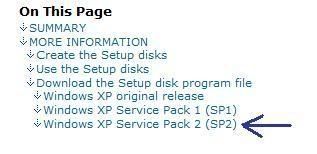
First lets install the recovery console. Go to Microsoft's website here --> http://support.microsoft.com/kb/310994 Select the download that's appropriate for your Operating System Windows XP SP2 ![]() Download the file and save it as it's original name to your desktop Close all open windows and programs, then drag the setup package onto ComboFix.exe and drop it. Follow the prompts to start ComboFix and when prompted, agree to the End-User License Agreement to install the Microsoft Recovery Console. When complete, a log named CF_RC.txt will open. Please attach that log here.
Last edited by Blind Dragon; 05-05-2008 at 02:24 PM.. |
|
#11
|
|||
|
|||
|
Thank you for your reply Blind Dragon, much appreciated.
Attached log as instructed. BB |
|
#12
|
||||
|
||||
|
Ok, now that you have the recovery console on your computer we can check a few things.
Your logs are much better than before by the way. =============================================== Download haxfix.exe and save it to your desktop. * Double click on haxfix.exe to install haxfix. (standard installation path is c:\program Files\haxfix)
A red "dos window" (dos box) will open with options: 1. Make logfile 2. Run auto fix 3. Run manual fix E. Exit Haxfix
|
|
#13
|
|||
|
|||
|
Hi Blind Dragon,
OK, downloaded Haxfix, but it didn't ask me to make a desktop icon or pick a directory for installation. Only 3 options on the screen too: 1) Create a log file 2) Uninstall Haxfix E) Exit Created a log file which I think is short enough I can just paste it here. Looks like it found a couple things. Dangerous? Thanks, BB ==================================== HAXFIX logfile - by Marckie version 5.01.1 Mon May.05.2008 14:16:51.82 running from H:\HaxFix --- Checking for Haxdoor --- checking for a3d files a3d files not found checking for matching notify keys matching notify keys found AtiE checking for matching services no matching services found checking for matching safeboot services no matching safeboot services found --- Checking for Goldun --- checking for SSODL keys no ssodl keys found checking for notify keys no notify keys found checking for services no services found checking iexplore.exe iexplore.exe is not infected --- Checking for other Goldun and Haxdoor files --- no other Haxdoor or Goldun files found --- Catchme logfile - thank you Gmer --- catchme 0.3.1344.2 W2K/XP/Vista - rootkit/stealth malware detector by Gmer, http://www.gmer.net Rootkit scan 2008-05-05 14:17:28 Windows 5.1.2600 Service Pack 2 NTFS detected NTDLL code modification: ZwClose scanning hidden processes ... scanning hidden services & system hive ... scanning hidden registry entries ... [HKEY_LOCAL_MACHINE\SOFTWARE\Microsoft\Windows NT\CurrentVersion\Prefetcher] "TracesProcessed"=dword:00000ad8 scanning hidden files ... scan completed successfully hidden processes: 0 hidden services: 0 hidden files: 6 --- Analysing Catchme logfile --- no matching regkeys found Finished! |
|
#14
|
||||
|
||||
If an infection is found, youll get a message to close all other open windows.
|
|
#15
|
|||
|
|||
|
Hi,
Ran HaxFix, no infections found, system did not reboot. Attached both requested log files. Thanks again, BB |
|
#16
|
||||
|
||||
|
Good, lets remove the file anyways.
CFScript Open notepad and copy/paste the text in the code box below into it: NOTE* make sure to only highlight and copy what is inside the quote box nothing out side of it. Also .. Pay particular attention to this :- Make sure the word File:: is on the first line of the text file you save (no blank line above it, & no space in front of it) Quote:
Then drag the CFScript.txt into ComboFix.exe as you see in the screenshot below. ![]() This will start ComboFix again. After reboot, (in case it asks to reboot), post the contents of Combofix.txt in your next reply =============================================== Run Kaspersky Online AV Scanner Order to use it you have to use Internet Explorer. Go to Kaspersky and click the Accept button at the end of the page. Note for Internet Explorer 7 users: If at any time you have trouble with the accept button of the licence, click on the Zoom tool located at the right bottom of the IE window and set the zoom to 75 %. Once the license accepted, reset to 100%.
|
|
#17
|
|||
|
|||
|
Hi,
Completed both tasks, but when I went to upload Kaspersky it weighed in at 2.7MB, so it can't be sent (unless I break it into 27 messages). It did say it found 7 viruses and 19 infected objects, though a lot of them look like they are already in virus vaults or are really not threats at all. Maybe not all of them though. There are literally thousands of lines that show "Object is locked - skipped" but don't indicate a virus. I've gone through and edited the report to only include the 19 lines in the report that have the word "infected" on them. If you need more info let me know.Thanks, BB Last edited by BigBear; 05-06-2008 at 12:00 AM.. |
|
#18
|
||||
|
||||
|
As fun as going through 27 pages of kaspersky logs sounds, go ahead and click my name and select send an email to blind dragon - attach it there.
usually it's a page or maybe 2. I am guessing your problem lies in there. 'The Avenger by Swandog46'
|
|
#19
|
|||
|
|||
|
Avenger report:
Logfile of The Avenger Version 2.0, (c) by Swandog46 http://swandog46.geekstogo.com Platform: Windows XP ******************* Script file opened successfully. Script file read successfully. Backups directory opened successfully at H:\Avenger ******************* Beginning to process script file: Rootkit scan active. No rootkits found! Completed script processing. ******************* Finished! Terminate. |
|
#20
|
||||
|
||||
|
the kaspersky you emailed me was only 2kb and was blank?
|
![]() |
| Similar Topics | ||||
| Topic | Replies | Forum | ||
Redirected from Google search results...
|
5 | Virus and Malware Removal | ||
IE google search results being redirected?
|
13 | Virus and Malware Removal | ||
Google search results redirected
|
6 | Virus and Malware Removal | ||
Google search results being redirected
|
3 | Virus and Malware Removal | ||
Getting Redirected from Google search results
|
5 | Virus and Malware Removal | ||
| Thread Tools | Search this Thread |
|
|
All times are GMT -4. The time now is 12:25 PM.


HCP Discovery Service

It did say it found 7 viruses and 19 infected objects, though a lot of them look like they are already in virus vaults or are really not threats at all. Maybe not all of them though. There are literally thousands of lines that show "Object is locked - skipped" but don't indicate a virus. I've gone through and edited the report to only include the 19 lines in the report that have the word "infected" on them. If you need more info let me know.
Redirected from Google search results...