also @ TechSpot: Desktop Core i3 Ivy Bridge CPUs leaked ahead of launch
Welcome to the TechSpot OpenBoards. Please read the FAQ if you have any questions. Sign up or Login to participate.

Go Back   TechSpot OpenBoards > Hardware > Mobile Computing

Download Now:

Inspiron 1300 Battery Meter Fault

Thread Tools Search this Thread
  #1  
Old 03-12-2009
Newcomer, in training
 
Member since: Feb 2009, 21 posts
Inspiron 1300 Battery Meter Fault

hi all

annoying little problem, i had a virus called iamfamous.dll which i have removed.
but now my system is working fine, or at least i thought, i noticed my battery meter is missing from the tray next to the time and date.

ive googled this a million times, every1 says untick the box in power options to always show then retick, ive tried this about 84 times lol

next trick was to install dell quickset which still didnt show me how much battery i have left
the battery status' on dell quickset is greyed out

and on my inspiron 1300 the fn+f3 to bring up battery meter doesnt work.

any1 with a similar problem or someone who has a solution for me please help!!!
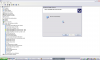
some screenshots are attached
also, no more warnings are popping up about critically low battery and so sometimes when power cable is loose laptop will just power down.

not knowing much about computers, but id say mayb theres an error from the pc communicating with windows, as its running from battery but wont display info about battery.

and im on XP professional
sorry about the format jpeg was taking ages to upload

Attached Images
File Type: png battery icon.PNG (2.9 KB, 6 views)
File Type: png power options.PNG (30.6 KB, 4 views)
File Type: png power options tab.PNG (22.6 KB, 4 views)
File Type: png qs battery.PNG (18.9 KB, 3 views)
File Type: png device manager.PNG (93.2 KB, 5 views)

Last edited by bigsal2k9; 03-18-2009 at 04:24 PM..
  #2  
Old 03-15-2009
Tmagic650's Avatar
TechSpot Ambassador
 
Location: "The Treasure State" USA
Member since: Aug 2006, 14,730 posts
System specs
Try doing a Dell restore of the OS
  #3  
Old 03-17-2009
Newcomer, in training
 
Member since: Feb 2009, 21 posts
thanks for ur post, nice to see ppl are willing to help, but i dont have a clue what your on about but it sounds like a long and dragged out process, instead i found this link:

http://www2.pcpro.co.uk/phpbb/viewto...c42d885533702f

right i have been looking around for a while now and most of the help just says untick/retick the show icon box in power options.

until i found this i thought all hope was lost

this guy has the exact same problem i have and has fixed his, unfortunately he posted this in 2006 so i have a feeling he wont be replying to me if i ask him:d

basically he said he recovered his icons by uninstalling and reinstalling his battery and powersupply drivers, this would be great for me,...... if i knew how to do this lool

any1 who can help pls give me a step by step ****** guide on how to do this. also mention if this can seriously damage my system as i really need this laptop!


and i have noticed that in the power options box there are usually 6 tabs, mine only has 4 which makes me think that theres a problem with the battery communicating with the laptop, but unfortunately i have no idea which driver is responsible for the battery if anyone knows pls do help!!!

also, ive looked through the device manager and there is no seperate menu for batteries which makes me worry since ive seen screenshots of other peopls device manager which has seperate heirarchys containing the battery....

this makes me wonder if it is possible a problem with the bat.dll or batmeter.dll in system32??

any1 know dont hesistate to tell me lol and if so where do i get replacement files/>?

been doing abit more research

http://www.annoyances.org/exec/forum/winxp/t1215873169


this guy has the same problem as me but he mentions two other drivers under the battery section, only thing is i dont have a battery section or the other two drivers but i do have microsoft composite battery and it is up to date apparently....

* notice ive added a new screen shot of my device manager to the beginning of this thread with the other attachments

PLEASE HELP SOMEONE THIS IS GUNNA MAKE ME INSANE!!!!!!

Last edited by kimsland; 03-24-2009 at 09:27 AM.. Reason: merged 3 posts
  #4  
Old 03-24-2009
Newcomer, in training
 
Member since: Feb 2009, 21 posts
problem solved...

tried eveything i could think of and everything suggested on the web that had worked for most..

in the end i had to reformat my laptop and re install XP

unfortunately no easy way around it and this had to be done, so if any1 else has this problem search around on google for as long as you can before you really cba anymore
then reformatting will be the only option left for you unless you are willing to live with this little problem
Closed Thread

Similar Topics
Topic Replies Forum
Battery Meter Disappeared 2 Mobile Computing
Dell Inspiron 1300 battery meter 0 Windows OS
Dell Inspiron 1300 battery problem 7 Mobile Computing
Dell Inspiron 3500 charges and runs on battery but cannot find battery or bay devices 3 Mobile Computing
Dell Inspiron 1300 5 Mobile Computing

Thread Tools Search this Thread
Search this Thread:

Advanced Search
All times are GMT -4. The time now is 06:31 AM.