Welcome to the TechSpot OpenBoards. Please read the FAQ if you have any questions. Sign up or Login to participate.
|
|||||||
Download Now:
Firefox 3.5.x slow at loading pages - 20 sec lag
|
|
Thread Tools | Search this Thread |
|
#1
|
||||
|
||||
|
Firefox 3.5.x slow at loading pages - 20 sec lag
Hi guys,
I'm really really pissed at FF right now. I installed 3.5.1, then 3.5.2 and finally 3.5.3 in hopes that the problem will be corrected, but no. I'm stuck with this stupid problem, and having to use Opera10 to post this thread... Plz bear in mind that Opera imo does not "work" for me like FF used to. Anyhow, the problem w/ FF is that it takes 20 secs or more to load the homepage (google.ca !) and any other page for that matter. During that time, nothing in the FF window works except the minimize and close functions. The menu and body of the page are completely unavailable. I experienced no such problem in IE8 or Opera. Since IE8 is slow generally, I just DL'ed Opera10 and am using it till I can go back to FF when it is fixed. Have any of you experienced this same crap? I really REALLY appreciate all the help I can get! |
|
#2
|
|||
|
|||
|
opera
Well I would keep using Opera great and fast with many shortcut abilities , but you may try to delete firefox and install it again
( I doesn't know much about firefox but it may be worth a try) |
|
#3
|
||||
|
||||
|
Thank you for your suggestion mattkiller, I did what you asked and rebooted. It seems to be working, but I'm gonna have to see for a few days how the browser behaves.
And, no offense, but Opera is very annoying compared to Chrome or FF. However, it isn't as bad as IE8. |
|
#4
|
||||
|
||||
|
You happen to have Spybot with immunize? It may have created a huge hosts file on you. Take a look here: C:\windows\system32\drivers\etc\hosts
If its more than a few kb then you may want to delete it and see what happens, if you are super protective of your hosts file back it up first, then delete it and see if your problem is fixed. This information is from Tarkus in the IRC channel having a very similar (same) sounding issue and resolving it with this suggestion from Rick. |
|
#5
|
||||
|
||||
|
i have had the same problem before and i just downloaded the most up to date FF and uninstalled the old one and it fixed the problem.
|
|
|
|
#6
|
||||
|
||||
|
Oh, I just realised I re-installed 3.5.2 lol...
It's working though, so it is all good. I do have spybot S&D w/ immunize, but its has never been a problem pre-3.5.1 and before. Why now? |
|
#7
|
||||
|
||||
|
Don't ask me, I don't use immunize, nor do I use firefox, but Tarkus had the same problem as you and he's never had the problem before. But the hosts file was out of control because of spybot, so its just something I suggested checking.
|
|
#8
|
||||
|
||||
|
Thanks buddy, appreciate the help!
|
|
#9
|
||||
|
||||
|
On the other hand, I use Firefox and do use the Immunize feature. But sometimes an update can cause a conflict, so don't rule that possibility out completely.
|
|
#10
|
||||
|
||||
|
The Spybot immunization feature is known to conflict with IE8 but not FF.
FF is known to have what are called "memory leaks". It's a programming term (I used to be a high tech engineer) Basically, the programmer grabs a chunk of memory from a subset of RAM (called the "heap") to use and when he/she's done with it, is supposed to return it to the heap. But they forget to return it and everytime that part of the code runs, it keeps grabbing memory until there's no more. Now the program gets bogged down because it doesn't have enough memory to work with. Memory leaks are a very common programming error. -- Andy |
|
#11
|
||||
|
||||
|
Yes, FF has had memory leaks all along. But that isn't the problem for the slow load.
Last edited by Bobbye; 09-29-2009 at 06:19 PM.. Reason: spell |
|
#12
|
||||
|
||||
|
What was the problem with the slow load then? A common symptom of a memory leak is the program runs slow. I know this because I used to be a high tech engineer.
-- Andy |
|
#13
|
||||
|
||||
|
The program loaded fast; it was the webpages that took a 20 sec wait while no functions except to close the FF window were available.
Right now it seems to be fixed except for the fact that it occasionally gives me a "cookies redirected incorrectly" page and after clicking "try again" a few times, it loads the page with a 3 sec lag this time. What do you make of it? |
|
#14
|
||||
|
||||
|
Tark doesn't use IE, he uses FF. Spybot indeed caused an out of control hosts file which caused about a 30 second lag on resolving servers, granted the computer he was having this problem on was a slow machine to begin with, but deleting the hosts file fixed it. I didn't just make stuff up to post.
|
|
#15
|
||||
|
||||
|
Update
Thanks a lot for your help guys !
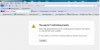
Im starting to get really pissed by the attached message on EVERY bloody site I click on, esp those that need authentication. Does anyone know how to get rid of that message? Right now, some websites are completely inaccessible. ex: battle.net account management FFS!! Please help? |
|
#16
|
||||
|
||||
|
Okay, I don't think it's Firefox. I just brought up your site with Firefox:
BlizzCon-BlizzCon 2009 Item Redemption. I still use the v3.0.14, but I don't know why v3.5 would cause any problem. Since you mention that it is for sites that require authentications, I need for you to explain what you mean by that. I also checked several Google sites for Firefox Server redirecting address that never completes and found that this is NOT a new problem, it is NOT FF v3.5 and there was NO consistent fix for it! One thing that did work for several of the users was: Quote:
|
|
#17
|
||||
|
||||
|
Quote:
Repost if this doesn't work. -- Andy |
|
#18
|
||||
|
||||
|
That won't help...
Im using FF, not IE... Internet Options in CP are for IE only. |
|
#19
|
||||
|
||||
|
Xecutor, can't believe I missed having you check this:
In Firefox: Tools> Options> Advanced> Encryption tab> make sure BOTH SSL 3.0 and TLS 1.0 are checked. These are your security layers. Since you mention it's the site that require authentication, this could be it. Let me know. |
|
#20
|
||||
|
||||
|
Hey Bobbye, thanks for thinking about that, but it was already checked from waay back when I first installed FF3.5 and from then on, I have never changed it. I did check it though, and the settings were untouched. both SSL 3.0 & TLS1.0 were checked.
|
![]() |
| Similar Topics | ||||
| Topic | Replies | Forum | ||
Slow system, trouble loading pages
|
12 | Virus and Malware Removal | ||
IE 6 very slow loading pages and won't load secure pages
|
3 | Windows OS | ||
Freezing web pages; slow loading; physical memory dumping... HELP!
|
5 | Virus and Malware Removal | ||
IE slow, IE screen blanks out inbetween loading pages, popups, computer freezes, help
|
11 | Virus and Malware Removal | ||
Firefox 1.0.1 not loading pages
|
4 | Software Apps | ||
| Thread Tools | Search this Thread |
|
|
All times are GMT -4. The time now is 08:27 AM.


Slow system, trouble loading pages