also @ TechSpot: AMD Radeon HD 7770 & Radeon HD 7750 Review
Welcome to the TechSpot OpenBoards. Please read the FAQ if you have any questions. Sign up or Login to participate.

Go Back   TechSpot OpenBoards > Tech Support > Device Drivers

Download Now:

I need help

Thread Tools Search this Thread
  #1  
Old 02-05-2010
Newcomer, in training
 
Member since: Feb 2010, 7 posts
I need help

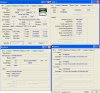
I'm not sure what to do so i pretty much would like anyone to help im not really good with finding stuff but i need a video card/driver thing because my screen resolution wont change, can't play Steam games, and etc, and i just reformatted and im sure thats the problem, and here hope attacthment helps you help me... i would appreciate it, Thanks!


Also i forgot to say, all the other tabs in the cpu-z thing were blank.., even the graphics so i dont think i even have a graphics driver/video card
Attached Images
File Type: jpg 2413251251254.JPG (133.3 KB, 13 views)

Last edited by DontKnoWhatToDo; 02-05-2010 at 06:09 PM.. Reason: edit.
  #2  
Old 02-06-2010
Archean's Avatar
TechSpot Paladin
 
Member since: Dec 2009, 5,187 posts
System specs
Check out these drivers;they may help. If not let me know.
  #3  
Old 02-06-2010
Newcomer, in training
 
Location: Dubai, UAE
Member since: Dec 2009, 20 posts
if your VGA port is built-in, google for the driver using your PC's brand + model. Do the same if your using add on type VidCard.
  #4  
Old 02-06-2010
Archean's Avatar
TechSpot Paladin
 
Member since: Dec 2009, 5,187 posts
System specs
Quote:
Originally Posted by destiny020386 View Post
if your VGA port is built-in, google for the driver using your PC's brand + model. Do the same if your using add on type VidCard.
I would suggest something to you destiny; try giving them a solution; instead of turning them around and make them go in circles; regards.
  #5  
Old 02-06-2010
Newcomer, in training
 
Location: Dubai, UAE
Member since: Dec 2009, 20 posts
what i posted is not for you archean, it's up to him if he'll do my recomm. is his problem solved by your recomm? if so, congratz!
  #6  
Old 02-06-2010
Newcomer, in training
 
Member since: Feb 2010, 7 posts
I've downloaded the radeon thing archeon told me to do i just woke up (10am -8gmt) so its almost done

Edit: when i unzip it, an error pops up and says end of archive
  #7  
Old 02-06-2010
Archean's Avatar
TechSpot Paladin
 
Member since: Dec 2009, 5,187 posts
System specs
Ouch ....... was it downloaded correctly?

Because I just downloaded it; and it opens perfectly well.
  #8  
Old 02-06-2010
dividebyzero's Avatar
trainee n00b
 
Location: New Zealand
Member since: Nov 2009, 3,331 posts
System specs
Hewlett Packard will probably have their own proprietry chipset driver. If the ATI generic driver won't load then visit this page and either use this driver IF the system requirements are the same as yours. If not, then type in the model of your system into the "Product" search bar at the top of the page.
  #9  
Old 02-07-2010
Newcomer, in training
 
Member since: Feb 2010, 7 posts
i do believe it was downloaded correctly since it onlu took about 15 minutes and i didn't stop it at all and i am downloading the link Dividebyzero hopefully it works. if it doesn't i guess ill just sell my steam account or something


Edit: When i installed that and reinstalled it said i either dont have an ATI driver installed or it isn't working properly, And ideas or other driver/video card downloads or whatever to fix it?

Last edited by DontKnoWhatToDo; 02-07-2010 at 07:31 PM..
  #10  
Old 02-08-2010
Archean's Avatar
TechSpot Paladin
 
Member since: Dec 2009, 5,187 posts
System specs
Can you post a picture of Graphics tab of CPU-Z just like the others you did above? just to doubly make sure we are sending you to the right link.

Quote:
DontKnoWhatToDo said.....
Edit: When i installed that and reinstalled it said i either dont have an ATI driver installed or it isn't working properly, And ideas or other driver/video card downloads or whatever to fix it?
Do you mean its saying you don't have any ATI Graphics Card installed or something like that?

Last edited by Archean; 02-08-2010 at 06:50 AM..
  #11  
Old 02-08-2010
Newcomer, in training
 
Member since: Feb 2010, 7 posts
Quote:
Originally Posted by Archean View Post
Can you posted a picture of Graphics tab of CPU-Z just like the others you did above? just to doubly make sure we are sending you to the right link.


Do you mean its saying you don't have any ATI Graphics Card installed or something like that?
Yes
  #12  
Old 02-08-2010
Archean's Avatar
TechSpot Paladin
 
Member since: Dec 2009, 5,187 posts
System specs
Strange.

Well we then first need to identify your graphics. As i asked above can you post CPUZ's graphic tab's picture or tell us what it is saying?
  #13  
Old 02-08-2010
Newcomer, in training
 
Member since: Feb 2010, 7 posts
said it was blank....
Attached Images
File Type: jpg 1111111.JPG (24.7 KB, 5 views)
  #14  
Old 02-09-2010
Archean's Avatar
TechSpot Paladin
 
Member since: Dec 2009, 5,187 posts
System specs
Check your messages please. As you are unable to get the file somehow; right now this seems a reasonable idea to try out.
  #15  
Old 02-09-2010
Newcomer, in training
 
Member since: Feb 2010, 7 posts
I've added you. i'll be at school tomorrow so ill be on around 4-5pm -8gmt
  #16  
Old 02-09-2010
Archean's Avatar
TechSpot Paladin
 
Member since: Dec 2009, 5,187 posts
System specs
Alright ...... noted that; I'll be at work then but I can manage it
  #17  
Old 02-23-2010
Newcomer, in training
 
Member since: Feb 2010, 7 posts
It's been two weeks, still no fix, any ideas?
  #18  
Old 02-24-2010
LookinAround's Avatar
TechSpot Chancellor
 
Location: Chicago-land, IL
Member since: Apr 2007, 7,257 posts
Let's try a different approach

1) Identify the exact make/model of your HP computer

2) See if Windows reports any problem devices
  • Make sure all your devices are connected and powered on
  • Click Start->Run, enter: msinfo32. Click the + sign next to Components to expand it
  • Click Problem Devices. Anything appear?
  • If yes, click on it, Ctrl-A to select all, Ctrl-C to copy it, Ctrl-V to paste into next post

3) Generate a DirectX report
  • click Start->Run, enter dxdiag
  • Notice progress in lower left window corner
  • When done, click Save Information button and save to your Desktop
  • In TechSpot, use the paper clip icon to attach the reports. (If you don't see icon you may need to first cick Go Advanced)
  #19  
Old 02-24-2010
Archean's Avatar
TechSpot Paladin
 
Member since: Dec 2009, 5,187 posts
System specs
LookinAround: I gave him a URL to download that driver but for some reasons he is unable to get the driver which I believe should work for him.

DontKnoWhatToDo:
I have downloaded the driver; but somehow we have not been able manage time in which it can be transferred; anyway I'm leaving my messenger on for now, in case you get online message me; and I will send you the driver.

Edit:
Also check this guru3d download page; it has several ATI Drivers listed and I think any driver below version 8 should do it for you. However, I would recommend to try these; these are moded drivers; I have used moded drivers from NGO/Omega and found them to be stable/and good (for ATI & nVidia Cards).

Also LA any comments/additions are welcome thanks

Last edited by Archean; 02-24-2010 at 01:24 AM..
Closed Thread

Thread Tools Search this Thread
Search this Thread:

Advanced Search
All times are GMT -4. The time now is 06:23 PM.