You are using an out of date browser. It may not display this or other websites correctly.
You should upgrade or use an alternative browser.
You should upgrade or use an alternative browser.
Problem Running Defrag in Win2K
- Thread starter larswebb
- Start date

Phantasm66
Posts: 4,909 +8
Is it just disk defragmenter snap-in, or is it whenever you go into the management console at all?
Try this...
start, run, type "mmc" (no quotes), return
Console1 window appears.
file--->add remove snap-in---> In Standalone tab, hit ADD --> Select Disk Defragmenter---> ADD ---> CLOSE --> OK.
Try using that instead. You may, of course, get the same thing...
Did you install anything that plugs into the mmc? If so, uninstall it. Uninstall any program that added its own disk defragmenter.
Its possible you have an unregistered dll as well, which you would have to register. Or its corrupted. But finding that dll is like finding a needle in a haystack.
Try a windows restore if all else fails.
Try this...
start, run, type "mmc" (no quotes), return
Console1 window appears.
file--->add remove snap-in---> In Standalone tab, hit ADD --> Select Disk Defragmenter---> ADD ---> CLOSE --> OK.
Try using that instead. You may, of course, get the same thing...
Did you install anything that plugs into the mmc? If so, uninstall it. Uninstall any program that added its own disk defragmenter.
Its possible you have an unregistered dll as well, which you would have to register. Or its corrupted. But finding that dll is like finding a needle in a haystack.
Try a windows restore if all else fails.
As far as I can tell it's just the defragmenter. I followed your instructions and got the same error message. I don't know if I installed anything that plugs there. I have not tried to run defrag for quite a while so I don't know when this problem started.
Does Win2k have a restore?
Larry
Does Win2k have a restore?
Larry
RealBlackStuff
Posts: 6,450 +3
No restore for W2K, but I can heartily recommend you buy Drive Image, it's a life-saver.
Before you run defrag, do a checkdisk first: select Start/Run and type chkdsk and hit enter. Having errors on your disk in most cases prevents defrag from running.
The native defragger is a clipped version of Diskeeper (I think V6.0).
Surf over to http://consumer.execsoft.com/home.asp?RId=50
to get a more up-to-date version, well worth its money.
Before you run defrag, do a checkdisk first: select Start/Run and type chkdsk and hit enter. Having errors on your disk in most cases prevents defrag from running.
The native defragger is a clipped version of Diskeeper (I think V6.0).
Surf over to http://consumer.execsoft.com/home.asp?RId=50
to get a more up-to-date version, well worth its money.
Phantasm66
Posts: 4,909 +8
Sorry, I missed that you had W2K and not WinXP.
What service pack are you using? Maybe you should upgrade to the latest, or if you have the latest, reinstall that.
What service pack are you using? Maybe you should upgrade to the latest, or if you have the latest, reinstall that.
I ran chkdsk first had the same problem. I'm using SP4 so I tried to reinstall it. That didn't work so well, I had to use a bootdisk to get up again and ran GoBack so I'm back where I started.
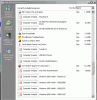
I have another issue going on right now that may be related. In add and remove programs many of my program icons and all windows hot fixes changed to (computer graphic) . See attached screenshot
Thanks,
Larry
I have another issue going on right now that may be related. In add and remove programs many of my program icons and all windows hot fixes changed to (computer graphic) . See attached screenshot
Thanks,
Larry
Attachments
RealBlackStuff
Posts: 6,450 +3
As to your icon-problem, maybe this helps:
http:http://pubs.logicalexpressions.com/Pub0009/LPMArticle.asp?ID=56
http:http://pubs.logicalexpressions.com/Pub0009/LPMArticle.asp?ID=56
Unfortunately My icon problem is the least of my worries. And I installed Disk Keeper 8 demo and that looks real good.
When I tried to turn on my computer yesterday morning all I got was a black screen. The CD drives will operate and it sounded like my hard drive started and then stopped. There is no boot screen or anything just black. My monitor is not turning on. I'm using my backup PC with the same monitor and it works fine.
Please Help
Larry
When I tried to turn on my computer yesterday morning all I got was a black screen. The CD drives will operate and it sounded like my hard drive started and then stopped. There is no boot screen or anything just black. My monitor is not turning on. I'm using my backup PC with the same monitor and it works fine.
Please Help
Larry
Your monitor was all black? Did you try turning it on? For me, sometimes my "turn on monitor" button gets stuck so I have to take a pin to pull the button out and then press it fully back in so the button can hit the circuit to send the information to turn on the monitor, or if its not that, maybe your cable is not plugged into the monitor.
Or you could've accidently turned the brightness all the way down or it could be a problem with your monitor settings. But I am using Windows 95 so I don't know anything about Win2000
Sorry if this may sound like stupid advice but it is all I know and I could at least try to help others since I am getting help from my PC problems.
P.S: Get windows 95, it rocks! The system is so simple that it makes it easier to solve problems, if you have a complex OS like 2000 then it will obviously be more complicated.
Or you could've accidently turned the brightness all the way down or it could be a problem with your monitor settings. But I am using Windows 95 so I don't know anything about Win2000
Sorry if this may sound like stupid advice but it is all I know and I could at least try to help others since I am getting help from my PC problems.
P.S: Get windows 95, it rocks! The system is so simple that it makes it easier to solve problems, if you have a complex OS like 2000 then it will obviously be more complicated.
Yes my monitor is black. The little orange lite is on and its suppose to wake up and turn green. All I did was shut down for the night. I have had problems with power button not working but flipping the switch on the power supply off then on again always got it working again.
RealBlackStuff
Posts: 6,450 +3
Try reseating your graphics card, and check any other cards too while you are at it. Also reseat memory and check all cables between mobo, drives and PSU.


How about a bad hard disk?
Bad sectors might causes defragmenters to locked up, crash etc... And it may also cause your computer to behave oddly and even not boot depending on where data may be missing or corrupted.
I recommend running a disk diagnostic just to be on the safe side.
https://www.techspot.com/vb/showthread.php?s=&threadid=7602
Bad sectors might causes defragmenters to locked up, crash etc... And it may also cause your computer to behave oddly and even not boot depending on where data may be missing or corrupted.
I recommend running a disk diagnostic just to be on the safe side.
https://www.techspot.com/vb/showthread.php?s=&threadid=7602

Mictlantecuhtli
Posts: 4,049 +13
Originally posted by larswebb
Unfortunately My icon problem is the least of my worries. And I installed Disk Keeper 8 demo and that looks real good.
When I tried to turn on my computer yesterday morning all I got was a black screen. The CD drives will operate and it sounded like my hard drive started and then stopped. There is no boot screen or anything just black. My monitor is not turning on. I'm using my backup PC with the same monitor and it works fine.
Computer will not boot after disk defragmentation
A co worker ran disk defragmentation over night and when I came into work this morning the computer displayed this message:
A problem with the hard drive has been detected.
Press the Enter key to continue.
When I press enter it goes to a gateway screen and freezes there with press f4 to Resume on the upper left hand corner.
f4 however does not respond.
It is a Gateway 500X
It has a
Western Digital 80-GB 7200-RPM Hard Disk Drive
and is running windows XP
Is it just me or do Windows defragmenters have a tendency to break something?
I have it up and running again. While then drive lights were still blinking I repeatedly tapped F10 and got to the settings. I exited and it booted up! I tried it again and it started OK. I tried it again and it booted up but the mouse and keyboard wouldn't work. I tried again and it worked ok. I don't know what to fix. Every other boot up works inbetween the mouse and keyboard don't work.
I think I might have to bite the bullet and take it somewhere.
It's less than 2yrs old and most of the parts are under warranty.
Unfortunatly I built my self.
Frustrated
I think I might have to bite the bullet and take it somewhere.
It's less than 2yrs old and most of the parts are under warranty.
Unfortunatly I built my self.
Frustrated
RealBlackStuff
Posts: 6,450 +3
It could be that (one or both) PS/2 port(s) is/are faulty.
Borrow another keyboard and mouse with PS/2 connectors to eliminate that problem.
If they also fail, try a USB mouse and keyboard. If they work, then your problem is (most likely) solved.
Open your PC anyway and check/reseat every card/memory/drive/mobo connectors etc.
Check your mobo's website, to see if they have a newer BIOS that refers to your problem. If the new(er) BIOS does not mention any of your problems, DON'T flash your BIOS.
Borrow another keyboard and mouse with PS/2 connectors to eliminate that problem.
If they also fail, try a USB mouse and keyboard. If they work, then your problem is (most likely) solved.
Open your PC anyway and check/reseat every card/memory/drive/mobo connectors etc.
Check your mobo's website, to see if they have a newer BIOS that refers to your problem. If the new(er) BIOS does not mention any of your problems, DON'T flash your BIOS.
Mictlantecuhtli
Posts: 4,049 +13
PS/2 ports use IRQ12, maybe the computer suddenly decided to share it with hard disk controller?
I reseated Everthing.
I tried another Keyboard and mouse and got the same result.
There is a newer bios available but it doesn't address my issues but I don't think I would mess with that anyway.
So I took it in to get repaired. I will let everyone know what it turned out to be. I hope it wasn't the battery!
I tried another Keyboard and mouse and got the same result.
There is a newer bios available but it doesn't address my issues but I don't think I would mess with that anyway.
So I took it in to get repaired. I will let everyone know what it turned out to be. I hope it wasn't the battery!
Right now the problem has been narrowed down to the motherboad (Asus P4S8X). I have recieved a RMA# from Asus so it will be a couple more weeks before I get it back. According to the technician working on it there is a problem with the north or south bridge, failure to post to the monitor.
Well after a little more than 2 months CompUSA finally got me up and running again. After replacing the mother board and still having the same problem they decided it was the video card (Gainward Geforce 4 650 Golden Sample). Now it seems to be working OK. When I first got it back I was still having issues with the keyboard and mouse so I updated the drivers and so far so good. I also still had a problem with disk defrag and crazy icons in add remove programs so I uninstalled all the freeware stuff I never used anyway and now everythings working OK. Time will tell.
howard_hopkinso
Posts: 21,238 +17
Maybe you should consider a reformat and reinstall I know it`s probably not what you want to do but sometimes it`s the only way to sort out a problem. If you do this and still experience problems then it`s probably a hardwear problem. Regards Howard:grinthumb
Hey Howard,
My problems with the keyboard & mouse have returned and sometimes when I shut down for the night the next day the power button won't work. Then I turn off the PS switch for a few seconds, turn it back on then the power buttons works Again.
You may be right about the reformat and reinstall. Does Win2K have a repair windows option like Win98? Could the power button problem be software related? This computer now has a brand new motherboard and videocard.
Thanks,
Larry
Will I always be a newcomer in training?
My problems with the keyboard & mouse have returned and sometimes when I shut down for the night the next day the power button won't work. Then I turn off the PS switch for a few seconds, turn it back on then the power buttons works Again.
You may be right about the reformat and reinstall. Does Win2K have a repair windows option like Win98? Could the power button problem be software related? This computer now has a brand new motherboard and videocard.
Thanks,
Larry
Will I always be a newcomer in training?
howard_hopkinso
Posts: 21,238 +17
Not sure about w2k as I`ve never used it but I`m sure someone will let you know. Once you reach 50 posts you will no longer be a newcomer in training. Regards Howard:grinthumb
Similar threads
- Replies
- 23
- Views
- 308
- Replies
- 1
- Views
- 347


-
TechSpot is dedicated to computer enthusiasts and power users.
Ask a question and give support.
Join the community here, it only takes a minute.