also @ TechSpot: Nortel's internal network "owned" by hackers for almost a decade
Welcome to the TechSpot OpenBoards. Please read the FAQ if you have any questions. Sign up or Login to participate.

Go Back   TechSpot OpenBoards > Hardware > Storage and Networking

Begin your free trial now Pay-as-you-go options starting at $10/user/month

Strange Kingston USB issue

Page 1 of 5 1 2345
Thread Tools Search this Thread
  #1  
Old 04-17-2010
Ritwik7's Avatar
TechSpot Evangelist
 
Location: Calcutta, India
Member since: Jan 2007, 2,195 posts
System specs
Strange Kingston USB issue

Hi guys.

I have been experiencing this problem for quite sometime.

My friend has an 8GB Kingston pen drive. It works fine on all PCs except mine. I can transfer data from the drive into my PC but not the other way round. Whenever I try to transfer files from my computer into the pen drive the transfer speed drops to a crawl and the operation invariably fails.

Also, I have noticed that data transfer speeds to and from my external Maxtor HDD is much faster than normal USB pen drives.

Any ideas?

I must also mention that the drive used to work fine before. But it was once pulled out of another friend's PC while it was being formatted as there was some problem. Since then these issues started on my system. However, no one else seems to have this problem with it.
  #2  
Old 04-17-2010
license27kill's Avatar
TechSpot Member
 
Location: ~in between your imagination~
Member since: Apr 2009, 73 posts
System specs
have you tried putting the usb drive on other usb slot.
if so, then still nothing happen..maybe you should check your usb setting on bios.
or you might lack some driver for your usb slot.
my 2cents
  #3  
Old 04-17-2010
Ritwik7's Avatar
TechSpot Evangelist
 
Location: Calcutta, India
Member since: Jan 2007, 2,195 posts
System specs
I have checked using all the USB slots. I'm pretty sure I don't need to change any setting in BIOS and I don't lack any drivers as all other USB drives work.
  #4  
Old 04-17-2010
mailpup's Avatar
TechSpot Special Forces
 
Location: Los Angeles
Member since: May 2005, 7,340 posts
System specs
You didn't mention if you tried to reformat the drive. Maybe you can try it again but on your system this time.
  #5  
Old 04-17-2010
Ritwik7's Avatar
TechSpot Evangelist
 
Location: Calcutta, India
Member since: Jan 2007, 2,195 posts
System specs
I tried that as well mailpup. The first time the reformat failed. The second time it worked but the issue still persisted.
  #6  
Old 04-17-2010
LookinAround's Avatar
TechSpot Chancellor
 
Location: Chicago-land, IL
Member since: Apr 2007, 7,257 posts
Don;t know if this will help but is worth a shot. See How to Reinstall Your USB Controllers and Motherboard Chipset Drivers
  #7  
Old 04-17-2010
LookinAround's Avatar
TechSpot Chancellor
 
Location: Chicago-land, IL
Member since: Apr 2007, 7,257 posts
Another thought... Try booting into Knoppix. See if the problem is your hardware/BIOS vs. Windows. See step 2 in See How to recover your folders/files when Windows won’t boot. Then plug in and check your USB devices
  #8  
Old 04-17-2010
Ritwik7's Avatar
TechSpot Evangelist
 
Location: Calcutta, India
Member since: Jan 2007, 2,195 posts
System specs
Hi LookingAround. I had read your post on removing unused USB devices using drivecleanup. I followed all instructions and successfully uninstalled the devices. I was sure that my problem would be solved. But when I plugged the Kingston in, the problem was still there.
  #9  
Old 04-17-2010
LookinAround's Avatar
TechSpot Chancellor
 
Location: Chicago-land, IL
Member since: Apr 2007, 7,257 posts
Yea. The drivecleanup tool is a good start. (as it gives you clean reinstall of USB Storage drivers) but do also try the other links in two posts above

> To also get clean reinstall of USB Controller drivers and motherboard chipset
> Plus trying Knoppix will help test if it's your hardware vs. your Windows installation / drivers / software
  #10  
Old 04-17-2010
Ritwik7's Avatar
TechSpot Evangelist
 
Location: Calcutta, India
Member since: Jan 2007, 2,195 posts
System specs
Quote:
To also get clean reinstall of USB Controller drivers and motherboard chipset
I will try that. BTW, does Windows 7 require motherboard chipset drivers to be installed separately. I had downloaded them from the ASUS website but they contained too many executable files which left me confused. So I only installed the VIA HD Audio driver package and let the rest be.

Quote:
Plus trying Knoppix will help test if it's your hardware vs. your Windows installation / drivers / software
My second HDD has Windows XP installed. Haven't run it in a while (it's been kept disconnected from the PC). Will checking on that do or do I need Knoppix? In fact, the last time the Kingston worked was on my XP install.
  #11  
Old 04-17-2010
Ritwik7's Avatar
TechSpot Evangelist
 
Location: Calcutta, India
Member since: Jan 2007, 2,195 posts
System specs
Another point LookingAround. When I use my external Maxtor Portable HDD I get transfer speeds of about 25 - 26 MB/s. Is this speed alright?

However, I think that I get much lesser speeds when using other pen drives (not sure of the exact speed). Is that normal? I'll post the exact speed by tomorrow once I use my Mom's Transcend pen drive.
  #12  
Old 04-17-2010
LookinAround's Avatar
TechSpot Chancellor
 
Location: Chicago-land, IL
Member since: Apr 2007, 7,257 posts
1. I've never benchmarked my drives so really don't know type of throughput to expect. But now that you mentioned, i'm curious to find out. What tool are you using to benchmark? When i have a chance, i'll test/post my results for a couple different types of usb drives

2. I would run Knoppix on the same machine you are reporting problems about when you plug in the drives. Then you can see how the same drives perform on the same machine but under Knoppix (instead of Windows) so we can see if the problem is same with the same hardware or unique to your Windows/driver/software install

3. When i get a chance i'll look at your m/b drivers on the web site. and get back to you with any comments

/* edit */
In addition to check usb settings in BIOS (as was already suggested) i've (on at least one occasion) seen m/b that had jumpers for some USB settings (e.g. voltage). You might also make sure if any type of USB jumpering is an option for your m/b.. just to rule out that possibility
  #13  
Old 04-17-2010
Ritwik7's Avatar
TechSpot Evangelist
 
Location: Calcutta, India
Member since: Jan 2007, 2,195 posts
System specs
I haven't really benchmarked my drive. I was just transfering a few large files and noticed the speed at which they were copied into the portable drive or onto the HDD from the external drive. The average speed was near about 26 MB/s.
  #14  
Old 04-18-2010
LookinAround's Avatar
TechSpot Chancellor
 
Location: Chicago-land, IL
Member since: Apr 2007, 7,257 posts
Re: Chipset Driver
I looked at the ASUS download files for the ASUS m/b (in your TS specs). I think you'd want run file AMD_Chipset_V307320_Windows7\ AsusSetup.exe
  #15  
Old 04-19-2010
Ritwik7's Avatar
TechSpot Evangelist
 
Location: Calcutta, India
Member since: Jan 2007, 2,195 posts
System specs
Ok. Here's an update. I got the drive from my friend again today. Plugged it in and a Checkdisk box came up telling me to fix any errors on the drive. I set it to Automatically Fix Errors and the scan came to an end saying that no errors were found.

Then I tried to format the drive. Unchecked quick format. After a few minutes it said something like "Could Not Format Drive".

So I uninstalled the device from device manager. Plugged it back and the same Ceckdisk box popped up. I closed it and tried a quick format. This time it worked. I transfered some small files like GPU-Z and an E-book from my HDD to the pen drive. It worked. Then I tried to transfer a 175 MB video. It got stuck immediately. Tried to uninstall from Device Manager again but it said that the system would require a reboot. I cancelled that and just pulled it out.

Plugged it back in again. Tried another format (not quick). This time the entire green bar completed but the message once again was that the format had failed. Quick format worked. Again transferred small files (about 3-4 MB). That worked. Tried a 55 MB file and after transferring about half, it stopped and said that the device was not present in the system!

So it seems that small files can be transferred into the pen drive. Any attempt to send large (or moderately large) files fails. Somehow the device is not found on the system after a while???
Also, only Quick Format works.

Thanks for reading through this boring post. Hope you guys can come up with something.

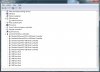
NOTE: I read in one of your guides that a USB 2.0 controller appears as Enhanced Controller in device manager. I only see USB to PCI Enhanced Controller. All else is Standard. I'm posting a screenshot of my device manager. Please take a look.
Attached Images
File Type: jpg DevMgr.jpg (103.7 KB, 6 views)

Last edited by Ritwik7; 04-19-2010 at 03:38 AM..
  #16  
Old 04-19-2010
Ritwik7's Avatar
TechSpot Evangelist
 
Location: Calcutta, India
Member since: Jan 2007, 2,195 posts
System specs
Another update:

Hi LookingAround. I checked out this link: http://h10025.www1.hp.com/ewfrf/wc/d...dlc=en&lang=en

Followed the instructions and disabled Legacy USB Support in BIOS. Plugged in the pen drive and tried to format again. Failed. Quick format worked. Now comes the funny part. I was able to transfer 3 video files, each 175 MB in size, into the Kingston without any problems. Thought the issue was resolved.

Ejected the USB drive properly. Plugged it back in. Once again the problems reappeared. Cannot transfer large files again. Only successful transfer was a 540KB E-book this time!

What the hell is happening?!
  #17  
Old 04-19-2010
Archean's Avatar
TechSpot Paladin
 
Member since: Dec 2009, 5,187 posts
System specs
As suggested earlier, I guess you should check what happens on XP (which you told us that is installed on a different HDD).

Beside that, stranger things do happen, for example, I use Wireless Broadband Connection, and the Huawei USB device provided by the ISP, just don't get recognized in Windows 7 no matter what you do. However, when I re-installed OS by keeping the device connected it installed properly without any issues (although it took several re-installs before I found out the solution). This happened on both of my computers i.e. notebook & PC. So may be, something similarly peculiar is at work here as well.
  #18  
Old 04-19-2010
LookinAround's Avatar
TechSpot Chancellor
 
Location: Chicago-land, IL
Member since: Apr 2007, 7,257 posts
Strange problem indeed! A few comments:

1. If the USB Controller's name includes the word "Enhanced" in its name then it's a USB 2.0 Controller. (I'll have to update my guide to clarify that it.) So you have two USB 2.0 Controllers

2. The next time the device seems to "disappear" (yet it's still plugged in)
See here to see all hidden and non-present devices in Device Manager. I'm guessing the drive will appear as a "ghost" device which would mean the hardware device is no longer detected. Does this occur on a laptop or desktop? Such problem could be due to:
> Filters (probably not but worth checking) See CD/DVD or Disk Problems? How to Fix Problems Caused by Filters
> Flaky hardware
> Or as Archaen said, can just be one of those weird computer things

3. I'd be very curious to see how that same pen drive works on that same hardware if you boot into Knoppix (or any other OS you can easily boot into)

@Archean:
So did you determine why the device wasn't being detected??

/* edit */
btw.. If you boot into Knoppix, you should be able to simply plug in the USB pen drive and then drag/drop files so you can try transer and time them. Also you;re hard drive should also get mounted automatically under Knoppix

/* edit2 */
Changing the Legacy BIOS setting was a good thing to try. You might also check the SMART sensor data on the USB drive. Download CrystalDiskInfo. Items are red (vs blue) if they've exceeded their threshold. However, do look at the Raw Value column for non-zero values. (OK to be non-zero for things like temperature or power cycle counts.. but not for error / retry counts etc.)

/* edit 3/
Oh yea, there's also CrystalDiskMark to benchmark your drives (under Windows). I haven't used it yet but noticed it available freeware

Last edited by LookinAround; 04-19-2010 at 03:37 PM..
  #19  
Old 04-19-2010
Ritwik7's Avatar
TechSpot Evangelist
 
Location: Calcutta, India
Member since: Jan 2007, 2,195 posts
System specs
Quote:
If the USB Controller's name includes the word "Enhanced" in its name then it's a USB 2.0 Controller. (I'll have to update my guide to clarify that it.) So you have two USB 2.0 Controllers
I'm a little confused here. The specifications of my motherboard lists 12 USB 2.0 ports. 6 back panel + 6 mid-board. I'm not too sure what that means. But why do I then have only 2 USB 2.0 controllers?

Last edited by Ritwik7; 04-19-2010 at 04:12 PM..
  #20  
Old 04-19-2010
LookinAround's Avatar
TechSpot Chancellor
 
Location: Chicago-land, IL
Member since: Apr 2007, 7,257 posts
Quote:
Originally Posted by Ritwik7 View Post
I'm a little confused here. The specifications of my motherboard lists 12 USB 2.0 ports. 6 back panel + 6 mid-board. I'm not too sure waht that means. But why do I then have only 2 USB 2.0 controllers?
USB Controllers can manage multiple ports.
Closed Thread
Page 1 of 5 1 2345

Similar Topics
Topic Replies Forum
Strange issue with PC 1 Processors and Motherboards
Kingston DataTraveller issue 5 Storage and Networking
Strange issue please help 18 Windows OS
Emachines and Kingston RAM issue 2 Processors and Motherboards
Strange D/L issue with IE6 6 Windows OS

Thread Tools Search this Thread
Search this Thread:

Advanced Search
All times are GMT -4. The time now is 02:53 PM.