I have run my McAfee antivirus software several times, no luck. I am including the files indicated in the 8-steps intruction to help me solve this problem. Any help will be greatly appreciated. OS is windows vista sp1.
You are using an out of date browser. It may not display this or other websites correctly.
You should upgrade or use an alternative browser.
You should upgrade or use an alternative browser.
Solved IE and Firefox redirect - please help
- Thread starter jmedramir
- Start date

Broni
Posts: 56,041 +517
Please download ComboFix from Here or Here to your Desktop.
**Note: In the event you already have Combofix, this is a new version that I need you to download. It is important that it is saved directly to your desktop**
Make sure, you re-enable your security programs, when you're done with Combofix.
DO NOT make any other changes to your computer (like installing programs, using other cleaning tools, etc.), until it's officially declared clean!!!
**Note: In the event you already have Combofix, this is a new version that I need you to download. It is important that it is saved directly to your desktop**
- Please, never rename Combofix unless instructed.
- Close any open browsers.
- Close/disable all anti virus and anti malware programs so they do not interfere with the running of ComboFix.
- Very Important! Temporarily disable your anti-virus, script blocking and any anti-malware real-time protection before performing a scan. They can interfere with ComboFix or remove some of its embedded files which may cause "unpredictable results".
- Click on this link to see a list of programs that should be disabled. The list is not all inclusive. If yours is not listed and you don't know how to disable it, please ask.
- Close any open browsers.
- WARNING: Combofix will disconnect your machine from the Internet as soon as it starts
- Please do not attempt to re-connect your machine back to the Internet until Combofix has completely finished.
- If there is no internet connection after running Combofix, then restart your computer to restore back your connection.
- Double click on combofix.exe & follow the prompts.
- When finished, it will produce a report for you.
- Please post the "C:\ComboFix.txt"
Make sure, you re-enable your security programs, when you're done with Combofix.
DO NOT make any other changes to your computer (like installing programs, using other cleaning tools, etc.), until it's officially declared clean!!!
I can't get past the ComboFix step
I hangs in there on the command window ... attempting to create a new recovery point.... never leaves this point, I have left it for hours. It creates a file/folder ComcobFix similar to the Computer folder that shows all the hard disk drives, network locations.. etc.
Any ideas?
Thanks
I hangs in there on the command window ... attempting to create a new recovery point.... never leaves this point, I have left it for hours. It creates a file/folder ComcobFix similar to the Computer folder that shows all the hard disk drives, network locations.. etc.
Any ideas?
Thanks
Broni
Posts: 56,041 +517
Delete your Combofix file.
Download fresh one, but rename combofix.exe to broni.exe BEFORE saving it to your desktop.
Do NOT run it yet.
Please download and run the below tool named Rkill (courtesy of BleepingComputer.com) which may help allow other programs to run.
There are 4 different versions. If one of them won't run then download and try to run the other one.
Vista and Win7 users need to right click Rkill and choose Run as Administrator
You only need to get one of these to run, not all of them. You may get warnings from your antivirus about this tool, ignore them or shutdown your antivirus.
* Rkill.com
* Rkill.scr
* Rkill.pif
* Rkill.exe
Once you've gotten one of them to run then try to immediately run the following.
Now download and run exeHelper.
Note: If the window shows a message that says "Error deleting file", please re-run the program before posting a log - and post the two logs together (they will both be in the one file).
Now, run broni.exe
Download fresh one, but rename combofix.exe to broni.exe BEFORE saving it to your desktop.
Do NOT run it yet.
Please download and run the below tool named Rkill (courtesy of BleepingComputer.com) which may help allow other programs to run.
There are 4 different versions. If one of them won't run then download and try to run the other one.
Vista and Win7 users need to right click Rkill and choose Run as Administrator
You only need to get one of these to run, not all of them. You may get warnings from your antivirus about this tool, ignore them or shutdown your antivirus.
* Rkill.com
* Rkill.scr
* Rkill.pif
* Rkill.exe
* Double-click on the Rkill desktop icon to run the tool.
* If using Vista or Windows 7 right-click on it and choose Run As Administrator.
* A black DOS box will briefly flash and then disappear. This is normal and indicates the tool ran successfully.
* If not, delete the file, then download and use the one provided in Link 2.
* If it does not work, repeat the process and attempt to use one of the remaining links until the tool runs.
* Do not reboot until instructed.
* If the tool does not run from any of the links provided, please let me know.
Once you've gotten one of them to run then try to immediately run the following.
Now download and run exeHelper.
* Please download exeHelper from Raktor to your desktop.
* Double-click on exeHelper.com to run the fix.
* A black window should pop up, press any key to close once the fix is completed.
* A log file named log.txt will be created in the directory where you ran exeHelper.com
* Attach the log.txt file to your next message.
Note: If the window shows a message that says "Error deleting file", please re-run the program before posting a log - and post the two logs together (they will both be in the one file).
Now, run broni.exe
Broni
Posts: 56,041 +517
Very good 
How is redirection?
1. Please open Notepad
2. Now copy/paste the entire content of the codebox below into the Notepad window:
3. Save the above as CFScript.txt
4. Then drag the CFScript.txt into ComboFix.exe as depicted in the animation below. This will start ComboFix again.

5. After reboot, (in case it asks to reboot), please post the following reports/logs into your next reply:
How is redirection?
1. Please open Notepad
- Click Start , then Run
- Type notepad .exe in the Run Box.
2. Now copy/paste the entire content of the codebox below into the Notepad window:
Code:
File::
c:\users\jose\AppData\Local\Anizeri.bin
c:\users\jose\AppData\Local\Kbizoxiyalogu.dat
c:\windows\system32\FBDA04FA5D.sys


Folder::
c:\users\jose\AppData\Local\rjyoctpkk


Registry::
[HKEY_LOCAL_MACHINE\SOFTWARE\Microsoft\Windows\CurrentVersion\RunOnce]
"GrpConv"=-
3. Save the above as CFScript.txt
4. Then drag the CFScript.txt into ComboFix.exe as depicted in the animation below. This will start ComboFix again.
5. After reboot, (in case it asks to reboot), please post the following reports/logs into your next reply:
- Combofix.txt
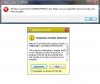
Broni
Posts: 56,041 +517
Looks good
Uninstall Combofix:
Go Start > Run [Vista users, go Start>"Start search"]
Type in:
Combofix /Uninstall
Note the space between the "Combofix" and the "/Uninstall"
Restart computer.
====================================================================
Download OTL to your Desktop.
* Double click on the icon to run it. Make sure all other windows are closed and to let it run uninterrupted.
* Under the Custom Scan box paste this in:
netsvcs
drivers32 /all
%SYSTEMDRIVE%\*.*
%systemroot%\system32\Spool\prtprocs\w32x86\*.dll
%systemroot%\system32\*.wt
%systemroot%\system32\*.ruy
%systemroot%\Fonts\*.com
%systemroot%\Fonts\*.dll
%systemroot%\system32\spool\prtprocs\w32x86\*.tmp
%systemroot%\*. /mp /s
CREATERESTOREPOINT
%systemroot%\system32\*.dll /lockedfiles
%systemroot%\Tasks\*.job /lockedfiles
%systemroot%\System32\config\*.sav
%systemroot%\system32\user32.dll /md5
%systemroot%\system32\ws2_32.dll /md5
%systemroot%\system32\ws2help.dll /md5
HKEY_LOCAL_MACHINE\SOFTWARE\Policies\Microsoft\Windows\WindowsUpdate\AU
HKEY_LOCAL_MACHINE\SOFTWARE\Microsoft\Windows\CurrentVersion\WindowsUpdate\Auto Update\Results\Install|LastSuccessTime /rs
* Click the Quick Scan button. Do not change any settings unless otherwise told to do so. The scan wont take long.
Uninstall Combofix:
Go Start > Run [Vista users, go Start>"Start search"]
Type in:
Combofix /Uninstall
Note the space between the "Combofix" and the "/Uninstall"
Restart computer.
====================================================================
Download OTL to your Desktop.
* Double click on the icon to run it. Make sure all other windows are closed and to let it run uninterrupted.
* Under the Custom Scan box paste this in:
netsvcs
drivers32 /all
%SYSTEMDRIVE%\*.*
%systemroot%\system32\Spool\prtprocs\w32x86\*.dll
%systemroot%\system32\*.wt
%systemroot%\system32\*.ruy
%systemroot%\Fonts\*.com
%systemroot%\Fonts\*.dll
%systemroot%\system32\spool\prtprocs\w32x86\*.tmp
%systemroot%\*. /mp /s
CREATERESTOREPOINT
%systemroot%\system32\*.dll /lockedfiles
%systemroot%\Tasks\*.job /lockedfiles
%systemroot%\System32\config\*.sav
%systemroot%\system32\user32.dll /md5
%systemroot%\system32\ws2_32.dll /md5
%systemroot%\system32\ws2help.dll /md5
HKEY_LOCAL_MACHINE\SOFTWARE\Policies\Microsoft\Windows\WindowsUpdate\AU
HKEY_LOCAL_MACHINE\SOFTWARE\Microsoft\Windows\CurrentVersion\WindowsUpdate\Auto Update\Results\Install|LastSuccessTime /rs
* Click the Quick Scan button. Do not change any settings unless otherwise told to do so. The scan wont take long.
- When the scan completes, it will open two notepad windows: OTL.txt and Extras.txt. These are saved in the same location as OTL.
- Please copy (Edit->Select All, Edit->Copy) the contents of these files, one at a time, and post them back here.
Broni
Posts: 56,041 +517
Update your Java version here: http://www.java.com/en/download/installed.jsp
Note 1: UNCHECK any pre-checked toolbar and/or software offered with the Java update. The pre-checked toolbars/software are not part of the Java update.
Note 2: The Java Quick Starter (JQS.exe) adds a service to improve the initial startup time of Java applets and applications. If you don't want to run another extra service, go to Start > Control Panel > Java > Advanced > Miscellaneous and uncheck the box for Java Quick Starter. Click OK and restart your computer.
Now, we need to remove old Java version and its remnants...
Download JavaRa to your desktop and unzip it to its own folder
=======================================================================
Run OTL
Note 1: UNCHECK any pre-checked toolbar and/or software offered with the Java update. The pre-checked toolbars/software are not part of the Java update.
Note 2: The Java Quick Starter (JQS.exe) adds a service to improve the initial startup time of Java applets and applications. If you don't want to run another extra service, go to Start > Control Panel > Java > Advanced > Miscellaneous and uncheck the box for Java Quick Starter. Click OK and restart your computer.
Now, we need to remove old Java version and its remnants...
Download JavaRa to your desktop and unzip it to its own folder
- Run JavaRa.exe (Vista users! Right click on JavaRa.exe, click Run As Administrator), pick the language of your choice and click Select. Then click Remove Older Versions.
- Accept any prompts.
=======================================================================
Run OTL
- Under the Custom Scans/Fixes box at the bottom, paste in the following
Code::OTL O10 - Protocol_Catalog9\Catalog_Entries\000000000004 - File not found O10 - Protocol_Catalog9\Catalog_Entries\000000000005 - File not found O10 - Protocol_Catalog9\Catalog_Entries\000000000006 - File not found O16 - DPF: {00000130-9980-0010-8000-00AA00389B71} http://codecs.microsoft.com/codecs/i386/ACELPACM.CAB (Reg Error: Key error.) O16 - DPF: RemotePrintControlCab https://payrollapp.com/@57128e25-bfc9-4da2-9796-f1b16cc899b9/checkprintingassistant/RemotePrintControlCab.CAB (Reg Error: Key error.) O28 - HKLM ShellExecuteHooks: {AEB6717E-7E19-11d0-97EE-00C04FD91972} - Reg Error: Key error. File not found @Alternate Data Stream - 208 bytes -> C:\ProgramData\TEMP:DFC5A2B2 @Alternate Data Stream - 122 bytes -> C:\ProgramData\TEMP:A8ADE5D8 :Services :Reg :Files :Commands [purity] [emptytemp] [emptyflash] [Reboot] - Then click the Run Fix button at the top
- Let the program run unhindered, reboot the PC when it is done
- You will get a log that shows the results of the fix. Please post it.
- Open OTL again and click the Quick Scan button. Post the log it produces in your next reply.
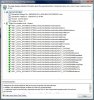
Broni
Posts: 56,041 +517
Cool
Last scans...
1. Download Security Check from HERE, and save it to your Desktop.
2. Download Temp File Cleaner (TFC)
Double click on TFC.exe to run the program.
Click on Start button to begin cleaning process.
TFC will close all running programs, and it may ask you to restart computer.
3. Go to Kaspersky website and perform an online antivirus scan.
1. Disable your active antivirus program.
2. Read through the requirements and privacy statement and click on Accept button.
3. It will start downloading and installing the scanner and virus definitions. You will be prompted to install an application from Kaspersky. Click Run.
4. When the downloads have finished, click on Settings.
5. Make sure these boxes are checked (ticked). If they are not, please tick them and click on the Save button:
7. Once the scan is complete, it will display the results. Click on View Scan Report.
8. You will see a list of infected items there. Click on Save Report As....
9. Save this report to a convenient place. Change the Files of type to Text file (.txt) before clicking on the Save button. Then post it here.
Last scans...
1. Download Security Check from HERE, and save it to your Desktop.
- Double-click SecurityCheck.exe
- Follow the onscreen instructions inside of the black box.
- A Notepad document should open automatically called checkup.txt; please post the contents of that document.
2. Download Temp File Cleaner (TFC)
Double click on TFC.exe to run the program.
Click on Start button to begin cleaning process.
TFC will close all running programs, and it may ask you to restart computer.
3. Go to Kaspersky website and perform an online antivirus scan.
1. Disable your active antivirus program.
2. Read through the requirements and privacy statement and click on Accept button.
3. It will start downloading and installing the scanner and virus definitions. You will be prompted to install an application from Kaspersky. Click Run.
4. When the downloads have finished, click on Settings.
5. Make sure these boxes are checked (ticked). If they are not, please tick them and click on the Save button:
- Spyware, Adware, Dialers, and other potentially dangerous programs
[*] Archives
[*] Mail databases
7. Once the scan is complete, it will display the results. Click on View Scan Report.
8. You will see a list of infected items there. Click on Save Report As....
9. Save this report to a convenient place. Change the Files of type to Text file (.txt) before clicking on the Save button. Then post it here.
Similar threads

- Replies
- 1
- Views
- 823
- Replies
- 17
- Views
- 281

- Replies
- 0
- Views
- 589
Latest posts
-
 The end of uBlock Origin in Chrome is now weeks away, not months
- BlackyNoir replied
-
Ubisoft to cut 380 jobs and shut down studios in Canada and Serbia, report claims
- Theinsanegamer replied


-
TechSpot is dedicated to computer enthusiasts and power users.
Ask a question and give support.
Join the community here, it only takes a minute.