also @ TechSpot: Seven Intel P55 Motherboards Compared, Reviewed
Welcome to the TechSpot OpenBoards. Please read the FAQ if you have any questions. Login to participate.

Go Back   TechSpot OpenBoards > Hardware & Tweaking > General Hardware

Converting USB 1.0 Front Panel to USB 2.0

Closed Thread
Bookmark Thread Tools
  #1  
Old 09-29-2004
raldo_gtm's Avatar
Newcomer, in training
 
Location: Four Corners Area, Northwestern NM
Member since: Sep 2004, 10 posts
Converting USB 1.0 Front Panel to USB 2.0

Here's the situation, I bought a new Mobo & CPU and it has 2 USB 2.0 ports for the front panel. The old Mobo also had the same, but the panel's USB ports are 1.0. I can't find a USB 2.0 cable w/ Mobo adapter to make it work. I don't want to add more front panel ports, I'd like to modify the front ports to accomdate a USB 2.0 to make it work with my Mobo. The pins on the new Mobo don't jive with the 1.0 wire connection. Does anyone know of a site that sell USB parts where I can make my own USB 2.0 ports?
  #2  
Old 09-30-2004
TechSpot Evangelist
 
Location: has left the building
Member since: Aug 2003, 8,160 posts
I think you will find what you need here:
http://www.frontx.com/
To remove this ad, sign in. To register for a new account, click here.
  
  #3  
Old 09-30-2004
Nodsu's Avatar
TechSpot Evangelist
 
Location: Estonia
Member since: Feb 2002, 9,430 posts
System specs
USB 1 ports are physically exactly the same as USB 2 ports. If your front panel thingie doesn't contain a USB hub then you just have to remake the motherboard side plug so you can connect the wires to your new mobo.

Look for the pinout of the USB connector for your old and new motherboard.
  #4  
Old 09-30-2004
raldo_gtm's Avatar
Newcomer, in training
 
Location: Four Corners Area, Northwestern NM
Member since: Sep 2004, 10 posts
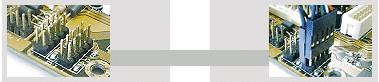
My new mobo has the USB plugs that are designed for front panels, it's like this; . What the problem is, my usb hub in the front does not have the correct adapter connections to the mobo. The front panel is USB 1.0 and there are more pins than there are connectors. Question, are the mobo USB 2.0 pins the same as USB 1.0 pins? My Mobo manual says not to connect them if they don't fit, it could damage the mobo. I think that my old mobo had 4 pins to connect to the front panel, the new one has 5 pins.
  #5  
Old 09-30-2004
Nodsu's Avatar
TechSpot Evangelist
 
Location: Estonia
Member since: Feb 2002, 9,430 posts
System specs
You need the pinout so you see what pin does what and whether you would have to rearrange the wires. Your motherboard manual should contain the pinout.

A usb port needs exactly 4 wires to operate. The fifth pin you have there is to power the front panel itself. Since your frontpanel only has less wires then it probably doesn't need that.

If you connect the wrong wires to wrong pins you will end up with a fried peripheral or mobo.
  #6  
Old 09-30-2004
raldo_gtm's Avatar
Newcomer, in training
 
Location: Four Corners Area, Northwestern NM
Member since: Sep 2004, 10 posts
What is a "Pinout", is that the labeling the pins? My mobo has that, and I think that the cables are also labeled. There are 2 banks of pins, like in the picture in the previous posts. Does that mean I can connedt up to 4 USB ports?
  #7  
Old 10-01-2004
Nodsu's Avatar
TechSpot Evangelist
 
Location: Estonia
Member since: Feb 2002, 9,430 posts
System specs
Yes you can connect up to 4 usb ports.

A pinout is a shematic or a table that tells you what signal belongs to what pin. The pins are numbered and the signals have names. If you have signal names of your wires then you just have to match them with the pins on your motherboard.
  #8  
Old 10-01-2004
raldo_gtm's Avatar
Newcomer, in training
 
Location: Four Corners Area, Northwestern NM
Member since: Sep 2004, 10 posts
Alright, so if I use the USB that is on the front panel, (even tho it was used for USB 1.0 and has 1 less connection) it will work as USB 2.0? I just need to make sure that I wire it correctly?
  #9  
Old 10-01-2004
Nodsu's Avatar
TechSpot Evangelist
 
Location: Estonia
Member since: Feb 2002, 9,430 posts
System specs
Yes. Just replace the "will" with "should"
To remove this ad, sign in. To register for a new account, click here.
  
  #10  
Old 10-01-2004
raldo_gtm's Avatar
Newcomer, in training
 
Location: Four Corners Area, Northwestern NM
Member since: Sep 2004, 10 posts
Well, I'll try it. It's kind of scary tho'. I'll have to build up the nerve first. I don't want to fry anything.
Closed Thread

Tip: Download Advanced SystemCare 3 Freeware - 1 Click A Day to Clean, Repair, Protect & Optimize your PC.

Thread Tools


Similar Topics
Topic Category Replies Last Post
XP wont assign drive letter to USB 2.0 HDD on USB 1.1 port Windows OS 28 09-04-2007 10:51 PM
WinXP. USB 2.0 Bad_Pool_Header Windows OS 4 11-30-2004 09:31 AM
Front Panel (Extra) USB Problems.. Processors, Chipsets and Motherboards 12 01-08-2004 11:18 PM
Is it USB 1.1 or USB 2.0? General Hardware 1 12-02-2003 11:48 PM
USB 2.0 and Windows 98 Windows OS 1 11-27-2002 06:38 AM


All times are GMT -4. The time now is 02:30 PM.