also @ TechSpot: Desktop Core i3 Ivy Bridge CPUs leaked ahead of launch
Welcome to the TechSpot OpenBoards. Please read the FAQ if you have any questions. Sign up or Login to participate.

Go Back   TechSpot OpenBoards > TechSpot Editorial and Site Feedback > Site Feedback and Suggestions

Collaborate in the cloud with Office, Exchange, SharePoint, and Lync

Popup box sometimes for "awstats"

Reply
Thread Tools Search this Thread
  #1  
Old 04-11-2005
Vigilante's Avatar
TechSpot Paladin
 
Location: Arizona, USA
Member since: Dec 2004, 2,120 posts
Popup box sometimes for "awstats"

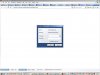
Occasionally I get a box that pops up with this info:

[title]
"connect to www.techspot.com

[description]
"awstats Restricted Area"

And it has a username and password box. I just cancel and the page I want comes up no problem.

Seems to be really random, doesn't happen only on certain pages etc...

So not sure why it does that. And I'm pretty sure that I'm logged in when it does happen.
  #2  
Old 04-11-2005
poertner_1274's Avatar
secroF laicepS topShceT
 
Location: Saint Louis, MO, USA
Member since: Feb 2002, 4,742 posts
System specs
That's interesting. I've never seen this before. Are you using IE?
  #3  
Old 04-11-2005
Vigilante's Avatar
TechSpot Paladin
 
Location: Arizona, USA
Member since: Dec 2004, 2,120 posts
Yes, it's basically IE (Avant).
Next time it pops up I'll keep track of what pages I'm on and whether I'm logged it etc...
  #4  
Old 04-12-2005
Per Hansson's Avatar
TechSpot Server Guru
 
Location: Sweden
Member since: Feb 2002, 1,513 posts
System specs
That is very strange, you get the password prompt when you try to reach our site status page (it is strictly for staff only, henche the password prompt.)

But this prompt will only come up when you try to access the folder cgi-bin which usual site related content should not try to do, please post back with all the details of where you where and what you clicked on next time this happenes to you so I can sort this one out.

And thank you for the heads up
__________________
"The one who says it cannot be done should never interrupt the one who is doing it."
  #5  
Old 04-12-2005
Vigilante's Avatar
TechSpot Paladin
 
Location: Arizona, USA
Member since: Dec 2004, 2,120 posts
Okay, I'll post back here.
  #6  
Old 04-18-2005
Vigilante's Avatar
TechSpot Paladin
 
Location: Arizona, USA
Member since: Dec 2004, 2,120 posts
Okay just got the message again. Here's the details.

I WAS logged in.
I was typing a "quick reply"
As soon as the page refreshed after clicking "Post Quick Reply" it popped up.
Which after refreshing, landed me on this page. Which is normal. http://www.techspot.com/vb/showthrea...079#post147079

I got a screen shot but lost it before I could paste it. It just looks like a normal windows dialog box.
Next time I'll try to get a screen shot.
  #7  
Old 04-18-2005
Per Hansson's Avatar
TechSpot Server Guru
 
Location: Sweden
Member since: Feb 2002, 1,513 posts
System specs
No need to post a screenshot, I know how it looks...

I'll review the server logs now and see if I can come up with anything, thank you
__________________
"The one who says it cannot be done should never interrupt the one who is doing it."
  #8  
Old 04-18-2005
Per Hansson's Avatar
TechSpot Server Guru
 
Location: Sweden
Member since: Feb 2002, 1,513 posts
System specs
I have now identified the problem and have informed Julio about it, the reason the prompt comes up is due to one of our advertisements on the site wrongly using the cgi-bin directory on the server...

Hopefully this will be solved later today or in the week

Thank you for your help Vigilante
__________________
"The one who says it cannot be done should never interrupt the one who is doing it."
  #9  
Old 04-18-2005
dgower2's Avatar
TechSpot Enthusiast
 
Location: USA, PA, Philadelphia
Member since: Mar 2005, 340 posts
I got that prompt too

I got the same thing a couple times in the past couple weeks. I've just been closing/ignoring it. I'll post any screen shots if I get em.
  #10  
Old 04-18-2005
Per Hansson's Avatar
TechSpot Server Guru
 
Location: Sweden
Member since: Feb 2002, 1,513 posts
System specs
This is how it looks if you are interested...

http://hem.spray.se/hanzzzon/Clipboard01.jpg
__________________
"The one who says it cannot be done should never interrupt the one who is doing it."
  #11  
Old 04-19-2005
Vigilante's Avatar
TechSpot Paladin
 
Location: Arizona, USA
Member since: Dec 2004, 2,120 posts
At least, that's how it looks in Opera! Looks slightly different on Avant.

Glad you found the issue though!
  #12  
Old 04-22-2005
Julio's Avatar
TechSpot Executive Editor
 
Location: Ecuador
Member since: Feb 2002, 5,355 posts
System specs
Thanks all for the feedback, I have notified our ad network so a fix should be on its way.
Reply

Similar Topics
Topic Replies Forum
Pesky message on IE7 "Popup blocking software..." 9 Virus and Malware Removal
"Check your computer's security" popup on login 1 Windows OS
"System Alert: Malware Threats" popup 9 Virus and Malware Removal
After removing "System Alert Popup" my computer is very slow 11 Virus and Malware Removal
System affected by "System Alert Popup" and then "Internet Explorer Security Plugin" 22 Virus and Malware Removal

Thread Tools Search this Thread
Search this Thread:

Advanced Search
All times are GMT -4. The time now is 02:52 AM.