|
#21
|
|||
|
|||
|
Because one of your minidump crashed at hal and it is symptom of overheat. Your PC may have mutiple culprits: overheat and faulty ram.
IRQL_NOT_LESS_OR_EQUAL (a) An attempt was made to access a pageable (or completely invalid) address at an interrupt request level (IRQL) that is too high. This is usually caused by drivers using improper addresses. If a kernel debugger is available get the stack backtrace. Arguments: Arg1: 6f9373d0, memory referenced Arg2: 0000001c, IRQL Arg3: 00000001, value 0 = read operation, 1 = write operation Arg4: 806ecaa0, address which referenced memory Debugging Details: ------------------ WRITE_ADDRESS: 6f9373d0 CURRENT_IRQL: 1c FAULTING_IP: hal!HalpAcquireSystemHardwareSpinLock+8 806ecaa0 808f05844e6f80 or byte ptr [edi+0x6f4e8405],0x80 CUSTOMER_CRASH_COUNT: 1 DEFAULT_BUCKET_ID: DRIVER_FAULT BUGCHECK_STR: 0xA MISALIGNED_IP: hal!HalpAcquireSystemHardwareSpinLock+8 806ecaa0 808f05844e6f80 or byte ptr [edi+0x6f4e8405],0x80 LAST_CONTROL_TRANSFER: from 0044efcb to 806ecaa0 STACK_TEXT: ed2b5d64 0044efcb badb0d00 00000000 f7d12d98 hal!HalpAcquireSystemHardwareSpinLock+0x8 |
|
#22
|
||||
|
||||
|
Yayyy, everything is allright (I hope)
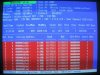
Here I am again, sorry if my response is a bit late, it took a long time to claim the warranty for my M/B, my memory modules, and my processor with another processor of the same type(old stock). I haven't got the time to try to use my computer for a long time, but it seems pretty stable for me. The temperature drops about 5 or 6 degree Celcius, so i think CPC was right, my problem was caused by multiple culprits, the RAM modules were faulty, one module ran at 2.5 and one ran at 3, those 2 used together in dual channel generated a lot of errors in memtest. The processor or the M/B had something wrong too to generate so much heat (62 Celcius at peak use), it's now somewhat cooler although i didn't do anything different than with my old machine. If it can keep this cool, maybe i don't have to buy a fancy heatsink+fan, maybe i'll just borrow a little arctic silver from my friend.
Thanks for everything guys (especially for CPC), u're really the bright star in the middle of frustrating errors. PS: If anything wrong came up again, i'll let u know ( I sure hope nothing wrong came up again tho) |
|
|
|
#23
|
|||
|
|||
|
Hi Otmakus,
I'm glad to know that your problem is resolved. |
|
#24
|
|||
|
|||
|
Sporadic reboots with Minidumps
Hey Otmakus Good for you the problem is solved.
I too have been with the same kind of problem for months: intermitent reboots usually in 3D games or screen saver (3D). For months the memtests (Memtest 2.5 from HCI) reported nothing. Sometimes Windows would report afterwards that the problem was with the (in)famous Device Driver... - Replaced video card ==> Same beh. - Tweaked a lot of BIOS params. ==> Same beh. - My RAM cfg was 1x256 + 1x512 DDR 2100: Replaced the 1x256 with a new 1x512 ==> Same beh. Today the memtest reported "faulty RAM". Ah I said. It's the old 1x512 !!! - Replaced the old 1x512 (becoming with 2x512 DDR w/ same brand and the old 1x256) ==> Same beh !!! - Ah I said. It's also(!?) the 1x256. Now, I removed the old 1x256 (using only the new 2x512 DDR same brand)...we'll see if it can handle World of Warcraft playtime ;-) Meanwhile, this is my latest minidump. Any hints from you experts ? cpc2004? |
|
#25
|
|||
|
|||
|
Hi Plucas,
If you want me to help you. Zip 5 to 6 minidumps and attach the zip files here. Note this forum only accept attachment less than 100k. |
|
#26
|
|||
|
|||
|
Thank you very much.
Here go 5 minidumps. Btw, the result using only the new 2x512 DDR (so discarding almost for sure the problem with faulty DDR's) is the same. Crashed. This time with no minidump. Sometimes, when the crash occurs during 3D gaming, the game simply freezes with a repeating sound and that's all. This was the latest case. As to temperatures, I think I have a cooled system (CPU 45-50şC, Chassis 33-35şC when in 3D), although the CPU is an Athlon XP 2100+ Palomino which was the fastest but also the hotest (and rarest :-) ?) with the .18 core. |
|
#27
|
|||
|
|||
|
Hi Plucas,
The culprit is faulty ram. |
|
#28
|
||||
|
||||
|
Can't trace the causes of my PC crashes
Hey All,
My computer has been crashing for several months now. It's somewhat intermittant but it averages a crash a day. I located problems with the new video card and old Sound Blaster Live! sound card and have swapped them out. This corrected some problems. I'm aware that heat has had some effect on the video card I swapped out, but it doesn't seem to be a factor now. I'm getting concerned because windows now won't, or can't, save the dump file! Could one of you guys examine my dumps and see if you can find the culprit? AJOH ----------------------- Oops, forgot to include my computer information. Sorry! Microsoft Windows XP Professional 5.1.2600 (WinXP Retail) Service Pack 2 4.09.00.0904 (DirectX 9.0c) Intel Pentium 4, 3200 MHz (16 x 200) Asus P4P800-E Deluxe (5 PCI, 1 AGP, 1 WiFi, 4 DDR DIMM, Audio, Gigabit LAN, IEEE-1394) Intel Springdale i865PE 1024 MB (PC3200 DDR SDRAM) AMI (09/24/04) NVIDIA GeForce 6600 (256 MB) AGP KDS Visual Sensation VS-195 [19" CRT] Creative SB0350 Audigy 2 ZS Sound Card Marvell Yukon 88E8001/8003/8010 PCI Gigabit Ethernet Controller Last edited by ajoh; 09-25-2005 at 11:03 PM.. Reason: Additional Information |
|
#29
|
||||
|
||||
|
Hey all, it seems that my computer still has some problems. It still crashed at random, although somewhat rarer than from the previous time. Sometimes i heard a soft "click" from the hard drive and then it just stopped working, causing windows to freeze and i have to restart the computer. And just now, the dreaded BSOD came up again, telling KERNEL_STACK_INPAGE_ERROR, STOP:0xC0000185, 0xC0000185, 0x00000000, 0x07773000. There isn't any new minidump in the minidump folder, even though the BSOD said that it did dumping the physical memory.
I opened the event viewer, and it has an error with event id 11, saying this: The driver detected a controller error on \Device\Harddisk0\D. 0000: 03 00 68 00 01 00 b6 00 ..h...ś. 0008: 00 00 00 00 0b 00 04 c0 .......Ŕ 0010: 03 01 00 00 00 00 00 00 ........ 0018: 00 00 00 00 00 00 00 00 ........ 0020: 00 00 00 00 00 00 00 00 ........ 0028: 96 23 0b 00 00 00 00 00 #...... 0030: ff ff ff ff 06 00 00 00 ˙˙˙˙.... 0038: 40 00 00 00 00 00 00 00 @....... 0040: 00 20 0a 12 40 03 20 00 . ..@. . 0048: 00 00 00 00 0a 00 00 00 ........ 0050: a0 f9 17 02 c8 89 40 86 ů..Č@ 0058: 00 00 00 00 70 ac 58 86 ....pŹX 0060: 00 00 00 00 0c 25 98 08 .....%. 0068: 28 00 08 98 25 0c 00 00 (..%... 0070: 01 00 00 00 00 00 00 00 ........ 0078: 00 00 00 00 00 00 00 00 ........ 0080: 00 00 00 00 00 00 00 00 ........ 0088: 00 00 00 00 00 00 00 00 ........ and then a warning with event id 51, saying this: An error was detected on device \Device\Harddisk0\D during a paging operation. 0000: 03 01 68 00 01 00 b6 00 ..h...ś. 0008: 00 00 00 00 33 00 04 80 ....3.. 0010: 2d 01 00 00 00 00 00 00 -....... 0018: 00 00 00 00 00 00 00 00 ........ 0020: 00 00 00 00 00 00 00 00 ........ 0028: 71 29 0b 00 00 00 00 00 q)...... 0030: ff ff ff ff 03 00 00 00 ˙˙˙˙.... 0038: 40 00 00 09 00 00 00 00 @....... 0040: ff 20 0a 12 4c 03 20 40 ˙ ..L. @ 0048: 00 00 00 00 0a 00 00 00 ........ 0050: 00 10 58 f3 f0 4d 13 86 ..XóđM. 0058: 00 00 00 00 a0 cb f6 85 .... Ëö 0060: 00 00 00 00 8f ef 44 00 ....ďD. 0068: 28 00 00 44 ef 8f 00 00 (..Dď.. 0070: 08 00 00 00 00 00 00 00 ........ 0078: 00 00 00 00 00 00 00 00 ........ 0080: 00 00 00 00 00 00 00 00 ........ 0088: 00 00 00 00 00 00 00 00 ........ What can be said about this? Is it safe to say that the HD or the IDE cable is bad? Come to think of it, since the errors before, the only part in my computer i didn't try to swap with another is my HD and the cable. So now i'm swapping the cable to the HD with the cable to my CD Rom, so far, nothing happen, but i can't be sure until after a few days. Can anyone give me an opinion on what's wrong with my computer? Any opinions or advices will be much appreciated PS: My HD is Seagate Barracuda Ultra ATA 80GB, and i'm using ATA100 IDE cable for the cable to my CD ROM (secondary IDE) and to my HD (primary IDE) Last edited by Otmakus; 09-26-2005 at 02:35 AM.. |
|
|
|
#30
|
|||
|
|||
|
Hi Otamkus,
Bugcheck 77 is Kernek_Stack_Inpage_Error NTSTATUS 0xC0000185 is STATUS_IO_DEVICE_ERROR Probably your paging space is bad hence no minidump is created. Remove the corrupted paging space. Refer the following case http://www.techspot.com/vb/showthrea...134#post193134 Last edited by cpc2004; 09-26-2005 at 05:09 AM.. |
|
#31
|
||||
|
||||
|
Hi CPC, thanks for you quick responses all this time. I've tried running chkdsk but it showed no errors, i also ran seatools, and no errors too. I've read the case in the url u sent me, but it seems i can't see anything in it that can be used for me. I've tried setting the BIOS to default settings, still with no luck.
Tomorrow i'm going to replace my PSU, a friend of mine told me a bad PSU will first hit the HD, so maybe the sudden hibernation of my HD is caused by a bad PSU. If that doesn't work, i think i'm going to reinstall my windows again. It's been getting a little weird from all the restarting afterall. I'll post the result in a few days. |
|
#32
|
|||
|
|||
|
Faulty RAM?
Hi CPC, could you please check my minidumps? Is it caused by faulty RAM or sw? Any idea at all? (strange, as it seems to have problem with a different file every time...)
Thanks, and have fun as life is too boring without it. ![]() P.s.: I ran memtest for over 7 hours without errors, but I guess it is not 100%. Last edited by wizkid; 09-26-2005 at 04:39 PM.. |
|
#33
|
|||
|
|||
|
Hi Otmakus,
You had better delete paging space. If it fixes the BSOD, you don't have to replace the PSU and save your money. Last edited by cpc2004; 09-26-2005 at 08:49 PM.. |
|
#34
|
|||
|
|||
|
It seems that XP had problems with the following files:
incdrm.sys - part of Nero InCD, has been uninstalled ctsfm2k.sys - driver for Soundblaster Card, has been updated since nv4_disp.dll - vga driver, has been updated since. Still there seems to be some problem with afd.sys (if it is not faulty hardware or overheating)... ![]() |
|
#35
|
||||
|
||||
|
Hi CPC, i've done ur advice and set the virtual memory to no page file, restart, and then set the the virtual memory back to system managed. Is that what u mean by deleting page space? I'm still waiting if that solves my problem, but in the meanwhile, i still plan to replace my PSU, because it's still covered by warranty, and because sometimes i can literally hear my HD stops working (a soft click followed by a whirring sound).
Oh, and another symptoms i last forgot to mention is that whenever i stop using the comp for some time, i switch user in order to avoid use of my comp by other people, and then turn off the monitor, but when i turn the monitor back on, the screen is still black, and the power LED of the monitor is blinking, and it's not the monitor, because i notice my cable modem PC activity LED is not blinking, telling that the comp has no activity, altho i'm always downloading files at all times. I have to to press the reset button to restart the comp. This happened randomly, but usually after i stop using the comp for more than 5 hours. |
|
#36
|
|||
|
|||
|
Here is the hijackthis log, maybe it will help:
Logfile of HijackThis v1.99.1 Scan saved at 18:52:09, on 2005. 09. 27. Platform: Windows XP SP2 (WinNT 5.01.2600) MSIE: Internet Explorer v6.00 SP2 (6.00.2900.2180) Running processes: C:\WINDOWS\System32\smss.exe C:\WINDOWS\system32\winlogon.exe C:\WINDOWS\system32\services.exe C:\WINDOWS\system32\lsass.exe C:\WINDOWS\system32\svchost.exe C:\WINDOWS\System32\svchost.exe C:\WINDOWS\Explorer.EXE C:\WINDOWS\system32\spoolsv.exe C:\Program Files\Eset\nod32kui.exe C:\WINDOWS\system32\CTHELPER.EXE C:\Program Files\Spybot - Search & Destroy\TeaTimer.exe C:\WINDOWS\system32\CTsvcCDA.EXE C:\Program Files\SpywareGuard\sgmain.exe C:\Program Files\Kerio\Personal Firewall 4\kpf4ss.exe C:\Program Files\SpywareGuard\sgbhp.exe C:\Program Files\Common Files\Microsoft Shared\VS7DEBUG\MDM.EXE C:\Program Files\Kerio\Personal Firewall 4\kpf4gui.exe C:\Program Files\Eset\nod32krn.exe C:\WINDOWS\system32\nvsvc32.exe C:\Program Files\Common Files\Symantec Shared\SNDSrvc.exe C:\WINDOWS\system32\MsPMSPSv.exe C:\Program Files\Kerio\Personal Firewall 4\kpf4gui.exe C:\Program Files\totalcmd\TOTALCMD.EXE c:\install\app\essentials\HijackThis.exe C:\Program Files\Internet Explorer\IEXPLORE.EXE O2 - BHO: AcroIEHlprObj Class - {06849E9F-C8D7-4D59-B87D-784B7D6BE0B3} - C:\Program Files\Adobe\Acrobat 6.0\Acrobat\ActiveX\AcroIEHelper.dll O2 - BHO: SpywareGuard Download Protection - {4A368E80-174F-4872-96B5-0B27DDD11DB2} - C:\Program Files\SpywareGuard\dlprotect.dll O2 - BHO: (no name) - {53707962-6F74-2D53-2644-206D7942484F} - C:\PROGRA~2\SPYBOT~1\SDHelper.dll O2 - BHO: (no name) - {9ECB9560-04F9-4bbc-943D-298DDF1699E1} - (no file) O2 - BHO: IeCatch2 Class - {A5366673-E8CA-11D3-9CD9-0090271D075B} - C:\PROGRA~2\FlashGet\jccatch.dll O2 - BHO: AcroIEToolbarHelper Class - {AE7CD045-E861-484f-8273-0445EE161910} - C:\Program Files\Adobe\Acrobat 6.0\Acrobat\AcroIEFavClient.dll O2 - BHO: (no name) - {BDF3E430-B101-42AD-A544-FADC6B084872} - (no file) O3 - Toolbar: Adobe PDF - {47833539-D0C5-4125-9FA8-0819E2EAAC93} - C:\Program Files\Adobe\Acrobat 6.0\Acrobat\AcroIEFavClient.dll O3 - Toolbar: FlashGet Bar - {E0E899AB-F487-11D5-8D29-0050BA6940E3} - C:\PROGRA~2\FlashGet\fgiebar.dll O4 - HKLM\..\Run: [nod32kui] "C:\Program Files\Eset\nod32kui.exe" /WAITSERVICE O4 - HKLM\..\Run: [NvCplDaemon] RUNDLL32.EXE C:\WINDOWS\system32\NvCpl.dll,NvStartup O4 - HKLM\..\Run: [CTHelper] CTHELPER.EXE O4 - HKLM\..\Run: [KernelFaultCheck] %systemroot%\system32\dumprep 0 -k O4 - HKCU\..\Run: [SpybotSD TeaTimer] C:\Program Files\Spybot - Search & Destroy\TeaTimer.exe O4 - Startup: SpywareGuard.lnk = C:\Program Files\SpywareGuard\sgmain.exe O8 - Extra context menu item: Download All by FlashGet - C:\Program Files\FlashGet\jc_all.htm O8 - Extra context menu item: Download using FlashGet - C:\Program Files\FlashGet\jc_link.htm O8 - Extra context menu item: E&xportálás Microsoft Excel formátumba - res://C:\PROGRA~2\MICROS~2\OFFICE11\EXCEL.EXE/3000 O9 - Extra button: (no name) - {08B0E5C0-4FCB-11CF-AAA5-00401C608501} - C:\Program Files\Java\jre1.5.0_04\bin\npjpi150_04.dll O9 - Extra 'Tools' menuitem: Sun Java Console - {08B0E5C0-4FCB-11CF-AAA5-00401C608501} - C:\Program Files\Java\jre1.5.0_04\bin\npjpi150_04.dll O9 - Extra button: Kutatás - {92780B25-18CC-41C8-B9BE-3C9C571A8263} - C:\PROGRA~2\MICROS~2\OFFICE11\REFIEBAR.DLL O9 - Extra button: FlashGet - {D6E814A0-E0C5-11d4-8D29-0050BA6940E3} - C:\PROGRA~2\FlashGet\flashget.exe O9 - Extra 'Tools' menuitem: &FlashGet - {D6E814A0-E0C5-11d4-8D29-0050BA6940E3} - C:\PROGRA~2\FlashGet\flashget.exe O9 - Extra button: Messenger - {FB5F1910-F110-11d2-BB9E-00C04F795683} - C:\Program Files\Messenger\msmsgs.exe O9 - Extra 'Tools' menuitem: Windows Messenger - {FB5F1910-F110-11d2-BB9E-00C04F795683} - C:\Program Files\Messenger\msmsgs.exe O16 - DPF: {0A5FD7C5-A45C-49FC-ADB5-9952547D5715} (Creative Software AutoUpdate) - http://creative.com/su/ocx/15015/CTSUEng.cab O16 - DPF: {17492023-C23A-453E-A040-C7C580BBF700} (Windows Genuine Advantage) - http://go.microsoft.com/fwlink/?link...67&clcid=0x409 O16 - DPF: {6414512B-B978-451D-A0D8-FCFDF33E833C} (WUWebControl Class) - http://update.microsoft.com/windowsu...?1120058799070 O16 - DPF: {6E32070A-766D-4EE6-879C-DC1FA91D2FC3} (MUWebControl Class) - http://update.microsoft.com/microsof...?1127678169562 O16 - DPF: {B38870E4-7ECB-40DA-8C6A-595F0A5519FF} (MsnMessengerSetupDownloadControl Class) - http://messenger.msn.com/download/Ms...Downloader.cab O16 - DPF: {F6ACF75C-C32C-447B-9BEF-46B766368D29} (Creative Software AutoUpdate Support Package) - http://creative.com/su/ocx/15016/CTPID.cab O17 - HKLM\System\CCS\Services\Tcpip\..\{19630EFD-6CC8-4E80-896C-3DE8BFC45BD6}: NameServer = 195.228.240.249 195.228.242.180 O18 - Protocol: msnim - {828030A1-22C1-4009-854F-8E305202313F} - "C:\PROGRA~2\MSNMES~1\msgrapp.dll" (file missing) O23 - Service: Creative Service for CDROM Access - Creative Technology Ltd - C:\WINDOWS\system32\CTsvcCDA.EXE O23 - Service: InstallDriver Table Manager (IDriverT) - Macrovision Corporation - C:\Program Files\Common Files\InstallShield\Driver\11\Intel 32\IDriverT.exe O23 - Service: iPod Service (iPodService) - Apple Computer, Inc. - C:\Program Files\iPod\bin\iPodService.exe O23 - Service: Kerio Personal Firewall 4 (KPF4) - Kerio Technologies - C:\Program Files\Kerio\Personal Firewall 4\kpf4ss.exe O23 - Service: NOD32 Kernel Service (NOD32krn) - Eset - C:\Program Files\Eset\nod32krn.exe O23 - Service: NVIDIA Display Driver Service (NVSvc) - NVIDIA Corporation - C:\WINDOWS\system32\nvsvc32.exe O23 - Service: Remote Packet Capture Protocol v.0 (experimental) (rpcapd) - Unknown owner - %ProgramFiles%\WinPcap\rpcapd.exe" -d -f "%ProgramFiles%\WinPcap\rpcapd.ini (file missing) O23 - Service: Symantec Network Drivers Service (SNDSrvc) - Symantec Corporation - C:\Program Files\Common Files\Symantec Shared\SNDSrvc.exe Thanks for any help. |
|
#37
|
|||
|
|||
|
Quote:
I've investigate your minidumps. The crashes are randomly and no pattern. I believe that faulty ram is the culprit. Some faulty ram can pass memtest. Suggestion 1. Reseat the memory stick to another memory slot 2. Downclock the ram 3. Clean the inside the computer case 4. Make sure that the ram is compatible to the motherboard If it still crashes, diagnostic which memory stick is faulty 1. Take out one memory stick. If windows does not crash, the removed memory stick is faulty. 2. If you have only one memory stick, replace the ram |
|
#38
|
|||
|
|||
|
Thanks for investigating
I am about to by a new RAM, but will try some of your ideas before: Suggestion 1. Reseat the memory stick to another memory slot => 2 333 256Mb RAMs (different brand ), 3 slots, changed them so they both are in a different slot now (on my way to play a little MoHAA )2. Downclock the ram => Have no idea how to do that. Is it possible that the system runs 'em on 400MHz instead of the 333? 3. Clean the inside the computer case => Done (Still wouldn't eat from the inside )4. Make sure that the ram is compatible to the motherboard => Chaintech 7NJS Zenith, according to their homepage it supports PC2700 RAMs (the ones I have). If it still crashes, diagnostic which memory stick is faulty 1. Take out one memory stick. If windows does not crash, the removed memory stick is faulty. => Will do if system still crashes (I'll upload any dumps I get) 2. If you have only one memory stick, replace the ram => Will do regardless of them being ok or not. Thanks for the help ![]() |
|
#39
|
|||
|
|||
|
More info, maybe it will help
![]() After running Everest Home, it found the following problems (It is not in english, so I'll try and translate them): "Current AGP speed lower then the supported max." => I have an NVidia ti4200, and I have no idea if it supports 8x or not (it has two different versions, I have the one without if memory serves). Turned off AGP8x support in BIOS. "Video BIOS is over 2 years old." => Umm...what? I have update the MB BIOS to the latest available, which is certainly less than 2 years old. What is Video BIOS anyway? Is it something for the VGA-card? How can I update it at all (nothing on video bios on nvidia homepage). |
|
#40
|
|||
|
|||
|
Actually my VGA supports 8x AGP according to Everest. Should I trust it, and set the active AGP speed (4x now) to 8x? How/Where?
Sorry for the number of questions. ![]() Edited later: According to the nvidia device driver, the max setting is 4x (I cannot set it to 8x actually), so please ignore this post. ![]() Last edited by wizkid; 09-27-2005 at 04:34 PM.. |
![]() |
| Thread Tools | |
|
|
| Similar Topics | ||||
| Topic | Category | Replies | Last Post | |
| How do I know which Device Driver caused an Error. | Windows OS | 42 | 08-15-2007 07:14 PM | |
| Windows Boot problem! stuck on boot screen help plz | Windows OS | 26 | 03-19-2007 03:29 AM | |
| ALi Integrated Driver ver. 1.07 English version | News and Links from Around the Web | 4 | 09-20-2006 03:26 PM | |
| Error Caused by a Device Driver | Device Drivers | 270 | 11-29-2005 03:44 AM | |
| DirectX DXDiag Log (GCHAND.DLL) | Audio and Video | 0 | 06-27-2005 11:30 AM | |
All times are GMT -4. The time now is 08:15 PM.


)