also @ TechSpot: Desktop Core i3 Ivy Bridge CPUs leaked ahead of launch
Welcome to the TechSpot OpenBoards. Please read the FAQ if you have any questions. Sign up or Login to participate.

Go Back   TechSpot OpenBoards > Tech Support > Windows BSOD, Freezing, Restarting Help

Begin your free trial now Pay-as-you-go options starting at $10/user/month

Blue screen but not what you are thinking of......

Thread Tools Search this Thread
  #1  
Old 12-24-2005
Grr_San_jose_Ca's Avatar
TechSpot Member
 
Member since: Nov 2005, 106 posts
Blue screen but not what you are thinking of......

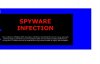
Hey guys i went into this website and i got a whole bunch of spy ware
and ive removed most of it but i cant seem to change my desktop any ideas guys or recomendations that you guys might have?????
Attached Images
File Type: jpg spy3.JPG (31.8 KB, 17 views)
  #2  
Old 12-24-2005
TechSpot Member
 
Member since: Oct 2005, 44 posts
I've seen that (your attached image) somewhere. It's a popup in some websites. Just close the IE Window that's showing that popup.
  #3  
Old 12-29-2005
Newcomer, in training
 
Member since: Dec 2005, 1 posts
Replie to your problem

i have also encountered this problem once before; it took me a day to figure out and get rid of, if you havent got the background off the desktop it means that there's stil spyware on your computer. I have found that norton antivirus and microsoft antivirus don't work at all, if you use the restore to a previous date feature then it will still also come back. It was quite a while since that last happened to me however, you can wipe the hard drive *if you're not sure how to do so i will post further details* and i will get back to you with the solution i used soon. Hope you can get it workin
  #4  
Old 12-29-2005
Grr_San_jose_Ca's Avatar
TechSpot Member
 
Member since: Nov 2005, 106 posts
Well thanks for the help I found out that the only way i could of get rid of it was to reinstall windows and so I did. I reinstalled it because the operating system kept geting worse and i couldnt do anything about it so i had to reinstall it the only thing is I dont know how I got that virus/spyware i was just looking at my usual sports and then out of no where i get this message but i found that reinstaling windows would be the best way to get rid of it because i had tried many difrent thing like Norton Antivirus as you mentioned and that wouldnt get rid of it so thats when i decided to reinstall it. But thanks for your help guys
Closed Thread

Similar Topics
Topic Replies Forum
Help, blue screen 0x0000007E cant get past this screen 10 Windows BSOD, Freezing, Restarting Help
After PC is in standby mode, blue screen error message frozen on screen 1 Windows BSOD, Freezing, Restarting Help
Screen freezes/turns off/blue screen 5 Virus and Malware Removal
One Blue Screen and Now Can't Boot to User Screen 2 Windows OS
Blue Screen Error code 1000008e + Some Random Restarts (No Blue Screen) 4 Device Drivers

Thread Tools Search this Thread
Search this Thread:

Advanced Search
All times are GMT -4. The time now is 12:35 PM.