also @ TechSpot: UK's SOCA seizes domain of popular music blog, rnbxclusive.com
Welcome to the TechSpot OpenBoards. Please read the FAQ if you have any questions. Sign up or Login to participate.

Go Back   TechSpot OpenBoards > Tech Support > Windows BSOD, Freezing, Restarting Help

Begin your free trial now Pay-as-you-go options starting at $10/user/month

BSOD bugcheck 0x10000050 - bad ram ?

Thread Tools Search this Thread
  #1  
Old 10-15-2006
Newcomer, in training
 
Member since: Oct 2006, 8 posts
BSOD bugcheck 0x10000050 - bad ram ?

Hello

I have bought computer 4 months ago and from start I have problems with pc crashing and then rebooting itself. Sometimes it crashes in 2 hours and sometimes after 2, 3 days of working.


Three days ago I have install clean copy of win xp and again I have reboot after 30 hours.

Here is the info:

The computer has rebooted from a bugcheck. The bugcheck was: 0x10000050 (0xb4a4fc50, 0x00000000, 0xbf8113c3, 0x00000000). A dump was saved in: C:\WINDOWS\Minidump\Mini101506-01.dmp.

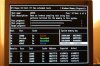
I have also run memtest and have attached screen from memtest.
Does that means that I have bad ram , is this 100% sure ? If yes, than I can reuturn pc to shop - guaranty.

Thank you.
Best regards.
Attached Images
File Type: jpg PICT4949.JPG (99.0 KB, 13 views)
Attached Files
File Type: dmp Mini101506-01.dmp (88.0 KB, 8 views)
  #2  
Old 10-15-2006
TechSpot Evangelist
 
Member since: Aug 2004, 25,949 posts
Hello and welcome to Techspot.

From looking at your minidump and your screenshot, I would say faulty ram is the culprit.

Your bugcheck of 50 also indicates a possible ram problem.

0x00000050: PAGE_FAULT_IN_NONPAGED_AREA

Requested data was not in memory. An invalid system memory address was referenced. Defective memory (including main memory, L2 RAM cache, video RAM) or incompatible software (including remote control and antivirus software) might cause this Stop message, as may other hardware problems (e.g., incorrect SCSI termination or a flawed PCI card).

Regards Howard
  #3  
Old 10-17-2006
Newcomer, in training
 
Member since: Oct 2006, 8 posts
Hollo again

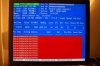
I have also run MS ram test and I have attached picture. Are all this errors normal ?
In 34 passes there were 22 errors (all the same). Can someone please explain me the results ?

Thank you very much.

Br
Attached Images
File Type: jpg PICT4960.JPG (90.0 KB, 10 views)
  #4  
Old 10-17-2006
TechSpot Evangelist
 
Member since: Aug 2004, 25,949 posts
I actually prefer to use Memtest86+. However, if you are getting errors on your ram, it`s safe to assume your ram is bad.

Just to be on the safe side, run the above Memtest86+ and let us know the results.

Regards Howard

Last edited by howard_hopkinso; 10-17-2006 at 07:39 PM..
  #5  
Old 10-17-2006
peterdiva's Avatar
TechSpot Ambassador
 
Location: Western Australia
Member since: Oct 2005, 1,202 posts
System specs
Test both sticks one at a time as well.
  #6  
Old 10-18-2006
Newcomer, in training
 
Member since: Oct 2006, 8 posts
I have run memtest86+ , picture is attached in my first post.

Problem is that in one week after installing win xp I have only one crash and now really do not know how to prove seller that something is wrong with the pc. I don't think computer shop will accept ram test pictures.

Yes, maybe I can try to take one stick out and run test on each stick separate.

Br
  #7  
Old 10-19-2006
TechSpot Evangelist
 
Member since: Aug 2004, 25,949 posts
As peterdiva said, test each stick of ram individually. Let us know the results please.

Regards Howard
  #8  
Old 10-23-2006
Newcomer, in training
 
Member since: Oct 2006, 8 posts
Hello again.

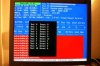
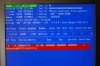
Now I have run memtest on each stick. On one stick I do not get any errors but on 2nd stick there are lot of errors. I have attached pictures.

Also I had new crash, restart. I have attached minidump file.

Please explain me if this is ram problem or not ? What is your final conslusion ?

Thank you very much.
Br
Attached Images
File Type: jpg PICT4969.JPG (84.9 KB, 8 views)
File Type: jpg PICT4970.JPG (89.3 KB, 6 views)
Attached Files
File Type: dmp Mini102206-01.dmp (88.0 KB, 2 views)
  #9  
Old 10-23-2006
TechSpot Evangelist
 
Member since: Aug 2004, 25,949 posts
The stick of ram that you get the errors on is bad and needs to be replaced.

Regards Howard
  #10  
Old 11-06-2006
Newcomer, in training
 
Member since: Oct 2006, 8 posts
Hello

Just to let you now that after I have replaced bad ram my computer is now running very good. 10 days without any restart.
Thank you.

Br
  #11  
Old 11-06-2006
TechSpot Evangelist
 
Member since: Aug 2004, 25,949 posts
That`s good news and thanks for letting us know.

Regards Howard
Closed Thread

Similar Topics
Topic Replies Forum
Bugcheck 0x10000050 1 Windows BSOD, Freezing, Restarting Help
BSOD / ntoskrnl.exe / BugCheck 9C 1 Windows BSOD, Freezing, Restarting Help
The computer has rebooted from a bugcheck: 0x10000050 9 Windows BSOD, Freezing, Restarting Help
BSOD bugcheck: 0x10000050 0 Windows BSOD, Freezing, Restarting Help
BSOD: 0x00000050, 0x10000050, 0x0000007a, 0x000000f4 10 Windows BSOD, Freezing, Restarting Help

Thread Tools Search this Thread
Search this Thread:

Advanced Search
All times are GMT -4. The time now is 06:28 AM.