Welcome to the TechSpot OpenBoards. Please read the FAQ if you have any questions. Sign up or Login to participate.
|
|||||||
Begin your free trial now
Pay-as-you-go options starting at $10/user/month
Task Manager Problem - help
|
|
Thread Tools | Search this Thread |
|
#1
|
|||
|
|||
|
Task Manager Problem - help
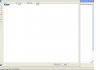
Help - when I push ctrl-alt-del or right click the task bar and select task manager I get one screen with my user name on it and none of the standard task manager screens also the little icon in the taskbar shows (the CPU usage icon) - I cannot close the screen or minimize it and although windows continues to run I have to either reboot or right click the CPU usage icon and select close to get rid of the screen. The usual ctrl-alt-del options like task manager and shut down, restart etc. no longer appear. I have tired searching the knowledge bases on ctrl-alt-del settings and struck out. This has me totally stumped. I am running XP home with SP2. I have attached a screen shot of the problem - thanks in advance if anyone can help.
|
|
#2
|
|||
|
|||
|
Bring back Task Manager
Had the same problem recently. Thanks to someone on this forum (can't recall who, sorry) who had posted a fix, I was able to set things right. It's as simple as this: bring up your task manager window. Double click on the window border. Voila! The complete task manager program is back, buttons and all. Hope this works for you.
|
|
#3
|
|||
|
|||
|
Hey - that is awesome - worked 1st time. Thank you so much, I was ready to reinstall XP thinking there was some kind of major problem. I am not usually a Microsoft basher but this is ridiculous - I checked all the help menus and on-line knowledge bases etc and found nothing about "click on the window border"..... what purpose that serves is beyond me??!!. Thanks again, I really appreciate you taking the time to post. All the best, Rick.
|
![]() |
| Similar Topics | ||||
| Topic | Replies | Forum | ||
Task Manager problem
|
7 | Virus and Malware Removal | ||
Task Manager Problem
|
2 | Windows OS | ||
different task manager problem than described elsewhere
|
7 | Software Apps | ||
Another Task Manager Problem
|
1 | Virus and Malware Removal | ||
Task Manager Problem - Again
|
2 | Virus and Malware Removal | ||
| Thread Tools | Search this Thread |
|
|
All times are GMT -4. The time now is 06:12 AM.


Task Manager problem