also @ TechSpot: HP TouchPad running Android 4.0 Ice Cream Sandwich
Welcome to the TechSpot OpenBoards. Please read the FAQ if you have any questions. Sign up or Login to participate.

Go Back   TechSpot OpenBoards > Hardware > Overclocking, Cooling and Modding

Begin your free trial now Pay-as-you-go options starting at $10/user/month

Dell inspiron 5100 laptop overheating.

Thread Tools Search this Thread
  #1  
Old 01-27-2007
Newcomer, in training
 
Member since: Jan 2007, 12 posts
Dell inspiron 5100 laptop overheating.

I have a Dell inspiron 5100 laptop and it the 2.66GHzCPU keeps heating reaching a degree of about 75C = 167F, I downloaded speedfan but it doesn't work at all. I need something to cool my cpu down, what sugesstions might be good for that? Thank you all for helping me with that.
  #2  
Old 01-28-2007
AtK SpAdE's Avatar
TechSpot Chancellor
 
Location: Black Mesa
Member since: Nov 2004, 1,840 posts
System specs
First off, welcome to techspot!

Now on to your question.

Now you didnt mention what make/model your CPU was and how you were getting the temp. Is that temp at idle?

Notebook CPUs are cooled with a small cooler in a very confined place. Heat will naturally get high, and if your CPU will get pretty toasty under load. (Gaming, ripping music etc) and there is not that much you can do to cool it down, but you can try

A. elevating the notebook. I put mine on bottle caps when I game and I notice a couple of degree difference.
B. Buying a aftermarket cooler to put on the bottom of the laptop. I have never used one so I can not say if they work or not. But the reviews on newegg seem to be positive. An example of these coolers can be found here
C. You could go as far as removing the panel under your CPU or even reapplying thermal paste on the CPU heatsink but that would void the warranty of the laptop and should only be done if you know how to apply thermal paste properly.

hope this helps!

Sean

PS. Speedfan is a great utility but it has some chipsets/CPUs that it simply will not work on, my laptop being one of those as well.
  #3  
Old 01-28-2007
Tmagic650's Avatar
TechSpot Ambassador
 
Location: "The Treasure State" USA
Member since: Aug 2006, 14,730 posts
System specs
The laptop may need cleaning by a qualified technician or laptop repair facility

Last edited by Tmagic650; 01-28-2007 at 12:54 AM..
  #4  
Old 01-28-2007
tweakboy's Avatar
TechSpot Booster
 
Location: Glendale, CA
Member since: Jan 2007, 509 posts
System specs
Well first off you want your fans spinning @ 100 percent,, soo no app is going to help you get cooler,


75c is fairly hot, Hows the PC working ? Do you get crashes a lot ?

It can operate under that temp but the life will be much shortened,

The norm for your cpu should be no higher then 63c to 65c ,, on full load,

Try opening the side of the case, or however that Dell opens,,

also open your room window as well,,,,,,

Get back then and tell us your load temps,,,, you can monitor with speedan,,, good luck buddz,
  #5  
Old 01-28-2007
Tmagic650's Avatar
TechSpot Ambassador
 
Location: "The Treasure State" USA
Member since: Aug 2006, 14,730 posts
System specs
"Well first off you want your fans spinning @ 100 percent,, soo no app is going to help you get cooler"...

A "healthy" laptop will cycle it's fan(s) off and on. This is done to conserve batteries
  #6  
Old 01-28-2007
Newcomer, in training
 
Member since: Jan 2007, 12 posts
Computer specifications

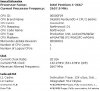
Hopefully this will help you identify the solution to my problem.
Attached Images
File Type: jpg Inspiron 5100.JPG (42.4 KB, 21 views)
  #7  
Old 01-28-2007
Tmagic650's Avatar
TechSpot Ambassador
 
Location: "The Treasure State" USA
Member since: Aug 2006, 14,730 posts
System specs
Quote:
Originally Posted by morid_dll
Hopefully this will help you identify the solution to my problem.
Just how would these specs help us determine why your system is running hot? Does your laptop freeze or crash at all?

Answers to the questions posted here, would go much farther in helping solve this

Last edited by Tmagic650; 01-28-2007 at 04:04 AM..
  #8  
Old 01-28-2007
tomrca's Avatar
TechSpot Maniac
 
Location: sunderland, tyne and wear
Member since: Jun 2005, 1,051 posts
go here and downoad free, 'everesthome', it will give you a more comprehensive view of what is in your pc.
http://www.majorgeeks.com/EVEREST_Fr...ion_d4181.html
  #9  
Old 01-28-2007
Newcomer, in training
 
Member since: Jan 2007, 12 posts
OK guys, I've fixed the problem my self and now the CPU doesn't overheat any more. The computer never crashed nor the system got frozen when the CPU was hot because the fan was going about 6400 RPM(which is ridiculous) whenever the CPU's temperature reach 75C. But now, I've fixed the problem by cleaning the fan and putting thermal compound material on the CPU. The temperature now of the CPU is about 45C with a completely stopped FAN. And when there is a full load for a long period of time- let's say like a game or watching DVD, the temperature goes up to no more than 59C @ 3100 RPM of fan spinning. This means that the computer will never slow down because the CPU hot or whatever the reason might be.
  #10  
Old 01-28-2007
TechSpot Evangelist
 
Location: Four Corners, US
Member since: Dec 2006, 10,626 posts
The 5100 is infamous for those kinds of troubles. Watch it closely. Clean it every three months or so.
  #11  
Old 01-29-2007
tweakboy's Avatar
TechSpot Booster
 
Location: Glendale, CA
Member since: Jan 2007, 509 posts
System specs
They do have laptop cooling devices, You should pik one up,
  #12  
Old 01-30-2007
TechSpot Evangelist
 
Location: Four Corners, US
Member since: Dec 2006, 10,626 posts
Rarely work well enough for most users to continue using them.
  #13  
Old 03-21-2007
Newcomer, in training
 
Member since: Mar 2007, 1 posts
I have the same problem, and I regularly have to clean my notebook's cooling fan. I have documented the necessary steps in my blog. Link: Cleaning a Dell Inspiron 5100 Cooling Fan.
Closed Thread

Similar Topics
Topic Replies Forum
Dell inspiron 5100 will not post 10 Mobile Computing
Dell Inspiron 5100 fails to display 3 Processors and Motherboards
Dell Inspiron 5100 HDD password lost 2 Mobile Computing
Overclocking the Dell Inspiron 5100 2 Overclocking, Cooling and Modding
dell inspiron 5100 not charging 2 Other Hardware

Thread Tools Search this Thread
Search this Thread:

Advanced Search
All times are GMT -4. The time now is 09:06 AM.