also @ TechSpot: HDD supply to recover by Q3 2012, prices to remain high
Welcome to the TechSpot OpenBoards. Please read the FAQ if you have any questions. Sign up or Login to participate.

Go Back   TechSpot OpenBoards > Hardware > Overclocking, Cooling and Modding

Begin your free trial now Pay-as-you-go options starting at $10/user/month

Case fans; better circulation?

Thread Tools Search this Thread
  #1  
Old 04-05-2007
Newcomer, in training
 
Member since: Apr 2007, 19 posts
Case fans; better circulation?

Okay, here's the low-down.

this is my case: http://www.newegg.com/Product/Produc...82E16811144102

I was just wondering what size fans i would put on to have better circulation.
Currently i have the outtake fan on top and 2 intake fans (back and side).

I'm not completely sure if this is considered hot, but my ambient temperature is reaching 95F while doing nothing (no programs running). Is that a bit too hot?
If so, what fans should i plug in to decrease my ambient temperature? (120mm fan on the front for intake? 120mm fan on back for outake?)

suggestions please.
thanks.
  #2  
Old 04-05-2007
captaincranky's Avatar
TechSpot Evangelist
 
Member since: Oct 2006, 7,586 posts
Sorry, but I gotta ask...

1.Are the fans all installed in the right direction? 2. This case is seems to be a little bit of a lightweight in the ventilation department.
(Most Mid-tower cases have 120mm fans front and rear, plus a side air duct for the processor).
  #3  
Old 04-05-2007
Newcomer, in training
 
Member since: Apr 2007, 19 posts
Quote:
Originally Posted by captaincranky
1.Are the fans all installed in the right direction? 2. This case is seems to be a little bit of a lightweight in the ventilation department.
(Most Mid-tower cases have 120mm fans front and rear, plus a side air duct for the processor).
Honestly, i'm not quite sure. I'm not the one who put this computer together.

The side intake is directly beside the processor, so that should be fine. So what you're saying is that i should invest in 2 120mm fans (install on front and back)?

Also, i did a little bit of snooping around and the top fan might be an intake fan. Not sure though.
  #4  
Old 04-05-2007
SNGX1275's Avatar
TechSpot Forces Special
 
Location: Rolla, Missouri, USA
Member since: Feb 2002, 10,815 posts
System specs
Generally (and in your case) you want the front fan blowing in. Side fan if there is one, blowing in. Top fan blowing out. Rear fan blowing out. If yours is not set up like that, change it. If it is there isn't much else you can do to change your ambient temps in the case.
  #5  
Old 04-05-2007
captaincranky's Avatar
TechSpot Evangelist
 
Member since: Oct 2006, 7,586 posts
I followed the link but.....

The link does connect to an Apevia case....However the specs on that page claim it doesn't have a side air duct. If you say it does, it does, so Newegg must have their specs crossed. Generally (way generally), the case is shipped with the size fans that it accomodates. My bad, I checked again, and the pictures show a side air duct, sorry. The manufacturers are using the 120mm fans out of deference to noise, big fans run slower, while moving more air. If the top fan isn't blowing in your face, reverse it.

Last edited by captaincranky; 04-05-2007 at 12:01 PM.. Reason: Adden-dumb
  #6  
Old 04-05-2007
Grafficks's Avatar
TechSpot Booster
 
Location: Toronto, Canada
Member since: Aug 2006, 454 posts
System specs
Quote:
Originally Posted by raie_noire
...Currently i have the outtake fan on top and 2 intake fans (back and side).

The rear fan in your case is intake? That's not right. Just as SNGX1275 said, your rear fan should be blowing out.
  #7  
Old 04-11-2007
Newcomer, in training
 
Member since: Apr 2007, 19 posts
Quote:
Originally Posted by captaincranky
The link does connect to an Apevia case....However the specs on that page claim it doesn't have a side air duct. If you say it does, it does, so Newegg must have their specs crossed. Generally (way generally), the case is shipped with the size fans that it accomodates. My bad, I checked again, and the pictures show a side air duct, sorry. The manufacturers are using the 120mm fans out of deference to noise, big fans run slower, while moving more air. If the top fan isn't blowing in your face, reverse it.
Okay, well here's another link to the actual specs of the case:
http://aspireusa.net/product.php?pid...9098a59f025469

just wondering. Is a 120mm fan able to fit in the rear? It doesn't really say in the specs.
  #8  
Old 04-11-2007
captaincranky's Avatar
TechSpot Evangelist
 
Member since: Oct 2006, 7,586 posts
I'm less confused now, but still more than I should be!

Actually that link is a link to a link! (Apevia's new web site) .
I looks to me that the rear case fan is on an adapter and the rear grille is sized for a 120mm. You should be able to mount a larger fan at the rear.
The front fan mounts are 80mm only, but you can install 2 80s. This is where it gets bizarre, the pictures show a side fan but nowhere is it mentioned. The case comes with a fan controller for 5!! fans. They only mention 4, top, rear, and two fronts! Well they're reorganizing and probably are a little confoozed at the moment. The manual is too large for me to attach (1.06 MB). Here's the actual link: http://www.apevia.com/product.php?pid=157 The manual (PDF) is on this page.
  #9  
Old 04-11-2007
Newcomer, in training
 
Member since: Apr 2007, 19 posts
Quote:
Originally Posted by captaincranky
Actually that link is a link to a link! (Apevia's new web site) .
I looks to me that the rear case fan is on an adapter and the rear grille is sized for a 120mm. You should be able to mount a larger fan at the rear.
The front fan mounts are 80mm only, but you can install 2 80s. This is where it gets bizarre, the pictures show a side fan but nowhere is it mentioned. The case comes with a fan controller for 5!! fans. They only mention 4, top, rear, and two fronts! Well they're reorganizing and probably are a little confoozed at the moment. The manual is too large for me to attach (1.06 MB). Here's the actual link: http://www.apevia.com/product.php?pid=157 The manual (PDF) is on this page.
Okay, so what i should do is to buy a 120mm fan (rear) and a 5.25" fan for the front?
  #10  
Old 04-11-2007
captaincranky's Avatar
TechSpot Evangelist
 
Member since: Oct 2006, 7,586 posts
HuH????......

Exactly what WTF is a 5.25" fan? Optical drives fit into 5.25" bays.
You should swap the 80mm fan from the rear to the front, put a 120mm (fan) into the rear, and if you feel the need, buy an additional 80mm (fan) for the front. With 2 80mm (fans) up front you're going to reach the threshold of needing earplugs. But, as always, get a second opinion about the earplugs.

Last edited by captaincranky; 04-11-2007 at 03:45 PM..
  #11  
Old 04-11-2007
Newcomer, in training
 
Member since: Apr 2007, 19 posts
Quote:
Originally Posted by captaincranky
Exactly what WTF is a 5.25" fan? Optical drives fit into 5.25" bays.
You should swap the 80mm fan from the rear to the front, put a 120mm (fan) into the rear, and if you feel the need, buy an additional 80mm (fan) for the front. With 2 80mm (fans) up front you're going to reach the threshold of needing earplugs. But, as always, get a second opinion about the earplugs.
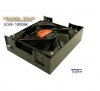
This: http://www.xoxide.com/scythe-kama-bay-cooler-black.html
is a 5.25" fan thingy.
  #12  
Old 04-12-2007
captaincranky's Avatar
TechSpot Evangelist
 
Member since: Oct 2006, 7,586 posts
I Quit, You Win.....

I can't see any value in installing that product whatsoever. I'm trying to attach 2 screen caps, maybe somebody else has a different opinion. My best advice is to download the product manual and install fans in the mounting places provided. If you install the Kama Bay "5.25 Fan Thingy" as an intake fan it takes up 3 optical drive bays. So after that I have no idea whatsoever where you would install your CD & DVD drives. If you mount it inside a bay it looks like it would just circulate hot air. Maybe someone has some different ideas, so please look at the pictures.
Attached Images
File Type: jpg Kama Bay Fan003.jpg (29.8 KB, 5 views)
File Type: jpg Kama Bay Fan004.jpg (23.1 KB, 5 views)

Last edited by captaincranky; 04-12-2007 at 02:02 AM.. Reason: Still trying to attach files, Argh!
  #13  
Old 04-13-2007
Newcomer, in training
 
Member since: Apr 2007, 19 posts
Quote:
Originally Posted by captaincranky
I can't see any value in installing that product whatsoever. I'm trying to attach 2 screen caps, maybe somebody else has a different opinion. My best advice is to download the product manual and install fans in the mounting places provided. If you install the Kama Bay "5.25 Fan Thingy" as an intake fan it takes up 3 optical drive bays. So after that I have no idea whatsoever where you would install your CD & DVD drives. If you mount it inside a bay it looks like it would just circulate hot air. Maybe someone has some different ideas, so please look at the pictures.
i already have my cd/dvd drive in, and still have 3 slots, so that's what i was thinking of.
  #14  
Old 04-13-2007
captaincranky's Avatar
TechSpot Evangelist
 
Member since: Oct 2006, 7,586 posts
Ummm...

Quote:
Originally Posted by raie_noire
i already have my cd/dvd drive in, and still have 3 slots, so that's what i was thinking of.
As I said I'm mystified with the concept, but the Ante 900 case uses a similar strategy to the "Kama Thingy". In their P180 "Performance" series cases they don't even use a side fan.
Your case comes with a 5 way fan controller, so I don't know how much you took my remark about "earplugs" to heart. 80 mm fans tend to be noisy because they must turn very fast to move sufficient air. However with 2 80mm fans in play, they can be throttled back significantly and still move a good bit of air. Most cases do use front 120s however. Speaking for myself I don't have a machine with only 1 optical drive so I would be reluctant to give up the bays. I'm still at a loss to know if you actually have cooling problems that can't be rectified with other solutions than the Kama fan. You haven't even exhausted your stock cooling improvements. You know the 120 in the rear and at least 1 80 in front. Replace the flat IDE cables with round ones for more air flow, like that. Do that, then come back when you know more. The air in the case is going to be above ambient room temperature. Are all the fans pointing in the right direction.? That Pentium D is going to run pretty hot no matter what.

Last edited by captaincranky; 04-13-2007 at 02:26 AM..
  #15  
Old 04-13-2007
captaincranky's Avatar
TechSpot Evangelist
 
Member since: Oct 2006, 7,586 posts
Wake UP...

Quote:
Originally Posted by raie_noire

just wondering. Is a 120mm fan able to fit in the rear? It doesn't really say in the specs.
a 120 mm fan fits in a Approximately 4" hole. The instructions show a 3" fan in the middle of a 4" hole. Since you have this case in front of you and I'll give the benefit of the doubt that you can actually read a ruler. You tell me
Closed Thread

Similar Topics
Topic Replies Forum
So many case fans which to choose from? 21 Overclocking, Cooling and Modding
Case Fans Questions. 4 Overclocking, Cooling and Modding
Case Fans 2 Overclocking, Cooling and Modding
Installing case fans 4 Other Hardware
pc with no case fans.. help plz 3 Overclocking, Cooling and Modding

Thread Tools Search this Thread
Search this Thread:

Advanced Search
All times are GMT -4. The time now is 01:58 AM.