Welcome to the TechSpot OpenBoards. Please read the FAQ if you have any questions. Login to participate.

Go Back   TechSpot OpenBoards > Hardware & Tweaking > Overclocking, Cooling and Modding

Ram & GFX. (Pro plz)

Reply
Bookmark / Share this page
Thread Tools
  #1  
Old 11-10-2007
Newcomer, in training
 
Location: Singapore
Member since: Nov 2007, 12 posts
System specs
Ram & GFX. (Pro plz)

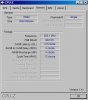
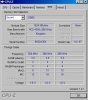
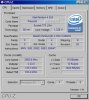
Hi there, I've actually bought 2 new 1GB 533 pc2 ram, and currently running on 2gb ram, but I just can't seem to see the (533) speed.. Currently is the screenshots.. Please, I need advices..

Issit becuz it's dual channel so it shows 200/266/266? But how come the 2nd pic show CHANNEL AS SINGLE? WORST! Can anyone tell me if I'm running right @ 2GB RAM 533???

And for the GFX, I'm using 7600 GT, how can I overclock it? I overclock it with ntune, but it just went back to default after 1 mins.. It says I passed the test, but kept went back default. I tried to read but can't find any good help.

I really need a good 1 to help me with here..
Attached Images
File Type: jpg cpu-z1.JPG (39.6 KB, 12 views)
File Type: jpg cpu-z2.JPG (28.7 KB, 11 views)
File Type: jpg cpu-z3.JPG (34.8 KB, 9 views)
Reply With Quote
  #2  
Old 11-10-2007
Cinders's Avatar
TechSpot Addict
 
Location: Texas, USA
Member since: Jul 2007, 998 posts
System specs
Looks like you have the ram in the wrong slots . You need to place 1GB in channel A and 1GB in channel B for your memory to run dual channel which is usually slot one and slot three.

The SPD tells the motherboard what the ram timings are at those memory speeds. It looks like you need to go into your BIOS and set the memory frequency to 133MHz or DDR 266, as they seem to be running at 100MHz or 200 DDR right now. I've don't have any experience with Intel and DDR2 boards, so please let someone confirm before you try to change anything.

Last edited by Cinders; 11-10-2007 at 02:30 PM.
Reply With Quote
You can remove this banner by registering, join the TS Community for free.
  #3  
Old 11-10-2007
Newcomer, in training
 
Location: Singapore
Member since: Nov 2007, 12 posts
System specs
But my mobo just suck, it only have 2 slot for ram LOL.
Reply With Quote
  #4  
Old 11-10-2007
Daveskater's Avatar
Banned
 
Location: Oxford, UK
Member since: Apr 2006, 2,033 posts
System specs
Hello, Agota, and welcome to Techspot

Please take a look at the following threads to make your experience here as enjoyable as possible

Message for all newcomers

SNGX1275's Guide to making a good post/thread

The Techspot FAQ

If you could take a minute to fill in some of your profile information that would be helpful to all members of the forum
Knowing someone's location in the world can be extremely helpful, even if you just put a country.

Also remember to post any problems or questions that you have in the appropriate forums

With regards to your problem, chances are you motherboard doesn't support dual channel if it only has 2 slots. Are they the same colour or different?
Reply With Quote
  #5  
Old 11-10-2007
TechSpot Booster
 
Location: California; Northern.
Member since: Jul 2007, 711 posts
System specs
Some motherboards have an overclocking feature for your PCI-E setting. Usually motherboards that are designed for overclocking. I don't know why N'Tune isn't working for you. Your memory, being ddr2 will run @ 266 mhz or one half of 533 mhz. PC-3200 ram which runs @ 400 mhz will run @ 400 mhz, because it is not ddr2, but ddr. When your memory timing is set at the lowest latencies, the speeds run lower. For instance, my memory when set to 4 4 4 12, runs @ 270mhz. When set to 5 5 5 18, it runs @ 400 mhz, (or half of the total speed of 800 mhz). There is less delay time at the lower settings (memory timings). So the speed in mhz is slower but the memory responds more quickly. That's about all I know that relates to your post. Good Luck.
Reply With Quote
  #6  
Old 11-10-2007
Newcomer, in training
 
Location: Singapore
Member since: Nov 2007, 12 posts
System specs
Well Daveskater thx for welcome, the above attached is my system information all clearly.

Well guys, seem like my mobo just suck, I can't change anything in there.. Basically nothing about frequency cpu speed etc.. Nothing at all.. I can't even change to DDR2 or whatever.. I'm just CONFUSED..

The above attached is full details of my com..

PS: Really do wish someone help me to get full potential in my com.
Reply With Quote
  #7  
Old 11-10-2007
Cinders's Avatar
TechSpot Addict
 
Location: Texas, USA
Member since: Jul 2007, 998 posts
System specs
Do you have an HP computer? Many of the Google links I'm getting back are for an HP computer. Your motherboard may not support PC 4200 at its full speed. What model computer do you have?
Reply With Quote
You can remove this banner by registering, join the TS Community for free.
  #8  
Old 11-10-2007
Newcomer, in training
 
Location: Singapore
Member since: Nov 2007, 12 posts
System specs
http://h10025.www1.hp.com/ewfrf/wc/p...821241&lang=en

Here, I hope it helps.

Aiight so mine will be Single-channel memory architecture .. That's.. sad?

Last edited by Agota; 11-10-2007 at 04:10 PM.
Reply With Quote
  #9  
Old 11-10-2007
Cinders's Avatar
TechSpot Addict
 
Location: Texas, USA
Member since: Jul 2007, 998 posts
System specs
I took a quick look at your BIOS, and I didn't see anything that would allow you to change the memory frequency. That this point I can only assume that you are stuck with your current memory frequency. But all isn't bad. You have two GB of memory now.

You might try clearing the BIOS with the jumper closest to the battery on your motherboard, but I doubt it will help any.

Normally the jumper shorts pins one and two. To clear the BIOS you must take out the battery then set the jumper to pins two and three. Wait five to ten seconds and set the jumper back to pins one and two and replace the battery.

Last edited by Cinders; 11-10-2007 at 05:23 PM.
Reply With Quote
  #10  
Old 11-10-2007
Newcomer, in training
 
Location: Singapore
Member since: Nov 2007, 12 posts
System specs
And it will reset to default? Firmware and everything?

So what speed is my ram running at now?

Last edited by Agota; 11-10-2007 at 06:19 PM.
Reply With Quote
  #11  
Old 11-10-2007
Cinders's Avatar
TechSpot Addict
 
Location: Texas, USA
Member since: Jul 2007, 998 posts
System specs
It will set your BIOS back to its default settings, but it will not change the firmware version. I'm hoping your BIOS will take a second look at your ram and bump up the memory speed to 533. The latest BIOS may help in that area if you don't already have it.

http://h10025.www1.hp.com/ewfrf/wc/s...os=228&lang=en

Just be aware that updating to a new BIOS can disable your computer if it goes wrong.

If updating your BIOS doesn't work then you either have a chipset limitation or a BIOS limitation which will not allow your motherboard to support the higher memory speed with your current processor. Or just a plain old BIOS error that doesn't read the entire SPD instructions and is choosing only the first set of values it sees.

Last edited by Cinders; 11-10-2007 at 07:35 PM.
Reply With Quote
  #12  
Old 11-10-2007
Tedster's Avatar
TechSpot Evangelist
 
Location: Tallil, Iraq
Member since: Feb 2005, 8,814 posts
System specs
pleasr read: http://www.techspot.com/vb/topic65114.html
Reply With Quote
  #13  
Old 11-11-2007
Newcomer, in training
 
Location: Singapore
Member since: Nov 2007, 12 posts
System specs
Hi Tedster, I've read but that doesn't solve my problem.. I just wanna make my ram run at full potential.. I need help step by step live chat becuz I just get nervous doing it on my own.

And Cinders, it will be kinda sad if what you said is true..

I've updated my bios etc. Just my bios doesn't have anything to set clock speed frequency ddram setting ratio etc.. Currently my fsb:dram is set to async not even 1:1 ratio..

From the above attached, is my com doing ok?

I just feel like I'm on 1GB but not 2.. It makes no diff and it lag too sometimes..

*Final words, is my mobo just suck? Should I just throw it and change? Or everything is fine like what it should be now? The company said it can run 533 but I don't see it.
Reply With Quote
  #14  
Old 11-11-2007
Newcomer, in training
 
Location: Singapore
Member since: Nov 2007, 12 posts
System specs
Now it seem like my bios is limited in chipset and setting.

Anyone have bios for Asterope RC410M v1.0
Reply With Quote
  #15  
Old 11-11-2007
Cinders's Avatar
TechSpot Addict
 
Location: Texas, USA
Member since: Jul 2007, 998 posts
System specs
If you really want to run your memory at 533 and in dual channel mode you'll probably need to purchase a new motherboard.

http://www.newegg.com/Product/Produc...82E16813131046


This board will support your current processor plus other processors all the way up to Core2Extreme, if you decide to really get aggressive with your computer upgrading. It also supports your memory speed in dual channel mode and even faster memory.

The problems with changing motherboards can be many. If you buy a new board you will have to reinstall Windows again. You old Compaq install disk will not work for the reinstall. You'll either need an OEM or retail copy of Windows. The new board may not fit in your case. The old case may have a proprietary plug attached to the power button that will not match the new motherboard power header. The proprietary plug can be cut off and new female parts of the plug can be crimped on in its place but doing that would require tools and the ability to do the job or at least a strong desire to do the job. You current memory may not work with the new motherboard.

I believe your lag is being caused by the 7600GT. It is a fast card but strictly speaking it isn't a gaming card. You need something with at least 512MB of DDR3 memory and a 256bit memory bus. The least I'd recommend in a single card setup would be the 512MB Radeon X1950Pro. It's a very good card for the money.

http://www.newegg.com/Product/Produc...82E16814102075

You'll also need to have a 450 watt power supply for this video card.

I know you're in Singapore, but I don't have any links from there.

Last edited by Cinders; 11-11-2007 at 05:09 PM.
Reply With Quote
  #16  
Old 11-11-2007
Newcomer, in training
 
Location: Singapore
Member since: Nov 2007, 12 posts
System specs
Oh thx, that will really help me alot in upgrading my com.. Btw I'm on 7600 GT256mb version. That'd be good?
Reply With Quote
  #17  
Old 11-11-2007
Cinders's Avatar
TechSpot Addict
 
Location: Texas, USA
Member since: Jul 2007, 998 posts
System specs
A motherboard running dual channel memory at it's full speed will help your current video card boost its frame rates, but you will not get real performance until you change video cards and purchase a new power source if you don't have at least a 450 watt PSU already. Your 7600GT with 256MB or memory has a 128bit memory bus which really isn't fast (wide) enough and doesn't have enough memory to keep your frame rates up with newer games. If you can afford it look for something like the Radeon X1950Pro with 512MB of DDR3 memory or if you prefer an Nvidia card look for something like the Geforce 7950GT with 512MB of DDR3 memory.

Last edited by Cinders; 11-12-2007 at 03:16 PM.
Reply With Quote
  #18  
Old 11-12-2007
Newcomer, in training
 
Location: Singapore
Member since: Nov 2007, 12 posts
System specs
450 PSU is what? My cpu WATT power box?
Will 8600GT do me any good?

I got bad exp with ATI, they really suck.. Just overheat easily.. Lolz..
Reply With Quote
  #19  
Old 11-12-2007
Newcomer, in training
 
Location: Singapore
Member since: Nov 2007, 12 posts
System specs
Do you have any better mobo to introduce to me? I think I gonna change to 667 1gb ram. And maybe the gfx next few months.. 8600 GT?

Why not try http://www.hardwarezone.com.sg/priceguide/ or maybe http://sls.vr-zone.com/ and see if what good mobo I can really boost up to around my area which I can purchase buddy? Thanks!

Last edited by Agota; 11-12-2007 at 10:36 AM.
Reply With Quote
  #20  
Old 11-12-2007
Daveskater's Avatar
Banned
 
Location: Oxford, UK
Member since: Apr 2006, 2,033 posts
System specs
please use the edit post button on your original reply instead of posting a new reply if there are no other posts in between, thanks

i can't quite understand your last post otherwise i'd say something a bit more relevant as well
Reply With Quote
Reply
Thread Tools

Forum Jump


All times are GMT -4. The time now is 08:44 AM.