also @ TechSpot: Watch Microsoft's next-generation Xbox reveal event live

[Active] Random sound virus

Discussion in 'Virus and Malware Removal' started by jo40014, Jul 29, 2010.

  1. jo40014 Newcomer, in training Posts: 18

    Hey everyone, I believe I have to so called random sound virus. Here are the symptoms:

    1. Random loss of focus on whatever window i'm on usually accompanied by a background clicking noise like a browser changing pages
    2. Random sounds - usually advertisements - saying something "Congratulations, you have won blah blah" or an ad more condoms
    3. I believe it only starts happening when I am connected to the inernet
    4. I think it is starting to grow and have effects on other things like files

    I have Symantic but it found nothing. I have downloaded and scanned the system with Spybot, Malware, TrendMicro House call and a few other virus detection programs. They do not find anything.

    Help please!
  2. Broni Malware Annihilator Posts: 39,313   +175

  3. jo40014 Newcomer, in training Posts: 18

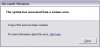
    Thank you so much Broni. I have completed steps 1,2 and 3. I've attached the log from step 3. I am having major problems with Step 4. GMER keeps freezing the system and I have to restart and try again. After one such restart I rec'd a windows error message which I have attached. I have also attached the dmp file from the windows error.

    winerror.JPG

    View attachment Mini072910-01.dmp

    View attachment mbam-log-2010-07-29 (18-14-39).txt

    I will continue to try GMER and keep you posted.
  4. Broni Malware Annihilator Posts: 39,313   +175

    Skip GMER for now and proceed with other steps.
  5. jo40014 Newcomer, in training Posts: 18

    Tried GMER a few more times but only was able to finish the scan when in Safe Mode. Doesn't seem to gather as much information but attaching the log file anyway. Also attaching the log files from DDS.

    Await your reply. And thank you

    Attached Files:

  6. Broni Malware Annihilator Posts: 39,313   +175

    Download MBRCheck to your desktop

    Double click MBRCheck.exe to run (Vista and Windows 7 users, right click and select Run as Administrator).
    It will show a black screen with some data on it.
    A report called MBRcheckxxxx.txt will be on your desktop
    Open this report and post its content in your next reply.
     
  7. jo40014 Newcomer, in training Posts: 18

    Results of MBRCheck are:

    MBRCheck, version 1.1.1

    (c) 2010, AD


    \\.\C: --> \\.\PhysicalDrive0


    Size Device Name MBR Status

    --------------------------------------------

    298 GB \\.\PhysicalDrive0 Known-bad MBR code detected (Whistler / Black Internet)!


    Found non-standard or infected MBR.

    Enter 'Y' and hit ENTER for more options, or 'N' to exit:


    Done! Press ENTER to exit...
  8. Broni Malware Annihilator Posts: 39,313   +175

    Rerun MBRCheck.
    Enter 'Y' and hit ENTER for more options and select option "2".
    When asked for physical disk number, enter 0 (zero).
    Next, enter 1 (Windows XP) for MBR code.
    Post resulting log.
  9. jo40014 Newcomer, in training Posts: 18

    Log:

    MBRCheck, version 1.1.1

    (c) 2010, AD


    \\.\C: --> \\.\PhysicalDrive0


    Size Device Name MBR Status

    --------------------------------------------

    298 GB \\.\PhysicalDrive0 Known-bad MBR code detected (Whistler / Black Internet)!


    Found non-standard or infected MBR.

    Enter 'Y' and hit ENTER for more options, or 'N' to exit:

    Options:

    [1] Dump the MBR of a physical disk to file.

    [2] Restore the MBR of a physical disk with a standard boot code.

    [3] Exit.


    Enter your choice: Enter the physical disk number to fix (0-99, -1 to cancel): Available MBR codes:

    [ 0] Default (Windows XP)

    [ 1] Windows XP

    [ 2] Windows Server 2003

    [ 3] Windows Vista

    [ 4] Windows 2008

    [ 5] Windows 7

    [-1] Cancel


    Please select the MBR code to write to this drive:

    Do you want to fix the MBR code? Type 'YES' and hit ENTER to continue:


    Done! Press ENTER to exit...
  10. Broni Malware Annihilator Posts: 39,313   +175

    You didn't follow.
    Please, carefully re-read my previous instructions.
  11. jo40014 Newcomer, in training Posts: 18

    Brondi,
    I very carefully re-read your instructions. I was not typing YES but rather just went with Y. That last step is not in your instructions just so you know.

    Here's the log:

    MBRCheck, version 1.1.1

    (c) 2010, AD


    \\.\C: --> \\.\PhysicalDrive0


    Size Device Name MBR Status

    --------------------------------------------

    298 GB \\.\PhysicalDrive0 Known-bad MBR code detected (Whistler / Black Internet)!


    Found non-standard or infected MBR.

    Enter 'Y' and hit ENTER for more options, or 'N' to exit:

    Options:

    [1] Dump the MBR of a physical disk to file.

    [2] Restore the MBR of a physical disk with a standard boot code.

    [3] Exit.


    Enter your choice: Enter the physical disk number to fix (0-99, -1 to cancel): Available MBR codes:

    [ 0] Default (Windows XP)

    [ 1] Windows XP

    [ 2] Windows Server 2003

    [ 3] Windows Vista

    [ 4] Windows 2008

    [ 5] Windows 7

    [-1] Cancel


    Please select the MBR code to write to this drive:

    Do you want to fix the MBR code? Type 'YES' and hit ENTER to continue: Successfully wrote new MBR code!

    Please reboot your computer to complete the fix.


    Done! Press ENTER to exit...
  12. Broni Malware Annihilator Posts: 39,313   +175

    Now, you did it :)

    Restart computer, re-run MBRCheck and post fresh log.
  13. jo40014 Newcomer, in training Posts: 18

    Here's the new log. Fingers crossed:

    MBRCheck, version 1.1.1

    (c) 2010, AD


    \\.\C: --> \\.\PhysicalDrive0


    Size Device Name MBR Status

    --------------------------------------------

    298 GB \\.\PhysicalDrive0 Windows XP MBR code detected


    Done! Press ENTER to exit...
  14. Broni Malware Annihilator Posts: 39,313   +175

    Super :)

    Please download ComboFix from Here or Here to your Desktop.

    **Note: In the event you already have Combofix, this is a new version that I need you to download. It is important that it is saved directly to your desktop**
    1. Please, never rename Combofix unless instructed.
    2. Close any open browsers.
    3. Close/disable all anti virus and anti malware programs so they do not interfere with the running of ComboFix.
      • Very Important! Temporarily disable your anti-virus, script blocking and any anti-malware real-time protection before performing a scan. They can interfere with ComboFix or remove some of its embedded files which may cause "unpredictable results".
      • Click on this link to see a list of programs that should be disabled. The list is not all inclusive. If yours is not listed and you don't know how to disable it, please ask.
      NOTE1. If Combofix asks you to install Recovery Console, please allow it.
      NOTE 2. If Combofix asks you to update the program, always do so.
      • Close any open browsers.
      • WARNING: Combofix will disconnect your machine from the Internet as soon as it starts
      • Please do not attempt to re-connect your machine back to the Internet until Combofix has completely finished.
      • If there is no internet connection after running Combofix, then restart your computer to restore back your connection.
    4. Double click on combofix.exe & follow the prompts.
    5. When finished, it will produce a report for you.
    6. Please post the "C:\ComboFix.txt"
    **Note: Do not mouseclick combofix's window while it's running. That may cause it to stall**

    Make sure, you re-enable your security programs, when you're done with Combofix.

    DO NOT make any other changes to your computer (like installing programs, using other cleaning tools, etc.), until it's officially declared clean!!!
  15. jo40014 Newcomer, in training Posts: 18

    Combofix Log

    Here's the log.

    Attached Files:

  16. Broni Malware Annihilator Posts: 39,313   +175

    How are the issues?

    1. Please open Notepad
    • Click Start , then Run
    • Type notepad .exe in the Run Box.

    2. Now copy/paste the entire content of the codebox below into the Notepad window:

    Code:
    File::
    c:\windows\system32\ezsidmv.dat
    
    Registry::
    [HKEY_LOCAL_MACHINE\software\microsoft\security center]
    "AntiVirusOverride"=-
    [HKEY_LOCAL_MACHINE\software\microsoft\security center\Monitoring\SymantecAntiVirus]
    "DisableMonitoring"=-
    [HKEY_LOCAL_MACHINE\software\microsoft\security center\Monitoring\SymantecFirewall]
    "DisableMonitoring"=-


    3. Save the above as CFScript.txt

    4. Close/disable all anti virus and anti malware programs again, so they do not interfere with the running of ComboFix.

    5. Then drag the CFScript.txt into ComboFix.exe as depicted in the animation below. This will start ComboFix again.

    [IMG]


    6. After reboot, (in case it asks to reboot), please post the following reports/logs into your next reply:
    • Combofix.txt
  17. jo40014 Newcomer, in training Posts: 18

    Thank you Brondi

    I will apply the combofix as soon as I can - probably tomorrow. The virus is gone - no more issues. A few comments:

    1) I'd like to know more about this virus. What is it all about? How did it elude Symantic and the free apps I downloaded and tried? Beside the random sounds, what else was it up to? Any thoughts where I might have picked it up? I think it was fro a supposed Facebook app that I attempted to download but not sure. Could it have come from a video?

    2) The service that you and this site provide are off the hook! This would have cost alot to get repaired some other way. Do you accept monetary contributions? Anything else I can do to ensure sites like this continue to exist? I'd like to repay the help in some way.

    3) thank you!
  18. Broni Malware Annihilator Posts: 39,313   +175

    You're very welcome :)

    It's very important, that you run my Combofix script as soon as possible.
    We'll have some other steps to run. Cleaning process has to be finished, or you may be quickly back with same problems.

    1. There is no perfect security program. Your computer habits are the most important parts of your computer security. At the end of this topic, I'll post some material for you to read, how to be more secure.

    2. Thank you and to answer your question, you may want to check my signature :)
  19. jo40014 Newcomer, in training Posts: 18

    ComboFix Log

    Here it is.

    Attached Files:

  20. Broni Malware Annihilator Posts: 39,313   +175

    Good :)

    Uninstall Combofix:
    Go Start > Run [Vista users, go Start>"Start search"]
    Type in:
    Combofix /Uninstall
    Note the space between the "Combofix" and the "/Uninstall"
    Click OK (Vista users - press Enter).
    Restart computer.

    ====================================================================

    Download OTL to your Desktop.

    * Double click on the icon to run it. Make sure all other windows are closed and to let it run uninterrupted.
    * Under the Custom Scan box paste this in:


    netsvcs
    drivers32 /all
    %SYSTEMDRIVE%\*.*
    %systemroot%\system32\Spool\prtprocs\w32x86\*.dll
    %systemroot%\system32\*.wt
    %systemroot%\system32\*.ruy
    %systemroot%\Fonts\*.com
    %systemroot%\Fonts\*.dll
    %systemroot%\system32\spool\prtprocs\w32x86\*.tmp
    %systemroot%\*. /mp /s
    /md5start
    /md5stop
    CREATERESTOREPOINT
    %systemroot%\system32\*.dll /lockedfiles
    %systemroot%\Tasks\*.job /lockedfiles
    %systemroot%\System32\config\*.sav
    %systemroot%\system32\user32.dll /md5
    %systemroot%\system32\ws2_32.dll /md5
    %systemroot%\system32\ws2help.dll /md5
    HKEY_LOCAL_MACHINE\SOFTWARE\Policies\Microsoft\Windows\WindowsUpdate\AU
    HKEY_LOCAL_MACHINE\SOFTWARE\Microsoft\Windows\CurrentVersion\WindowsUpdate\Auto Update\Results\Install|LastSuccessTime /rs


    * Click the Quick Scan button. Do not change any settings unless otherwise told to do so. The scan wont take long.
    • When the scan completes, it will open two notepad windows: OTL.txt and Extras.txt. These are saved in the same location as OTL.
    • Please copy (Edit->Select All, Edit->Copy) the contents of these files, one at a time, and post them back here.