also @ TechSpot: Updated Microsoft EULA prohibits class action lawsuits

TechSpot

Maximum memory usage in Win 7 64 bit

Discussion in 'Windows OS' started by spencer22l, Aug 28, 2009.

Thread Status:
Not open for further replies.
  1. spencer22l Newcomer, in training

    I've had it for a few days now and I usually have my comp 24/7 on.

    I got 4 gb ram so that's pretty much why I went for 64 bit.

    I noticed that once or twice a day, the ram goes up to the max 4gb...

    I disabled Windows Search and Superfetch but it still happened today

    I had to reboot. I took some screen shots.

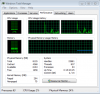
    1 each of before and after reboot from the taskmanager and the resource monitor.

    Resource Monitor before reboot
    [IMG]

    Resource Monitor after reboot
    [IMG]

    taskmanager before reboot
    [IMG]

    taskmanager after reboot
    [IMG]

    I don't know what to do...

    I heard that it's because I got too much 32bit software in 64bit...
  2. Didou Bowtie extraordinair!

    I believe Vista & Windows 7 are built to use up as much memory as available. It will use that to mostly do software caches (so they launch faster) so I think it's quite normal for your memory to be used at maximum.

    I have 8GB myself & the task manager always mentions that I have zero free memory. If your system isn't crawling to the point of being unusable I think you have nothing to worry about, the OS is simply doing its "thing".
  3. spencer22l Newcomer, in training

    The problem is that it does get difficult to do things.
    Like I noticed it while I was on firefox just reading stuff online and the scrolling lagged and I checked and it was full again.

    Also I never had this problem in Vista cus I was using it until a few days ago..

    Any other suggestions :(
  4. SNGX1275 TechSpot Special Forces

    you went through all the trouble of taking screenshots, but then you cropped out the relevant information.

    I agree with didou though, vista and 7 use superfetch, so you aren't going to have much free ram. And if you are having problems, then my only answer is you are using a prerelease OS, when you agreed to installing that you pretty much signed up for something were you can expect to have problems.
  5. spencer22l Newcomer, in training

    Right, this is the manufacturer version...

    Guess I need the official one cus these problems.
  6. red1776 Omnipotent Ruler of the Universe

    Didou,
    this is the the first i have heard of 7, or Vista using all the ram available, it doesn't happen to me or anyone I know using either OS, i have 8GB of Ram myself and at idle it uses 2-2.4Gb, are you saying it should be using more than that? i actually wish that more of my ram would be used regularly, rather than only when i am using cad or something. any ideas? also i was wondering if perhaps spencer had his page file turned off or set very low.
  7. Didou Bowtie extraordinair!

    Well here's an example. The task manager says it's using around 25% of physical memory yet if you look to the left you'll see that it says about 2GB of memory is "free". So even though you (the user) are using up a quarter, doesn't mean the system isn't using up the rest.

    Attached Files:

  8. spencer22l Newcomer, in training

    I forgot to take screenshot of that because I knew and checked that it was around 100% and very low was free too around 10 or less and it was using full 4 gb.

    Oh, and also, is it possible that this happens because I got too much 32bit programs and I'm using a 64bit??
Thread Status:
Not open for further replies.