also @ TechSpot: Metro: Last Light Performance, Benchmarked

Virus infection I can't stop

Discussion in 'Virus and Malware Removal' started by TianaWolf, Feb 1, 2013.

Post New Reply
  1. Broni Malware Annihilator Posts: 39,349   +175

    Never turn firewall off.
    Turn it back on while I'm reviewing your OTL logs.
    MSE is fine.
  2. Broni Malware Annihilator Posts: 39,349   +175

    Uninstall iolo technologies' System Mechanic.
    Registry cleaners/optimizers are not recommended for several reasons:

    • Registry cleaners are extremely powerful applications that can damage the registry by using aggressive cleaning routines and cause your computer to become unbootable.

      The Windows registry is a central repository (database) for storing configuration data, user settings and machine-dependent settings, and options for the operating system. It contains information and settings for all hardware, software, users, and preferences. Whenever a user makes changes to settings, file associations, system policies, or installed software, the changes are reflected and stored in this repository. The registry is a crucial component because it is where Windows "remembers" all this information, how it works together, how Windows boots the system and what files it uses when it does. The registry is also a vulnerable subsystem, in that relatively small changes done incorrectly can render the system inoperable. For a more detailed explanation, read Understanding The Registry.
    • Not all registry cleaners are created equal. There are a number of them available but they do not all work entirely the same way. Each vendor uses different criteria as to what constitutes a "bad entry". One cleaner may find entries on your system that will not cause problems when removed, another may not find the same entries, and still another may want to remove entries required for a program to work.
    • Not all registry cleaners create a backup of the registry before making changes. If the changes prevent the system from booting up, then there is no backup available to restore it in order to regain functionality. A backup of the registry is essential BEFORE making any changes to the registry.
    • Improperly removing registry entries can hamper malware disinfection and make the removal process more difficult if your computer becomes infected. For example, removing malware related registry entries before the infection is properly identified can contribute to system instability and even make the malware undetectable to removal tools.
    • The usefulness of cleaning the registry is highly overrated and can be dangerous. In most cases, using a cleaner to remove obsolete, invalid, and erroneous entries does not affect system performance but it can result in "unpredictable results".
    Unless you have a particular problem that requires a registry edit to correct it, I would suggest you leave the registry alone. Using registry cleaning tools unnecessarily or incorrectly could lead to disastrous effects on your operating system such as preventing it from ever starting again. For routine use, the benefits to your computer are negligible while the potential risks are great.


    =======================================

    Run OTL
    • Under the Custom Scans/Fixes box at the bottom, paste in the following

      Code:
      :OTL
      PRC - [2010/04/08 18:46:20 | 000,154,152 | ---- | M] (Authentium, Inc) -- C:\Program Files\Common Files\Authentium\AntiVirus5\vseqrts.exe
      PRC - [2010/04/08 18:46:18 | 000,117,288 | R--- | M] (Authentium, Inc) -- C:\Program Files\Common Files\Authentium\AntiVirus5\vsedsps.exe
      PRC - [2010/04/08 18:46:12 | 000,117,288 | R--- | M] (Authentium, Inc) -- C:\Program Files\Common Files\Authentium\AntiVirus5\vseamps.exe
      SRV - [2010/04/08 18:46:20 | 000,154,152 | ---- | M] (Authentium, Inc) [Auto | Running] -- C:\Program Files\Common Files\Authentium\AntiVirus5\vseqrts.exe -- (vseqrts)
      SRV - [2010/04/08 18:46:18 | 000,117,288 | R--- | M] (Authentium, Inc) [Auto | Running] -- C:\Program Files\Common Files\Authentium\AntiVirus5\vsedsps.exe -- (vsedsps)
      SRV - [2010/04/08 18:46:12 | 000,117,288 | R--- | M] (Authentium, Inc) [Auto | Running] -- C:\Program Files\Common Files\Authentium\AntiVirus5\vseamps.exe -- (vseamps)
      DRV - File not found [Kernel | On_Demand | Stopped] -- C:\WINDOWS\system32\drivers\EagleXNt.sys -- (EagleXNt)
      DRV - File not found [Kernel | On_Demand | Stopped] -- C:\WINDOWS\system32\drivers\EagleNT.sys -- (EagleNT)
      DRV - [2012/05/15 15:10:20 | 000,101,720 | ---- | M] (Sunbelt Software) [Kernel | System | Running] -- C:\WINDOWS\system32\drivers\SBREDrv.sys -- (SBRE)
      O2 - BHO: (no name) - {31332EEF-CB9F-458F-AFEB-D30E9A66B6BA} - No CLSID value found.
      O2 - BHO: (no name) - {3CA2F312-6F6E-4B53-A66E-4E65E497C8C0} - No CLSID value found.
      O2 - BHO: (no name) - {53707962-6F74-2D53-2644-206D7942484F} - No CLSID value found.
      O2 - BHO: (no name) - {5C255C8A-E604-49b4-9D64-90988571CECB} - No CLSID value found.
      O2 - BHO: (TmBpIeBHO Class) - {BBACBAFD-FA5E-4079-8B33-00EB9F13D4AC} - C:\Program Files\Trend Micro\AMSP\module\20002\7.5.1107\7.5.1107\TmBpIe32.dll (Trend Micro Inc.)
      O3 - HKU\S-1-5-21-2000478354-813497703-839522115-1003\..\Toolbar\WebBrowser: (no name) - {EE2AC4E5-B0B0-4EC6-88A9-BCA1A32AB107} - No CLSID value found.
      O4 - HKLM..\Run: [Trend Micro Client Framework] C:\Program Files\Trend Micro\UniClient\UiFrmWrk\UIWatchDog.exe (Trend Micro Inc.)
      O9 - Extra 'Tools' menuitem : Spybot - Search & Destroy Configuration - {DFB852A3-47F8-48C4-A200-58CAB36FD2A2} - Reg Error: Key error. File not found
      O15 - HKU\S-1-5-21-2000478354-813497703-839522115-1003\..Trusted Domains: suth.com ([]* in Trusted sites)
      O15 - HKU\S-1-5-21-2000478354-813497703-839522115-1003\..Trusted Domains: sutherlandathome.com ([www] https in Trusted sites)
      O16 - DPF: {0D41B8C5-2599-4893-8183-00195EC8D5F9} http://support.asus.com/common/asusTek_sys_ctrl.cab (Reg Error: Value error.)
      O16 - DPF: {4871A87A-BFDD-4106-8153-FFDE2BAC2967} http://dlcdnet.asus.com/pub/ASUS/misc/dlm-activex-2.2.5.0.cab (Reg Error: Value error.)
      O16 - DPF: {8AD9C840-044E-11D1-B3E9-00805F499D93} http://java.sun.com/update/1.6.0/jinstall-1_6_0_31-windows-i586.cab (Reg Error: Value error.)
      O16 - DPF: {E2883E8F-472F-4FB0-9522-AC9BF37916A7} http://platformdl.adobe.com/NOS/getPlusPlus/1.6/gp.cab (Reg Error: Value error.)
      O18 - Protocol\Handler\tmbp {1A77E7DC-C9A0-4110-8A37-2F36BAE71ECF} - C:\Program Files\Trend Micro\AMSP\module\20002\7.5.1107\7.5.1107\TmBpIe32.dll (Trend Micro Inc.)
      O18 - Protocol\Handler\tmpx {0E526CB5-7446-41D1-A403-19BFE95E8C23} - C:\Program Files\Trend Micro\AMSP\module\20004\2.5.1331\6.8.1094\TmIEPlg.dll (Trend Micro Inc.)
      [2012/06/12 22:17:59 | 000,000,000 | ---D | M] -- C:\Documents and Settings\Administrator\Application Data\Ad-Aware Antivirus
      [2013/02/02 10:01:05 | 000,000,000 | ---D | M] -- C:\Documents and Settings\All Users\Application Data\AVAST Software
      [2012/05/15 15:07:48 | 000,000,000 | ---D | M] -- C:\Documents and Settings\LocalService\Application Data\Ad-Aware Antivirus
      [2012/06/23 18:41:43 | 000,000,000 | ---D | M] -- C:\Documents and Settings\Tami\Application Data\Ad-Aware Antivirus
      
      
      :Services
      
      :Reg
      
      :Files
      C:\Program Files\Common Files\Authentium
      
      :Commands
      [purity]
      [emptytemp]
      [emptyjava]
      [emptyflash]
      [Reboot]
      
    • Then click the Run Fix button at the top
    • Let the program run unhindered, reboot the PC when it is done
    • You will get a log that shows the results of the fix. Please post it.

    NOTE. If for any reason OTL stalls (most likely at "killing processes..." step) run the fix from safe mode.

    ========================================

    Last scans...

    1. Download Security Check from HERE, and save it to your Desktop.
    • Double-click SecurityCheck.exe
    • Follow the onscreen instructions inside of the black box.
    • A Notepad document should open automatically called checkup.txt; please post the contents of that document.

      NOTE SecurityCheck may produce some false warning(s), so leave the results reading to me.

    2. Please download Farbar Service Scanner (FSS) and run it on the computer with the issue.
    • Make sure the following options are checked:
      • Internet Services
      • Windows Firewall
      • System Restore
      • Security Center
      • Windows Update
      • Windows Defender
    • Press "Scan".
    • It will create a log (FSS.txt) in the same directory the tool is run.
    • Please copy and paste the log to your reply.

    3. Download Temp File Cleaner (TFC)
    Alternate download: http://www.itxassociates.com/OT-Tools/TFC.exe
    • Double click on TFC.exe to run the program.
    • Click on Start button to begin cleaning process.
    • TFC will close all running programs, and it may ask you to restart computer.

    4. Please run a free online scan with the ESET Online Scanner

    • Disable your antivirus program
    • Tick the box next to YES, I accept the Terms of Use
    • Click Start
    • Accept any security warnings from your browser.
    • Check Scan archives
    • Click Start
    • ESET will then download updates for itself, install itself, and begin scanning your computer. Please be patient as this can take some time.
    • When the scan completes, click on List of found threats
    • Click on Export to text file , and save the file to your desktop using a unique name, such as ESETScan. Include the contents of this report in your next reply.
    • NOTE. If Eset won't find any threats, it won't produce any log.
  3. TianaWolf Newcomer, in training Posts: 25

    All processes killed
    ========== OTL ==========
    No active process named vseqrts.exe was found!
    No active process named vsedsps.exe was found!
    No active process named vseamps.exe was found!
    Service vseqrts stopped successfully!
    Service vseqrts deleted successfully!
    C:\Program Files\Common Files\Authentium\AntiVirus5\vseqrts.exe moved successfully.
    Service vsedsps stopped successfully!
    Service vsedsps deleted successfully!
    C:\Program Files\Common Files\Authentium\AntiVirus5\vsedsps.exe moved successfully.
    Service vseamps stopped successfully!
    Service vseamps deleted successfully!
    C:\Program Files\Common Files\Authentium\AntiVirus5\vseamps.exe moved successfully.
    Service EagleXNt stopped successfully!
    Service EagleXNt deleted successfully!
    File C:\WINDOWS\system32\drivers\EagleXNt.sys not found.
    Service EagleNT stopped successfully!
    Service EagleNT deleted successfully!
    File C:\WINDOWS\system32\drivers\EagleNT.sys not found.
    Service SBRE stopped successfully!
    Service SBRE deleted successfully!
    C:\WINDOWS\system32\drivers\SBREDrv.sys moved successfully.
    Registry key HKEY_LOCAL_MACHINE\Software\Microsoft\Windows\CurrentVersion\Explorer\Browser Helper Objects\{31332EEF-CB9F-458F-AFEB-D30E9A66B6BA}\ deleted successfully.
    Registry key HKEY_LOCAL_MACHINE\SOFTWARE\Classes\CLSID\{31332EEF-CB9F-458F-AFEB-D30E9A66B6BA}\ not found.
    Registry key HKEY_LOCAL_MACHINE\Software\Microsoft\Windows\CurrentVersion\Explorer\Browser Helper Objects\{3CA2F312-6F6E-4B53-A66E-4E65E497C8C0}\ deleted successfully.
    Registry key HKEY_LOCAL_MACHINE\SOFTWARE\Classes\CLSID\{3CA2F312-6F6E-4B53-A66E-4E65E497C8C0}\ not found.
    Registry key HKEY_LOCAL_MACHINE\Software\Microsoft\Windows\CurrentVersion\Explorer\Browser Helper Objects\{53707962-6F74-2D53-2644-206D7942484F}\ deleted successfully.
    Registry key HKEY_LOCAL_MACHINE\SOFTWARE\Classes\CLSID\{53707962-6F74-2D53-2644-206D7942484F}\ not found.
    Registry key HKEY_LOCAL_MACHINE\Software\Microsoft\Windows\CurrentVersion\Explorer\Browser Helper Objects\{5C255C8A-E604-49b4-9D64-90988571CECB}\ deleted successfully.
    Registry key HKEY_LOCAL_MACHINE\SOFTWARE\Classes\CLSID\{5C255C8A-E604-49b4-9D64-90988571CECB}\ not found.
    Registry key HKEY_LOCAL_MACHINE\Software\Microsoft\Windows\CurrentVersion\Explorer\Browser Helper Objects\{BBACBAFD-FA5E-4079-8B33-00EB9F13D4AC}\ deleted successfully.
    Registry key HKEY_LOCAL_MACHINE\SOFTWARE\Classes\CLSID\{BBACBAFD-FA5E-4079-8B33-00EB9F13D4AC}\ deleted successfully.
    C:\Program Files\Trend Micro\AMSP\module\20002\7.5.1107\7.5.1107\TmBpIe32.dll moved successfully.
    Registry value HKEY_USERS\S-1-5-21-2000478354-813497703-839522115-1003\Software\Microsoft\Internet Explorer\Toolbar\WebBrowser\\{EE2AC4E5-B0B0-4EC6-88A9-BCA1A32AB107} deleted successfully.
    Registry key HKEY_LOCAL_MACHINE\SOFTWARE\Classes\CLSID\{EE2AC4E5-B0B0-4EC6-88A9-BCA1A32AB107}\ not found.
    Registry value HKEY_LOCAL_MACHINE\Software\Microsoft\Windows\CurrentVersion\Run\\Trend Micro Client Framework deleted successfully.
    C:\Program Files\Trend Micro\UniClient\UiFrmwrk\uiWatchDog.exe moved successfully.
    Registry key HKEY_LOCAL_MACHINE\SOFTWARE\Microsoft\Internet Explorer\Extensions\{DFB852A3-47F8-48C4-A200-58CAB36FD2A2}\ deleted successfully.
    Registry key HKEY_LOCAL_MACHINE\SOFTWARE\Classes\CLSID\{DFB852A3-47F8-48C4-A200-58CAB36FD2A2}\ not found.
    Registry key HKEY_USERS\S-1-5-21-2000478354-813497703-839522115-1003\SOFTWARE\Microsoft\Windows\CurrentVersion\Internet Settings\ZoneMap\Domains\suth.com\ deleted successfully.
    Registry key HKEY_USERS\S-1-5-21-2000478354-813497703-839522115-1003\SOFTWARE\Microsoft\Windows\CurrentVersion\Internet Settings\ZoneMap\Domains\sutherlandathome.com\www\ deleted successfully.
    Starting removal of ActiveX control {0D41B8C5-2599-4893-8183-00195EC8D5F9}
    Registry error reading value HKEY_LOCAL_MACHINE\SOFTWARE\Microsoft\Code Store Database\Distribution Units\{0D41B8C5-2599-4893-8183-00195EC8D5F9}\DownloadInformation\\INF .
    Registry key HKEY_LOCAL_MACHINE\SOFTWARE\Microsoft\Code Store Database\Distribution Units\{0D41B8C5-2599-4893-8183-00195EC8D5F9}\ deleted successfully.
    Registry key HKEY_LOCAL_MACHINE\SOFTWARE\Classes\CLSID\{0D41B8C5-2599-4893-8183-00195EC8D5F9}\ deleted successfully.
    Registry key HKEY_LOCAL_MACHINE\SOFTWARE\Microsoft\Active Setup\Installed Components\{0D41B8C5-2599-4893-8183-00195EC8D5F9}\ not found.
    Registry key HKEY_LOCAL_MACHINE\SOFTWARE\Classes\CLSID\{0D41B8C5-2599-4893-8183-00195EC8D5F9}\ not found.
    Starting removal of ActiveX control {4871A87A-BFDD-4106-8153-FFDE2BAC2967}
    Registry error reading value HKEY_LOCAL_MACHINE\SOFTWARE\Microsoft\Code Store Database\Distribution Units\{4871A87A-BFDD-4106-8153-FFDE2BAC2967}\DownloadInformation\\INF .
    Registry key HKEY_LOCAL_MACHINE\SOFTWARE\Microsoft\Code Store Database\Distribution Units\{4871A87A-BFDD-4106-8153-FFDE2BAC2967}\ deleted successfully.
    Registry key HKEY_LOCAL_MACHINE\SOFTWARE\Classes\CLSID\{4871A87A-BFDD-4106-8153-FFDE2BAC2967}\ deleted successfully.
    Registry key HKEY_LOCAL_MACHINE\SOFTWARE\Microsoft\Active Setup\Installed Components\{4871A87A-BFDD-4106-8153-FFDE2BAC2967}\ not found.
    Registry key HKEY_LOCAL_MACHINE\SOFTWARE\Classes\CLSID\{4871A87A-BFDD-4106-8153-FFDE2BAC2967}\ not found.
    Starting removal of ActiveX control {8AD9C840-044E-11D1-B3E9-00805F499D93}
    Registry key HKEY_LOCAL_MACHINE\SOFTWARE\Microsoft\Code Store Database\Distribution Units\{8AD9C840-044E-11D1-B3E9-00805F499D93}\ deleted successfully.
    Registry key HKEY_LOCAL_MACHINE\SOFTWARE\Classes\CLSID\{8AD9C840-044E-11D1-B3E9-00805F499D93}\ deleted successfully.
    Registry key HKEY_CURRENT_USER\SOFTWARE\Classes\CLSID\{8AD9C840-044E-11D1-B3E9-00805F499D93}\ deleted successfully.
    Registry key HKEY_LOCAL_MACHINE\SOFTWARE\Microsoft\Active Setup\Installed Components\{8AD9C840-044E-11D1-B3E9-00805F499D93}\ not found.
    Registry key HKEY_LOCAL_MACHINE\SOFTWARE\Classes\CLSID\{8AD9C840-044E-11D1-B3E9-00805F499D93}\ not found.
    Starting removal of ActiveX control {E2883E8F-472F-4FB0-9522-AC9BF37916A7}
    Registry error reading value HKEY_LOCAL_MACHINE\SOFTWARE\Microsoft\Code Store Database\Distribution Units\{E2883E8F-472F-4FB0-9522-AC9BF37916A7}\DownloadInformation\\INF .
    Registry key HKEY_LOCAL_MACHINE\SOFTWARE\Microsoft\Code Store Database\Distribution Units\{E2883E8F-472F-4FB0-9522-AC9BF37916A7}\ deleted successfully.
    Registry key HKEY_LOCAL_MACHINE\SOFTWARE\Classes\CLSID\{E2883E8F-472F-4FB0-9522-AC9BF37916A7}\ deleted successfully.
    Registry key HKEY_LOCAL_MACHINE\SOFTWARE\Microsoft\Active Setup\Installed Components\{E2883E8F-472F-4FB0-9522-AC9BF37916A7}\ not found.
    Registry key HKEY_LOCAL_MACHINE\SOFTWARE\Classes\CLSID\{E2883E8F-472F-4FB0-9522-AC9BF37916A7}\ not found.
    File C:\Program Files\Trend Micro\AMSP\module\20002\7.5.1107\7.5.1107\TmBpIe32.dll not found.
    Registry key HKEY_LOCAL_MACHINE\SOFTWARE\Classes\PROTOCOLS\Handler\tmbp\ deleted successfully.
    File C:\Program Files\Trend Micro\AMSP\module\20002\7.5.1107\7.5.1107\TmBpIe32.dll not found.
    C:\Program Files\Trend Micro\AMSP\module\20004\2.5.1331\6.8.1094\TmIEPlg.dll moved successfully.
    Registry key HKEY_LOCAL_MACHINE\SOFTWARE\Classes\PROTOCOLS\Handler\tmpx\ deleted successfully.
    Invalid CLSID key: C:\Program Files\Trend Micro\AMSP\module\20004\2.5.1331\6.8.1094\TmIEPlg.dll
    File C:\Program Files\Trend Micro\AMSP\module\20004\2.5.1331\6.8.1094\TmIEPlg.dll not found.
    C:\Documents and Settings\Administrator\Application Data\Ad-Aware Antivirus\Logs\20120613T031759.015625PID300 folder moved successfully.
    C:\Documents and Settings\Administrator\Application Data\Ad-Aware Antivirus\Logs folder moved successfully.
    C:\Documents and Settings\Administrator\Application Data\Ad-Aware Antivirus folder moved successfully.
    C:\Documents and Settings\All Users\Application Data\AVAST Software folder moved successfully.
    C:\Documents and Settings\LocalService\Application Data\Ad-Aware Antivirus\Logs\20120722T071401.140625PID724 folder moved successfully.
    C:\Documents and Settings\LocalService\Application Data\Ad-Aware Antivirus\Logs\20120720T203637.078125PID924 folder moved successfully.
    C:\Documents and Settings\LocalService\Application Data\Ad-Aware Antivirus\Logs\20120719T072216.171875PID732 folder moved successfully.
    C:\Documents and Settings\LocalService\Application Data\Ad-Aware Antivirus\Logs\20120718T214902PID264 folder moved successfully.
    C:\Documents and Settings\LocalService\Application Data\Ad-Aware Antivirus\Logs\20120717T074842.859375PID708 folder moved successfully.
    C:\Documents and Settings\LocalService\Application Data\Ad-Aware Antivirus\Logs\20120713T111402.156250PID264 folder moved successfully.
    C:\Documents and Settings\LocalService\Application Data\Ad-Aware Antivirus\Logs\20120712T092021.140625PID264 folder moved successfully.
    C:\Documents and Settings\LocalService\Application Data\Ad-Aware Antivirus\Logs\20120711T074611.765625PID1108 folder moved successfully.
    C:\Documents and Settings\LocalService\Application Data\Ad-Aware Antivirus\Logs\20120711T051806.406250PID248 folder moved successfully.
    C:\Documents and Settings\LocalService\Application Data\Ad-Aware Antivirus\Logs\20120711T041955.390625PID760 folder moved successfully.
    C:\Documents and Settings\LocalService\Application Data\Ad-Aware Antivirus\Logs\20120711T034539.515625PID256 folder moved successfully.
    C:\Documents and Settings\LocalService\Application Data\Ad-Aware Antivirus\Logs\20120711T010031.218750PID256 folder moved successfully.
    C:\Documents and Settings\LocalService\Application Data\Ad-Aware Antivirus\Logs\20120710T120354.562500PID1480 folder moved successfully.
    C:\Documents and Settings\LocalService\Application Data\Ad-Aware Antivirus\Logs\20120709T143412.359375PID264 folder moved successfully.
    C:\Documents and Settings\LocalService\Application Data\Ad-Aware Antivirus\Logs\20120707T065620.265625PID292 folder moved successfully.
    C:\Documents and Settings\LocalService\Application Data\Ad-Aware Antivirus\Logs\20120705T200034.265625PID264 folder moved successfully.
    C:\Documents and Settings\LocalService\Application Data\Ad-Aware Antivirus\Logs\20120705T082433.296875PID660 folder moved successfully.
    C:\Documents and Settings\LocalService\Application Data\Ad-Aware Antivirus\Logs\20120703T173622.890625PID276 folder moved successfully.
    C:\Documents and Settings\LocalService\Application Data\Ad-Aware Antivirus\Logs\20120630T112106.203125PID296 folder moved successfully.
    C:\Documents and Settings\LocalService\Application Data\Ad-Aware Antivirus\Logs\20120629T033108.218750PID764 folder moved successfully.
    C:\Documents and Settings\LocalService\Application Data\Ad-Aware Antivirus\Logs\20120627T103240.765625PID192 folder moved successfully.
    C:\Documents and Settings\LocalService\Application Data\Ad-Aware Antivirus\Logs\20120627T093220.250000PID252 folder moved successfully.
    C:\Documents and Settings\LocalService\Application Data\Ad-Aware Antivirus\Logs\20120626T173303.390625PID1436 folder moved successfully.
    C:\Documents and Settings\LocalService\Application Data\Ad-Aware Antivirus\Logs\20120626T081332.140625PID648 folder moved successfully.
    C:\Documents and Settings\LocalService\Application Data\Ad-Aware Antivirus\Logs\20120624T120331.437500PID256 folder moved successfully.
    C:\Documents and Settings\LocalService\Application Data\Ad-Aware Antivirus\Logs\20120624T015408.203125PID760 folder moved successfully.
    C:\Documents and Settings\LocalService\Application Data\Ad-Aware Antivirus\Logs\20120623T234229.875000PID240 folder moved successfully.
    C:\Documents and Settings\LocalService\Application Data\Ad-Aware Antivirus\Logs\20120623T154950.375000PID284 folder moved successfully.
    C:\Documents and Settings\LocalService\Application Data\Ad-Aware Antivirus\Logs\20120621T011321.859375PID236 folder moved successfully.
    C:\Documents and Settings\LocalService\Application Data\Ad-Aware Antivirus\Logs\20120620T143553.531250PID740 folder moved successfully.
    C:\Documents and Settings\LocalService\Application Data\Ad-Aware Antivirus\Logs\20120618T180559.109375PID264 folder moved successfully.
    C:\Documents and Settings\LocalService\Application Data\Ad-Aware Antivirus\Logs\20120616T130819.046875PID288 folder moved successfully.
    C:\Documents and Settings\LocalService\Application Data\Ad-Aware Antivirus\Logs\20120615T201615.671875PID620 folder moved successfully.
    C:\Documents and Settings\LocalService\Application Data\Ad-Aware Antivirus\Logs\20120615T201026.468750PID636 folder moved successfully.
    C:\Documents and Settings\LocalService\Application Data\Ad-Aware Antivirus\Logs\20120614T094507.687500PID256 folder moved successfully.
    C:\Documents and Settings\LocalService\Application Data\Ad-Aware Antivirus\Logs\20120613T053256.421875PID680 folder moved successfully.
    C:\Documents and Settings\LocalService\Application Data\Ad-Aware Antivirus\Logs\20120613T025640.968750PID1868 folder moved successfully.
    C:\Documents and Settings\LocalService\Application Data\Ad-Aware Antivirus\Logs\20120613T020218.593750PID192 folder moved successfully.
    C:\Documents and Settings\LocalService\Application Data\Ad-Aware Antivirus\Logs\20120613T012015.562500PID204 folder moved successfully.
    C:\Documents and Settings\LocalService\Application Data\Ad-Aware Antivirus\Logs\20120613T011609.500000PID188 folder moved successfully.
    C:\Documents and Settings\LocalService\Application Data\Ad-Aware Antivirus\Logs\20120613T010609.531250PID1812 folder moved successfully.
    C:\Documents and Settings\LocalService\Application Data\Ad-Aware Antivirus\Logs\20120613T010428.171875PID1800 folder moved successfully.
    C:\Documents and Settings\LocalService\Application Data\Ad-Aware Antivirus\Logs\20120613T010214.546875PID1808 folder moved successfully.
    C:\Documents and Settings\LocalService\Application Data\Ad-Aware Antivirus\Logs\20120612T233145.296875PID1816 folder moved successfully.
    C:\Documents and Settings\LocalService\Application Data\Ad-Aware Antivirus\Logs\20120612T225907.031250PID1812 folder moved successfully.
    C:\Documents and Settings\LocalService\Application Data\Ad-Aware Antivirus\Logs\20120610T154455.703125PID716 folder moved successfully.
    C:\Documents and Settings\LocalService\Application Data\Ad-Aware Antivirus\Logs\20120610T024953.875000PID288 folder moved successfully.
    C:\Documents and Settings\LocalService\Application Data\Ad-Aware Antivirus\Logs\20120609T064428.250000PID264 folder moved successfully.
    C:\Documents and Settings\LocalService\Application Data\Ad-Aware Antivirus\Logs\20120609T060122.062500PID276 folder moved successfully.
    C:\Documents and Settings\LocalService\Application Data\Ad-Aware Antivirus\Logs\20120608T082655.515625PID272 folder moved successfully.
    C:\Documents and Settings\LocalService\Application Data\Ad-Aware Antivirus\Logs\20120606T055649.640625PID272 folder moved successfully.
    C:\Documents and Settings\LocalService\Application Data\Ad-Aware Antivirus\Logs\20120604T224735.593750PID260 folder moved successfully.
    C:\Documents and Settings\LocalService\Application Data\Ad-Aware Antivirus\Logs\20120603T104118.203125PID292 folder moved successfully.
    C:\Documents and Settings\LocalService\Application Data\Ad-Aware Antivirus\Logs\20120602T120042.859375PID292 folder moved successfully.
    C:\Documents and Settings\LocalService\Application Data\Ad-Aware Antivirus\Logs\20120601T214609.671875PID1580 folder moved successfully.
    C:\Documents and Settings\LocalService\Application Data\Ad-Aware Antivirus\Logs\20120529T055853.515625PID1460 folder moved successfully.
    C:\Documents and Settings\LocalService\Application Data\Ad-Aware Antivirus\Logs\20120528T080144.343750PID688 folder moved successfully.
    C:\Documents and Settings\LocalService\Application Data\Ad-Aware Antivirus\Logs\20120527T201423.921875PID276 folder moved successfully.
    C:\Documents and Settings\LocalService\Application Data\Ad-Aware Antivirus\Logs\20120527T105957.609375PID272 folder moved successfully.
    C:\Documents and Settings\LocalService\Application Data\Ad-Aware Antivirus\Logs\20120524T154314.578125PID268 folder moved successfully.
    C:\Documents and Settings\LocalService\Application Data\Ad-Aware Antivirus\Logs\20120524T013404.750000PID256 folder moved successfully.
    C:\Documents and Settings\LocalService\Application Data\Ad-Aware Antivirus\Logs\20120523T132439.078125PID260 folder moved successfully.
    C:\Documents and Settings\LocalService\Application Data\Ad-Aware Antivirus\Logs\20120520T222140.250000PID268 folder moved successfully.
    C:\Documents and Settings\LocalService\Application Data\Ad-Aware Antivirus\Logs\20120520T033042.406250PID1660 folder moved successfully.
    C:\Documents and Settings\LocalService\Application Data\Ad-Aware Antivirus\Logs\20120518T151349.046875PID248 folder moved successfully.
    C:\Documents and Settings\LocalService\Application Data\Ad-Aware Antivirus\Logs\20120517T224809.859375PID692 folder moved successfully.
    C:\Documents and Settings\LocalService\Application Data\Ad-Aware Antivirus\Logs\20120517T171042.921875PID260 folder moved successfully.
    C:\Documents and Settings\LocalService\Application Data\Ad-Aware Antivirus\Logs\20120516T164702.828125PID252 folder moved successfully.
    C:\Documents and Settings\LocalService\Application Data\Ad-Aware Antivirus\Logs\20120515T220005.812500PID256 folder moved successfully.
    C:\Documents and Settings\LocalService\Application Data\Ad-Aware Antivirus\Logs\20120515T205344.156250PID756 folder moved successfully.
    C:\Documents and Settings\LocalService\Application Data\Ad-Aware Antivirus\Logs\20120515T204744.500000PID1744 folder moved successfully.
    C:\Documents and Settings\LocalService\Application Data\Ad-Aware Antivirus\Logs\20120515T202349.281250PID228 folder moved successfully.
    C:\Documents and Settings\LocalService\Application Data\Ad-Aware Antivirus\Logs\20120515T200748.265625PID256 folder moved successfully.
    C:\Documents and Settings\LocalService\Application Data\Ad-Aware Antivirus\Logs folder moved successfully.
    C:\Documents and Settings\LocalService\Application Data\Ad-Aware Antivirus folder moved successfully.
    C:\Documents and Settings\Tami\Application Data\Ad-Aware Antivirus\Logs\20120912T151627.468750PID1708 folder moved successfully.
    C:\Documents and Settings\Tami\Application Data\Ad-Aware Antivirus\Logs\20120802T133013.062500PID1016 folder moved successfully.
    C:\Documents and Settings\Tami\Application Data\Ad-Aware Antivirus\Logs\20120802T132524.234375PID3744 folder moved successfully.
    C:\Documents and Settings\Tami\Application Data\Ad-Aware Antivirus\Logs\20120728T161624.921875PID5344 folder moved successfully.
    C:\Documents and Settings\Tami\Application Data\Ad-Aware Antivirus\Logs\20120722T143945.765625PID1740 folder moved successfully.
    C:\Documents and Settings\Tami\Application Data\Ad-Aware Antivirus\Logs\20120721T162900.984375PID7516 folder moved successfully.
    C:\Documents and Settings\Tami\Application Data\Ad-Aware Antivirus\Logs\20120719T151612.843750PID5692 folder moved successfully.
    C:\Documents and Settings\Tami\Application Data\Ad-Aware Antivirus\Logs\20120718T235729.593750PID3612 folder moved successfully.
    C:\Documents and Settings\Tami\Application Data\Ad-Aware Antivirus\Logs\20120718T152533.031250PID1852 folder moved successfully.
    C:\Documents and Settings\Tami\Application Data\Ad-Aware Antivirus\Logs\20120718T151338.359375PID324 folder moved successfully.
    C:\Documents and Settings\Tami\Application Data\Ad-Aware Antivirus\Logs\20120717T132646.609375PID3264 folder moved successfully.
    C:\Documents and Settings\Tami\Application Data\Ad-Aware Antivirus\Logs\20120713T151633PID3480 folder moved successfully.
    C:\Documents and Settings\Tami\Application Data\Ad-Aware Antivirus\Logs\20120712T161254.312500PID3328 folder moved successfully.
    C:\Documents and Settings\Tami\Application Data\Ad-Aware Antivirus\Logs\20120711T140451.531250PID3124 folder moved successfully.
    C:\Documents and Settings\Tami\Application Data\Ad-Aware Antivirus\Logs\20120711T042212.062500PID1676 folder moved successfully.
    C:\Documents and Settings\Tami\Application Data\Ad-Aware Antivirus\Logs\20120711T034849.515625PID3624 folder moved successfully.
    C:\Documents and Settings\Tami\Application Data\Ad-Aware Antivirus\Logs\20120711T010914.390625PID380 folder moved successfully.
    C:\Documents and Settings\Tami\Application Data\Ad-Aware Antivirus\Logs\20120711T005746.328125PID5568 folder moved successfully.
    C:\Documents and Settings\Tami\Application Data\Ad-Aware Antivirus\Logs\20120710T151202.718750PID172 folder moved successfully.
    C:\Documents and Settings\Tami\Application Data\Ad-Aware Antivirus\Logs\20120707T110919.046875PID3812 folder moved successfully.
    C:\Documents and Settings\Tami\Application Data\Ad-Aware Antivirus\Logs\20120706T125550.025250PID5152 folder moved successfully.
    C:\Documents and Settings\Tami\Application Data\Ad-Aware Antivirus\Logs\20120705T112621.576915PID2560 folder moved successfully.
    C:\Documents and Settings\Tami\Application Data\Ad-Aware Antivirus\Logs\20120703T174040.093750PID492 folder moved successfully.
    C:\Documents and Settings\Tami\Application Data\Ad-Aware Antivirus\Logs\20120630T112849.140625PID1712 folder moved successfully.
    C:\Documents and Settings\Tami\Application Data\Ad-Aware Antivirus\Logs\20120629T094403.859375PID6200 folder moved successfully.
    C:\Documents and Settings\Tami\Application Data\Ad-Aware Antivirus\Logs\20120627T104111.765625PID560 folder moved successfully.
    C:\Documents and Settings\Tami\Application Data\Ad-Aware Antivirus\Logs\20120626T110500.968750PID876 folder moved successfully.
    C:\Documents and Settings\Tami\Application Data\Ad-Aware Antivirus\Logs\20120625T084453.078125PID5708 folder moved successfully.
    C:\Documents and Settings\Tami\Application Data\Ad-Aware Antivirus\Logs\20120624T103105.921875PID1164 folder moved successfully.
    C:\Documents and Settings\Tami\Application Data\Ad-Aware Antivirus\Logs\20120623T233952PID4652 folder moved successfully.
    C:\Documents and Settings\Tami\Application Data\Ad-Aware Antivirus\Logs\20120623T150544.265625PID8672 folder moved successfully.
    C:\Documents and Settings\Tami\Application Data\Ad-Aware Antivirus\Logs\20120615T201147.656250PID2176 folder moved successfully.
    C:\Documents and Settings\Tami\Application Data\Ad-Aware Antivirus\Logs\20120615T073548.546875PID1276 folder moved successfully.
    C:\Documents and Settings\Tami\Application Data\Ad-Aware Antivirus\Logs\20120614T062256.859375PID4356 folder moved successfully.
    C:\Documents and Settings\Tami\Application Data\Ad-Aware Antivirus\Logs\20120610T170001.687500PID1152 folder moved successfully.
    C:\Documents and Settings\Tami\Application Data\Ad-Aware Antivirus\Logs\20120603T170009.578125PID8672 folder moved successfully.
    C:\Documents and Settings\Tami\Application Data\Ad-Aware Antivirus\Logs\20120527T170002.906250PID5276 folder moved successfully.
    C:\Documents and Settings\Tami\Application Data\Ad-Aware Antivirus\Logs\20120520T170001.406250PID7324 folder moved successfully.
    C:\Documents and Settings\Tami\Application Data\Ad-Aware Antivirus\Logs\20120515T200812PID2796 folder moved successfully.
    C:\Documents and Settings\Tami\Application Data\Ad-Aware Antivirus\Logs\20120515T194831.156250PID6604 folder moved successfully.
    C:\Documents and Settings\Tami\Application Data\Ad-Aware Antivirus\Logs folder moved successfully.
    C:\Documents and Settings\Tami\Application Data\Ad-Aware Antivirus folder moved successfully.
    ========== SERVICES/DRIVERS ==========
    ========== REGISTRY ==========
    ========== FILES ==========
    C:\Program Files\Common Files\Authentium\AntiVirus5\ampse folder moved successfully.
    C:\Program Files\Common Files\Authentium\AntiVirus5\ampmf folder moved successfully.
    C:\Program Files\Common Files\Authentium\AntiVirus5 folder moved successfully.
    C:\Program Files\Common Files\Authentium folder moved successfully.
    ========== COMMANDS ==========

    [EMPTYTEMP]

    User: Administrator
    ->Temp folder emptied: 108290112 bytes
    ->Temporary Internet Files folder emptied: 614990639 bytes
    ->Opera cache emptied: 57680 bytes
    ->Flash cache emptied: 9188 bytes

    User: All Users

    User: Default User
    ->Temp folder emptied: 0 bytes
    ->Temporary Internet Files folder emptied: 67 bytes
    ->Flash cache emptied: 41620 bytes

    User: Guest
    ->Temp folder emptied: 0 bytes
    ->Temporary Internet Files folder emptied: 294871 bytes
    ->Flash cache emptied: 42076 bytes

    User: LocalService
    ->Temp folder emptied: 2046284 bytes
    ->Temporary Internet Files folder emptied: 32902 bytes

    User: NetworkService
    ->Temp folder emptied: 8914 bytes
    ->Temporary Internet Files folder emptied: 33170 bytes

    User: Tami
    ->Temp folder emptied: 783459 bytes
    ->Temporary Internet Files folder emptied: 40918790 bytes
    ->Java cache emptied: 0 bytes
    ->Apple Safari cache emptied: 0 bytes
    ->Flash cache emptied: 431716 bytes

    User: The Boss
    ->Temp folder emptied: 0 bytes
    ->Temporary Internet Files folder emptied: 67 bytes
    ->Flash cache emptied: 42375 bytes

    %systemdrive% .tmp files removed: 0 bytes
    %systemroot% .tmp files removed: 2157287 bytes
    %systemroot%\System32 .tmp files removed: 0 bytes
    %systemroot%\System32\dllcache .tmp files removed: 0 bytes
    %systemroot%\System32\drivers .tmp files removed: 0 bytes
    Windows Temp folder emptied: 16361 bytes
    %systemroot%\system32\config\systemprofile\Local Settings\Temp folder emptied: 207 bytes
    %systemroot%\system32\config\systemprofile\Local Settings\Temporary Internet Files folder emptied: 3577353 bytes
    RecycleBin emptied: 1726 bytes

    Total Files Cleaned = 738.00 mb


    [EMPTYJAVA]

    User: Administrator

    User: All Users

    User: Default User

    User: Guest

    User: LocalService

    User: NetworkService

    User: Tami
    ->Java cache emptied: 0 bytes

    User: The Boss

    Total Java Files Cleaned = 0.00 mb


    [EMPTYFLASH]

    User: Administrator
    ->Flash cache emptied: 0 bytes

    User: All Users

    User: Default User
    ->Flash cache emptied: 0 bytes

    User: Guest
    ->Flash cache emptied: 0 bytes

    User: LocalService

    User: NetworkService

    User: Tami
    ->Flash cache emptied: 0 bytes

    User: The Boss
    ->Flash cache emptied: 0 bytes

    Total Flash Files Cleaned = 0.00 mb


    OTL by OldTimer - Version 3.2.69.0 log created on 02022013_132223
    Files\Folders moved on Reboot...
    PendingFileRenameOperations files...
    Registry entries deleted on Reboot...
  4. TianaWolf Newcomer, in training Posts: 25

    Results of screen317's Security Check version 0.99.57
    Windows XP Service Pack 3 x86
    Internet Explorer 8
    ``````````````Antivirus/Firewall Check:``````````````
    Windows Firewall Enabled!
    Microsoft Security Essentials
    Antivirus up to date! (On Access scanning disabled!)
    `````````Anti-malware/Other Utilities Check:`````````
    Malwarebytes Anti-Malware version 1.70.0.1100
    CCleaner
    JavaFX 2.1.1
    Java(TM) 6 Update 31
    Java 7 Update 7
    Java version out of Date!
    Adobe Flash Player 11.5.502.146
    Google Chrome 24.0.1312.57
    ````````Process Check: objlist.exe by Laurent````````
    Microsoft Security Essentials MSMpEng.exe
    Microsoft Security Essentials msseces.exe
    Malwarebytes Anti-Malware mbamservice.exe
    Malwarebytes Anti-Malware mbamgui.exe
    Malwarebytes' Anti-Malware mbamscheduler.exe
    iolo Common Lib ioloServiceManager.exe
    `````````````````System Health check`````````````````
    Total Fragmentation on Drive C:: 6%
    ````````````````````End of Log``````````````````````
  5. TianaWolf Newcomer, in training Posts: 25

    Farbar Service Scanner Version: 30-01-2013
    Ran by Tami (administrator) on 02-02-2013 at 13:32:14
    Running from "C:\Documents and Settings\Tami\My Documents\Windows fix it files"
    Microsoft Windows XP Service Pack 3 (X86)
    Boot Mode: Normal
    ****************************************************************
    Internet Services:
    ============
    Connection Status:
    ==============
    Localhost is accessible.
    LAN connected.
    Attempt to access Google IP returned error. Google IP is offline
    Google.com is accessible.
    Yahoo IP is accessible.
    Yahoo.com is accessible.

    Windows Firewall:
    =============
    Firewall Disabled Policy:
    ==================

    System Restore:
    ============
    System Restore Disabled Policy:
    ========================

    Security Center:
    ============
    Windows Update:
    ============
    Windows Autoupdate Disabled Policy:
    ============================

    File Check:
    ========
    C:\WINDOWS\system32\dhcpcsvc.dll => MD5 is legit
    C:\WINDOWS\system32\Drivers\afd.sys => MD5 is legit
    C:\WINDOWS\system32\Drivers\netbt.sys => MD5 is legit
    C:\WINDOWS\system32\Drivers\tcpip.sys => MD5 is legit
    C:\WINDOWS\system32\Drivers\ipsec.sys => MD5 is legit
    C:\WINDOWS\system32\dnsrslvr.dll => MD5 is legit
    C:\WINDOWS\system32\ipnathlp.dll => MD5 is legit
    C:\WINDOWS\system32\netman.dll => MD5 is legit
    C:\WINDOWS\system32\wbem\WMIsvc.dll => MD5 is legit
    C:\WINDOWS\system32\srsvc.dll => MD5 is legit
    C:\WINDOWS\system32\Drivers\sr.sys => MD5 is legit
    C:\WINDOWS\system32\wscsvc.dll => MD5 is legit
    C:\WINDOWS\system32\wbem\WMIsvc.dll => MD5 is legit
    C:\WINDOWS\system32\wuauserv.dll
    [2010-01-31 13:30] - [2008-04-13 19:12] - 0006656 ____A (Microsoft Corporation) 35321FB577CDC98CE3EB3A3EB9E4610A
    C:\WINDOWS\system32\qmgr.dll => MD5 is legit
    C:\WINDOWS\system32\es.dll => MD5 is legit
    C:\WINDOWS\system32\cryptsvc.dll => MD5 is legit
    C:\WINDOWS\system32\svchost.exe => MD5 is legit
    C:\WINDOWS\system32\rpcss.dll => MD5 is legit
    C:\WINDOWS\system32\services.exe
    [2006-02-28 07:00] - [2009-02-06 06:11] - 0110592 ____A (Microsoft Corporation) 65DF52F5B8B6E9BBD183505225C37315

    Extra List:
    =======
    Gpc(3) IPSec(5) NetBT(6) PSched(7) SbFw(10) SBFWIMCLMP(11) sbtis(12) Tcpip(4)
    0x0D000000080000000500000001000000020000000300000004000000090000000A000000070000000C0000000B0000000D00000006000000

    **** End of log ****
  6. TianaWolf Newcomer, in training Posts: 25

    Running the ESET scan and it found another virus.. *growls* It's not done running yet.. should I have it clean the file or just post the log when its done? this is so crazy these viruses..
    the current scan result says its a variant of Win32Adware Registry Easy application
     
  7. Broni Malware Annihilator Posts: 39,349   +175

    If you didn't change Eset settings all findings will be cleaned by default.
  8. TianaWolf Newcomer, in training Posts: 25

    C:\Documents and Settings\Tami\My Documents\Downloads\RegistryEasy_Lite.exe a variant of Win32/Adware.RegistryEasy application cleaned by deleting - quarantined
  9. Broni Malware Annihilator Posts: 39,349   +175

    1. Update your Java version here: http://www.java.com/en/download/installed.jsp

    Note 1: UNCHECK any pre-checked toolbar and/or software offered with the Java update. The pre-checked toolbars/software are not part of the Java update.

    Note 2: The Java Quick Starter (JQS.exe) adds a service to improve the initial startup time of Java applets and applications. If you don't want to run another extra service, go to Start > Control Panel > Java > Advanced > Miscellaneous and uncheck the box for Java Quick Starter. Click OK and restart your computer.

    2. Now, we need to remove old Java version and its remnants...

    Download JavaRa to your desktop and unzip it.
    • Run JavaRa.exe (Vista and 7 users! Right click on JavaRa.exe, click Run As Administrator), pick the language of your choice and click Select. Then click Remove Older Versions.
    • Accept any prompts.
    • Do NOT post JavaRa log.

    ===============================

    Your computer is clean [IMG]

    1. We need to reset system restore to prevent your computer from being accidentally reinfected by using some old restore point(s). We'll create fresh, clean restore point, using following OTL script:

    Run OTL

    • Under the Custom Scans/Fixes box at the bottom, paste in the following:

    Code:
    :OTL
    :Commands
    [purity]
    [emptytemp]
    [EMPTYFLASH]
    [emptyjava]
    [CLEARALLRESTOREPOINTS]
    [Reboot]
    • Then click the Run Fix button at the top
    • Let the program run unhindered, reboot the PC when it is done
    • Post resulting log.

    2. Now, we'll remove all tools, we used during our cleaning process

    Clean up with OTL:

    • Double-click OTL.exe to start the program.
    • Close all other programs apart from OTL as this step will require a reboot
    • On the OTL main screen, press the CLEANUP button
    • Say Yes to the prompt and then allow the program to reboot your computer.

    If you still have any tools or logs leftover on your computer you can go ahead and delete those off of your computer now.

    3. Make sure, Windows Updates are current.

    4. If any trojans, rootkits or bootkits were listed among your infection(s), make sure, you change all of your on-line important passwords (bank account(s), secured web sites, etc.) immediately!

    5. Check if your browser plugins are up to date.
    Firefox - https://www.mozilla.org/en-US/plugincheck/
    other browsers: https://browsercheck.qualys.com/ (click on "Launch a quick scan now" link)

    6. Download, and install WOT (Web OF Trust): http://www.mywot.com/. It'll warn you (in most cases) about dangerous web sites.

    7. Run Malwarebytes "Quick scan" once in a while to assure safety of your computer.

    8. Run Temporary File Cleaner (TFC) weekly.

    9. Download and install Secunia Personal Software Inspector (PSI): http://secunia.com/vulnerability_scanning/personal/. The Secunia PSI is a FREE security tool designed to detect vulnerable and out-dated programs and plug-ins which expose your PC to attacks. Run it weekly.

    10. (optional) If you want to keep all your programs up to date, download and install FileHippo Update Checker.
    The Update Checker will scan your computer for installed software, check the versions and then send this information to FileHippo.com to see if there are any newer releases.

    11. (Windows XP only) Run defrag at your convenience.

    12. When installing\updating ANY program, make sure you always select "Custom " installation, so you can UN-check any possible "drive-by-install" (foistware), like toolbars etc., which may try to install along with the legitimate program. Do NOT click "Next" button without looking at any given page.

    13. Read:
    How did I get infected?, With steps so it does not happen again!: http://www.bleepingcomputer.com/forums/topic2520.html
    Simple and easy ways to keep your computer safe and secure on the Internet: http://www.bleepingcomputer.com/tutorials/keep-your-computer-safe-online/

    14. Please, let me know, how your computer is doing.
  10. TianaWolf Newcomer, in training Posts: 25

    Thank you so much Broni :) The otl text didn't save to desktop for some reason.. everything seems to be ok, except for the compmgmt is still not workin.. I definitely think I lost some files ..
  11. Broni Malware Annihilator Posts: 39,349   +175

    Download Windows Repair (all in one) from this site

    Install the program then run it.

    Go to Step 2 and allow it to run CheckDisk by clicking on Do It button:

    [IMG]


    Once that is done then go to Step 3 and allow it to run System File Check by clicking on Do It button:

    [IMG]


    Go to Step 4 and under "System Restore" click on Create button:

    [IMG]


    Go to Start Repairs tab and click Start button.

    [IMG]


    Please ensure that ONLY items seen in the image below are ticked as indicated (they're all checked by default):

    [IMG]

    Click on box next to the Restart System when Finished. Then click on Start.

    Let me know how things are when done.
  12. TianaWolf Newcomer, in training Posts: 25

    Wow.. you're like the miracle worker of computers.. starting it now
  13. TianaWolf Newcomer, in training Posts: 25

    I ran it and it did install mmc.exe but compmgmt.exe is still missing. However.. my computer is running like a champ..
    I will be donating to ya on my first payday, This kind of work is mind boggling.. I don't know about you but my brain is fried.. I really really appreciate your help. Thank you :)
  14. Broni Malware Annihilator Posts: 39,349   +175

    Give me more details as how you know about it and what kind of problems it's causing.
  15. TianaWolf Newcomer, in training Posts: 25

    When I go to start>my computer >right click> manage An error window opens that has Microsoft Management Console at the top of it.
    it says:
    MMC cannot open the file C:WINDOWS\system32\compmgmt.msc.
    This may be because the file does not exist, is not an MMC console, or was created by a later version of MMC. This may also be because you do not have suffiecient access rights to the file.

    When I look in C:WINDOWS\system32 I see a file that says mmc (I put a pic of it in below so you can see the file) and in properties under the general tab it says it is an application file. When I click on the version Tab Under Other Version Informatin then click on File Version in the item name window it says in the value area 5.2.3790.4136 (srv03_sp2_qfe.070821-1204)

    I did go to start>run>mmc.exe
    A window opened (which nothing would open before)
    The name of the window is console 1 which is odd. and there is nothing at all in the file area.. (adding a pic of it below)
    I do not see compmgmt.exe in the system 32 folder.

    I also tried
    start>run> typed in compmgmt.exe and hit ok
    A window opened up that had compmgmt.exe in the title
    and it said: Windows cannot find "compmgmt.exe". Make sure you typed the name correctly, and then try again. To search for a file, click the start button and then click search. ( I also tried compmgmt in run without the .exe extension and got the same results)
    So then I did try searching for it on my computer using start>search> using advanced options to look in hidden folders on the whole computer and the only file it found with that name was the compmgmt txt help file. So unless it got renamed I am assuming it is not there.

    I did unhide system files to look for it. I disconnected from the net when I did that. But I will admit I have never tried unhiding files before, so maybe that too is broken as I wouldn't know what to look for to see if that worked. How did I unhide them?
    Start>control panel>appearance and themes>Folder options
    under the view tab under hidden files and folders I clicked Show hidden files and folders. and then apply. (they are hidden again)

    For my own troubleshooting, because the MMC error window said it may be lack of permissions, I have tried to run scheduled tasks as an adminstrator by following this path
    Start>All programs>accessories>system tools>scheduled tasks>right click>run as administrator
    An error window with Windows Explorer in the title opens
    it says: Unable to log on:
    Logon failure: user account restriction. Possible reasons are blank passwords not allowed, logon hour restrictions, or a policy restriction has been enforced.

    So it looks like my problems are twofold. I don't have administrator privelidges, and the mmc file icon does not look right, nor does it open the microsoft memory console. It just occured to me that perhaps the file that says mmc in the system 32 folder is in the wrong place? or perhaps under regedit the path to it is corrupt
    I hope this gives you more detailed information
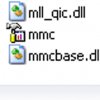


    mmc.jpg console.jpg
  16. Broni Malware Annihilator Posts: 39,349   +175

    Please download SystemLook from one of the links below and save it to your Desktop.
    Download Mirror #1
    Download Mirror #2

    64-bit users go HERE
    • Double-click SystemLook.exe to run it.
    • Vista users:: Right click on SystemLook.exe, click Run As Administrator
    • Copy the content of the following box and paste it into the main textfield:
      Code:
      :filefind
      compmgmt.msc
      
    • Click the Look button to start the scan.
    • When finished, a notepad window will open with the results of the scan. Please post this log in your next reply.
    Note: The log can also be found on your Desktop entitled SystemLook.txt
  17. TianaWolf Newcomer, in training Posts: 25

    SystemLook 30.07.11 by jpshortstuff
    Log created at 13:54 on 03/02/2013 by Tami
    Administrator - Elevation successful
    ========== filefind ==========
    Searching for "compmgmt.msc"
    No files found.
    -= EOF =-
  18. Broni Malware Annihilator Posts: 39,349   +175

    Here: http://www.filedropper.com/compmgmt is compmgmt.msc from my XP CD.
    Download it and put the file into C:WINDOWS\system32 folder.
    Restart computer and let me know how it goes.
  19. TianaWolf Newcomer, in training Posts: 25

    That Worked!!! :) wow I should take a picture of this console and frame it.. LOL omg thank you x1000 .. !!
  20. Broni Malware Annihilator Posts: 39,349   +175

    Way to go!! [IMG]
    Good luck and stay safe :)