
You are using an out of date browser. It may not display this or other websites correctly.
You should upgrade or use an alternative browser.
You should upgrade or use an alternative browser.
Why is Windows 7 loading links slowly?
- Thread starter learninmypc
- Start date


St1ckM4n
Posts: 2,887 +628

OP
learninmypc
Posts: 9,859 +753
- Thread Starter
- #4
It reboots very quickly, just when I click links, it gets slow.Is the computer its self over all slow? Or is just your internet links?
OP
learninmypc
Posts: 9,859 +753
- Thread Starter
- #5
Will check it out, thanks.Check this thread out, it will have some answers for you.
"EDIT" Earlier I did check it out but questioned whether it was ok since it was first posted before W7 came out.
OP
learninmypc
Posts: 9,859 +753
- Thread Starter
- #7
I just recently did a full defrag & here is my isp test.Try doing a over all cleaning of the pc , as of temp files and so forth. Plus make sure you defrag the hard drive. Sounds like if it just when you click on internet links .It maybe your internet service. Yes the link stickman posted still applys even for win 7

OP
learninmypc
Posts: 9,859 +753
- Thread Starter
- #9
I just cleaned them,thanks.
I used to have a link explaining what everything was in Task Manager & if I needed it to be running, but I've since lost it.
Would a start up program like Mikelins or Winpatrol help?
I used to have a link explaining what everything was in Task Manager & if I needed it to be running, but I've since lost it.
Would a start up program like Mikelins or Winpatrol help?

Cobalt006
Posts: 1,808 +250
Could , Do you have a lot of programs running in the back ground? A program called autoruns will let you know whats running in your background. You can get it at http://www.sysinternals.com Its called Autoruns V 11.34
OP
learninmypc
Posts: 9,859 +753
- Thread Starter
- #11
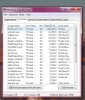
I truthfull don't know what could be running in the background. Here is the top part of my Task Manager
OP
learninmypc
Posts: 9,859 +753
- Thread Starter
- #13
I'm using both FF & SeaMonkey. It has gotten a bit better. It was mainly happening here http://www.rightthisminute.com/tv
when I send the individual video links in an email to some friends.
I guess I'll just get used to it, thank you.(y)
when I send the individual video links in an email to some friends.
I guess I'll just get used to it, thank you.(y)
OP
learninmypc
Posts: 9,859 +753
- Thread Starter
- #15
I mainly notice it being slow when I click the videos from here http://www.rightthisminute.com/tv in the morning.
When I first got this pc in December, there was no problem clicking the links that I remember of.
It could very well be site specific. I'll be more patient, thank you.
When I first got this pc in December, there was no problem clicking the links that I remember of.
It could very well be site specific. I'll be more patient, thank you.
Cobalt006
Posts: 1,808 +250
I mainly notice it being slow when I click the videos from here http://www.rightthisminute.com/tv in the morning.
When I first got this pc in December, there was no problem clicking the links that I remember of.
It could very well be site specific. I'll be more patient, thank you.
That sight is bit slow. Just as stated it more a site problem
OP
learninmypc
Posts: 9,859 +753
Similar threads
- Replies
- 5
- Views
- 151

- Replies
- 20
- Views
- 186

Latest posts
-
 The Steam Machine now has official Windows drivers
- Burty117 replied
-
 LG and Alienware monitors caught auto-installing Windows adware
- NumberNine replied


-
TechSpot is dedicated to computer enthusiasts and power users.
Ask a question and give support.
Join the community here, it only takes a minute.