also @ TechSpot: Intel confirms a smartwatch is in the pipeline

Winrscmde and svchost.exe issues

Discussion in 'Virus and Malware Removal' started by RLong31, Feb 7, 2013.

Post New Reply
  1. RLong31 Newcomer, in training Posts: 20

    My apologies.. here is results of listparts64:

    ListParts by Farbar Version: 16-01-2013
    Ran by toni12 (administrator) on 12-02-2013 at 07:14:15
    Windows Vista (X64)
    Running From: C:\Users\toni12\Downloads
    Language: 0409
    ************************************************************

    ========================= Memory info ======================

    Percentage of memory in use: 70%
    Total physical RAM: 4058.23 MB
    Available physical RAM: 1207.62 MB
    Total Pagefile: 8293.75 MB
    Available Pagefile: 4911.28 MB
    Total Virtual: 8192 MB
    Available Virtual: 8191.92 MB

    ======================= Partitions =========================

    1 Drive c: (TI101800V0E ) (Fixed) (Total:286.35 GB) (Free:199.77 GB) NTFS ==>[Drive with boot components (obtained from BCD)]
    3 Drive e: () (Removable) (Total:7.46 GB) (Free:1.44 GB) FAT32

    Disk ### Status Size Free Dyn Gpt
    -------- ---------- ------- ------- --- ---
    Disk 0 Online 298 GB 0 B
    Disk 1 Online 7658 MB 0 B

    Partitions of Disk 0:
    ===============

    Disk ID: 14054DEA

    Partition ### Type Size Offset
    ------------- ---------------- ------- -------
    Partition 1 OEM 1500 MB 1024 KB
    Partition 2 Primary 286 GB 1501 MB
    Partition 3 Primary 10 GB 288 GB

    ======================================================================================================

    Disk: 0
    Partition 1
    Type : 27
    Hidden: Yes
    Active: No

    There is no volume associated with this partition.

    ======================================================================================================

    Disk: 0
    Partition 2
    Type : 07
    Hidden: No
    Active: Yes

    Volume ### Ltr Label Fs Type Size Status Info
    ---------- --- ----------- ----- ---------- ------- --------- --------
    * Volume 1 C TI101800V0E NTFS Partition 286 GB Healthy System (partition with boot components)

    ======================================================================================================

    Disk: 0
    Partition 3
    Type : 17 (Suspicious Type)
    Hidden: Yes
    Active: No

    There is no volume associated with this partition.

    ======================================================================================================

    Partitions of Disk 1:
    ===============

    Disk ID: 004273D9

    Partition ### Type Size Offset
    ------------- ---------------- ------- -------
    Partition 1 Primary 7657 MB 32 KB

    ======================================================================================================

    Disk: 1
    Partition 1
    Type : 0C
    Hidden: No
    Active: Yes

    Volume ### Ltr Label Fs Type Size Status Info
    ---------- --- ----------- ----- ---------- ------- --------- --------
    * Volume 2 E FAT32 Removable 7657 MB Healthy

    ======================================================================================================

    Windows Boot Manager
    --------------------
    identifier {bootmgr}
    device partition=C:
    description Windows Boot Manager
    locale en-US
    inherit {globalsettings}
    default {current}
    resumeobject {b5b44ba9-3e50-11de-8b96-00248c6a1e8b}
    displayorder {current}
    toolsdisplayorder {572bcd56-ffa7-11d9-aae0-0007e994107d}
    {memdiag}
    timeout 30
    resume No
    customactions 0x1000000720001
    0x54000001
    custom:54000001 {572bcd56-ffa7-11d9-aae0-0007e994107d}

    Windows Boot Loader
    -------------------
    identifier {572bcd56-ffa7-11d9-aae0-0007e994107d}
    device ramdisk=[\Device\HarddiskVolume1]\Sources\boot.wim,{ad6c7bc8-fa0f-11da-8ddf-0013200354d8}
    path \windows\system32\boot\winload.exe
    description Toshiba Recovery Environment
    osdevice ramdisk=[\Device\HarddiskVolume1]\Sources\boot.wim,{ad6c7bc8-fa0f-11da-8ddf-0013200354d8}
    systemroot \windows
    nx OptIn
    detecthal Yes
    winpe Yes

    Windows Boot Loader
    -------------------
    identifier {current}
    device partition=C:
    path \Windows\system32\winload.exe
    description Microsoft Windows Vista
    locale en-US
    inherit {bootloadersettings}
    recoverysequence {572bcd56-ffa7-11d9-aae0-0007e994107d}
    recoveryenabled Yes
    osdevice partition=C:
    systemroot \Windows
    resumeobject {b5b44ba9-3e50-11de-8b96-00248c6a1e8b}
    nx OptIn

    Resume from Hibernate
    ---------------------
    identifier {b5b44ba9-3e50-11de-8b96-00248c6a1e8b}
    device partition=C:
    path \Windows\system32\winresume.exe
    description Windows Resume Application
    locale en-US
    inherit {resumeloadersettings}
    filedevice partition=C:
    filepath \hiberfil.sys
    debugoptionenabled No

    Windows Memory Tester
    ---------------------
    identifier {memdiag}
    device partition=C:
    path \boot\memtest.exe
    description Windows Memory Diagnostic
    locale en-US
    inherit {globalsettings}
    badmemoryaccess Yes

    Windows Legacy OS Loader
    ------------------------
    identifier {ntldr}
    device unknown
    path \ntldr
    description Earlier Version of Windows

    EMS Settings
    ------------
    identifier {emssettings}
    bootems Yes

    Debugger Settings
    -----------------
    identifier {dbgsettings}
    debugtype Serial
    debugport 1
    baudrate 115200

    RAM Defects
    -----------
    identifier {badmemory}

    Global Settings
    ---------------
    identifier {globalsettings}
    inherit {dbgsettings}
    {emssettings}
    {badmemory}

    Boot Loader Settings
    --------------------
    identifier {bootloadersettings}
    inherit {globalsettings}

    Resume Loader Settings
    ----------------------
    identifier {resumeloadersettings}
    inherit {globalsettings}

    Device options
    --------------
    identifier {ad6c7bc8-fa0f-11da-8ddf-0013200354d8}
    description Toshiba Recovery Environment
    ramdisksdidevice partition=\Device\HarddiskVolume1
    ramdisksdipath \boot.sdi


    ****** End Of Log ******
  2. Jay Pfoutz Malware Helper Posts: 4,286   +49

    Print this, if you like...

    Click Start > type CMD and right-click on Command Prompt and select Run as administrator...

    While in Command Prompt, type the following pressing Enter after each break in line of my text:

    DISKPART

    List Disk

    select disk 0

    list partition

    select partition 3

    delete partition override

    exit

    exit


    NOTE: Be sure when you go to the step "list partition", verify that partition 3 is listed to delete. If so, delete partition 3.
  3. RLong31 Newcomer, in training Posts: 20

  4. Jay Pfoutz Malware Helper Posts: 4,286   +49

    New log from ListParts64 please, to verify it's gone. :)
  5. RLong31 Newcomer, in training Posts: 20

    Listparts Log:

    ListParts by Farbar Version: 16-01-2013
    Ran by toni12 (administrator) on 13-02-2013 at 07:38:49
    Windows Vista (X64)
    Running From: C:\Users\toni12\Downloads
    Language: 0409
    ************************************************************

    ========================= Memory info ======================

    Percentage of memory in use: 58%
    Total physical RAM: 4058.23 MB
    Available physical RAM: 1679.22 MB
    Total Pagefile: 8305.75 MB
    Available Pagefile: 5549.72 MB
    Total Virtual: 8192 MB
    Available Virtual: 8191.92 MB

    ======================= Partitions =========================

    1 Drive c: (TI101800V0E ) (Fixed) (Total:286.35 GB) (Free:197.88 GB) NTFS ==>[Drive with boot components (obtained from BCD)]

    Disk ### Status Size Free Dyn Gpt
    -------- ---------- ------- ------- --- ---
    Disk 0 Online 298 GB 10 GB

    Partitions of Disk 0:
    ===============

    Disk ID: 14054DEA

    Partition ### Type Size Offset
    ------------- ---------------- ------- -------
    Partition 1 OEM 1500 MB 1024 KB
    Partition 2 Primary 286 GB 1501 MB

    ======================================================================================================

    Disk: 0
    Partition 1
    Type : 27
    Hidden: Yes
    Active: No

    There is no volume associated with this partition.

    ======================================================================================================

    Disk: 0
    Partition 2
    Type : 07
    Hidden: No
    Active: Yes

    Volume ### Ltr Label Fs Type Size Status Info
    ---------- --- ----------- ----- ---------- ------- --------- --------
    * Volume 1 C TI101800V0E NTFS Partition 286 GB Healthy System (partition with boot components)

    ======================================================================================================

    Windows Boot Manager
    --------------------
    identifier {bootmgr}
    device partition=C:
    description Windows Boot Manager
    locale en-US
    inherit {globalsettings}
    default {current}
    resumeobject {b5b44ba9-3e50-11de-8b96-00248c6a1e8b}
    displayorder {current}
    toolsdisplayorder {572bcd56-ffa7-11d9-aae0-0007e994107d}
    {memdiag}
    timeout 30
    resume No
    customactions 0x1000000720001
    0x54000001
    custom:54000001 {572bcd56-ffa7-11d9-aae0-0007e994107d}

    Windows Boot Loader
    -------------------
    identifier {572bcd56-ffa7-11d9-aae0-0007e994107d}
    device ramdisk=[\Device\HarddiskVolume1]\Sources\boot.wim,{ad6c7bc8-fa0f-11da-8ddf-0013200354d8}
    path \windows\system32\boot\winload.exe
    description Toshiba Recovery Environment
    osdevice ramdisk=[\Device\HarddiskVolume1]\Sources\boot.wim,{ad6c7bc8-fa0f-11da-8ddf-0013200354d8}
    systemroot \windows
    nx OptIn
    detecthal Yes
    winpe Yes

    Windows Boot Loader
    -------------------
    identifier {current}
    device partition=C:
    path \Windows\system32\winload.exe
    description Microsoft Windows Vista
    locale en-US
    inherit {bootloadersettings}
    recoverysequence {572bcd56-ffa7-11d9-aae0-0007e994107d}
    recoveryenabled Yes
    osdevice partition=C:
    systemroot \Windows
    resumeobject {b5b44ba9-3e50-11de-8b96-00248c6a1e8b}
    nx OptIn

    Resume from Hibernate
    ---------------------
    identifier {b5b44ba9-3e50-11de-8b96-00248c6a1e8b}
    device partition=C:
    path \Windows\system32\winresume.exe
    description Windows Resume Application
    locale en-US
    inherit {resumeloadersettings}
    filedevice partition=C:
    filepath \hiberfil.sys
    debugoptionenabled No

    Windows Memory Tester
    ---------------------
    identifier {memdiag}
    device partition=C:
    path \boot\memtest.exe
    description Windows Memory Diagnostic
    locale en-US
    inherit {globalsettings}
    badmemoryaccess Yes

    Windows Legacy OS Loader
    ------------------------
    identifier {ntldr}
    device unknown
    path \ntldr
    description Earlier Version of Windows

    EMS Settings
    ------------
    identifier {emssettings}
    bootems Yes

    Debugger Settings
    -----------------
    identifier {dbgsettings}
    debugtype Serial
    debugport 1
    baudrate 115200

    RAM Defects
    -----------
    identifier {badmemory}

    Global Settings
    ---------------
    identifier {globalsettings}
    inherit {dbgsettings}
    {emssettings}
    {badmemory}

    Boot Loader Settings
    --------------------
    identifier {bootloadersettings}
    inherit {globalsettings}

    Resume Loader Settings
    ----------------------
    identifier {resumeloadersettings}
    inherit {globalsettings}

    Device options
    --------------
    identifier {ad6c7bc8-fa0f-11da-8ddf-0013200354d8}
    description Toshiba Recovery Environment
    ramdisksdidevice partition=\Device\HarddiskVolume1
    ramdisksdipath \boot.sdi


    ****** End Of Log ******
  6. Jay Pfoutz Malware Helper Posts: 4,286   +49

    Any more issues?

    We need to know any other issues that are plaguing your computer. Kindly give a summary so we know how to continue from here.

    Many of the things to note for us would be:

    • Slow computer
    • Error messages
    • Fake antivirus alerts or the icon in the system tray
    • svchost.exe running at 100%
    • System crashes or blue screen of death

    Note: Absence of issues does not mean that you're protected in the future.
     
  7. RLong31 Newcomer, in training Posts: 20

    Still having the issue when I go to Control Panel, under Programs I click "Change Start-up Programs". I get the error "Software Explorers error : 0x80070005. Access is denied.

    Everything else seems to be ok.
  8. Jay Pfoutz Malware Helper Posts: 4,286   +49

    Download Windows Repair (all in one) from this site

    Install the program then run it.

    Go to Step 2 and allow it to run CheckDisk by clicking on Do It button:

    [IMG]


    Once that is done then go to Step 3 and allow it to run System File Check by clicking on Do It button:

    [IMG]


    Go to Step 4 and under "System Restore" click on Create button:

    [IMG]


    Go to Start Repairs tab and click Start button.

    [IMG]


    Please ensure that ONLY items seen in the image below are ticked as indicated (they're all checked by default):

    [IMG]

    Click on box next to the Restart System when Finished. Then click on Start.

    After it, let me know how it's going. :)
  9. RLong31 Newcomer, in training Posts: 20

    Still get the same error with change start-up programs.
  10. Jay Pfoutz Malware Helper Posts: 4,286   +49

    Do you have User Account Control activated?
  11. RLong31 Newcomer, in training Posts: 20

    No, it is turned off.
  12. Jay Pfoutz Malware Helper Posts: 4,286   +49

    Please take a screenshot of the specific area, so I may know exactly what you mean...
  13. RLong31 Newcomer, in training Posts: 20

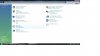
    Screenshot1.jpg
    Under Programs in the Control Panel I try to click on Change Startup Programs....

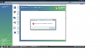
    Screenshot2.jpg
    Then comes the Software Explorers error......


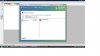
    Screenshot3.jpg
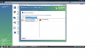
    Inside Windows Defender.... in the pull-down menu... all of the other options work... I.e. currently running programs, etc... it's only Startup Programs I can't access... so I can decide what comes on when windows starts up... to speed up start up a bit.


    Screenshot4.jpg
  14. Jay Pfoutz Malware Helper Posts: 4,286   +49

    The following is only applicable to Windows Vista.
    1. Download AccessChk (Sysinternals). This tool allows you to evaluate the access level of specific users or groups of resources including files, directories, Registry keys, global objects and Windows services. Here's the link to download the tool: http://technet.microsoft.com/en-us/sysinternals/bb664922.aspx

    2. Save the zip file on your desktop, and extract the file:
    - Right click on the file, and select Extract All...
    - Click Next when prompted for the Destination.

    As a result, you should see a folder called AccessChk on your desktop.

    3. Open the folder AccessChk

    4. Hold the shift-key and right click in the window. Select "Open Command Prompt Here"

    5. A command prompt window should open with a similar prompt:
    C:\Users\<USERNAME>\Desktop\accesschk>

    6. Type the following command, and press Enter:
    accesschk.exe -s -n "nt service\trustedinstaller" -k "hklm\software\Microsoft\Windows\CurrentVersion\Component Based Servicing" >accesskchk.txt
    Tip: You should be able to copy and paste the command into the command prompt.

    7. Close the Command Prompt Window. Open the Accesschk folder on yoru desktop (if it has been closed).

    8. Double click on Accesschk.txt (the text file), this should open Notepad.

    If this does not help,

    1. Please download the subinacl.msi file from the following link and save the installation patch onto the Desktop:

    http://www.microsoft.com/downloads/...ed6985e3927b&displaylang=en#AffinityDownloads
    SubInACL (SubInACL.exe)

    2. Please go to the Desktop and double click the downloaded file.
    3. Please select the C:\Windows\System32 folder as the Destination Folder during the installation. Later we will use this tool to reset the permission settings on the current machine.
    4. Click the "Start" Button, in the "Start Search" bar, type: "notepad" (without quotes) and press Enter.
    5. Copy the following commands and then paste them into the opened Notepad window:

    Code:
    @echo off
     
    subinacl /subkeyreg HKEY_LOCAL_MACHINE /grant=administrators=f
    subinacl /subkeyreg HKEY_CURRENT_USER /grant=administrators=f
    subinacl /subkeyreg HKEY_CLASSES_ROOT /grant=administrators=f
    subinacl /subdirectories %SystemDrive% /grant=administrators=f
    subinacl /subkeyreg HKEY_LOCAL_MACHINE /grant=system=f
    subinacl /subkeyreg HKEY_CURRENT_USER /grant=system=f
    subinacl /subkeyreg HKEY_CLASSES_ROOT /grant=system=f
    subinacl /subdirectories %SystemDrive% /grant=system=f
     
    [USER=154672]Echo[/USER] =========================
    [USER=154672]Echo[/USER] Finished.
    [USER=154672]Echo[/USER] =========================
    @pause
    6. After pasting the above commands, please close the Notepad window. Choose "Save" when you are prompted to save the file. Type "reset.bat" as the file name and choose "Desktop" from the left panel as the save location.

    7. Refer to the Desktop and right click the reset.bat file, then choose "Run as administrator."

    8. You will see a DOS-like window processing.

    NOTE: It may take several minutes, please be patient. When it is finished, you will be prompted with the message: "Finished, press any key to continue".
    Note: About some driver update installation procedure, we also received this error code, please reroute this kind of case to Vista System Team, because, it may regard for third party programs structure.

    Check for the updates after this.

    Hope this information is useful.
    This issue can be also caused by third-party security programs such as firewalls and anti-virus software. You can disable or remove them to check the issue.
    Copied From: Microsoft Answers Support Engineer
    http://social.answers.microsoft.com/Forums/en-US/vistawu/threads
  15. Jay Pfoutz Malware Helper Posts: 4,286   +49

    Hello! Are you still with us? Your topic is now marked inactive, because you have lacked to reply.

    However, we'd like to still help. Please update us on the state of your PC.