
Is this a good time to build a new PC? No. Does that mean you should hold off? It depends.
The PC market in 2026 is unusually lopsided. Processor competition is healthy, and in some areas CPU value is better than it has been in years. At the same time, the AI infrastructure boom has reshaped the memory business. Manufacturers are prioritizing HBM, server DRAM, and enterprise-grade NAND, leaving less capacity for consumer memory and SSDs. The result is that price per gigabyte has effectively slipped back toward 2018 levels, while the same pressure is also feeding into graphics cards through the rising cost of VRAM.
Unfortunately, there is little reason to expect meaningful relief over the next year. Storage availability may become even tighter as PC manufacturers secure more of the remaining supply, and memory kits are likely to remain one of the most painful parts of a new build.
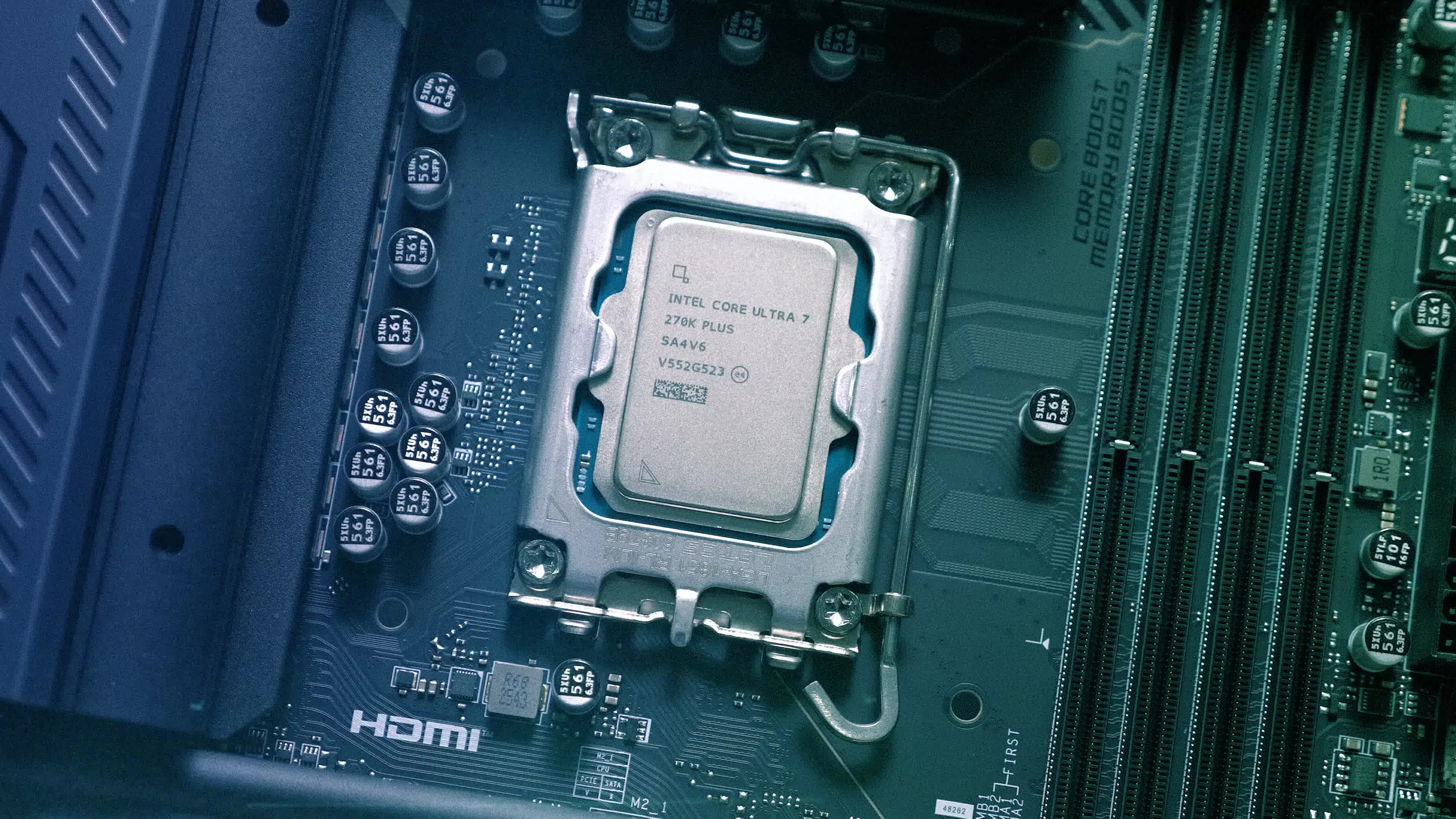
But that does not make every purchase a bad one. If you already own a capable AM4 or LGA 1700 system, a targeted CPU or graphics card upgrade may extend its useful life without forcing you to replace the motherboard and memory. If your PC is older than that, however, the gains from a modern platform can still justify the expense. This is especially true for heavily threaded workloads, where Intel's new Core Ultra 250K Plus and Core Ultra 270K Plus deliver remarkably strong value, in some cases matching AMD processors that cost close to twice as much.
Since the overpriced components are the ones that are easy to add or replace, you can start with lower RAM and storage capacities than you'll need a few years from now, or reuse your old storage drives until prices go down.
This edition of the TechSpot PC Buying Guide features four carefully assembled builds, tailored to different budgets and use cases. However, your ideal system may very well blend components from two or more of them.
The Journey Starter $800
The Playful Workstation $1,450
The Ultimate Gamer $3,500
The Money Maker $9,500
All recommendations are based on availability and pricing at the time of writing. If a listed component disappears or becomes significantly more expensive, don't worry. We explain the reasoning behind every choice so you can make informed alternative purchases.
The Journey Starter

When certain components are overpriced, it's tempting to save on other parts. However, the result is usually a computer that's only marginally cheaper, and would need to be replaced much sooner. This system is one of the least expensive we can recommend, and thanks to the AM5 platform, it's highly upgradable.
The Journey Starter is well-suited for web browsing with many open tabs, 1080p live streaming, and basic content creation. If you're not sure how you'll use your computer yet, this is a solid place to start. If you add a graphics card, it will become a perfectly good gaming machine.
| Component | Product | Price | |
| Processor | AMD Ryzen 5 9600X | $176 | |
| CPU Cooler | Thermalright Burst Assassin 120 SE | $20 | |
| Motherboard | Asrock B850M Pro RS | $130 | |
| Memory | 16GB (2 x 8GB) DDR5-6000 CL36 | $245 | |
| Storage | Crucial P310 500GB | $115 | |
| Graphics | Integrated / Intel Arc B570 10GB | $0 / $250 | |
| PSU | Thermaltake Smart 500W | $40 | |
| Case | NZXT H3 Flow | $60 | |
| Monitor, Keyboard & Mouse (see notes) | |||
|
Core System Total
|
$786 | ||
Image credit: Budget AM4 Arc B570 by Aroryborealis
The AMD Ryzen 5 9600X isn't much faster than its predecessor, the Ryzen 5 7600X, but it's not much more expensive either. The Thermalright Burst Assassin 120 SE offers superb cooling efficiency for its size with six heat pipes.
For the combined price of the CPU and the cooler, you could get the graphically enhanced Ryzen 5 8600G with the inferior Wraith Stealth cooler bundled. However, the lack of PCIe 5.0 support has become a real drawback, especially if you add a graphics card, as the CPU only has eight PCIe lanes available for one rather than 16.
When relying on integrated graphics, it's also important to ensure the motherboard has both DisplayPort and HDMI ports for monitor compatibility. The Asrock B850M Pro RS also offers decent thermal performance, four memory slots, and three M.2 slots for storage.
If you plan to add a dedicated graphics card, the Intel Arc B570 is the cheapest we can recommend, as even 8GB versions of modern Nvidia and AMD cards are overpriced right now. If you can spend a bit more, the Arc B580 will be a better purchase at $290, mostly for its extra 2GB of VRAM.
Despite the current RAM prices, we wouldn't go lower than a 2 x 8GB kit, as a single 8GB stick would halve the memory bandwidth, in addition to simply not being enough for modern games or even web browsing with more than a few open tabs. DDR5-6400 is the sweet spot for Zen 5 processors in terms of memory speed, but it's not available for 2 x 8GB kits as of writing. DDR5-6000 should be good enough, especially if you go with the Ryzen 7000 or 8000G series, as they won't benefit from more.
We wouldn't recommend the Crucial P310 as an addition to a computer that already has an SSD, as it can create a serious bottleneck when transferring files from the other drive. Yet, as long as you only transfer files from a mid-range phone or a hard disk, you won't feel the difference from more expensive drives.
The Thermaltake Smart is our recommended budget PSU, offering 500W, 80 Plus efficiency, and a 5-year warranty. Since we're using an mATX motherboard, we opted for a compact mATX case. Around $60 you have several good options, but we chose the NZXT H3 Flow for its great ventilation and ease of use. If you prefer something flashier, check out the Okinos Aqua 3.
Monitor, Keyboard & Mouse
If you're considering this system, we assume you prioritize work comfort over gaming performance. The Dell S2725QS is a solid 4K, 120Hz option with height, tilt and swivel adjustment. It also has a USB-C version, currently selling for the same price. More options for different budgets can be found in our best monitors feature.
The Razer DeathAdder Essential and Logitech Wave Keys is our recommended keyboard and mouse combo at this price point. For more options, see our recommended lists of top keyboards and mice.
The Playful Workstation

At first sight, this system looks like a humble gaming PC. However, as you add memory and storage in the future, you'll be surprised by its productivity and livestreaming performance thanks to its high number of CPU cores and high-bandwidth chipset.
| Component | Product | Price | |
| Processor | Intel Core Ultra 5 250KF Plus | $200 | |
| CPU Cooler | Thermalright Burst Assassin 120 Evo | $29 | |
| Motherboard | Asrock Z890 Pro RS | $170 | |
| Memory | 16GB (2 x 8GB) DDR5-6000 CL36 | $245 | |
| Storage | Sandisk WD Black SN7100 2TB | $243 | |
| Graphics | AMD Radeon RX 9060 XT 16GB | $430 | |
| PSU | Thermaltake Toughpower GX2 | $60 | |
| Case | NZXT H5 Flow | $80 | |
| Monitor, Keyboard & Mouse (see notes) | |||
|
Core System Total
|
$1,457 | ||
Image credit: First PC build by macedonga
For $200, the graphics-less Intel Core Ultra 250KF Plus cannot be beaten, with six performance cores and 12 efficiency cores. It's also quite efficient, so you don't need a heavy cooler that hides half of the motherboard. A dual-fan, single tower cooler like the Thermalright Burst Assassin 120 Evo should be more than enough. If you want the best CPU the LGA 1851 platform has to offer, you can go with the Core Ultra 270K Plus with eight P-cores and 16 E-cores, although it's less efficient and significantly more expensive at $313.
The Asrock Pro RS is the cheapest motherboard offering the Z890 chipset, with twice the total bandwidth for components not connected directly to the CPU. It also features Thunderbolt 4 and good enough thermal performance. Arrow Lake CPUs barely benefit from RAM faster than 6000MHz, so at least we aren't sacrificing speed by going with what's available for 2 x 8GB kits.
For twice as much as we paid for the SSD in the previous build, we are getting a quadrupled capacity and much faster sustained writes with the Sandisk WD Black SN7100. If you are thinking about upgrading the cheaper build with parts from this one, this is where you should start.
The AMD Radeon RX 9060 XT is the cheapest graphics card with 16GB of VRAM that we can recommend. If you want to maximize the system's performance per dollar, you can go with the Radeon 9070 for about $200 more.
The Thermaltake Toughpower GX2 is a high-quality basic PSU with ratings of 600W and 80 Plus Gold efficiency, and a 5-year warranty.
For the case, we selected the 2024 version of the NZXT H5 Flow, mostly because it was cheaper than other popular options, like the newer Corsair 4000D RS. If you plan to put your PC on a desk, you may prefer a shorter case with bottom connectors like the NZXT H6 Flow. Our best cases guide includes more solid options for under $100.
Monitor, Keyboard & Mouse
The Radeon RX 9060 XT 16GB can handle 1440p gaming at 60 fps with high settings, or push 120-180 fps in less demanding titles or with reduced settings. The AOC Q27G40XMN enables you to take full advantage of this performance on a 27-inch Mini-LED display at a fair price.
Clearly, there are dozens of good monitor options you can choose from and that's why we have entire guides dedicated to monitor shopping and gaming monitors specifically for every budget.
The Razer DeathAdder V3 is a safe bet for a mouse, and so is the Corsair K65 Plus for a keyboard. Once again, our best mice and keyboards guides include more options for more specific needs and budgets.
The Ultimate Gamer

This PC build is for those who prioritize absolute performance and the latest features without completely disregarding value. With today's top-tier GPUs, gaming and streaming at 1440p and 4K becomes a seamless experience – and this build is designed to deliver exactly that.
| Component | Product | Price | |
| Processor | AMD Ryzen 9 9950X3D | $679 | |
| CPU Cooler | ID Cooling Frozn A620 Pro SE | $30 | |
| Motherboard | Asrock Phantom Gaming X870E Nova | $230 | |
| Memory | 32GB (2 x 16GB) DDR5-6400 CL32 | $420 | |
| Storage | Crucial T710 4TB | $640 | |
| Graphics | Nvidia GeForce RTX 5080 16GB | $1,250 | |
| PSU | MSI MPG A1000GS II | $123 | |
| Case | Lian Li Lancool 217 | $120 | |
| Monitor, Keyboard & Mouse (see notes) | |||
|
Core System Total
|
$3,492 | ||
Image credit: Voxel r1.5 by finalarbiter9
The AMD Ryzen 9 9950X3D is basically a 9800X3D and a 9800X on the same die, making it perfect for gaming at high frame rates, livestreaming at 4K, or even both at the same time. This CPU isn't particularly efficient, so we'll need a heavier cooler like the ID-Cooling Frozn A620 Pro SE.
For a motherboard, we chose the Asrock Phantom Gaming X870E Nova for its five M.2 slots and chart-topping thermal performance. At higher RAM capacities, faster speeds and lower latencies become available.
The Crucial T710 features PCIe 5.0 support and a DRAM cache for faster seeking through terabytes of data. The 4TB version offers the best value as of writing.
The Nvidia RTX 5080 is the most expensive graphics card we can recommend to a gamer who cares about money at all. Since both cards are equally overpriced, it has become a better value than the step-down RTX 5070 Ti.
The MSI MPG A1000GS II delivers a kilowatt of power with 80 Plus Gold efficiency, a 10-year warranty, fully modular cables, and native 16-pin GPU connectors – a must-have for modern high-end graphics cards. Equivalent options from Be Quiet!, Corsair and NZXT are also available.
The Lian Li Lancool 217 doesn't just look great, but will also make sure that the system remains cool with two front 170mm fans. Again, our best cases guide includes more good options.
Monitor, Keyboard & Mouse
The Asus ROG Strix XG32UCWMG is arguably the best 4K OLED gaming monitor for most, but if you want ultrawide, you'll prefer the LG UltraGear Evo 39GX950B 39" Curved.
Ultimately, the best gaming monitor for you depends on the types of games you play, so if you are looking for specific features, we suggest that you simply read our best gaming monitors or ultrawide monitors guide.
The wireless Razer DeathAdder V4 Pro offers one of the best sensors on the market and great battery life. The Logitech Pro X2 Superstrike trades the ergonomic design for magnetic analog switches and an adjustable actuation point. The Razer Huntsman V3 Pro keyboard similarly uses analog optical switches with an adjustable actuation point. Our best mice and keyboard guides include more options.
The Money Maker

This machine is ideal for demanding workloads – from 4K video rendering to all kinds of 3D modeling. When paired with a high-end GPU, it also delivers gaming performance on par with the best gaming rigs. While not cheap, it can save you a great deal of time compared with a consumer-level PC.
| Component | Product | Price | |
| Processor | AMD Ryzen Threadripper 9970X | $2,300 | |
| CPU Cooler | Noctua NH-U14S TR5-SP6 | $140 | |
| Motherboard | Gigabyte TRX50 Aero D | $592 | |
| Memory | 64GB (4 x 16GB) R-DIMM DDR5-6400 CL32 | $2,040 | |
| Storage | 2 x Crucial T710 4TB | $1,280 | |
| Graphics | 2 x Nvidia GeForce RTX 5080 16GB | $2,500 | |
| PSU | Be Quiet! Dark Power Pro 13 1600W | $500 | |
| Case | Antec Flux Pro | $180 | |
| Monitor, Keyboard & Mouse (see notes) | |||
|
Core System Total
|
$9,532 | ||
Image credit: Antec Flux Pro Build by flan81
If you aren't sure which of the new AMD Threadrippers to get, we suggest the Ryzen 9970X, with four 8-core CCDs that can run at high clock speeds even when fully utilized. For prolonged core-heavy workloads, we recommend air coolers like the Noctua NH-U14S TR5-SP6.
We went with the Gigabyte TRX50 Aero D motherboard, simply because its heatsink design leaves enough room for massive air coolers. With a quad-channel memory controller, a 4-module kit of ECC-registered RAM is a must-have.
If your work involves creating copies of huge files, the ideal setup for you is two PCIe 5.0 drives. Since 8TB drives are particularly overpriced these days, we chose two 4TB Crucial T710 drives.
One of the main reasons to choose Threadripper is its ability to run multiple graphics cards at full x16 bandwidth, without the lane-sharing limitations of mainstream desktop platforms. However, the best GPU configuration for this system depends heavily on the software and workloads you use. In rare cases (Siemens NX is a prime example), professional RTX A-series and Radeon Pro graphics cards may justify their price with certain ease. The Nvidia RTX 5090's price is so inflated that two GeForce RTX 5080s will provide a much better value than a single RTX 5090, unless you absolutely need a unified 32GB pool of VRAM.
To power this monstrosity and whatever upgrades you're planning for it, we chose the 80 Plus Titanium-rated Be Quiet! Dark Power Pro 13, which is currently no more expensive than 80 Plus Platinum-rated units at the same capacity.
For the case, we chose the Antec Flux Pro, which can keep this system cool while still looking professional. As always, our best cases guide includes more options.
Monitor, Keyboard & Mouse
Some of the most comfortable and accurate peripherals we've tested include the Logitech MX Master 4 mouse and Keychron Q1 HE keyboard.
Your monitor choice depends on your specific needs. If you want to view 3D models in fine detail, the Dell UltraSharp U3225QE is an excellent option with its wide-gamut, 4K IPS panel.
For 4K video editing, the higher-end Asus ProArt PA32UCDM uses an OLED panel with exceptional contrast and qualifies for HDR 400 True Black. It also features a true 10-bit panel, capable of displaying a color range few other monitors can match.