also @ TechSpot: HP Envy/Pavilion revamp, more touchscreens, 3200x1800 LCD, 20" tablet

Intel to launch new caching SSDs to go with Ivy Bridge

By

On February 22, 2012, 1:00 PM

Despite some confusion as to whether Intel’s next-generation processor architecture had been delayed, it turns out that only the dual-core mobile chips will be held back, with quad core parts expected to arrive on track in April. Now details are emerging of Intel's new range of caching solid state disks to be released alongside Ivy Bridge.

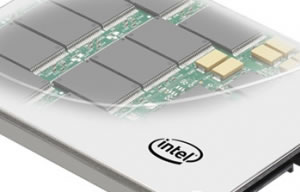
Intel's new 313 Series solid state disks will utilize 25nm process SLC NAND flash memory, and will be built specifically with caching in mind alongside the Ivy Bridge lineup. SLC flash has much lower write latency than MLC and typically handles around 20 times more program/erase cycles, making it perfectly suited to scenarios involving continuous read/write caching.

Much like the previous 311 Series SSDs, they will likely be available in 2.5-inch and mSATA form factors, with the 2.5-inch version reducing the total height of the case to 7mm, 2mm less than the previous 311 series. Both will still employ the SATA2 3Gbps interface, in large part due to Intel not having a SATA3 6Gbps controller of their own.

They will be available in 20GB and 24GB capacities. It's not currently clear what the need for a larger capacity version is, although it could be that the larger capacity SSD offers slightly increased performance, according to VR-Zone. We will have to wait for review benchmarks to see if that is the case.

Pricing will be similar to the previous 311 series models, with the 20GB model set at MSRP of $99, and the 24GB model $119. They have been spotted for pre-order at a range of online retailers, although the pricing does seem higher than the suggested figures from Intel.

The new SSDs are expected to be launched in April alongside Ivy Bridge, but it is possible these will arrive shortly before the processors become available for purchase.

, , , ,

Related Products from Product Finder

Intel SSD 520 Series SATA600

The Intel SSD 520 Series is aimed at performance buffs with initial SF-2281-based models offering capacities of 60GB, 120GB, 180GB, 240GB and 480GB. It also has a slim design, measuring 100 x 69.85 x 9.5mm and weighing up to 78 grams. The 60GB model packs read and write speeds of 550MB/s - 475MB/s, while the larger 120GB version provides 550MB/s reads and 500MB/s writes. The 180GB, 240GB and 480GB models are slightly faster again as the write performance is boosted to 520MB/s. Naturally, using the SATA 6Gb/s interface is essential to achieving those speeds.

36 Reviews

Intel SSD 510 120GB MLC SATA600

The Intel SSD 510 drops Intel's traditional 7mm design that uses a shim to reach the 9.5mm thickness of a standard 2.5" drive. The drives casing now measures 3.92 x 2.74 x 0.37" (99.8 x 69.63 x 9.5mm) and weighs 0.18lbs (81.6 grams). It boasts read and write speeds of 450MB/s and 210MB/s. Naturally, the SATA 6Gb/s interface is essential to achieving these staggering read speeds.

10 Reviews

Intel SSD 2.5 inch X25-M G2 80GB MLC SATA300

Read expert reviews, pros & cons, and product information about Intel SSD 2.5 inch X25-M G2 80GB MLC SATA300. There are 14 reviews available so far.

7 Reviews

User Comments: 10

Got something to say? Post a comment
  1. I cannot understand why intel sandy bridge and the future ivy bridge chipsets don't have NATIVE usb3.0 make all usb ports 3.0 instead of just 2 ,sata3 6gbps and pci express 3.0 built in.ssd with caching but still using old sata2 controllers not the brightest idea as for thunderbolt waste of time only apple has used that.usb3.0 is the new standard.I wont be upgrading from 1156 I5 750 till this happens.

  2. All of my data is on a data drive. The OS and installed apps are all on my OS partition. My OS partition is 24GB used space. I couldn't use these drives if I wanted to. I might could use a 32GB or 40GB but I would prefer a 60GB or greater.

    Oh this also includes turning Hibernation off (no hibernation file) and setting the Pagefile to 1GB. I could turn my restore points off to save space but I have grown to appreciate them. I know let me install all my applications to the data drive and forget the reason why I want to purchase an SSD.

  3. Agree on that.

  4. I'll wait for a MB with an SATA3 dedicated mSATA on board, at least 60GB in size.Doesn't matter if it's from Intel or from AMD, it should have at least PCIEx 3.0 ...But wait, no native SATA3 or PCIEx 3.0 on Intel so I should go AMD!

  5. You guys should probably read up a bit on SRT and SSD caching before saying you can't use these SSDs. While I agree that having it larger would be better, the size of your OS install wouldn't really matter for a caching SSD of 20-24 GB. What you might end up wanting to do, though, if you used one of these for that purpose is have everything on your primary drive. I know some of the alternative caching technologies only function for the primary boot drive so without having apps on that drive you wouldn't see the full benefit.

  6. Thanks LNCPapa

    In other words I wouldn't need this drive anyway and shouldn't have come to read this thread.

  7. ...BUt wait, no native SATA3 or PCIEx 3.0 on Intel so I should go AMD!

    Cougar Point and Patsburg both support native SATA 3.0

    P67, Z68, Z77, C202, C204, C206, C600 and X79 all support PCI-E 3.0

    How many AMD chipsets or CPU's support PCI-E 3.0 ?

    (hint : It's less than one)

    Not up to your usual trolling standard, mosu

  8. Thank you LNCPapa...so I read your post twice and finally got it! You're a double-talker, who really didn't say anything!

    cliffordcooley +1

    Also, I read something about having programs on a separate drive?? Can't someone enlighten me...what's the point of a ssd if you're not going to use it to run programs!?

    Bottom line is..I think Intel wants us to use these drives for some other purpose...cuz they definitely don't fit the Operating System on them (not even talking about other programs and games)!

  9. Is there some Windows tweak that would allow larger write caching for disk writes? It's currently only a few hundred MB, but I'd like it to be much, much more.

  10. Also, I read something about having programs on a separate drive?? Can't someone enlighten me...what's the point of a ssd if you're not going to use it to run programs!?

    Some people are poor and can only afford to run the OS on their tiny SSD

Recently commented stories

Post a new comment

Social Login & Guest Posting TechSpot Members
Login here or sign up for free,
it takes about a minute.
Get complete access to the TechSpot community. Join thousands of technology enthusiasts that contribute and share knowledge in our forum. Get a private inbox, upload your own photo gallery and more.
TechSpot on:

Subscribe to TechSpot

Get free exclusive content, learn about new features and breaking tech news.