NameBrandHuman
02-29-2008, 08:34 PM
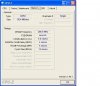
Hi. I have a celeron D 3.33ghz processor in a ecs rc410l-m mobo 1gb ddr2 533 ram(i think) it ran as 3.33ghz for about 6-8 months. then all of a sudden one day when i turned it on and went to play a game i realized the fps were a bit better. i changed nothing in the bios and checked the bios its all the same as it was. the processor right now is runnin 4.17ghz on stock cooling @ 39c idle. so far it seems that it is stable i can play games and have not had a problem its really wierd. cpuz says the fsb is 666.7 tho it should read 533 i believe. ram is at 266.5. i dont know what to do and i dont want this to fry my system. any help will be greatly apreciated. thanks....
kimsland
02-29-2008, 08:49 PM
I wonder what CMOS reports your multiplier to be, in CPU settings.
It is very strange, as if your CMOS has reset to defaults, which is overclocked?!
Or someone has been fiddling with your computer!
Either way, it's better for it. The increase from 3.33ghz to 4.17ghz is about a 25% increase. :)
NameBrandHuman
02-29-2008, 09:02 PM
The bios reports cpu clock default, fsb 533, dram 267, and the speed as 3.33ghz. The only option i could change on this board is the cpu clock and its at default. This deserves a big "WTF" and i hope it isnt something that is going to damamge the system soon. and im going to assume the next question is going to be if i am using some kind of software to overclock it. short answer NO. only overclocking software i have on the machine is ati tool for the 8600gt i have. double WTF. heck i dont even know of any software to overclock cpu if any exists at all lol.
Zenosincks
02-29-2008, 09:18 PM
I would suspect something is giving you wrong readings. You might want to reset your BIOS settings to the factory default settings and flash your BIOS if there is a newer version. Consider replacing your CMOS battery as well.
NameBrandHuman
02-29-2008, 10:09 PM
are you sure i thought 266.5 because its single channel. dual channel would be 533
Zenosincks
02-29-2008, 10:12 PM
Not sure what you're asking. Whether or not the RAM is running in single or dual channel is irrelevant to the clock frequency.
NameBrandHuman
02-29-2008, 10:16 PM
its 266.5 because its running as single channel ddr. i dont know but im sure the ram is fine. ive had no errors. im going to restart and check it again. checked it it says 267 but thats 1 channel of ddr inst it? belarc advisor says
4.15 gigahertz Intel Celeron D
16 kilobyte primary memory cache
512 kilobyte secondary memory cache Board: ECS RC410L/800-M 1.0
Bus Clock: 133 megahertz
BIOS: American Megatrends Inc. 080012 06/21/2006
Zenosincks
02-29-2008, 10:44 PM
Eh? That has nothing at all to do with your RAM's frequency.
You are confusing two separate technologies.
Through technological advances they've been able to improve the data throughput of RAM without increasing the clock frequency. Hence, DDR SDRAM, DDR2 SDRAM, and DDR3 SDRAM.
Running RAM in "Dual Channel" mode is nothing more than using two modules of RAM that are extremely closely matched specification wise as a single 128-bit device to improve performance. This has absolutely nothing to do with your RAM's frequency.
Something isn't right. I don't think your RAM would stand a 100% overclock, so something is giving you improper readings or your RAM's stock throughput/frequency isn't as you said it is.
I also don't think your CPU would stand a 25% overclock with the stock heatsink and still remain at 29C. Something is very fishy.
*Edit*
Download Everest (http://www.download.com/Everest-Ultimate-Edition/3000-2086_4-10499291.html?tag=lst-1)and post the readings relevant to all of this.
NameBrandHuman
02-29-2008, 11:28 PM
heres the report hope it helps i did motherboard and spd only.
Zenosincks
02-29-2008, 11:35 PM
*Edit*
Err, nevermind with what I said. It appears to be posting the DDR clock as the base frequency, so that's settled. Your RAM is fine.
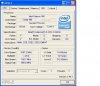
Your CPU's clock multiplier ought to be at 19-20 to set your CPU at it's stock core clock frequency. What does Everest say about your CPU?
NameBrandHuman
02-29-2008, 11:44 PM
Ok heres cpu. The thing is that the bios doesnt have an option for multiplier. so i wouldnt know why its at 25. wow this is FN bizarre!
Zenosincks
02-29-2008, 11:46 PM
Yep, it shouldn't have an option to alter the multiplier. It's generally locked on CPUs so resellers can't toy with them and sell them as rated for higher frequencies than they are. I'll look at that and edit my post.
*Edit*
Your CPU's multiplier has a range, which is odd to me so I looked up the factory default settings on the Celeron D 356. Your CPU's multiplier ought to be at x25. However, your FSB is only supposed to be at 133MHz and it's at 167MHz.
133MHz x 25 = 3325MHz = 3.33GHz
167MHz x 25 = 4175MHz = 4.18GHz
A difference of 850MHz. Your FSB is overclocked by 33MHz-34MHz.
NameBrandHuman
03-01-2008, 12:01 AM
ok ill edit this one too! lets talk lol! either way its wierd! its like my mobo decided to give me an auto overclock without me having to adjust it.sorry forgot to add this mobo has only one overclocking option!
Zenosincks
03-01-2008, 12:03 AM
:) Edited that post, and yeah, all is well. Your FSB has been increased by 33MHz-34MHz which is fine as long as your system isn't unstable. Not much reason to change it unless you just don't want the extra strain on your system.
NameBrandHuman
03-01-2008, 12:06 AM
ok no use editing then! only thing is i promise to you i havent changed a thing in the bios. this is absolutley doin it itself! should i be worried about that? bios says default on clock!
Zenosincks
03-01-2008, 12:10 AM
Well you said you've used other overclocking tools for your VPU. I'm not familiar with that software at all, maybe someone else will hop in and let us know whether or not that software is capable of altering your FSB.
However, in the mean time, I will go check that out as well as your motherboard manual and see if there are any settings for you to alter the FSB so you can set it how you want it.
*Edit*
You can indeed changed the external FSB according to page 34 of your motherboard's manual. It's under the "CPU PnP Setup Page" section with the option labeled as "OverClock CPU FSB Clock".
NameBrandHuman
03-01-2008, 12:32 AM
there is an option for fsb but its at default. im not a nub. i know your not saying that. but i changed nothing. thats the only option and i havent touched it. and ati tool is only for vpu as far as i know!
Zenosincks
03-01-2008, 12:45 AM
I'm not trying to question your intelligence, but you are here looking for help.
All I'm saying is, your external FSB is running at a 33MHz overclock according to software you are running within the Windows environment.
It should be at 133MHz by default. If that's what it says in the BIOS, either it's wrong or the software you're getting reads from within Windows is. I doubt the latter because you started looking into all of this initially due to an increase in frame rates, implying that your system is indeed overclocked. Reset your BIOS to factory default settings and see what it does to the FSB within the BIOS as well as Everest/CPU-Z.
Samstoned
03-01-2008, 01:55 AM
video steals memory from your main physical memory
try reset the software on video card see if it changes the bios readings
Zenosincks
03-01-2008, 01:58 AM
video steals memory from your main physical memory
try reset the software on video card see if it changes the bios readings
What are you talking about? No where in this entire thread that I can see is anyone questioning the RAM's capacity.
video steals memory from your main physical memory
try reset the software on video card see if it changes the bios readings
HUH?????
http://thywordistruth.files.wordpress.com/2007/06/huh.jpg
NameBrandHuman
03-01-2008, 06:19 AM
do you say do you do?
NameBrandHuman
03-01-2008, 06:20 AM
integretity means nothing
Zenosincks
03-01-2008, 06:22 AM
Eh... what?
NameBrandHuman
03-01-2008, 06:23 AM
hey ram capacity is ignorant! WTF you think im really messin with you!
Zenosincks
03-01-2008, 06:26 AM
You're acting like Samstoned now :(. What are you talking about?
Samstoned
03-01-2008, 11:42 AM
if your going to be ignorant I will not join any discussions you post
look it up
if you have a 125mb video card it will use 125mb from the memory sticks
if Op is using some over clocking software it may have affected bios
and since non of you genious's no why the bios changed ????????
I'm done have fun
if your going to be ignorant I will not join any discussions you post
look it up
if you have a 125mb video card it will use 125mb from the memory sticks
if Op is using some over clocking software it may have affected bios
and since non of you genious's no why the bios changed ????????
I'm done have fun
Are you talking about AGP aperture? You need to read more about it if you are, so we can make more sense of your vaguely written posts. If you are talking about integrated video.. sure.. But no one here is talking about integrated video.
http://www.adriansrojakpot.com/Speed_Demonz/New_BIOS_Guide/AGP_Aperture_Size.htm
http://en.wikipedia.org/wiki/Aperture_%28computer_memory%29
Zenosincks
03-01-2008, 02:14 PM
if your going to be ignorant I will not join any discussions you post
look it up
if you have a 125mb video card it will use 125mb from the memory sticks
if Op is using some over clocking software it may have affected bios
and since non of you genious's no why the bios changed ????????
I'm done have fun
Nobody here is being ignorant. You are confidently citing technologies totally unrelated to this thread and suggesting impossible solutions ("try reset the software on video card see if it changes the bios readings").
You're right, I don't know why the BIOS have changed, or why they're displaying the improper external FSB frequency. However, I know it's got absolutely nothing to do with "resetting software on the video card", nor has it got anything to do with the video card borrow memory from the RAM.
NameBrandHuman
03-01-2008, 07:15 PM
sorry about those benine posts i had a friend over. we were drinking and he was being an ****. anyways im not using the onboard video, im using an 8600gt pci-e 16x , and i have no clue why the fsb has changed itself. i hope its not going to be something that will damage my system thats all. i posted in part to see if anyone has ever had this happen. and so they can tell me if i should be worried. also i thought people might find this bizarre situation interesting!
Zenosincks
03-01-2008, 07:20 PM
As long as it doesn't continue to increase "itself" it shouldn't damage anything. I would honestly leave it how it is, it's a successful overclock if you've noticed gains in your frame rates.
If you want to set it to the default (I understand it says that it's at 133MHz in the BIOS but it's obviously not), try clearing the CMOS and seeing how it effects your FSB as I suggested.
You may want to try reversing/disabling any overclocking you've done on the VPU to see if it played a role in all of this. I'd suspect that more than your motherboard spontaneously deciding to overclock your external FSB by 33MHz :).
NameBrandHuman
03-01-2008, 07:26 PM
i suppose i will leave it. mobo said hey im gonna give you a boost for free lol. so far everything is running smooth no problems what so ever. ill report back if i notice anything else out of the ordinary. thanks for the suggestions.
Zenosincks
03-01-2008, 07:32 PM
mobo said hey im gonna give you a boost for free lol.
Somehow I doubt it. Besides, it wouldn't of charged you anything if you forced it to run at a higher FSB frequency anyway :).
Enjoy the overclock, and please do report any further complications.
Acclamator
03-02-2008, 02:38 AM
**Blank**
Moderator please delete.