also @ TechSpot: Valve's Steam suffers worldwide failure over the weekend
Welcome to the TechSpot OpenBoards. Please read the FAQ if you have any questions. Sign up or Login to participate.

Go Back   TechSpot OpenBoards > TechSpot Editorial and Site Feedback > TechSpot News and Comments

Collaborate in the cloud with Office, Exchange, SharePoint, and Lync

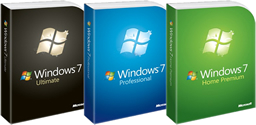
Weekend Open Forum: Have you upgraded to Windows 7 yet? What is there to like/not?

Page 1 of 5 1 2345
Thread Tools Search this Thread
  #1  
Old 11-06-2009
Julio's Avatar
TechSpot Executive Editor
 
Location: Ecuador
Member since: Feb 2002, 5,352 posts
System specs
Weekend Open Forum: Have you upgraded to Windows 7 yet? What is there to like/not?

Inevitably the past few weeks have been a lot about Windows 7. We have contributed our fair share of information and resources in the process, from nifty tips and tricks for those of you coming as far back as the first public beta, to a complete round-up of information to get you up to speed if you are upgrading to Windows 7 just now.

Read the whole story
  #2  
Old 11-06-2009
treeski's Avatar
TechSpot Booster
 
Location: Chicago, USA
Member since: Nov 2007, 444 posts
System specs
I took advantage of the Windows 7 student deal, and picked up professional 64bit for the $30. I own a pretty powerful gaming rig and used to run Vista on it. I didn't have any problems with Vista, but I have noticed certain performance boosts with 7. My computer's start up time is a lot faster. Transitioning from software to software seems smoother somehow.

I'm also digging the 7 interface. The new taskbar is really awesome. I love that you can move programs around on it. The various Aero features are great.

I haven't run into any compatibility issues, so no problems there.

Not sure what else to say. It's a great operating system, and I would really encourage everyone to make the move from XP/Vista/(macs) to 7. You won't be disappointed.
  #3  
Old 11-06-2009
elroacho72's Avatar
TechSpot Member
 
Location: ST.Louis
Member since: Aug 2009, 124 posts
System specs
If you have a 64 bit capable system, don’t wait. This will streamline your system so quickly you won’t believe it. Allowing you to multitask with the best of them and have no bottleneck doing it. To fully utilize everything 4GB of RAM should be used but with RAM so cheap now upgrading shouldn’t be a problem! W7 is crazy! Running it on a P4 in one room and a dual core in the other! Using windows media center with mediabrowser plugin for ALL media in the house! Music, videos (including blu-ray), tv, you name it! I Picked up a remote and I'm good to go! W7 uses less resources than vista therefore runs a lot easier on my machines! I've been using it since beta testing and absolutely love this OS!
  #4  
Old 11-06-2009
Guest
 
I haven't upgrade yet, but i know i like it :)
  #5  
Old 11-06-2009
Newcomer, in training
 
Member since: Dec 2006, 17 posts
This upgrade from Xp to Vista to Windows 7 cost too much for comapanies.That is why companies are reluctant on upgrading to windows 7. Hopefully windows 7 will give a promising performance to all its consumers.
  #6  
Old 11-07-2009
klepto12's Avatar
TechSpot Maniac
 
Location: Booneville, Arkansas
Member since: Dec 2008, 1,281 posts
System specs
i love windows 7 it has to be the best OS i have used easily beating vista and XP yes i said it better than XP. what i like about win7 is the fact that it basically installs all your drivers for you and its boot time is also very nice. i think the only thing i dont like is the fact that you have to have all drivers digitally signed by microsoft or they wont even work :(
  #7  
Old 11-07-2009
Rick's Avatar
TechSpot Special Forces
 
Location: Los Angeles, CA
Member since: Feb 2002, 5,596 posts
Quote:
klepto12 said:
what i like about win7 is the fact that it basically installs all your drivers for you
You're going to be disappointed in about a year. This is less an OS feature and more just being 'new'.

Quote:
i think the only thing i dont like is the fact that you have to have all drivers digitally signed by microsoft or they wont even work :(
Not true. I've even used beta Vista drivers... heh.

Quote:
This upgrade from Xp to Vista to Windows 7 cost too much for comapanies.That is why companies are reluctant on upgrading to windows 7.
Most companies aren't going 'upgrade'. Any company with a real IT program is going to backup, format, reinstall, image Windows 7 onto their computers. Upgrading is often not an option in a corporate environment.
  #8  
Old 11-07-2009
Xclusiveitalian's Avatar
TechSpot Booster
 
Location: NYC, NY
Member since: Jan 2009, 496 posts
System specs
I also took advantage of the student deal, I feel the $30 was worth the upgrade from vista. I also got the hard disk just in case as I like to have a hard copy just to be safe. I really like Windows 7, and I especially feel if your going to get a newer computer to have windows 7 installed. Vista feels heavy, but unlike the past vista isn't that buggy, it's just not as smooth as win 7 is. Pick just one fav feature? lol thats a hard one, I love the new task bar, but the snap in screen is addictive to use especially with Itunes and aol at the same time, or better yet what I did, have techspot open, and watch some youtube videos. The starup for windows (for me) is amazingly faster then Vista. MY laptop shuts down in a record 9-11 seconds, a first. The new look of the menus and such I like, it feels very organized and simple to understand. Like my laptop is connected to the internet through a network, and I can easily switch with 2 clicks to another network. I use this for school and because my house has 2 as well. The easily way to describe windows 7 is a upgraded smoother lighter Vista. I recommend anyone, especially using a laptop to upgrade (if they can) to Windows 7. As it's been proven it takes less power to use....more battery life!
  #9  
Old 11-07-2009
Whiffen's Avatar
TechSpot Enthusiast
 
Location: Ottawa, ON
Member since: Dec 2007, 321 posts
System specs
I have been using windows 7 since the first beta was available. Love the OS and will be purchasing Home Premium 64 for 120$ Lucky its not to expensive since I get a discount for buying a 1TB HDD not to long ago.
  #10  
Old 11-07-2009
BlindObject's Avatar
TechSpot Booster
 
Location: New Jersey
Member since: May 2007, 446 posts
About to up grade soon...I have a x64 XP pro, how's gaming on W7? Better than XP? I have a powerful gaming rig, and that's 80% of what I do on here.
  #11  
Old 11-07-2009
TechSpot Member
 
Member since: Oct 2009, 30 posts
I had access to an MSDN account when they first released it to developers back a few months ago, and I can you guys that I'm glad I did. This thing is FREAKING AMAZING. The new taskbar, areo peek and stuff, just amazing.
  #12  
Old 11-07-2009
Deso's Avatar
TechSpot Member
 
Location: Wisconsin
Member since: Oct 2009, 130 posts
System specs
I upgraded to 7 but my pentinum 4 was to slow :/ so I installed back to xp :/
  #13  
Old 11-07-2009
Rick's Avatar
TechSpot Special Forces
 
Location: Los Angeles, CA
Member since: Feb 2002, 5,596 posts
Quote:
Originally Posted by Deso View Post
I upgraded to 7 but my pentinum 4 was to slow :/ so I installed back to xp :/
I don't think it is your P4, unless you have an old first gen Willamette or something. It's probably your RAM/memory and/or graphics card and it could be something as simple as a driver issue or just adding more memory.

Windows 7 is almost every bit as meaty as Vista. It really should have 2GB of RAM or more to play with. It handles that meatiness better than Vista though, with things like starting services during startup in an 'intelligent' order etc... But XP is going to run better if you have an old video card and/or less than 1GB of RAM.
  #14  
Old 11-07-2009
skitzo_zac's Avatar
TechSpot Chancellor
 
Location: Australia
Member since: Aug 2005, 455 posts
System specs
I ran the public Beta and Release Candidate and then bought Professional x64 with the student discount a couple of days after it's public release.

I really like it being visually more pleasing to use than the aging XP. New taskbar may take a while to get used to for some people but it really is superior IMO.

I love being able to move around items in the taskbar and the system tray, small thing for some but it really is great IMO.

Snapping windows to either side of the screen, really simple idea, but it makes organizing and moving files around A LOT easier.

Drivers being moved from kernal to user space (I know this was done in Vista, but I never used Vista. Upgraded from XP to 7), this was a pretty big problem for me in XP as I would get BSODs from driver crashes. Now in 7 it just re-initializes the driver without having to restart my system.

Windows 7 really is a great operating system. I would recommend everyone to upgrade to it if your hardware can handle it. And if you can get the student discount it is really cheap!
  #15  
Old 11-07-2009
Newcomer, in training
 
Member since: Dec 2008, 12 posts
Windows 7 is just plain good. It feels snappier and more consistent when compared to Vista. Further, it *feels* shiny and new. XP feels like a dinosaur and looks like play doh by default.
Win7 is quick, modern and looks good, to boot. I wouldn't trade the new taskbar for anything.
  #16  
Old 11-07-2009
mailpup's Avatar
TechSpot Special Forces
 
Location: Los Angeles
Member since: May 2005, 7,337 posts
System specs
I bought three copies of Windows 7 Home Premium 64 bit OEM but have not installed any yet. In my next computer build I will.
  #17  
Old 11-07-2009
Newcomer, in training
 
Location: Philippines
Member since: Oct 2009, 14 posts
System specs
When I first RC came out I installed it on my office laptop. It was very impressive! Haven't done it yet on my Home PC as I'm too busy to reinstall everything. Besides, the home PC is mostly used for websurfing and Office applications, so WinXP is still capable.

Maybe when I need to upgrade to a bigger HDD I will install Win7.
  #18  
Old 11-07-2009
Newcomer, in training
 
Member since: Oct 2009, 4 posts
I bought the 1/2 price upgrade back in ?July?. Upgraded the day it came from Vista 32 to Win7 64-bit. No regrets. I, however, never had any problems with Vista either, so I guess I was one of the lucky ones. I'm not a big fan of the new task bar, but it is quite simple to make it behave like the vista (or XP) task bar but with MUCH improved previews. The tray icons are managed better in my opinion. I really like have the screen resolution as a primary option on the desktop right click menu since I dual monitor fairly regularly. Win7 boots and shuts down WAY faster than my Vista ever did. Its no longer painful to restart the computer. Wireless seems to connect to networks faster too. All said, I'm pretty happy with the new Windows.
  #19  
Old 11-07-2009
BorisandBailey's Avatar
TechSpot Enthusiast
 
Location: The hot, stinkin' desert of Arizona
Member since: Jun 2008, 203 posts
System specs
I'm staying on XP because, for me, Windows is for specialized programs like the Adobe products. I have Illustrator and Photoshop and I really don't need Windows for anything more than that. Everything else I can do with Linux Ubuntu. If Adobe made its softwares available for Linux, I would leave Windows in a heartbeat.
  #20  
Old 11-07-2009
Guest
 
I'm really digging Windows 7 so far. Before this, I used XP. I never touched Vista. One thing I miss is the Quick Launch Bar that was removed. They replaced it with the "Pin To Taskbar" feature, but this isn't really a replacement. The buttons representing running programs get mixed in with the buttons representing Quick launch options, and it can be a real mess.

Really though, Windows 7 is awesome.
Closed Thread
Page 1 of 5 1 2345

Similar Topics
Topic Replies Forum
Weekend Open Forum: What are you playing right now? 88 TechSpot News and Comments
Weekend Open Forum: Is the iPad for You? 81 TechSpot News and Comments
Weekend Open Forum: Your next hardware upgrade will be...? 76 TechSpot News and Comments
Weekend Open Forum: What's your backup strategy? You do have one, right? 48 TechSpot News and Comments
Weekend Open Forum: Do you (still) Twitter? 37 TechSpot News and Comments

Thread Tools Search this Thread
Search this Thread:

Advanced Search
All times are GMT -4. The time now is 02:06 PM.