also @ TechSpot: HDD supply to recover by Q3 2012, prices to remain high
Welcome to the TechSpot OpenBoards. Please read the FAQ if you have any questions. Sign up or Login to participate.

Go Back   TechSpot OpenBoards > Hardware > Overclocking, Cooling and Modding

Download Now:

-Post your temps here- OMG! My rig is uber-cold!

Page 2 of 4 1 2 34
Thread Tools Search this Thread
  #21  
Old 11-03-2002
Moto_Psycho's Avatar
Newcomer, in training
 
Location: Kansas.
Member since: Nov 2002, 6 posts
AMD XP 1800+ (1.53ghz) @ 1.68ghz, Volcano 7+ @ 6000rpm, and Arctic Silver 3, 120mm case front intake. Room temp is about 20*C (69*F I believe).

Idle = 32*C, 89*F

Full load = 34*C, 93*F
  #22  
Old 11-29-2002
Cucumber's Avatar
TechSpot Enthusiast
 
Location: South East England
Member since: Mar 2002, 203 posts
Quote:
Hey, you guys ought to start watercool ;-)
Yeps...thats the way to go IMO,
...i just started designing my CPU waterblock, and i will be watercooling CPU,GPU(ram and core)and NorthBridge

Im hearing great things from watercooling, not only amazingly low temps, but also, almost complete silence....ill be using an 80mm on the radiator which puts out only 9db, and all in all, gonna cost about Ģ80, which is very cheap considering the results, and it being only around Ģ30 more than the SLK-800.(best Air-Cooling product available)

Also...is a great long term investment, as i will save in the long run!

Consider it people
  #23  
Old 11-29-2002
Tweakster's Avatar
TechSpot Enthusiast
 
Location: In a house Uk
Member since: Feb 2002, 224 posts
Average readings:

26c 33c 34c

(Via 686 -1 /2 & 3 ) tho not sure where sensors are.
  #24  
Old 12-05-2002
---agissi---'s Avatar
TechSpot Paladin
 
Location: Montana
Member since: Mar 2002, 2,304 posts
Im using a stock cooler on my XP-1700+. Idle temp = 120'f.
Case temp = 80'f
  #25  
Old 12-18-2002
conradguerrero's Avatar
TechSpot Booster
 
Location: Maui, Hawaii
Member since: Oct 2002, 357 posts
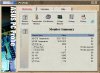
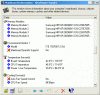
mine is really cold, after a tornado fan upgrade that is.
Ambient air temp is 23 C

Board - 23.2 C
CPU - 41.9 C
Power - 46.4 C

that's at almost full load, at full load cpu get's up to around 43 C.

Attached Images
File Type: jpg currenttemp.jpg (59.4 KB, 9 views)

Last edited by conradguerrero; 12-18-2002 at 12:26 AM..
  #26  
Old 12-24-2002
vassil3427's Avatar
TechSpot Addict
 
Member since: Feb 2002, 822 posts
Mobo= 32 C
CPU= 49 C

Mine's soo hot cause I removed my second case fan, and insulated the insides of the panels for the sides of my pc.....lol....it was just too loud.....
  #27  
Old 12-28-2002
Vehementi's Avatar
TechSpot Paladin
 
Location: Bellevue, WA
Member since: Feb 2002, 3,199 posts
System specs
Life is good.
  #28  
Old 12-28-2002
Vehementi's Avatar
TechSpot Paladin
 
Location: Bellevue, WA
Member since: Feb 2002, 3,199 posts
System specs
Oh yes I forgot...No file attachments.

Anyway, this should work.


Last edited by Vehementi; 12-28-2002 at 04:55 PM..
  #29  
Old 01-07-2003
Justin's Avatar
TechSpot Guru
 
Location: Oregon, USA
Member since: Apr 2002, 1,595 posts
System specs
My system temperatures(all at 100% load):

Temperatures taken either from onboard diagnostics or a thermal probe

Soulbox: P3 1ghz @ 1.13ghz, closed case, stock fan:

Case 38C, CPU 42C

Aera: Dual Celeron 400mhz @ 570mhz, closed case, trimmed volcano heatsink on cpu2, generic heatsink on cpu1

Case 50C, CPU1 58C, CPU2 51C

*** note: I have been having many heat issues with this box lately. I have been trying desperately to find an exhaust fan that will fit the case properly, as well as a better heatsink for the other CPU. The motherboard is an abit BP6 which has capacitors CROWDED around the socket, making it difficult to find a decent heatsink that fits.

Dunkle: Dual Pentium MMX 233mhz @ 233mhz, closed case, socket 7/370 intel HSF

Case: 20C, CPU1 25C, CPU2 25C

Lei: 233mhz Pentium MMX, closed desktop case, no fans at all (silent box)

Case: 25C, CPU no clue, can't get in to measure it properly

Eileen: Celeron 400mhz @ 540mhz (socket 370), closed case, volcano7 with thermaltake fan
Case: 43C, CPU 47C

Glazed: AMD 486DX4-SE 100mhz @ 160mhz, closed case, 486 extended style heatsink/fan

Case: ~20C, CPU unknown but heatsink is only "warm" to the touch

Profundus: Pentium II 300mhz @ 333mhz, closed case, dual fans (had a lot of "issues" with heat originally, is a Klamath core)

Case: 32C, CPU 38C

Chip: CeleronA 366mhz, closed case, no fan

Case: don't know, can't open case CPU: 36C

Phaedra: AMD k6/2 533mhz @ 550mhz, open case, not sure of the heatsink but I sanded it down EXTREMELY well, has a very large thermaltake fan

Case: Less then 20C, CPU: A bit tricky. The top of the heatsink is literally cool to the touch. Towards the bottom it gets warmer but is never "hot", which surprises (and scares) me, because the k6/2 is known to be quite an inferno. However, after more then 24 hours at 100% cpuload, the system is still stable and running fine. I'm not sure if the cooling is simply perfect (the heatsink is smooth as a babys bottom) or if it isn't cooling it properly at all, and the cpu is just surviving a ton of heat.


The rest of my boxes I do not use regularly or could not reach far enough back to open them up to test :P

Last edited by Justin; 01-07-2003 at 11:45 AM..
  #30  
Old 01-07-2003
young&wild's Avatar
TechSpot Chancellor
 
Location: Perth, WA
Member since: Feb 2002, 1,268 posts
Quote:
Originally posted by Soul Harvester
My system temperatures(all at 100% load):

Temperatures taken either from onboard diagnostics or a thermal probe

Soulbox: P3 1ghz @ 1.13ghz, closed case, stock fan:

Case 38C, CPU 42C

Aera: Dual Celeron 400mhz @ 570mhz, closed case, trimmed volcano heatsink on cpu2, generic heatsink on cpu1

Case 50C, CPU1 58C, CPU2 51C

*** note: I have been having many heat issues with this box lately. I have been trying desperately to find an exhaust fan that will fit the case properly, as well as a better heatsink for the other CPU. The motherboard is an abit BP6 which has capacitors CROWDED around the socket, making it difficult to find a decent heatsink that fits.

Dunkle: Dual Pentium MMX 233mhz @ 233mhz, closed case, socket 7/370 intel HSF

Case: 20C, CPU1 25C, CPU2 25C

Lei: 233mhz Pentium MMX, closed desktop case, no fans at all (silent box)

Case: 25C, CPU no clue, can't get in to measure it properly

Eileen: Celeron 400mhz @ 540mhz (socket 370), closed case, volcano7 with thermaltake fan
Case: 43C, CPU 47C

Glazed: AMD 486DX4-SE 100mhz @ 160mhz, closed case, 486 extended style heatsink/fan

Case: ~20C, CPU unknown but heatsink is only "warm" to the touch

Profundus: Pentium II 300mhz @ 333mhz, closed case, dual fans (had a lot of "issues" with heat originally, is a Klamath core)

Case: 32C, CPU 38C

Chip: CeleronA 366mhz, closed case, no fan

Case: don't know, can't open case CPU: 36C

Phaedra: AMD k6/2 533mhz @ 550mhz, open case, not sure of the heatsink but I sanded it down EXTREMELY well, has a very large thermaltake fan

Case: Less then 20C, CPU: A bit tricky. The top of the heatsink is literally cool to the touch. Towards the bottom it gets warmer but is never "hot", which surprises (and scares) me, because the k6/2 is known to be quite an inferno. However, after more then 24 hours at 100% cpuload, the system is still stable and running fine. I'm not sure if the cooling is simply perfect (the heatsink is smooth as a babys bottom) or if it isn't cooling it properly at all, and the cpu is just surviving a ton of heat.


The rest of my boxes I do not use regularly or could not reach far enough back to open them up to test :P
So many pcs....you can setup a mini cyber-cafe! lol....
  #31  
Old 01-07-2003
TechSpot Member
 
Location: California
Member since: Dec 2002, 112 posts
anyone try nitrogen?
  #32  
Old 01-09-2003
Nick's Avatar
TechSpot Enthusiast
 
Location: some place where its cold
Member since: Jul 2002, 216 posts
vehementi thats no lie, and with my amd xp 1600 oced to 1.6 ghz (152 mhz fsb.) I'll get a screen shot later of it, i have my case open with my cpu fan running at 7700 rpms...

and actually right now the cpu is running at 31*c and i just got done playing counter-strike...
  #33  
Old 01-09-2003
Vehementi's Avatar
TechSpot Paladin
 
Location: Bellevue, WA
Member since: Feb 2002, 3,199 posts
System specs
Quote:
Originally posted by palmboy5
anyone try nitrogen?
LNē (Liquid Nitrogen) cooling is very expensive, hard & expensive to maintain, and VapoChill ($470) works alot better. Most people with LNē have crappy video cards and just overclock their CPU another GHz. To what end, I have no idea.
  #34  
Old 01-09-2003
StormBringer's Avatar
TechSpot Evangelist
 
Location: USA
Member since: Apr 2002, 2,871 posts
Quote:
Originally posted by Vehementi
Most people with LNē have crappy video cards and just overclock their CPU another GHz. To what end, I have no idea.
Another GHz? I'd have to see that to believe it. It seems to me that the substrate would break down completely due to the voltage increase. Transistors have a threshold, going beyond that will saturate it and it becomes a short circuit. This would either permanently turn it on or off depending on what its steadystate is.

Getting rid of the heat factor does push the limits of components much farther but they still have a limit. devices that are controlled by current and voltage have limits in the amount of current or voltage they can withstand.

A problem with supercooling is that if you get components too cold, they become super-conductive. This is a real problem with something which is supposed to be semi-conductive.
  #35  
Old 01-09-2003
Vehementi's Avatar
TechSpot Paladin
 
Location: Bellevue, WA
Member since: Feb 2002, 3,199 posts
System specs
Quote:
Originally posted by StormBringer
Another GHz? I'd have to see that to believe it.
The Iceman Cometh: P4 at 4.1GHz

What's the fastest P4 out today?
  #36  
Old 01-09-2003
StormBringer's Avatar
TechSpot Evangelist
 
Location: USA
Member since: Apr 2002, 2,871 posts
I've read that article. I found it very hard to believe. I wonder if it still works. I've heard of aircraft that fly in the arctic and after being in the area for a few days or weeks, some of their systems malfunction because components go super-conductive(essentially becoming a short)
  #37  
Old 01-09-2003
TechSpot Member
 
Location: California
Member since: Dec 2002, 112 posts
Quote:
Originally posted by Vehementi
LNē (Liquid Nitrogen) cooling is very expensive, hard & expensive to maintain, and VapoChill ($470) works alot better. Most people with LNē have crappy video cards and just overclock their CPU another GHz. To what end, I have no idea.
why do they have crappy video cards?

anyway, of course its hard to maintain, at start up the CPU isnt hot yet, there has to be a very good program to keep the nitrogen from flowing until teh CPU is hot enough, too early and the CPU will freeze(aww, no *freeze* smily...)

anyone have a pic of those PCs?
  #38  
Old 01-09-2003
Vehementi's Avatar
TechSpot Paladin
 
Location: Bellevue, WA
Member since: Feb 2002, 3,199 posts
System specs
Quote:
Originally posted by palmboy5
why do they have crappy video cards?
They cash out on system board, CPU (e.g. $700 P4 3.06) and RAM and have no money left/use for a good video card.
  #39  
Old 01-09-2003
Vehementi's Avatar
TechSpot Paladin
 
Location: Bellevue, WA
Member since: Feb 2002, 3,199 posts
System specs
Quote:
Originally posted by StormBringer
I've read that article. I found it very hard to believe. I wonder if it still works. I've heard of aircraft that fly in the arctic and after being in the area for a few days or weeks, some of their systems malfunction because components go super-conductive(essentially becoming a short)
Well yeah, I mean "overclocking their computer another GHz" was an overstatement. THG's article was probably incorrect in that it was "a stable computer enough for typical home usage," I mean I'm sure it wasn't that stable. I don't really think THG would lie in their articles however...
  #40  
Old 01-09-2003
StormBringer's Avatar
TechSpot Evangelist
 
Location: USA
Member since: Apr 2002, 2,871 posts
Oh, I wasn't saying it was a bold faced lie, but I'm sure they stretched some of the facts a little and probably got creative with some of their numbers. I also remember that they tried a few different CPUs all of the same speed and that one was the only one that made it to 4.1GHz.

1 out of 3(I think that is how many they had) isn't bad but who is to say that the next 100 would also fail to reach their goal.
Closed Thread
Page 2 of 4 1 2 34

Similar Topics
Topic Replies Forum
uber slow cd reading?? 8 Gaming
Odd Difference Between BIOS Temps and Program Temps 10 Overclocking, Cooling and Modding
BFG 6800 gt, intresting temps fact. downside of too cold 6 Audio and Video
Who is the uber-jedi of google? 4 General Discussion
Need advice on new rig, must be UBER-SMALL! 1 Processors and Motherboards

Thread Tools Search this Thread
Search this Thread:

Advanced Search
All times are GMT -4. The time now is 02:55 PM.