Welcome to the TechSpot OpenBoards. Please read the FAQ if you have any questions. Sign up or Login to participate.
|
|||||||
Download Now:
Problems installing windows after installing new internal hard drive
|
|
Thread Tools | Search this Thread |
|
#1
|
|||
|
|||
|
Problems installing windows after installing new internal hard drive
Alright, I am in quite a situation and have no idea how to solve this problem. I and every person I know has not been able to figure it out. If anyone can help it would be greatly appreciated.
I recently was given a new computer that was fairly decent. It has worked perfectly for the last month or so. However, it only had a twenty gig IDE hard drive so I decided to swap it for something bigger. I plugged in the new one and put in a windows XP disk to load it on. It would load on the setup files and say it will reboot then continue setup. When it reboots, it won't boot from the newly created and formatted C:\ drive. Then, it will continue to boot from the CD drive again. I have even tried formatting and installing the original hard drive again. I have swapped out the RAM to make sure it wasn't causing any problems. I have also taken out other hardware, leaving the keyboard and the hard drive. So, I am pretty sure it's not a hardware problem. If anyone has any ideas on how to get this computer to work properly again and load windows, please let me know. -Kyle |
|
#2
|
||||
|
||||
|
First off, is it a Dell???
Second when you boot off the xp disk it will ask you if you want to install 3rd party drivers..... You need to install the correct ones for your hd..... Also check the jumper settings on the hd and make sure it is set as a master. Also, check to make sure that you are using the right cable for your drive... Some use differn't caqbles... It is one of those problems... If you have more questions, post back I will help.. I promise though it is one of the above mentioned..... |
|
#3
|
|||
|
|||
|
Yes....it is a Dell. Where can I get the third party drivers? And I did check the jumper settings. It didn't even recognize it until I set it as the master.
|
|
#4
|
|||
|
|||
|
oh...and I checked the cable. It is the correct cable.
|
|
#5
|
||||
|
||||
|
HA! I knew it was a Dell! This is a common prob with them. Not to worry, I will help you... I need all the info from your hd. I will send you a link so as you can get the drivers for it. If possible, copy everything off the sticker on the drive... Mabye you can scan it?
|
|
|
|
#6
|
|||
|
|||
|
Alright...thank you!
I'll post that info |
|
#7
|
|||
|
|||
|
If you can't read or upload the scan let me know and I'll type all the info. that's on it
|
|
#8
|
||||
|
||||
|
can't see it, sorry... Is that a sata?
|
|
#9
|
|||
|
|||
|
No. It's an IDE. Here's everthing from the sticker....
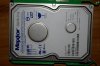
Maxtor DiamondMax Plus 9 120GB ATA/ 133 HDD E-H011-02-3880 N256 LBA: 240121728 ER: +5V 670mA +12V 960 mA AAA Mfg. Date: 12NOV2002 Code: YAR41VW0 N,M,B,D SN: Y40EJQYE 6Y120P0040611 Made in Singapore ( ) C 81 |
|
#10
|
||||
|
||||
|
OK, I am having a problem locating the correct driver for that version. I have the info for it as I am a tech that does work on them all the time however it is on my laptop and my girl has it in the truck and is working... Dell has an issue where they set there systems up to where you cannot just install anything. I mean they have it set up to where you even try to swap a CD drive out or a PS and it will screw your sys up. I want you to get into your BIOS, and tell me what version you have. Also, I don't know how savy you are when it comes to settings in your bios but you might be able to fix it there. If it has a Bios version that is less than 2 years old you should be able to set it straight. My girl will be home in about 2 hours so I will be here for you. Glad to help.
|
|
#11
|
|||
|
|||
|
alright.....It says Phoenix ROM BIOS PLUS Version 1.10 A02.
I am not very savvy with BIOS...I am still fairly new at all this and am glad to learn. I do have to go for the night in about twenty minutes but will be back on tomorrow |
|
#12
|
|||
|
|||
|
Thanks again for your help. This really surprised me when it didn't work and I'm glad you know what's up with it
|
|
#13
|
||||
|
||||
|
Sorry we could not get it going for you toghnight... Never faer I will be here for you tommorow and will have that info for you. See you, and glad to help.
|
|
#14
|
||||
|
||||
|
IDE hdds do not need a driver to work. Its inbuilt to the system itself. Sata however, may need to depending on the motherboard's setup... you'res is IDE, so don't worry about it.
So you're original problem is that you've installed a new HDD with no OS on it, and then you've attempted to install windows on the new hdd, but instead its booting back to the cd? I assume you've taken out the old 20GB hdd and just pluged your new one in etc.. try this: - Turn on your PC, and enter into BIOS/SETUP (usually on the very first screen you see a button to press eg: F2, F11, DEL or similar..) - Go to the Boot section of the BIOS and you should be able to change the order of how it boots into your PC by moving it up or down the list. You'd want the HDD to be the first on the list.. - exit out of that and make sure you've selected "save changes and exit" to get out of the BIOS. It will reboot your PC for you. You should be now booting from the HDD directly. You don't have to change anything else in BIOS, you can poke around if you wish, but its quite simple to navigate and understand, and inversely quite simple to screw something up. The boot section should be safe for you to mess around with, since you're only changing the order that it boots the devices to. Last edited by N3051M; 02-26-2008 at 04:53 AM.. |
|
#15
|
|||
|
|||
|
Yes I took out the old 20 gb hd. And I have changed the boot sequence to boot from the hd first and have also tried going into the boot menu and forcing it to boot from it. It won't work
|
|
#16
|
||||
|
||||
|
does it give you an error message like "OS not found" or something else?
I'm afraid the term "It won't work" won't help you solve the problem since there is no more information available.. please try to expand on what you see etc. start from the beginning of the boot sequence. You turn on your PC, the screen flases through some POST test (ram ok, hdd/pnp devices ok etc, the ok beep) then what? In any case, you can download a DOS startup disk (or use a linux live cd) to confirm that the windows install had been performed properly and there is a C:/windows on the HDD... |
|
#17
|
|||
|
|||
|
When it boots up, it will have the screen that says Dell and has a loading bar. It will go past that and will just go to a black screen. Then, a couple minutes later, it will start booting from the CD and go back to the Windows Setup. When I go into the boot menu and tell it to boot from the C:\ drive then it will wait a minute or two then say "press F1 to retry boot. press F2 to load Setup". If I take the CD out and reboot, it will just stay on a black screen with a flashing white line.
|
|
#18
|
|||
|
|||
|
There are no error messages or anything.....it just goes black. Where can I download a DOS startup disk?
|
|
#19
|
||||
|
||||
|
N3015M, No offense dude, But you do not know about Dell Systems.... You do need a driver for a hd if it is not OEM... (or you need to flash the BIOS) They rig the sys trust me... I am not going to go back and forth and argue with you about it.
|
|
#20
|
|||
|
|||
|
I believe you. Otherwise it probably would have booted by now. Did you get the chance to find those drivers?
|
![]() |
| Similar Topics | ||||
| Topic | Replies | Forum | ||
Formatting internal Hard Drive and installing Windows XP
|
14 | Storage and Networking | ||
Problems after installing a New Hard Drive
|
12 | Other Hardware | ||
installing windows on a new hard drive
|
1 | Windows OS | ||
Problems with installing second hard drive
|
1 | Introduce yourself | ||
Problems installing a second hard drive
|
1 | Storage and Networking | ||
| Thread Tools | Search this Thread |
|
|
All times are GMT -4. The time now is 03:59 AM.


Formatting internal Hard Drive and installing Windows XP