
If you haven't purchased a new tablet in recent years, now is a surprisingly good time to consider it. Traditionally, tablets have been known to offer the battery life and simplified software experience that's similar to a phone but with a much larger display. Now, the best models rival laptops in speed, apps, and accessories, while still shining at the basics – streaming movies, reading, or casual browsing on the couch.
But what exactly defines a tablet? A touchscreen and the ability to run without a keyboard are essential. However a modern tablet is meant to give you room to work, sketch, study, or just lose yourself in a show, tasks where even the biggest phone starts to feel cramped.
Which one should you buy? Apple iPads remain the safest bet for most people, but there are strong Android and Windows contenders, plus budget picks that deliver more than you would expect for the price. Whether you are hunting for a portable sketchbook, a productivity machine, or just a reliable second screen, we have rounded up the best tablets worth your money in 2025.
- Best for Most
- Best of the Best
- Best for Productivity
- Best Android Tablet
- Best for One-Hand Use
- Budget Options
- Best ePaper Tablet
The Best Tablet for Most People
Apple iPad or iPad Air


The iPad line remains our default recommendation for most people for various reasons, key among them is the fact that iPadOS is the only operating system designed specifically for full-sized tablets. With many options available at various price points, the 11th-gen iPad is now selling for $300 with 128GB of storage, easily becoming our top choice for this price range.
If you had checked out the 10th-gen iPad before and had decided it wasn't for you, then the new model won't change your mind. The latest iPad sports the same 10.9-inch Retina display offering 500 nits of brightness and the same 264 PPI (2360 x 1640) as the iPad Pros. While it lacks some features of the more expensive models, it's excellent for content consumption of all types.
It also supports the Magic Keyboard Folio, which provides function keys and a trackpad. For sketching or note-taking, the iPad supports the $80 USB-C Apple Pencil. Although the new Pencil doesn't feature pressure sensitivity, it doesn't require an adapter like the older, Lightning-based Pencil.
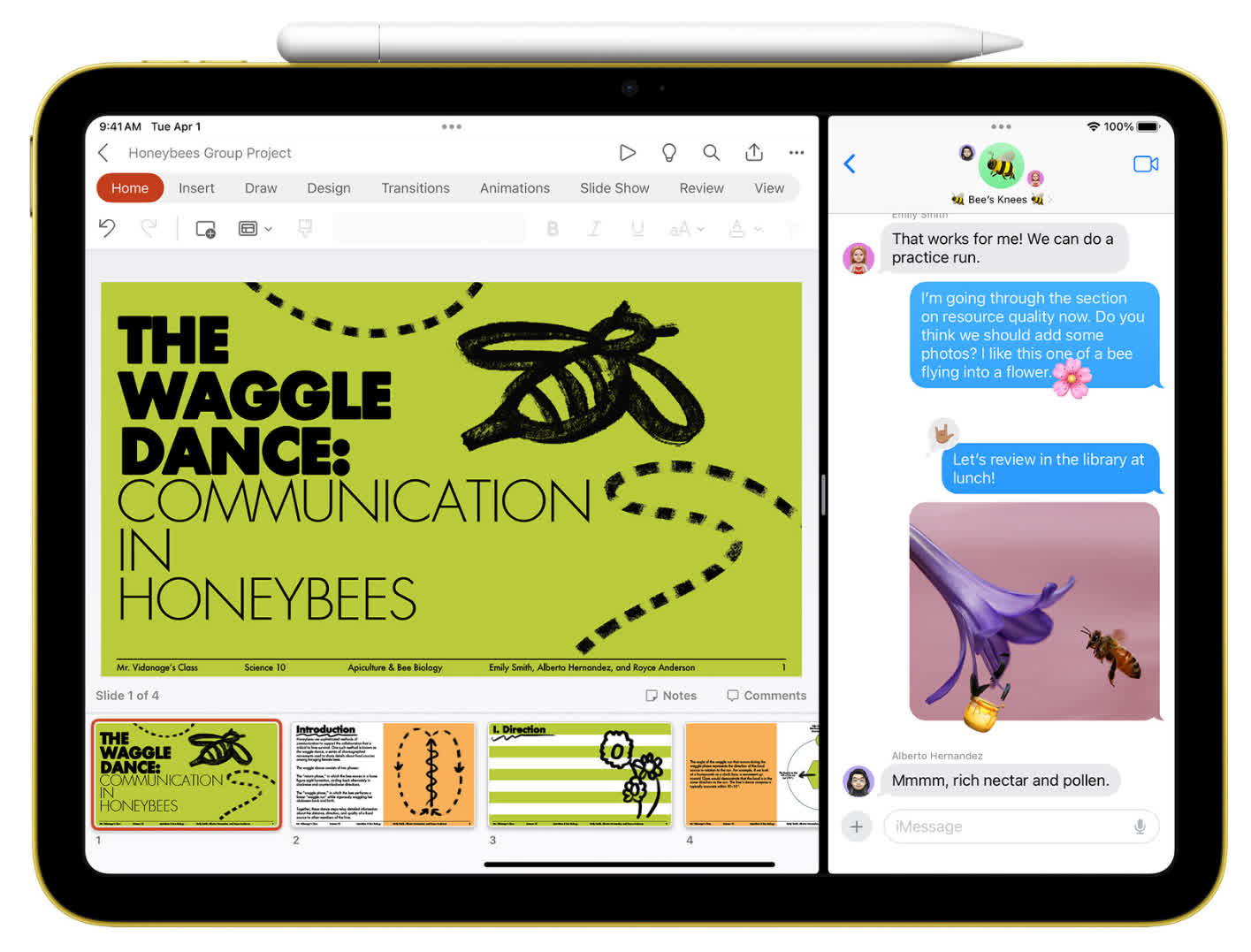
The 11th-gen iPad runs on the A16 SoC, offering decent CPU and GPU performance. While it's not the desktop-class M3 found in the iPad Air, it's sufficient for mobile games and apps. The main feature not supported is Apple Intelligence (which is not a real useful feature as of writing anyway). A brilliant combination of price, performance, and features makes this an easy top choice for media consumption.
iPad Air: A worthy upgrade
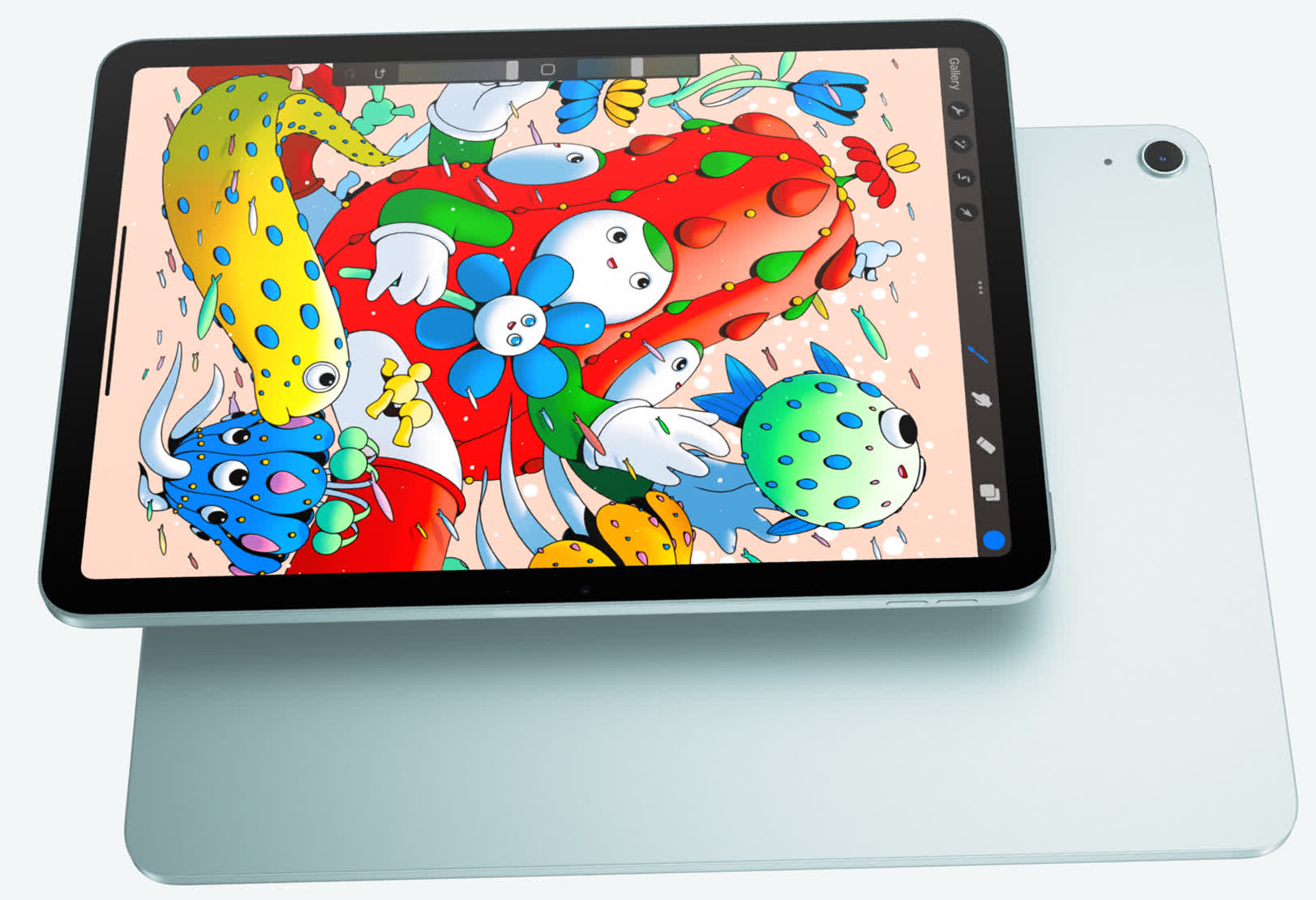
If you want an iPad with faster performance, more storage, or a larger display, the Air remains a compelling step up. It starts at $599 for the 11-inch, 128GB model. While it's not as affordable as the base iPad, it delivers many Pro-level features at a more reasonable price.
Compared to the entry-level iPad, the Air offers a fully laminated display with a wide color gamut and anti-reflective coating, along with support for the Apple Pencil Pro. The stylus adds advanced drawing features like squeeze gestures and haptic feedback, and it attaches magnetically for charging and pairing.
The latest model is powered by a cut-down version of Apple's M4 chip, with three performance cores and five efficiency cores, and 12GB of RAM, bringing a noticeable boost in performance for multitasking and creative apps. It also supports the redesigned Magic Keyboard ($249), which adds a larger trackpad and function row while maintaining the floating cantilever design with adjustable viewing angles.
For $200 more, you can step up to the 13-inch version, which offers the same 4:3 aspect ratio, higher brightness, and better speakers with improved bass. Storage scales up to 1TB, still undercutting comparable iPad Pro configurations. If you're willing to spend a bit more than the base model, the iPad Air hits a sweet spot, offering near-Pro performance (see below) and features without the Pro price premium.
Best of the Best
Apple iPad Pro M5

The iPad Pro is designed for professionals who demand top performance. Graphic artists will appreciate the smooth experience of drawing on a 120Hz display. For interior designers who need to show clients room layouts in real time, the built-in LiDAR can be genuinely useful.
Video editors who work on the go may find the Pro to be the device of their dreams. With one OLED panel on top of another, it provides 1600 nits of peak brightness (1000 nits for the whole screen), while still being able to display true black at the pixel level.
It's also a great backup camera, with ProRes recording (the 256GB versions can only shoot ProRes at 1080p, though), audio zoom and stereo recording.
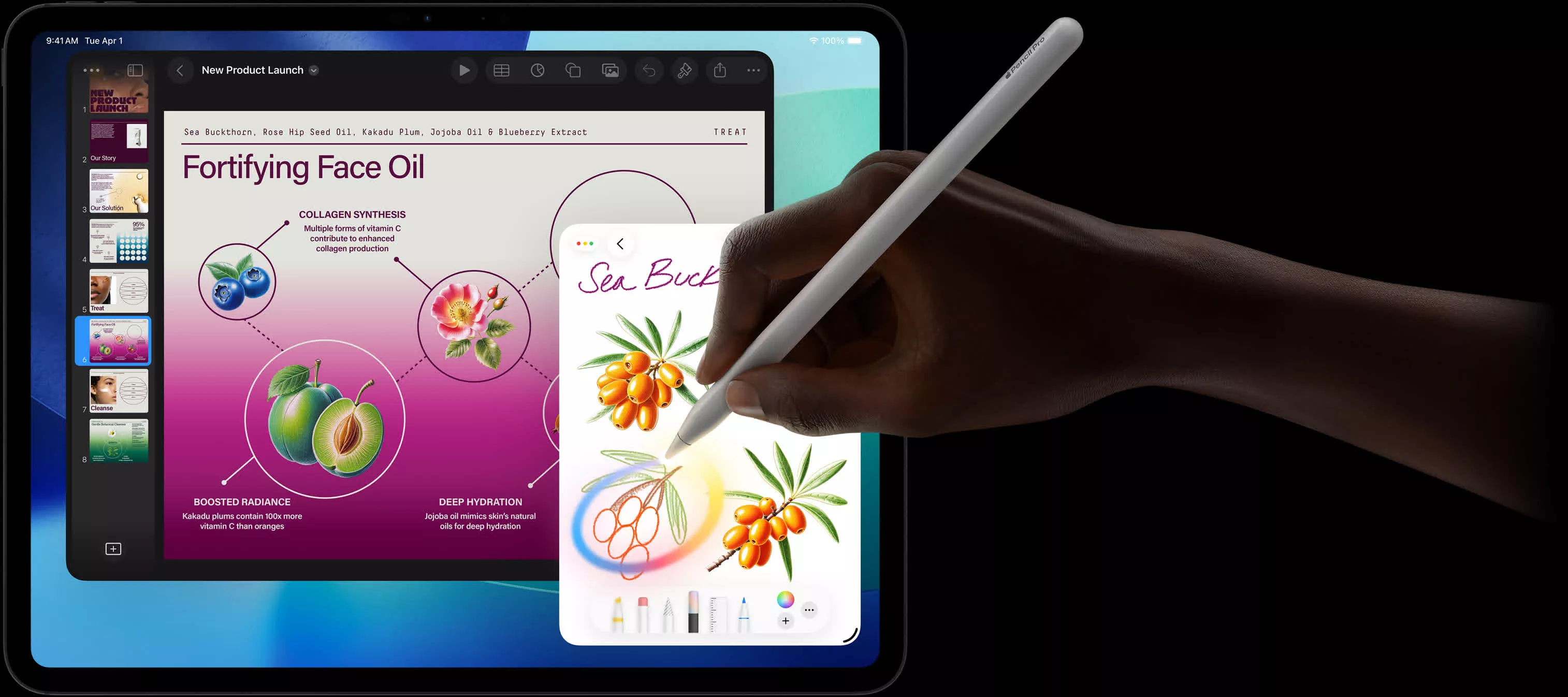
The Apple M5 chip easily outperforms the cut-down M4 in the Air, with a USB-C port that supports USB4/Thunderbolt speeds. Only the 1TB and 2TB versions feature a fully enabled M5 with four performance cores, six efficiency cores, and 16GB of RAM, ideal for heavy multitasking. Other versions of the iPad Pro have one disabled performance core and 12GB of RAM, but they still outperform the Air's M4.
The iPad Pro is compatible with the Pencil Pro, and the Magic Keyboard for iPad Pro, which includes function keys and haptic feedback on the trackpad. The device also boasts four speakers and a TrueDepth front camera with Animoji and Memoji support.
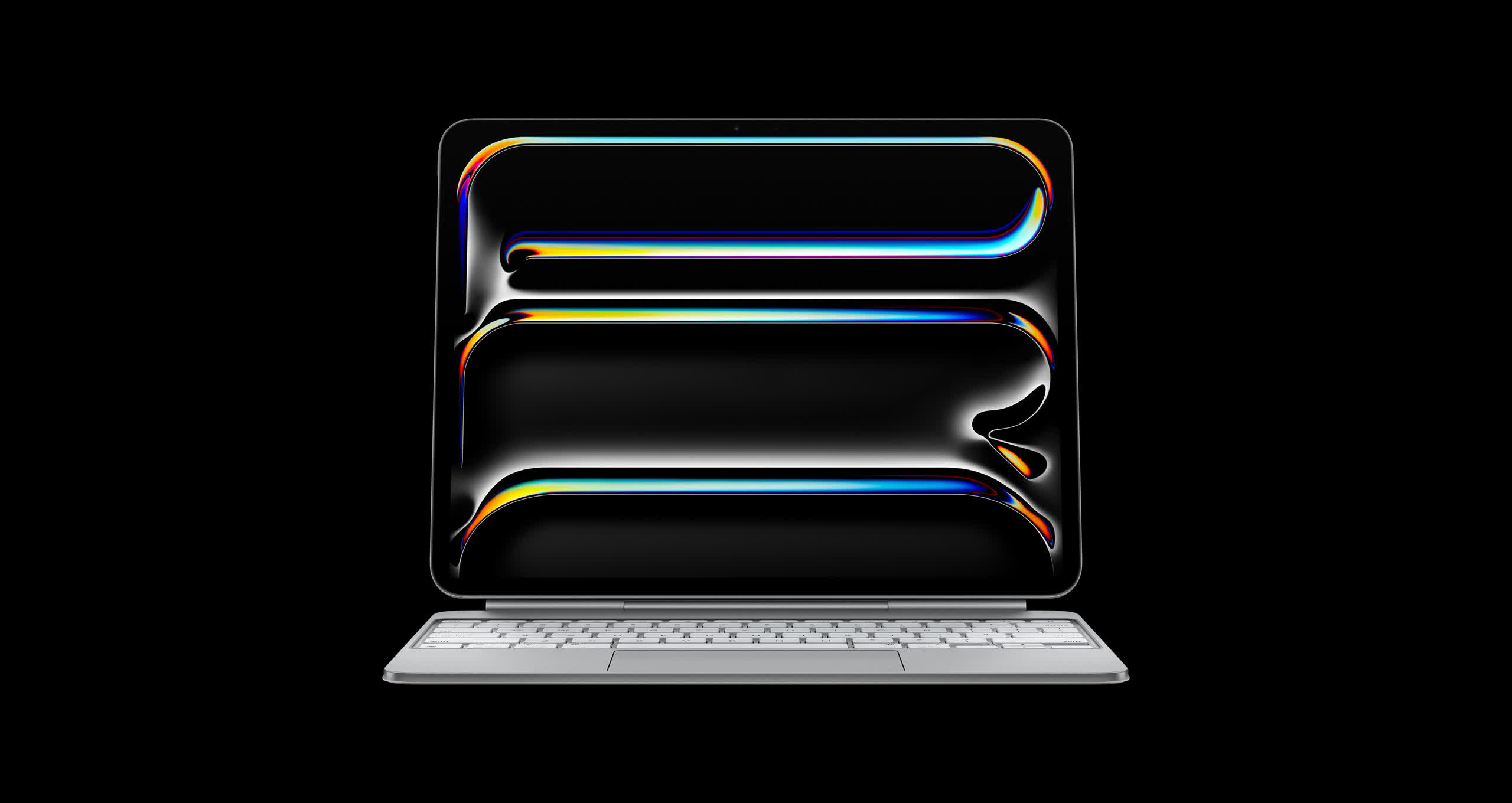
The 11" iPad Pro Wi-Fi model currently starts at $999 with 256GB of storage. The larger 13" iPad Pro is currently an extra $200 (that's a cool and hefty $1,199). Increasing storage to 512GB will be $200. Going from that to 1TB will be $400, just like upgrading from 1TB to 2TB.
An interesting optional upgrade is the anti-reflective nano texture display for $100, but it's exclusive to 1TB and 2TB models. The iPad Pro only comes in black and silver.
Best Productivity Tablet
Microsoft Surface Pro 11

With the Snapdragon X processor, the Surface Pro 11-inch offers performance and battery life that can compare to the iPad Pro, at least in apps with a native Arm version. You also get up to 32GB of LPDDR5 memory, two Thunderbolt 4 ports (but no USB Type-A), and a sturdy case with a kickstand that allows it to be used at different angles.
The 120Hz IPS display (2880 x 1920) uses the familiar 3:2 aspect ratio found on most Surface devices, making it excellent for productivity. The 12-core Snapdragon X Elite version upgrades to an OLED display, though it does not reach the brightness or color vibrancy of the iPad Pro. The device also includes a 10MP rear camera and a 1440p front camera that supports Windows Hello.
The fully equipped Surface Pro 11, with the Snapdragon X Elite, 32GB of RAM, and a 1TB SSD, can cost up to $1,600. However, a configuration with the 10-core Snapdragon X Plus, 16GB of RAM, and a replaceable 256GB SSD (see upgrade recommendations) is available for as little as $825.
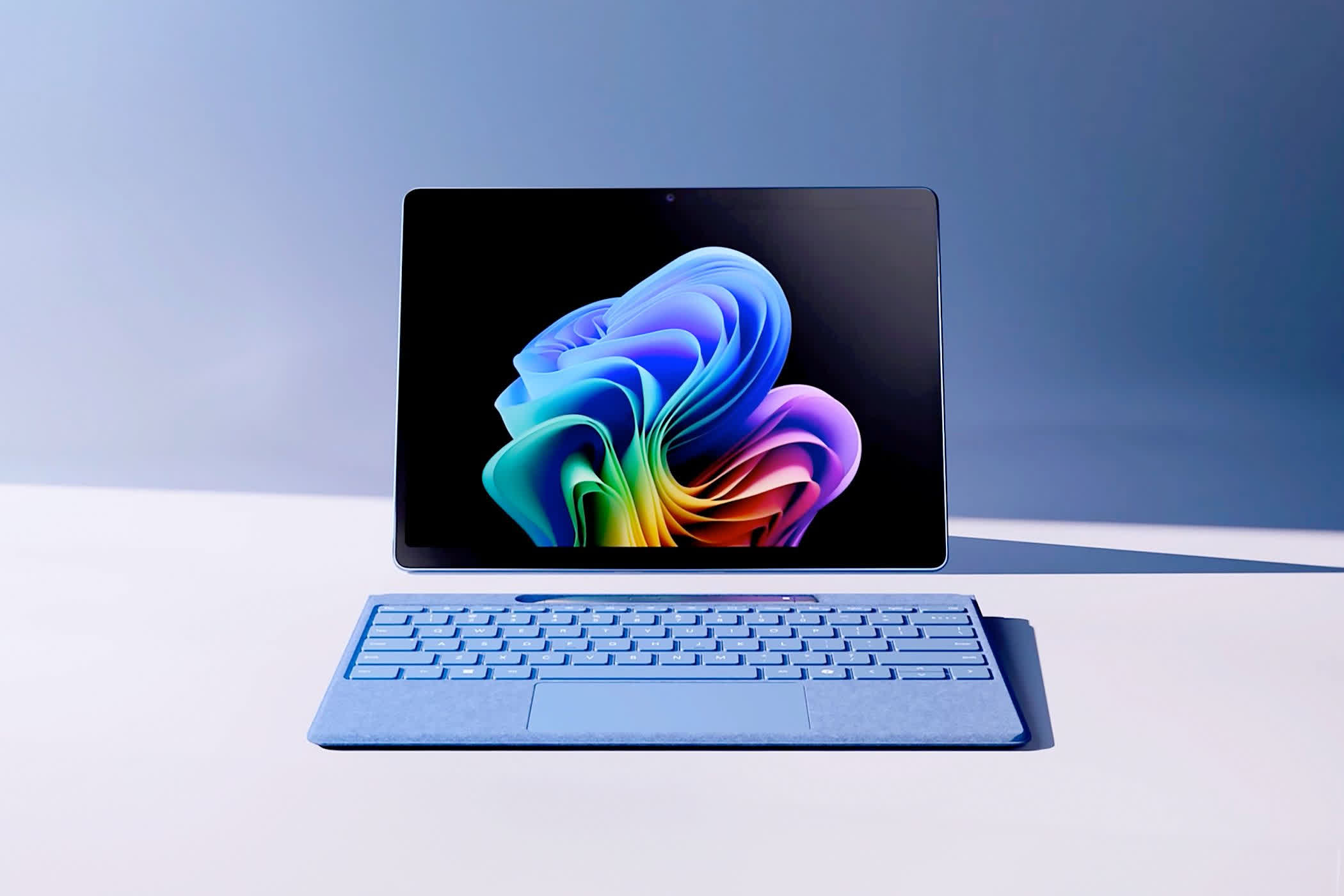
The Slim Pen 2 charges wirelessly and provides haptic feedback, while the Signature Keyboard features backlit mechanical keys. The drawback is that, as with iPads, both the keyboard and stylus are sold separately.
Microsoft recently released the Surface Pro 12-inch, which is not to be confused with a full replacement or the next yearly update to the Surface Pro 11. Instead, it is a mid-range 12-inch tablet that starts at $699, aimed at competing in a lower price bracket dominated by certain iPads. In our opinion, it's a hard sell for top productivity with an 8-core CPU and a slower 90Hz display at a lower resolution.
Best Android Tablet
OnePlus Pad 3

The OnePlus Pad 3 is the closest Android competitor to the 13-inch iPad Air. It packs the Snapdragon X Elite processor and a 13.2-inch display offering a 3392 x 2400 resolution, 144Hz refresh rate, and true 8-bit color (12-bit with FRC). The audio system is equally impressive, featuring four woofers and four tweeters.
OnePlus' Pad 3 is less than 6mm thick yet houses a 12,140 mAh battery that supports 80W charging. With facial recognition, USB 3.0 Type-C, two microphones and an 8MP front camera, it's the complete package for most Android users.
The only big drawback with this Android tablet may be Android itself. Many apps aren't optimized for bigger screens or the unique 7:5 aspect ratio, which can make the tablet feel like an oversized phone. OnePlus only promises three years of software updates. In the US, the Pad 3 is only available with 256GB of storage and 12GB of RAM, for $650. The Stylo 2 is $100 extra, but offers haptic feedback and a laser pointer.
Alternatives from Samsung
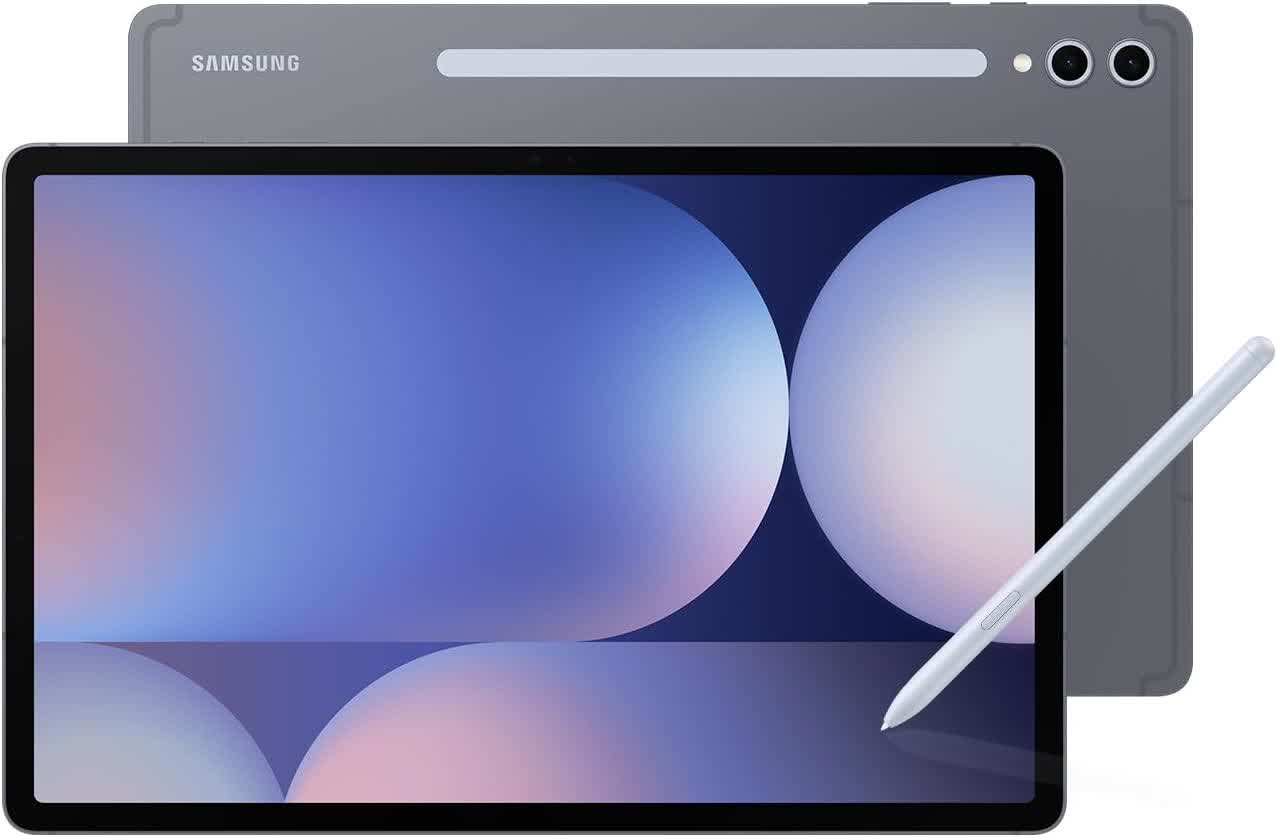
The Samsung Galaxy Tab S series no longer leads in raw performance, but depending on your use case, you may prefer a Tab S model with its 16:10 aspect ratio and IP68-rated water and dust resistance.
Both the Galaxy Tab S10+ and S9 tablets feature a 120Hz Super AMOLED panel with vibrant colors and perfect blacks.
They include face recognition, in-screen fingerprint readers, four speakers, USB 3.0 Type-C, and an ultrawide 12MP front camera. The S9 offers an 11-inch display and the Snapdragon 8 Gen 2 processor, while the 12.4-inch S10+ upgrades to the MediaTek Dimensity 9300.
The Tab S10+ goes for about $820, while the Tab S9 is $670 with the same 12GB of RAM and 256GB of storage.
Compared to the OnePlus Pad 3, Samsung has two clear advantages: the stylus is included in the box at no extra cost, and the tablets receive seven years of software support. Samsung also offers DeX mode, which allows compatible apps to run in windowed form, although iPadOS still provides a more polished overall experience.
The Best Tablet for One-Hand Use
Apple iPad Mini 7

Tablets smaller than 9 inches are usually budget devices with outdated hardware and older versions of Android, but the iPad Mini is a notable exception. After three years, it has finally been updated with new internals, and it now outperforms the vast majority of tablets, regardless of size.
Its 8.3-inch display (2266 x 1488) offers the highest pixel density of any iPad at 326 ppi and the highest aspect ratio at just over 3:2. It is powered by the A17 Pro chip, which is faster than the A16 found in the 11th-gen iPad recommended here, and it comes with 8GB of RAM and support for Apple Intelligence.
The iPad Air still has a much faster processor, so we only recommend the Mini if you actually need the smaller size.
The Wi-Fi + Cellular version supports sub-6GHz 5G speeds, similar to the iPad Air and Pro models. It also has the same ultra-wide 12MP front camera, but on the shorter edge, so it's more suitable for one-hand use.

The Mini doesn't support the Smart Keyboard or Magic Keyboard, but it does support the Apple Pencil Pro. The base model comes with 128GB of storage and Wi-Fi for $399.
Budget Options
Amazon Fire HD 10 or Samsung Galaxy Tab A9+

Purchasing a budget tablet in the ballpark of $100-$150 can be tricky, and in most cases it is a situation of buyer beware. Many low-cost tablets, and even some priced around $200, are simply not worth your time or money. However, Amazon's Fire HD 10, which runs Android-based Fire OS, is a good option when discounted. Usually $140 for the 32GB version, you can usually find them go as low as $80 during Amazon's discount events. It is also worth paying the additional $15 to remove the intrusive lock screen ads.
The latest Fire HD 10 (2023 model) features a thin, lightweight design, a 5MP front camera, and compatibility with a $35 stylus that supports both pressure sensitivity and tilt. Internally, it offers just what you would expect at this price point: 3GB of RAM and up to 64GB of storage, which can be expanded to 1TB with a microSD card.
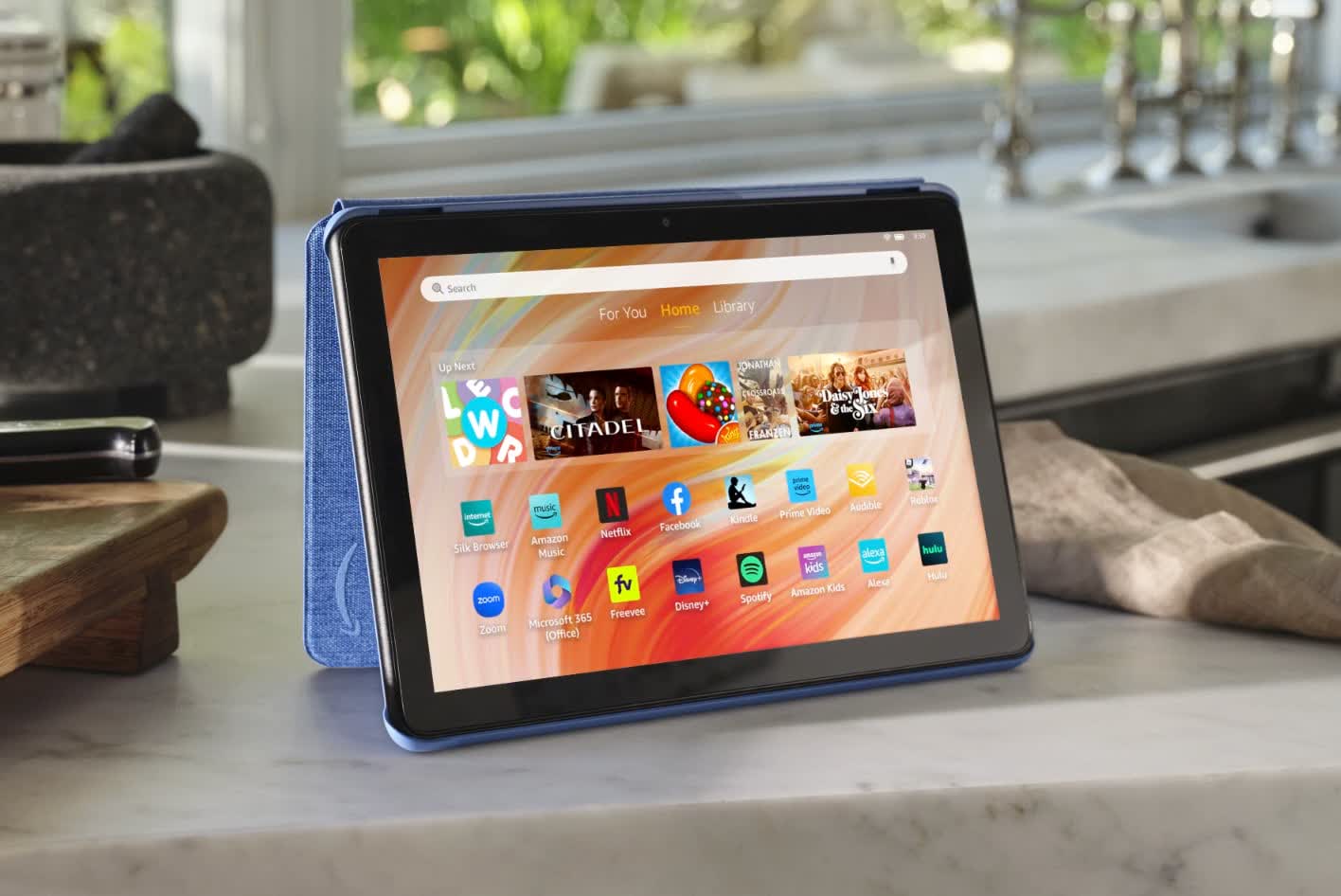
With its crisp, bright display and surprisingly loud speakers, the Fire HD 10 is a cost-effective device for those who use tablets sparingly for content consumption, or want something affordable for their kids.
It becomes more useful if you are a Prime subscriber. The Fire HD 10 supports Alexa, allowing it to function much like an Amazon Echo. However, you are limited to Amazon's App Store. Google services are not available unless you are willing to sideload them.
Budget Android option
Samsung Galaxy Tab A9+
If you want a tablet with a fully fledged OS and solid software support, the Galaxy Tab A9+ offers everything you need in a content consumption-focused tablet. Prices constantly fluctuate, but it's currently $210 with 128GB of storage and 8GB of RAM, or just $159 for the lower-spec model.
The 11-inch display (1920 x 1200) is colorful and vibrant, the speakers and battery life are excellent, and the build is sturdy.
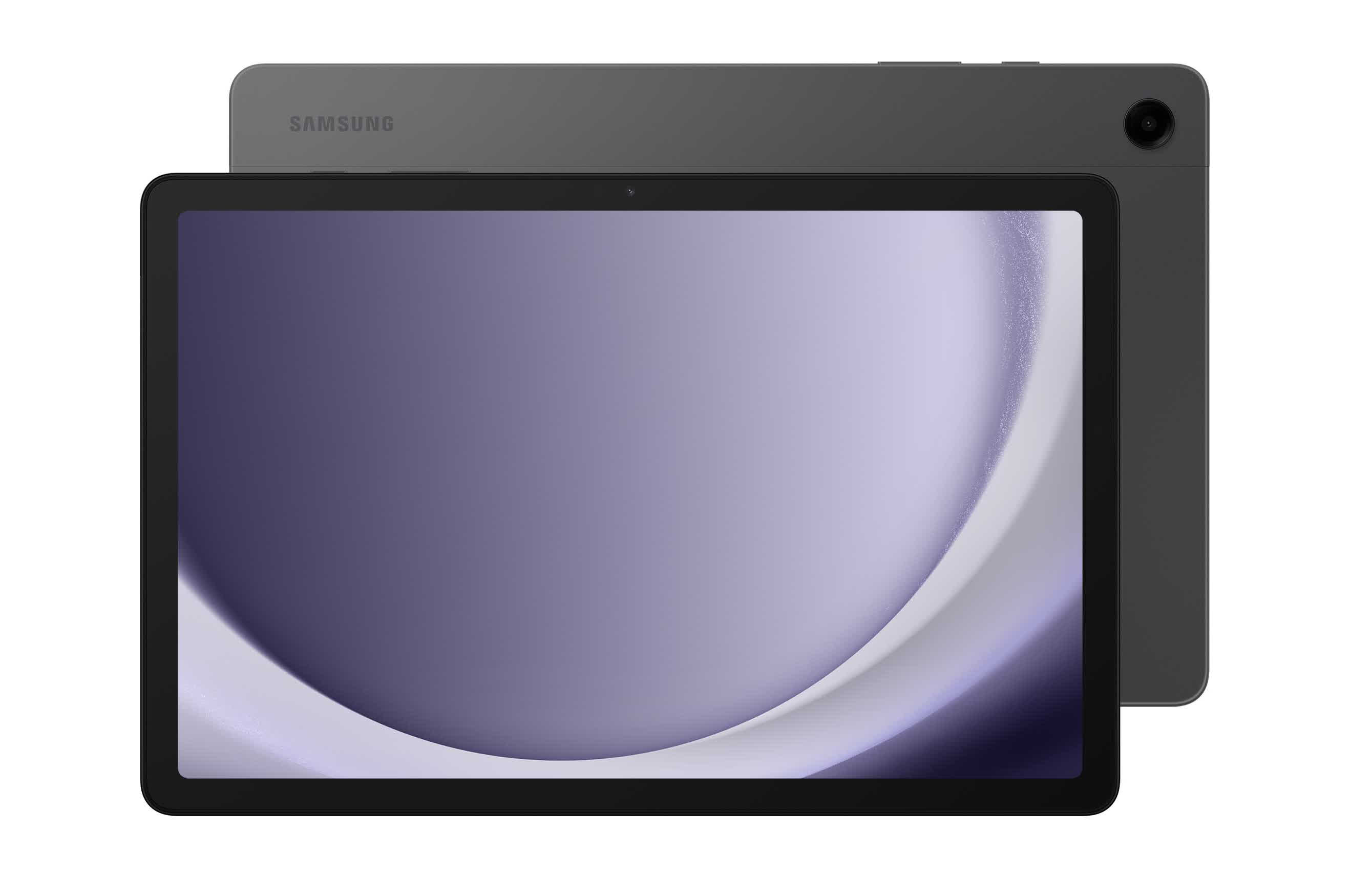
Samsung has also included features usually reserved for more expensive models, such as facial recognition and 5G connectivity on LTE versions.
The Snapdragon 695 SoC is not as powerful as the A16 found in the entry-level iPad, and the cameras are average at best. Still, the Tab A9 Plus remains consistently cheaper than Apple's option, even when matched for storage capacity, making it a smart buy for budget-conscious users.
Best ePaper Tablet
Onyx Boox Go 10.3

Tablets with e-paper displays have technically existed for years in the form of e-book readers and electronic notepads. However, if you want something that feels like a true tablet computer, with access to Google Play, your best bet is the Onyx Boox Go.
The Boox is not designed to compete directly with mainstream tablets. With 4GB of RAM and 64GB of storage, its specifications are about half of what you would expect at this price. But this device is not intended for editing video or AAA gaming. Instead, it fills a niche for users who want to take advantage of the e-ink display primarily for reading and note taking, while still having access to apps through the Google Play ecosystem.
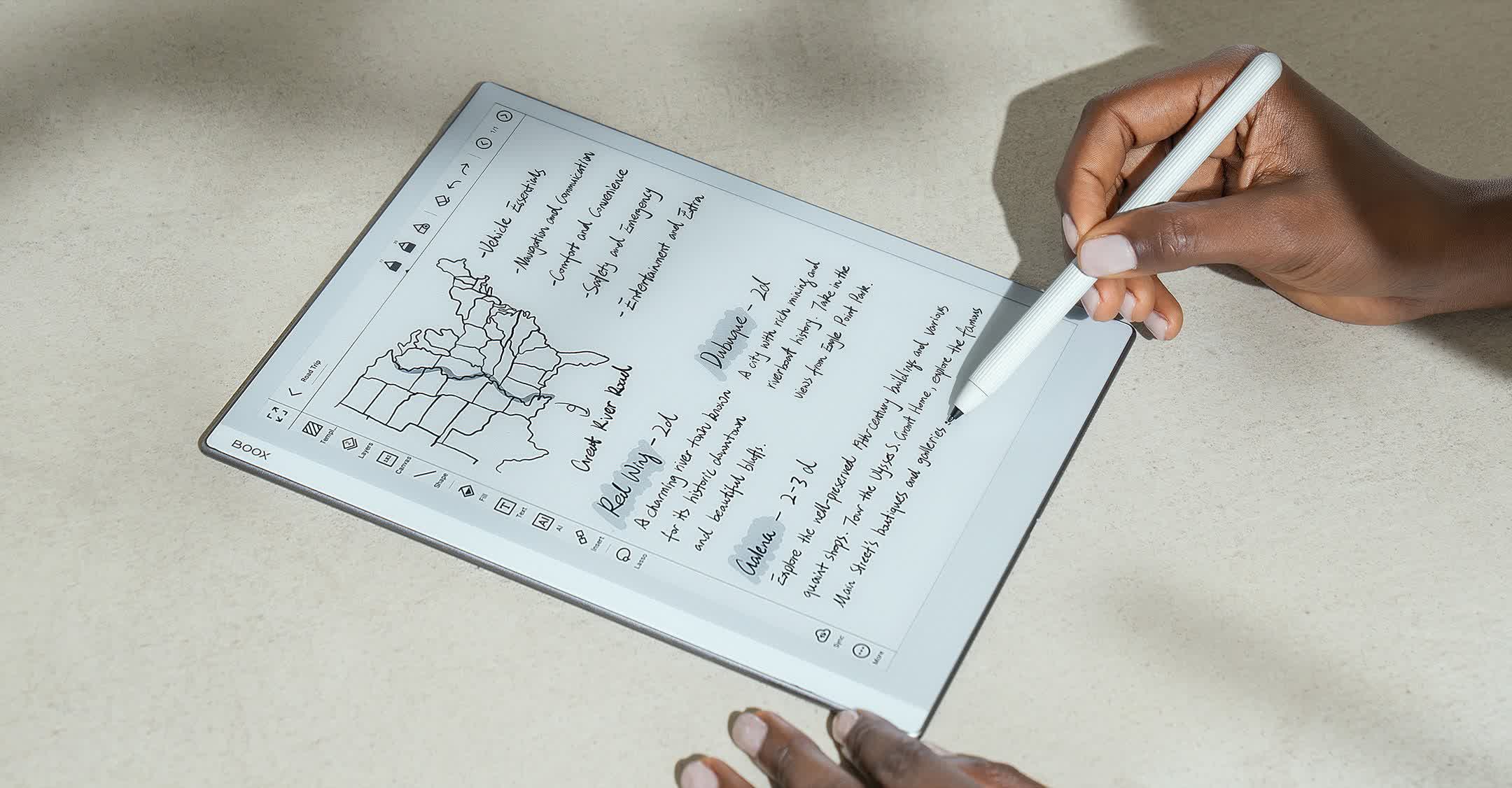
It runs on Android 12, although a slow development cycle remains a common issue for niche products. A more disappointing omission is the lack of a fingerprint sensor.
The Boox Go 10.3 does not include a front light, which allows it to be just 4.6mm thick. This slim profile makes it difficult for the magnetic stylus to stay attached, but it does come included in the price. With a 2480 x 1860 resolution, everything looks sharp, and direct sunlight only makes the display look better.
Onyx sells color models like the Note Air4 C, but we can only recommend them if you absolutely need color, as the color filter greatly hurts the screen's brightness and sharpness.