
The Dell Alienware AW3226Q is the cheapest 4K OLED gaming monitor yet to offer an RGB stripe subpixel layout. This display uses the latest generation of Tandem WOLED technology, including the much sought-after RGB stripe configuration, but costs just $700. That makes it one of the cheapest 4K OLEDs overall, and by far the most affordable way to get this type of WOLED panel.
The AW3226Q uses a variant of the 32-inch 4K panel we recently reviewed in the Asus ROG Swift PG32UCWM. That Asus model features the flagship version of this 2026 panel, with a 240Hz refresh rate and a 1080p 480Hz dual mode. The Alienware variant reduces the refresh rate to 165Hz at 4K and omits dual mode entirely, but otherwise retains the same core panel technology, including the glossy screen coating.
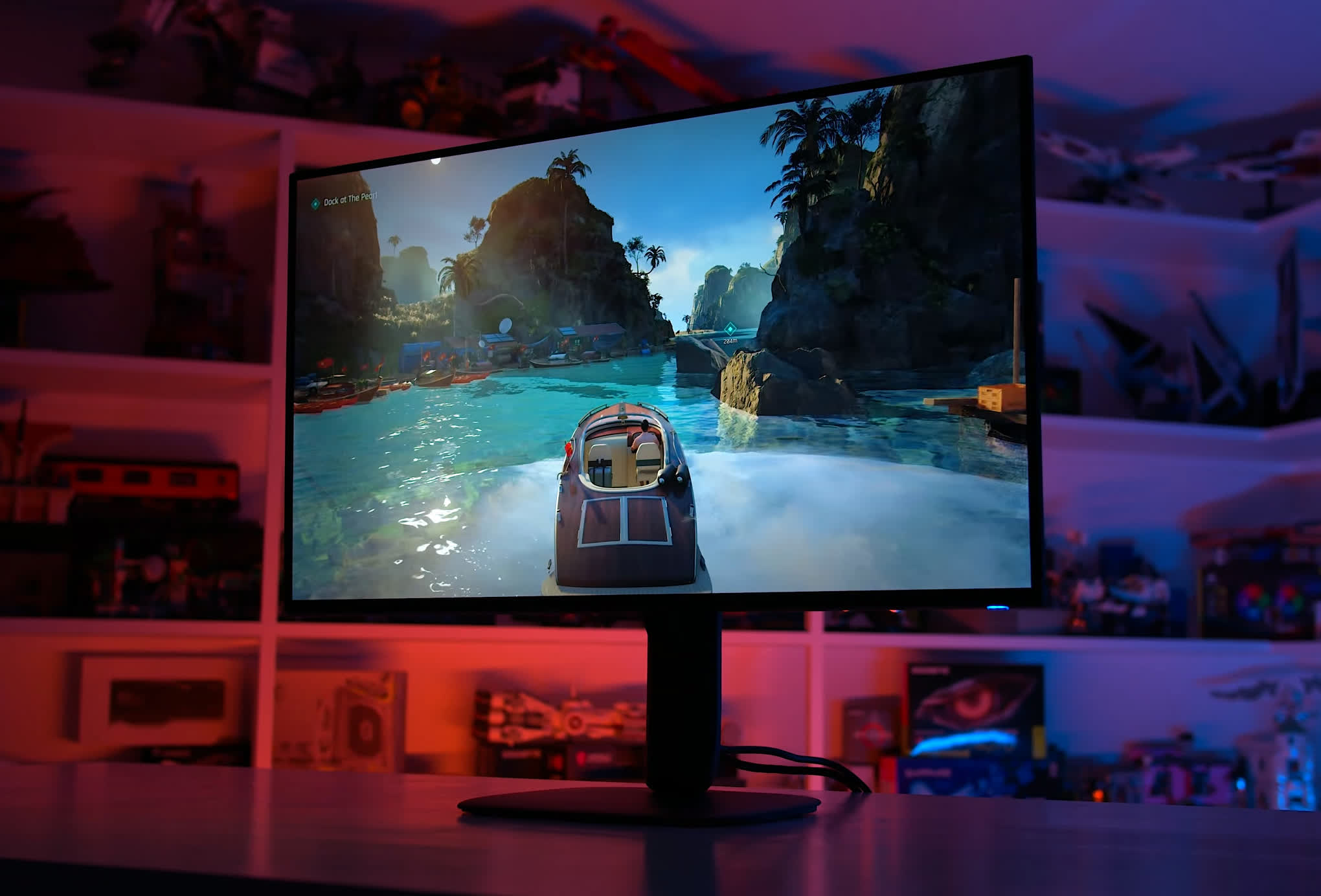
Now, while the Asus model is being sold at a whopping $1,400, Dell's model costs just half as much at $700. Yes, the refresh rate is reduced, but the overall package is substantially cheaper. In fact, despite offering newer panel technology, the AW3226Q launches at the same price as discounted, previous-generation 165Hz QD-OLED and WOLED monitors, making for an interesting comparison.
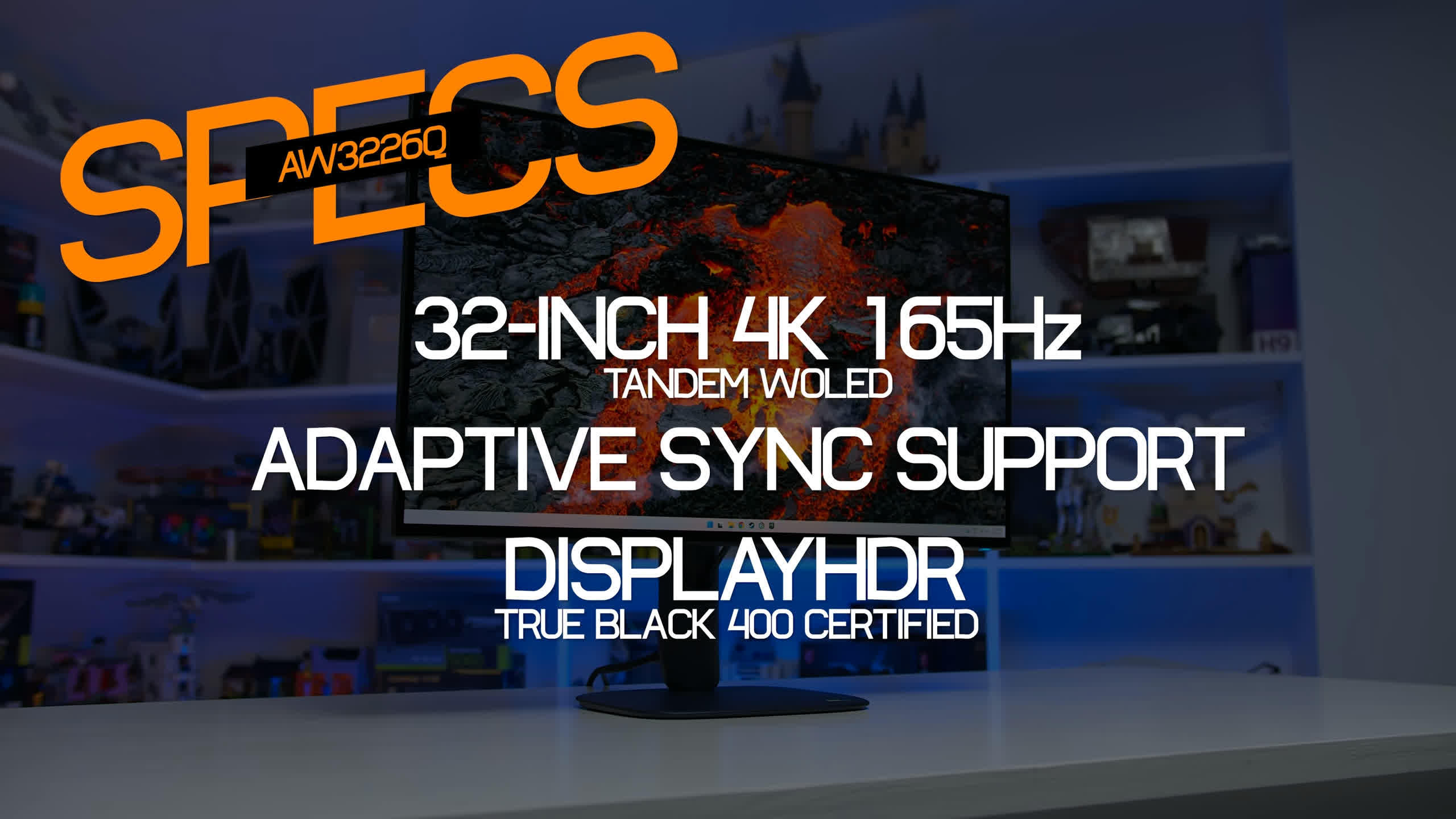
Other specs of interest include a DisplayHDR True Black 400 certification, Dolby Vision support, and the usual adaptive sync and variable refresh rate capabilities, in this case branded as both FreeSync Premium Pro and G-Sync Compatible.
RGB Stripe: Subpixel Layout and Text Clarity
Before getting into the results, here's a quick recap of what this panel offers and why the RGB stripe layout matters.
In 2026, LG Display offers two main variants of Tandem WOLED technology. One retains the white subpixel, which has been the standard configuration for LG panels for years, resulting in an RGWB subpixel layout. The other uses a pure RGB stripe, a new configuration for 2026 that matches the traditional subpixel arrangement used by LCD panels, delivering similarly excellent text clarity.
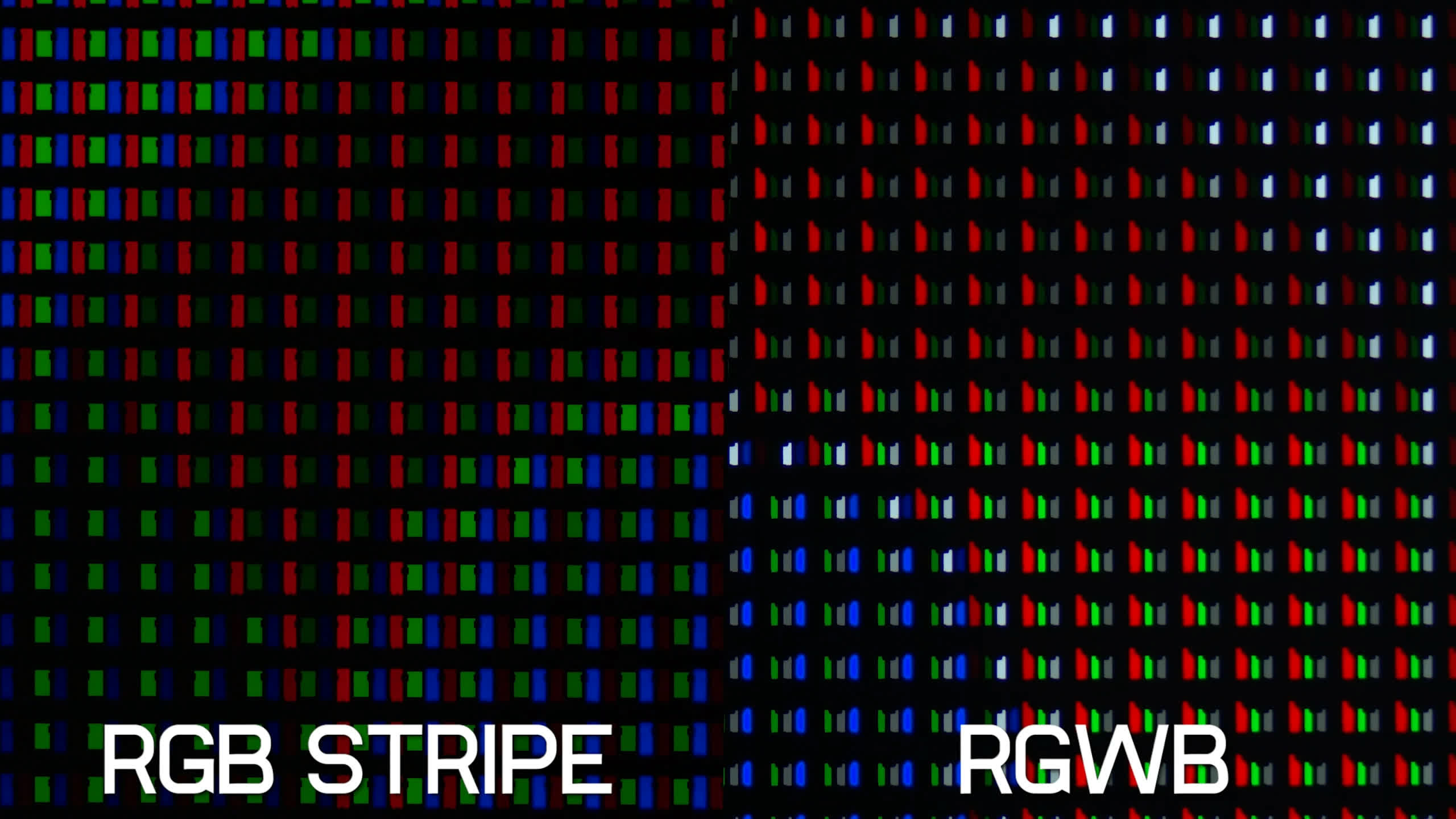
Despite omitting the white subpixel in the RGB version, both are still WOLED panels, as the W in WOLED refers to the underlying white-light emission technology, not the presence of a white subpixel.
The main benefits of RGB stripe include full compatibility with subpixel font rendering, resulting in the best text clarity you can currently get from an OLED display, and much higher color brightness than RGWB panels. There's also significantly reduced gray banding, leading to better overall screen uniformity.
However, as with most things, there are trade-offs. Removing the white subpixel leads to lower peak white brightness than RGWB panels in both SDR and HDR content, as we'll explore later in this review. It also results in worse efficiency in certain situations. Which option is better ultimately depends on your priorities, and that's why LG Display offers both variants.
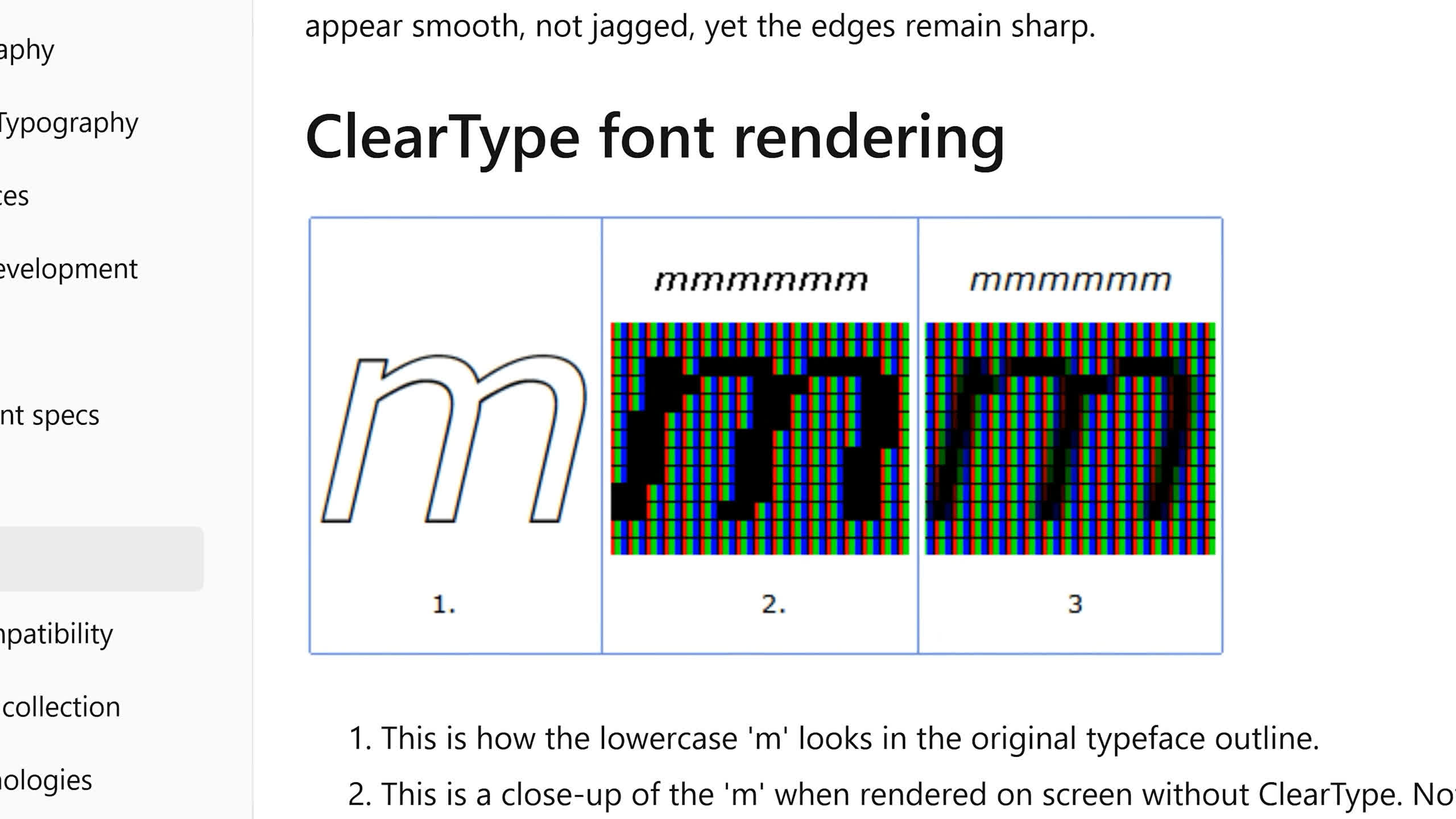
One of the biggest selling points of RGB stripe is text quality, and text certainly looks excellent on the AW3226Q. That's thanks to a combination of the RGB stripe layout and glossy screen coating. The latter eliminates the slight haze associated with matte surfaces, improving the perceived sharpness of fine details like text. Compared to a typical IPS LCD, most of which use matte coatings, the AW3226Q actually looks better when displaying text.
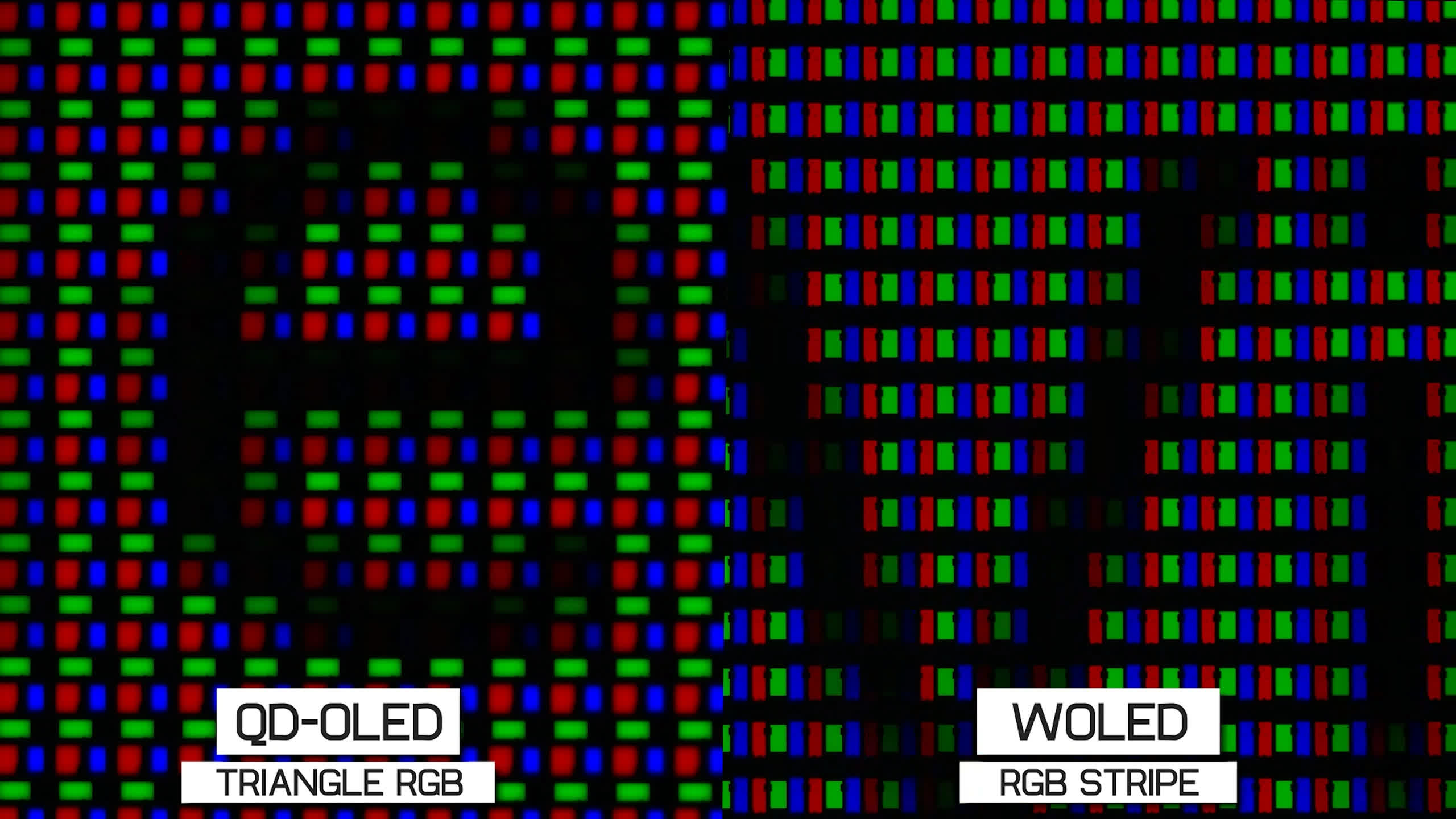
However, we're talking about a relatively high pixel density here at 140 PPI. While RGB stripe is the best subpixel layout for text clarity, it doesn't have a huge advantage over other OLED layouts, such as triangular RGB on QD-OLEDs or RGWB on conventional WOLEDs.
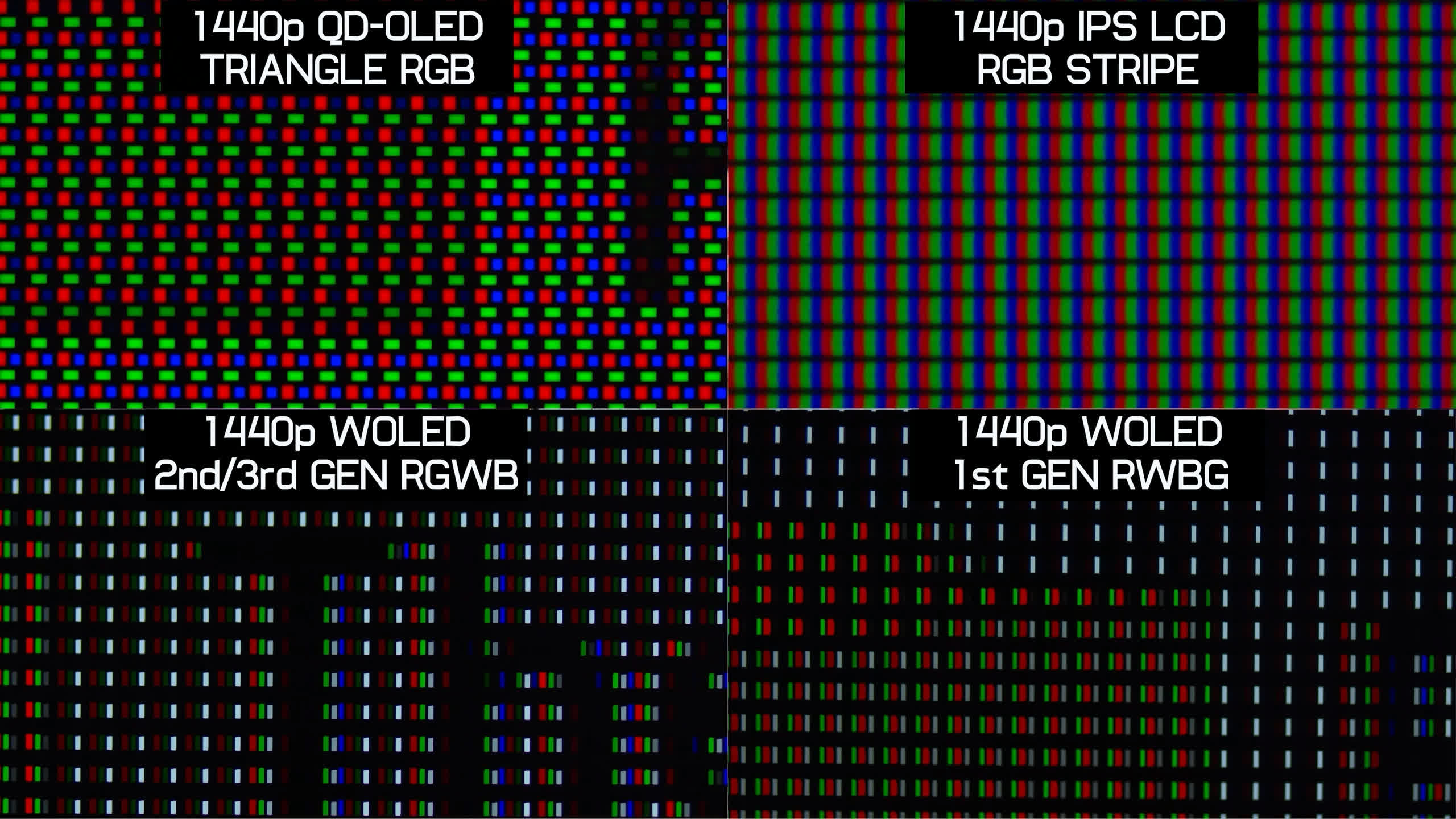
The high pixel density tends to mask the artifacts associated with these other layouts, so unless you're particularly sensitive to issues like color fringing, there's a good chance you won't notice much difference between an RGB stripe WOLED and a QD-OLED.
Screen Coating: It's Glossy
The AW3226Q uses the same type of glossy screen coating we've seen on other glossy WOLED monitors. Dell doesn't have a specific brand name for this coating, unlike Asus with its "TrueBlack Glossy" branding, but the results are essentially the same.
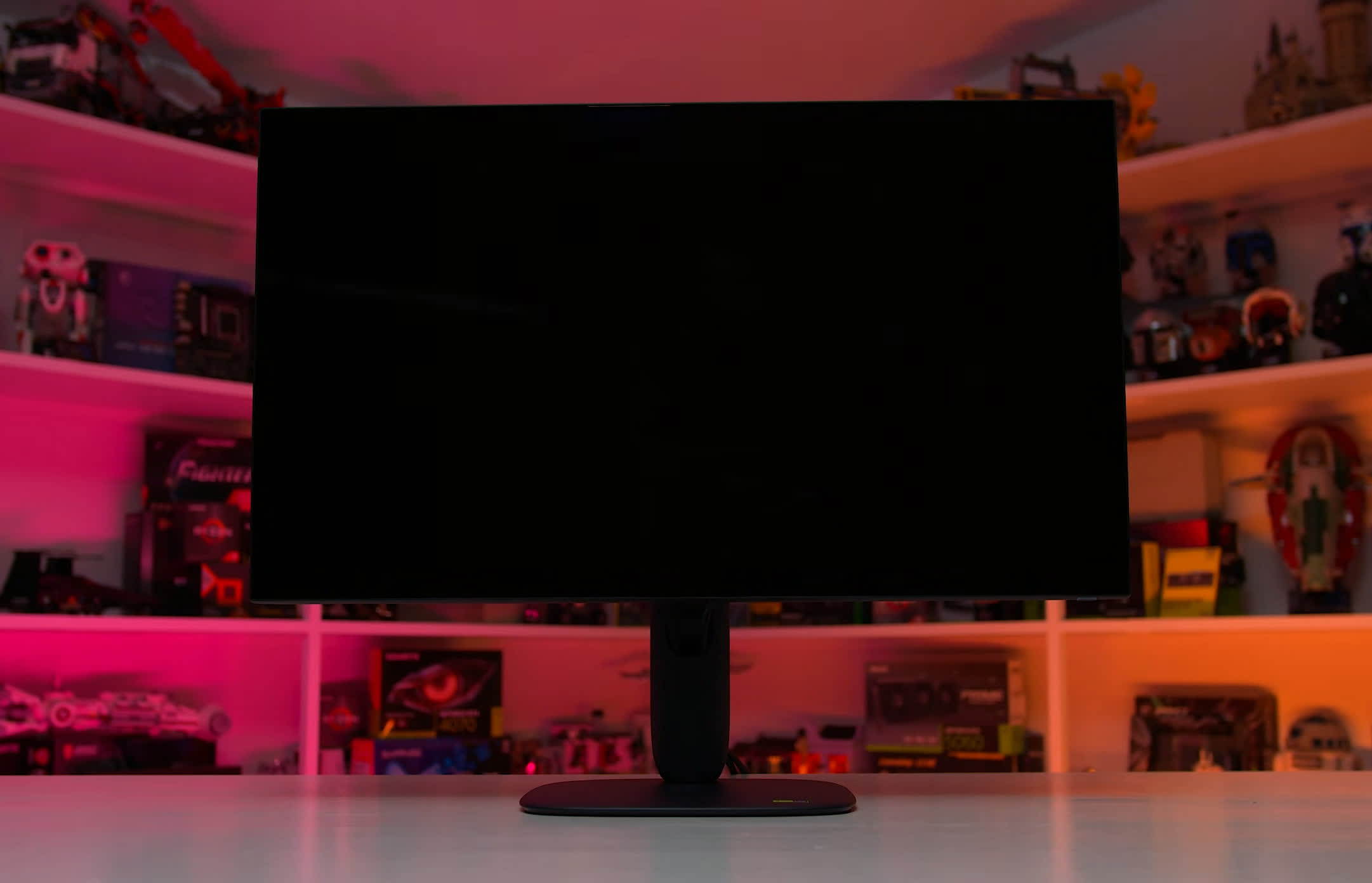
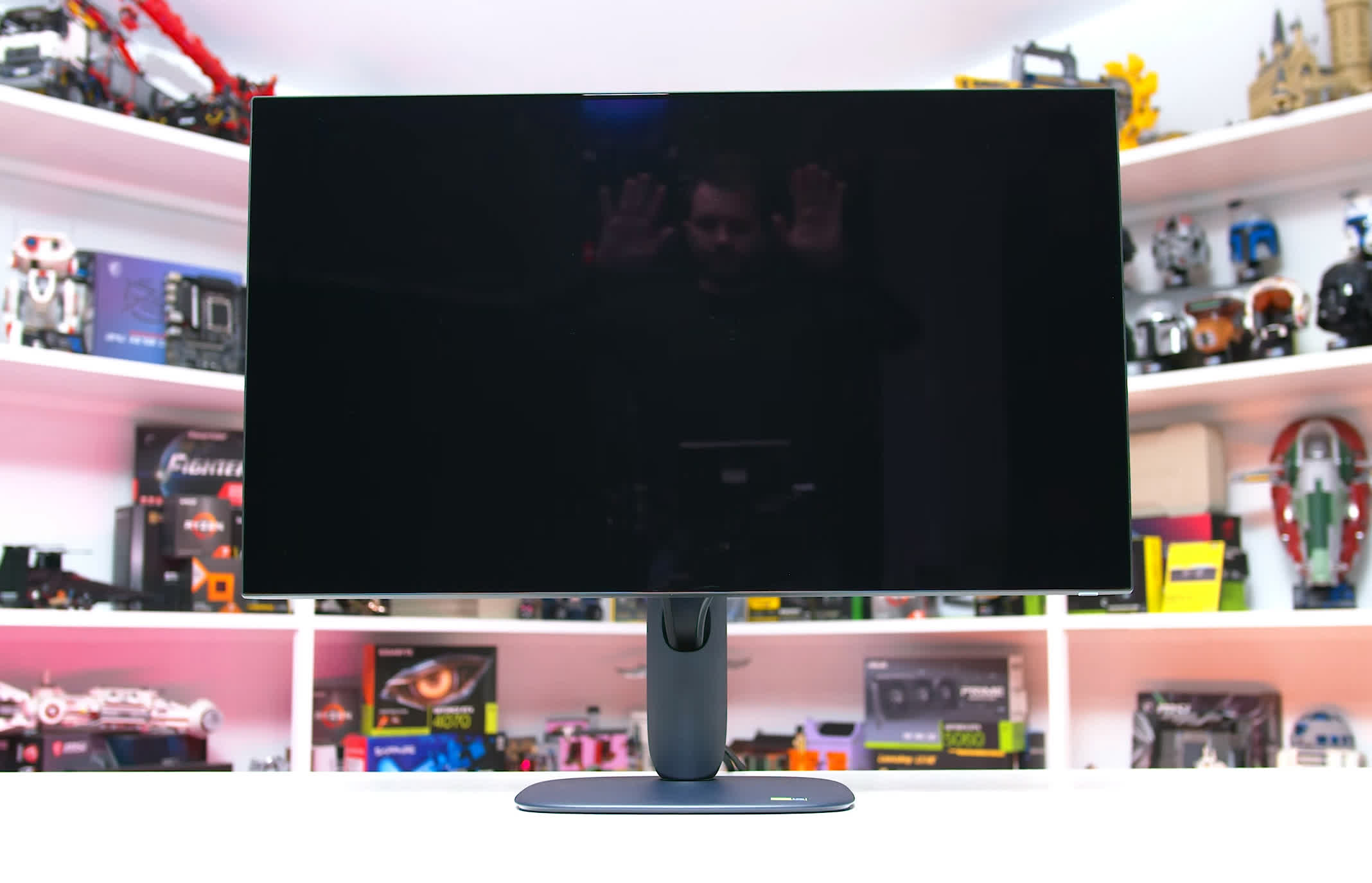
The screen maintains excellent black levels across a variety of environments, including brighter rooms, without the purple tint or raised blacks associated with QD-OLED panels. This is a key advantage of glossy WOLED over glossy QD-OLED: WOLED panels like this maintain meaningfully deeper blacks under moderate ambient lighting.
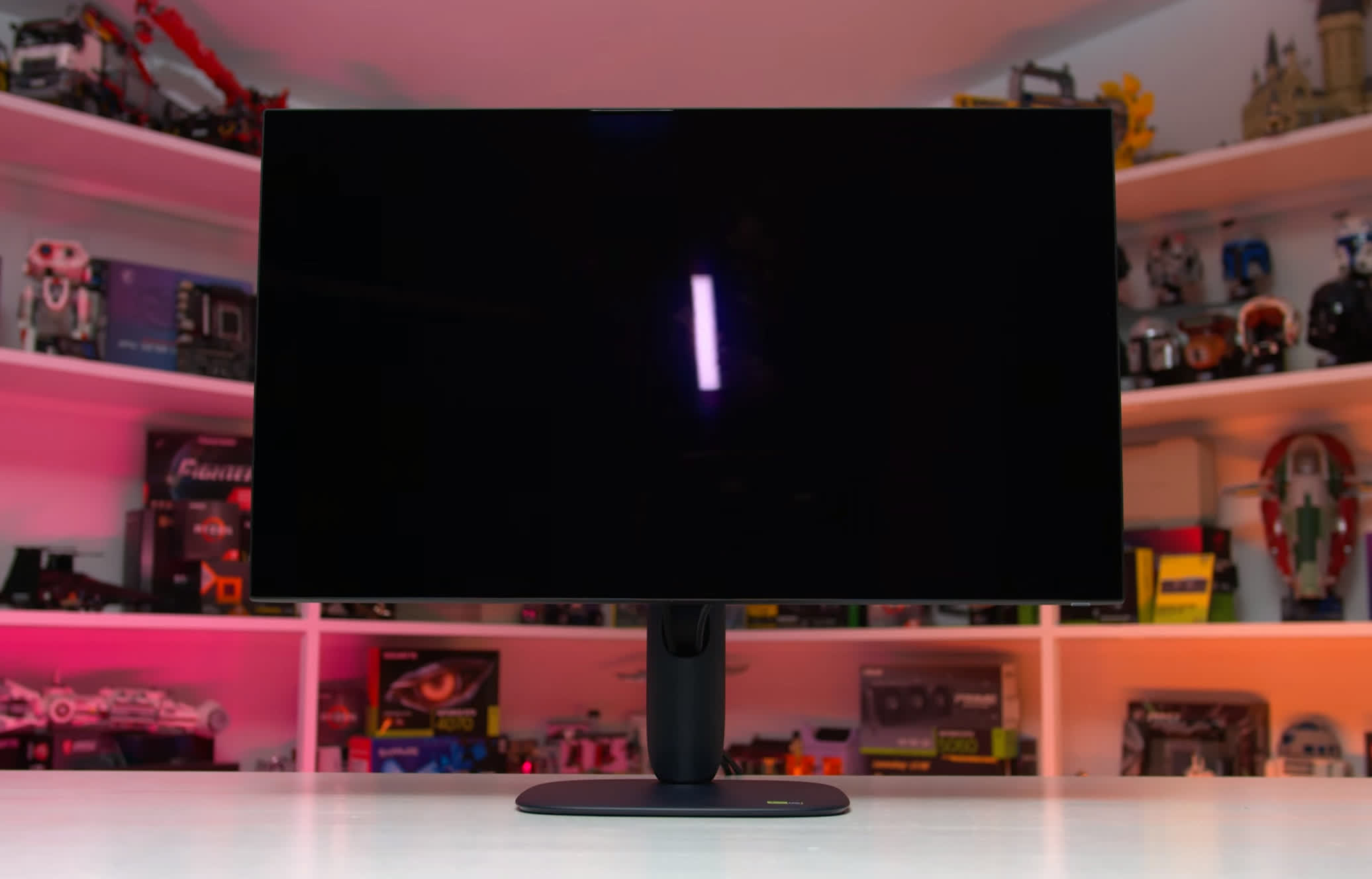
The trade-off is reflectivity. Glossy WOLED has a more pronounced mirror-like finish and is more likely to reflect your surroundings than QD-OLED. Which option works best depends heavily on your setup. If lights or sunlight from a window hit the display directly, those reflections will be more noticeable on WOLED, so avoiding direct light sources is particularly important.
HDR Performance and Configurations
As with other RGB stripe WOLEDs we've tested, HDR performance is one of the more interesting aspects of this display. All the fundamentals are here: perfect black levels, per-pixel lighting control, and effectively infinite contrast. OLED can display bright pixels directly alongside dark ones without blooming or zone bleed, making it an excellent technology for HDR.
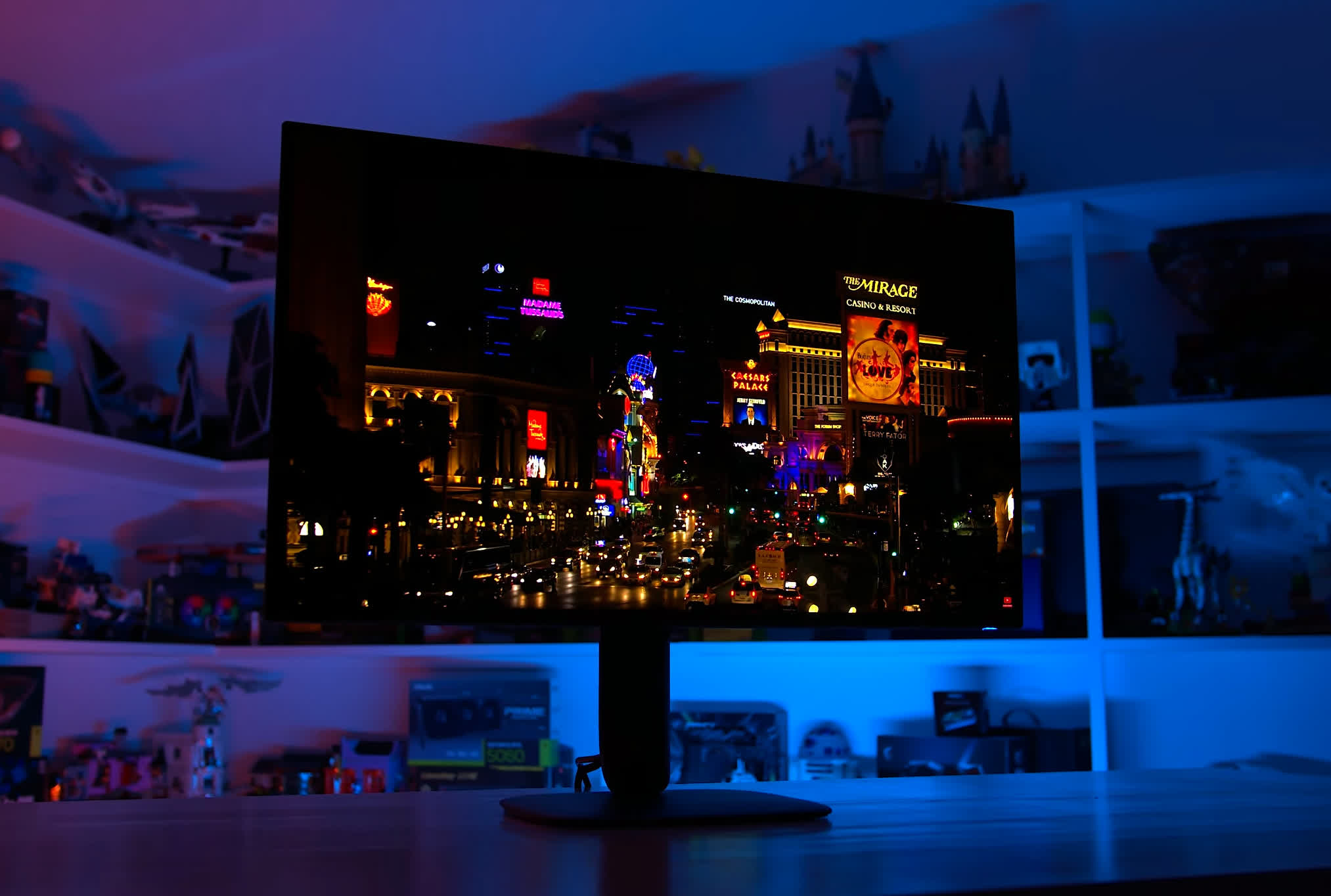
However, unlike previous WOLEDs with a white subpixel, the new RGB stripe models perform quite similarly to QD-OLEDs in HDR, for better and sometimes for worse. This extends to the HDR configurations, with the AW3226Q offering three main modes similar to those found on QD-OLED monitors. Dell provides several additional options, but we'll focus on the best configurations.
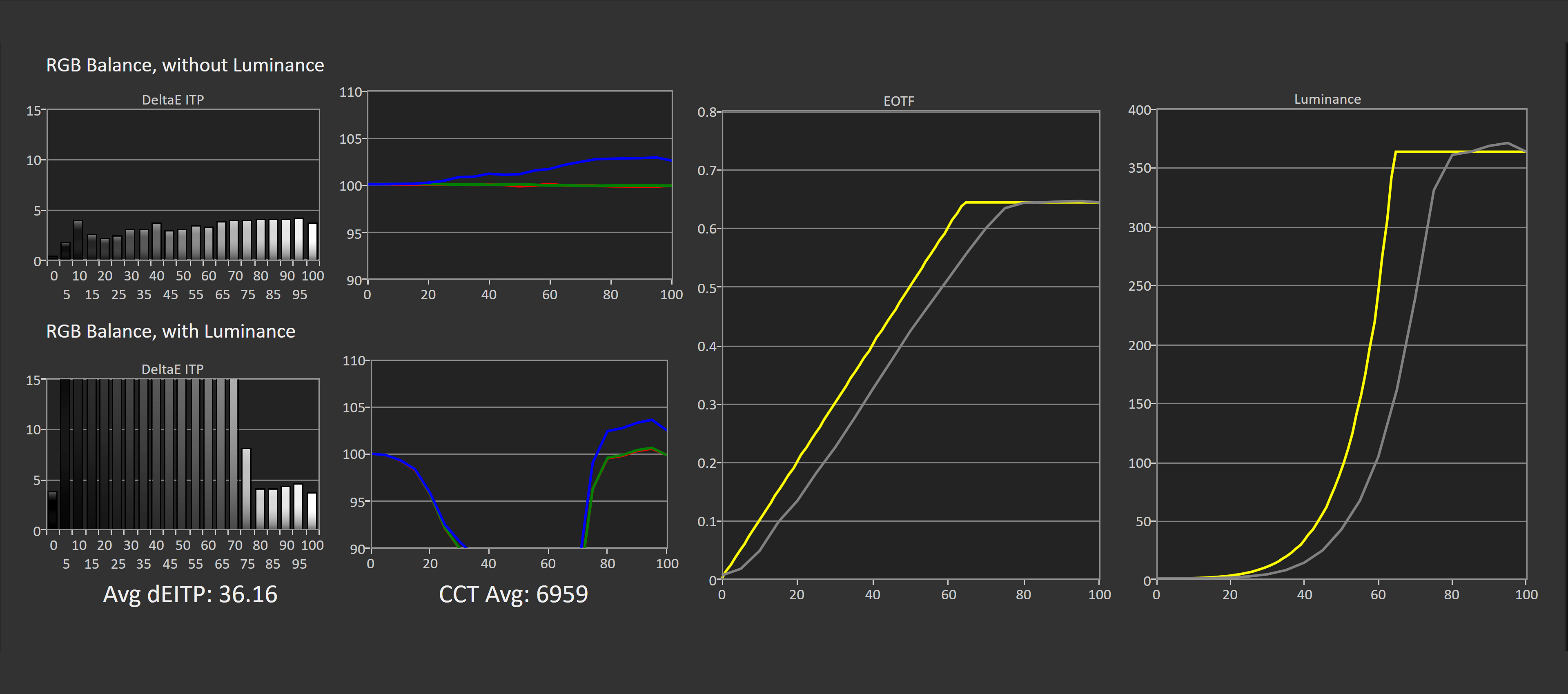
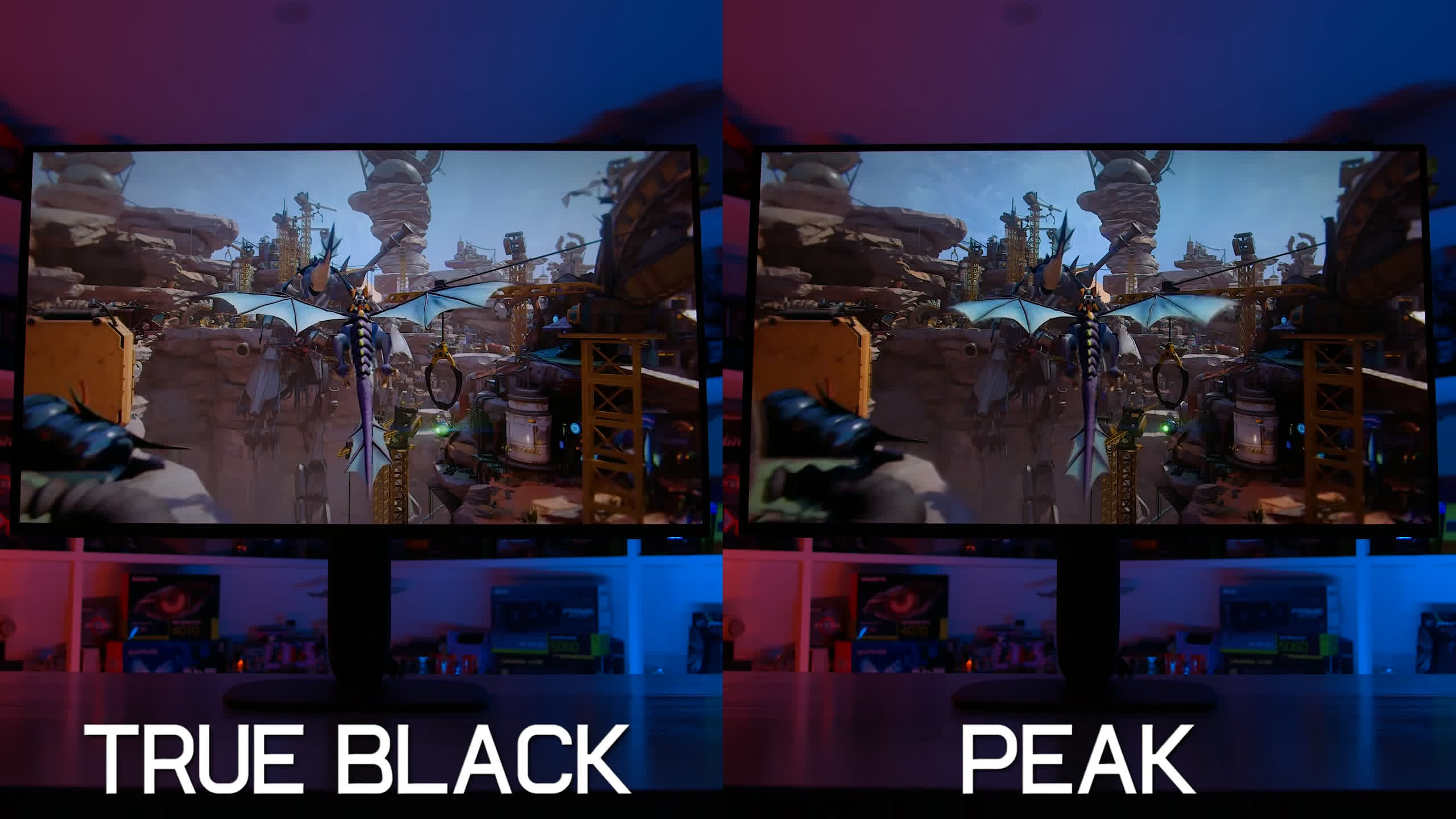
The first is DisplayHDR True Black, which offers broadly accurate EOTF tracking in both bright and dark content. In other words, the screen generally delivers the brightness levels requested by HDR content. However, peak brightness is limited to just 400 nits, a significant trade-off. We also observed some panel dimming in bright scenes, though it wasn't huge.
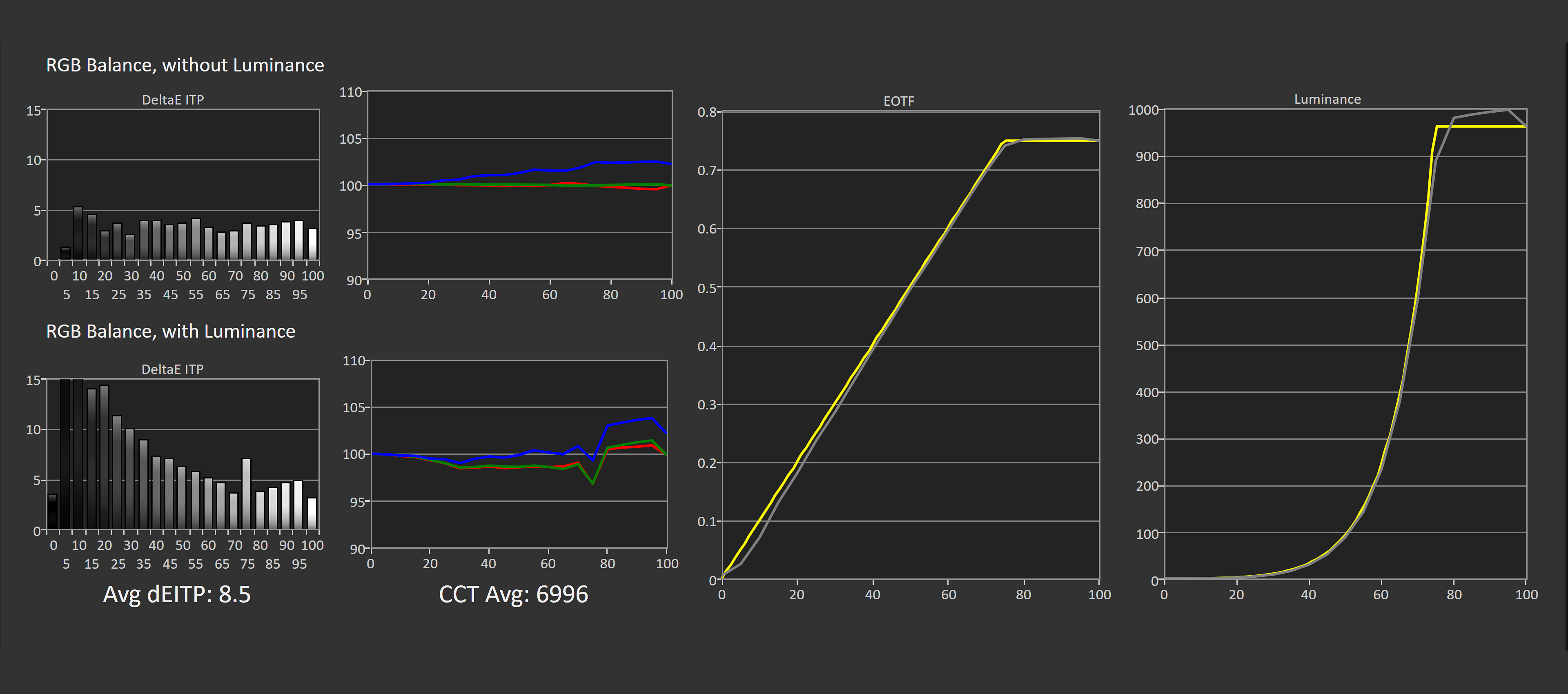
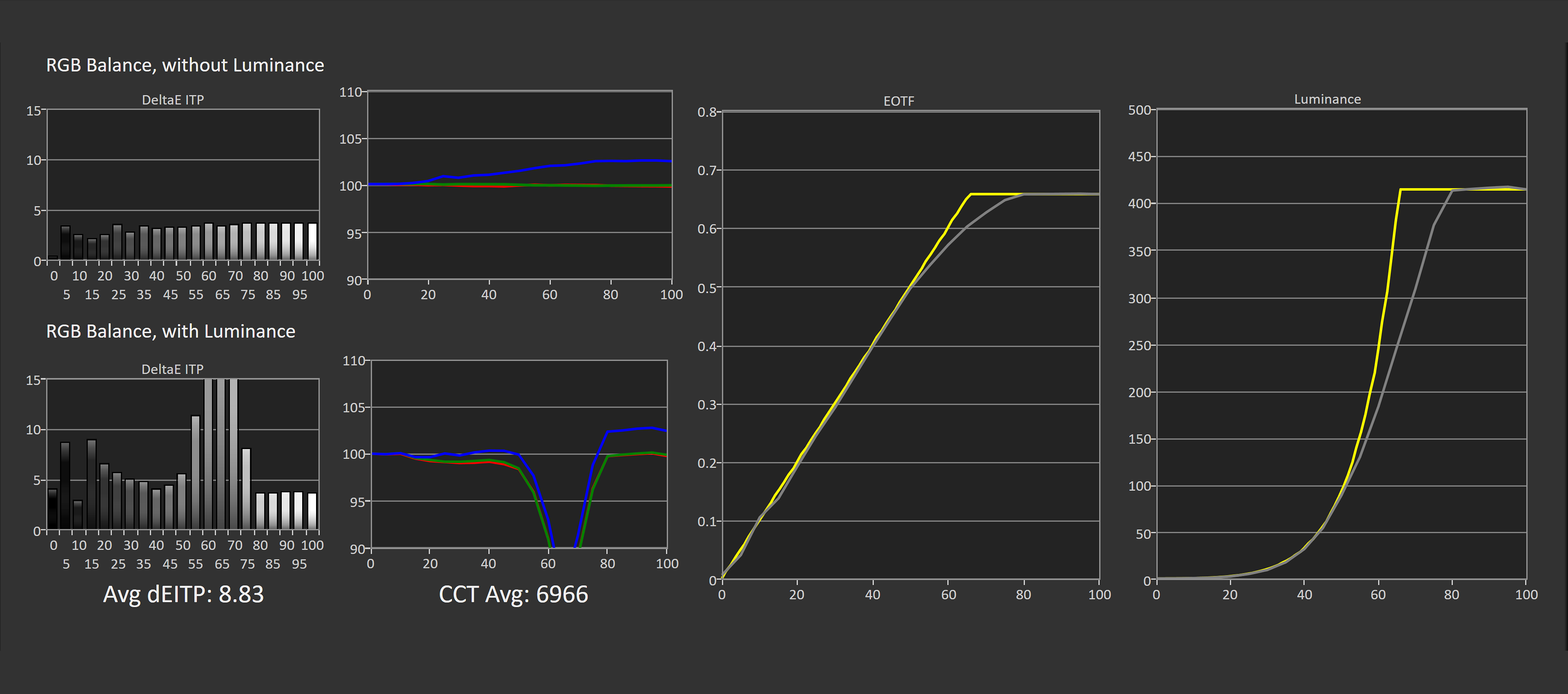
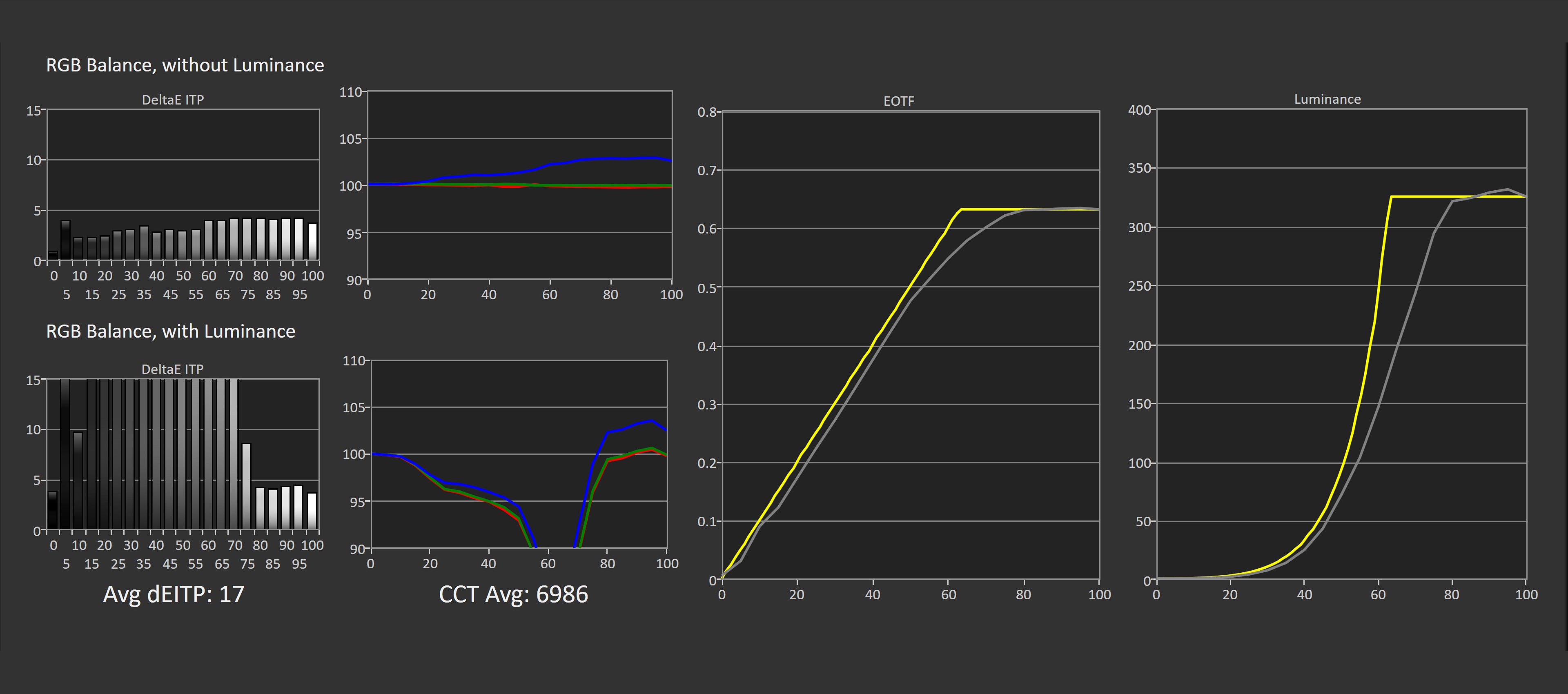
The second option is HDR Peak 1000, which behaves similarly to the peak brightness modes found on QD-OLED monitors. It unlocks the panel's full brightness potential, reaching up to 1,000 nits for small highlights while maintaining good accuracy in dark scenes.
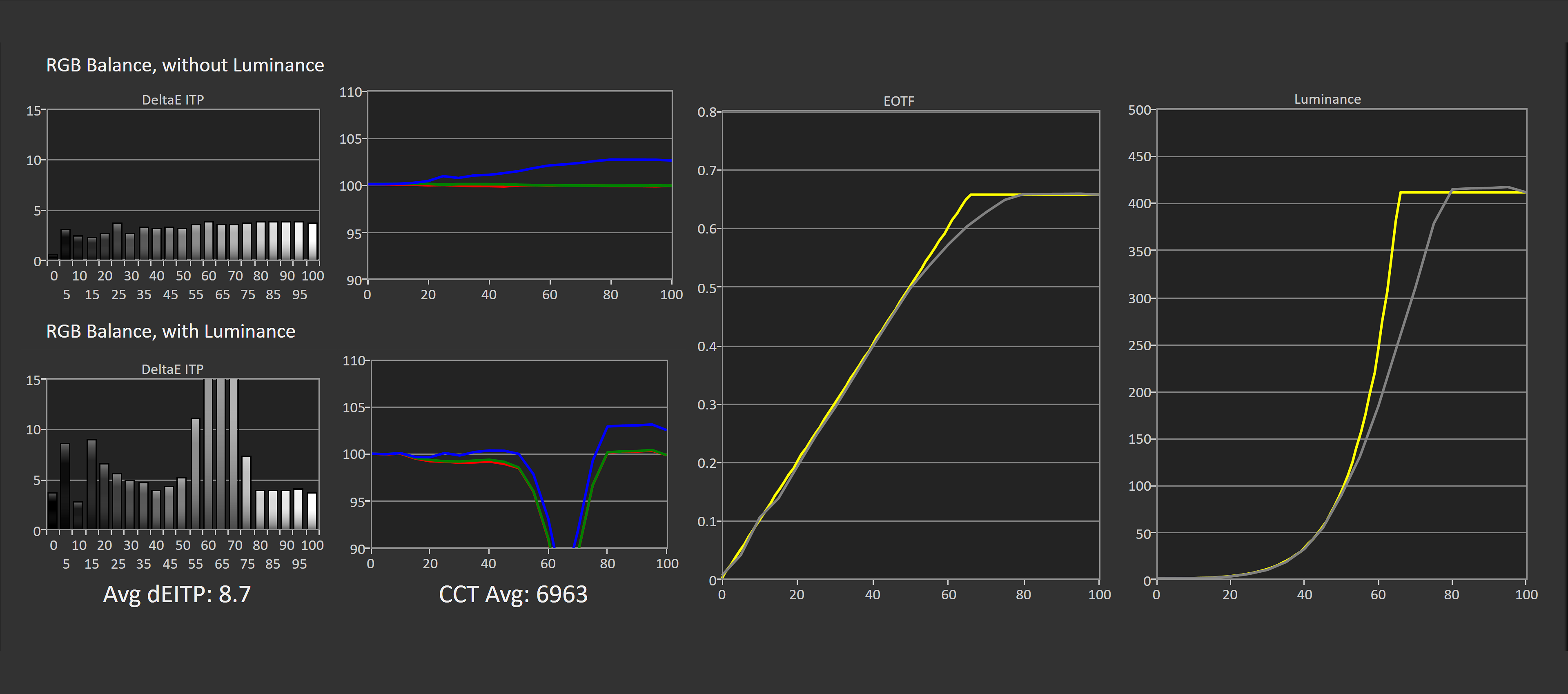
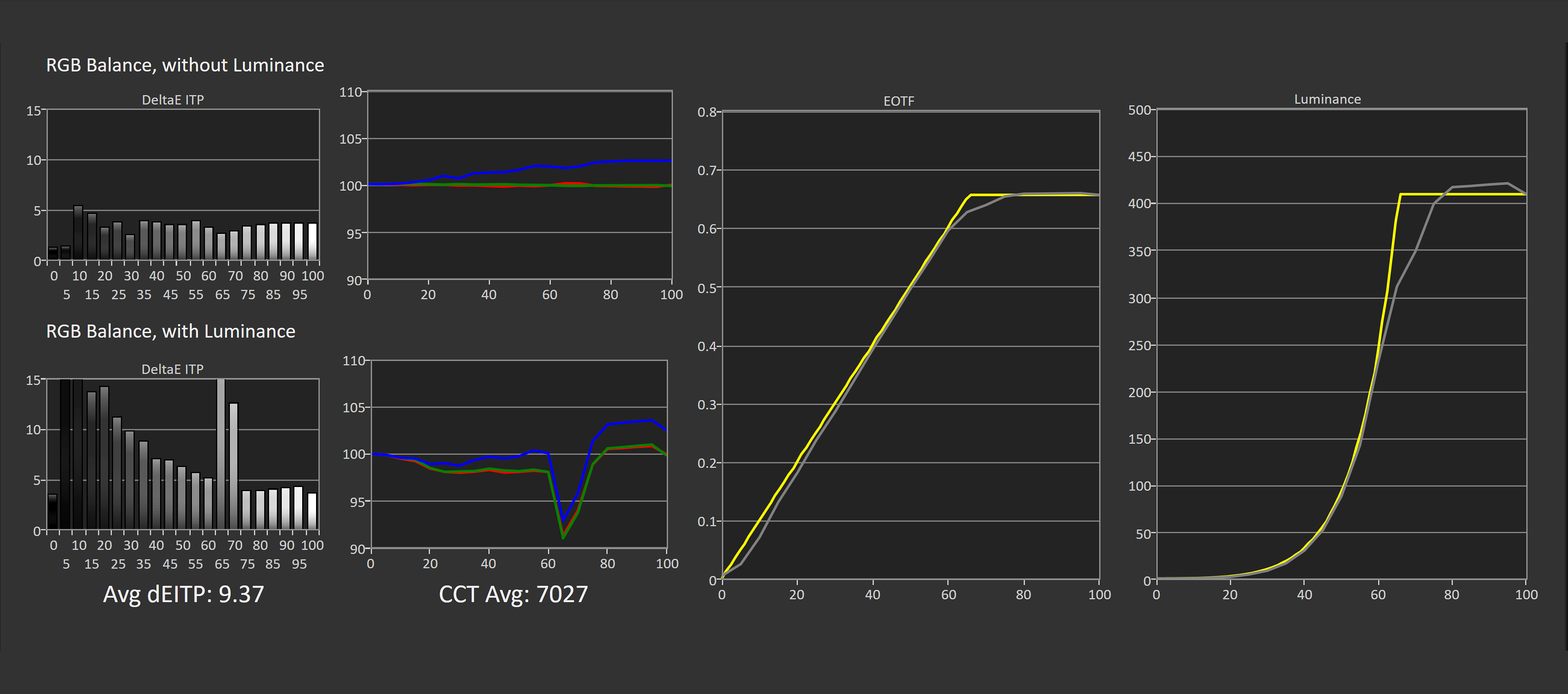
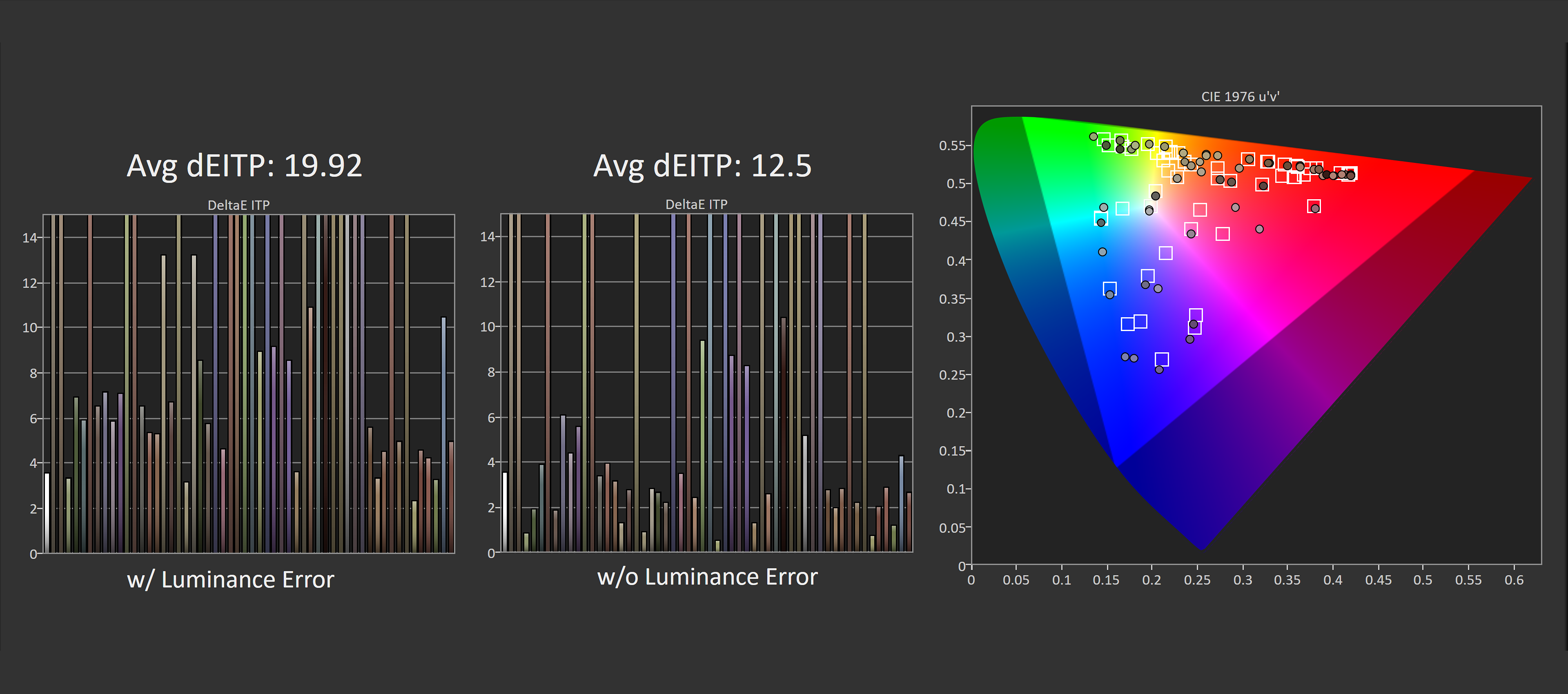
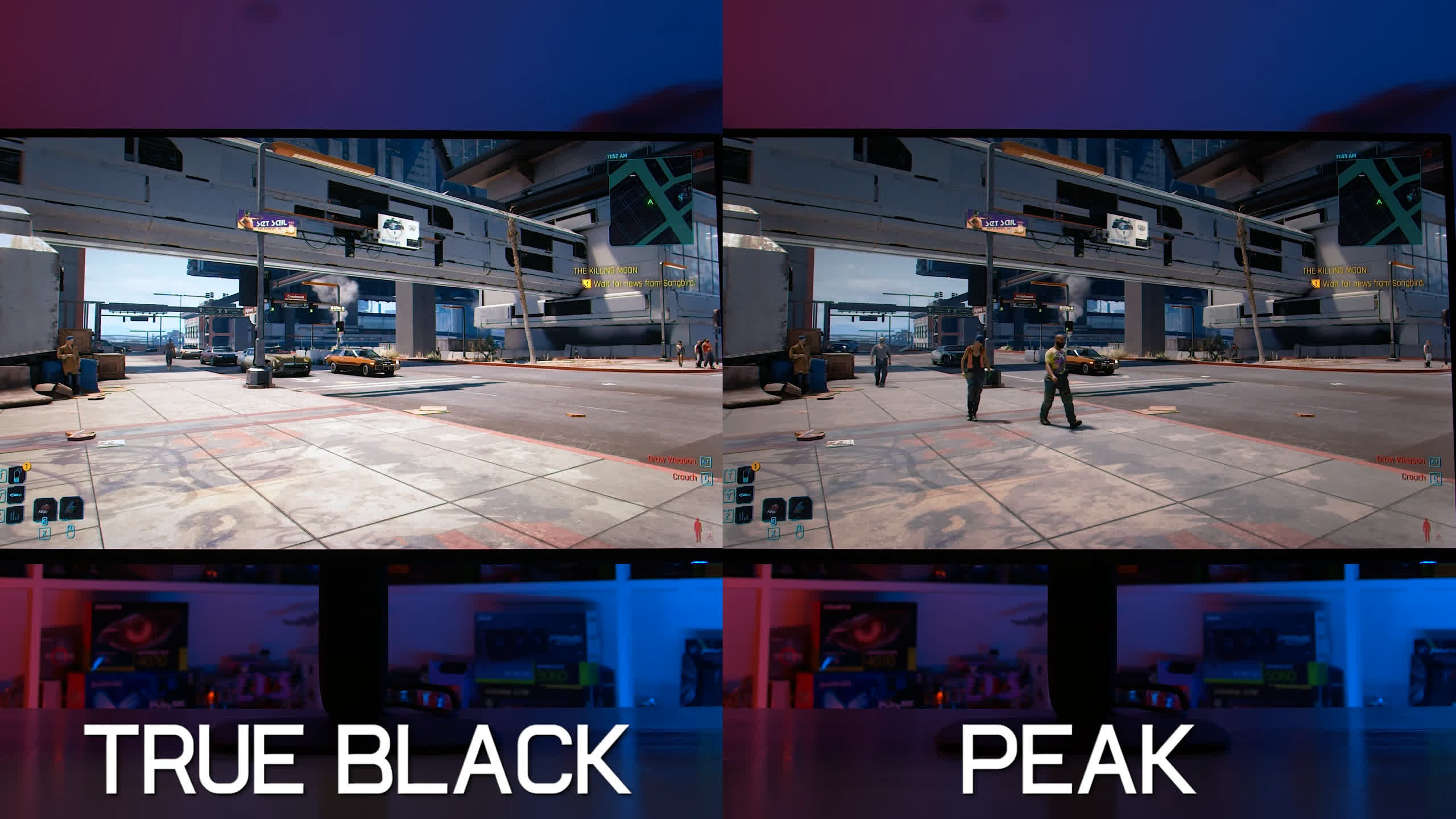
The downside is panel dimming in bright scenes. When the display encounters content with a high average brightness level, it can reduce the brightness of every pixel by roughly half. This makes bright scenes look noticeably dimmer than intended, reducing the impact HDR should deliver in these situations.
The third option is HDR Peak 1000 Bright, which attempts to correct this behavior by boosting brightness in brighter scenes for more accurate EOTF tracking. Unfortunately, it also raises the brightness of dark content, making those scenes considerably brighter and less accurate than they should be. Like the regular Peak 1000 mode, it retains access to 1,000 nits of peak brightness.
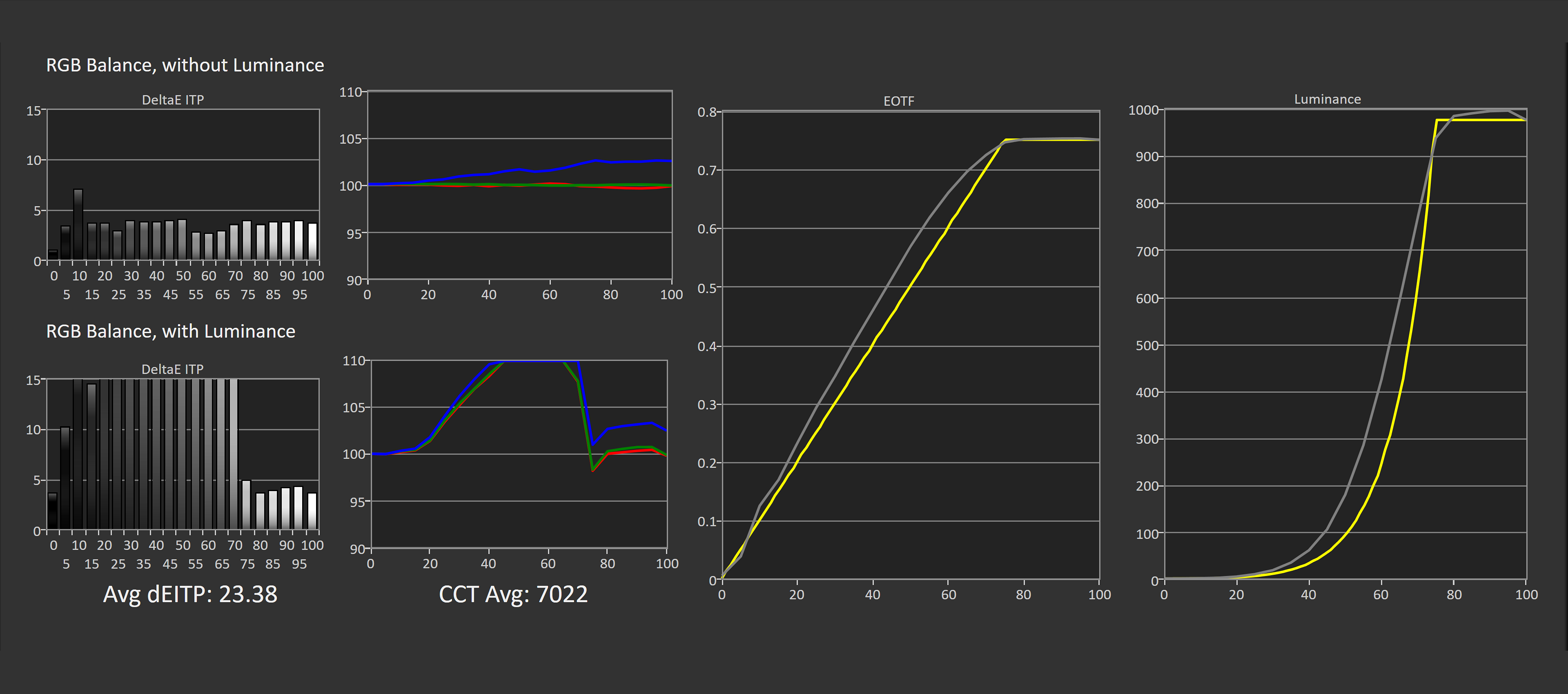
There are positives and negatives to Dell's approach. Having all three configurations gives users plenty of choice over how HDR content looks, but there's no single mode that delivers accurate performance in both bright and dark scenes. Bright content generally looks best in True Black or Peak 1000 Bright, while darker scenes are better served by the regular Peak 1000 mode. This isn't entirely Dell's fault. Panel limitations force manufacturers to make these compromises, and we've seen similar behavior across many QD-OLED and RGB stripe WOLED monitors.
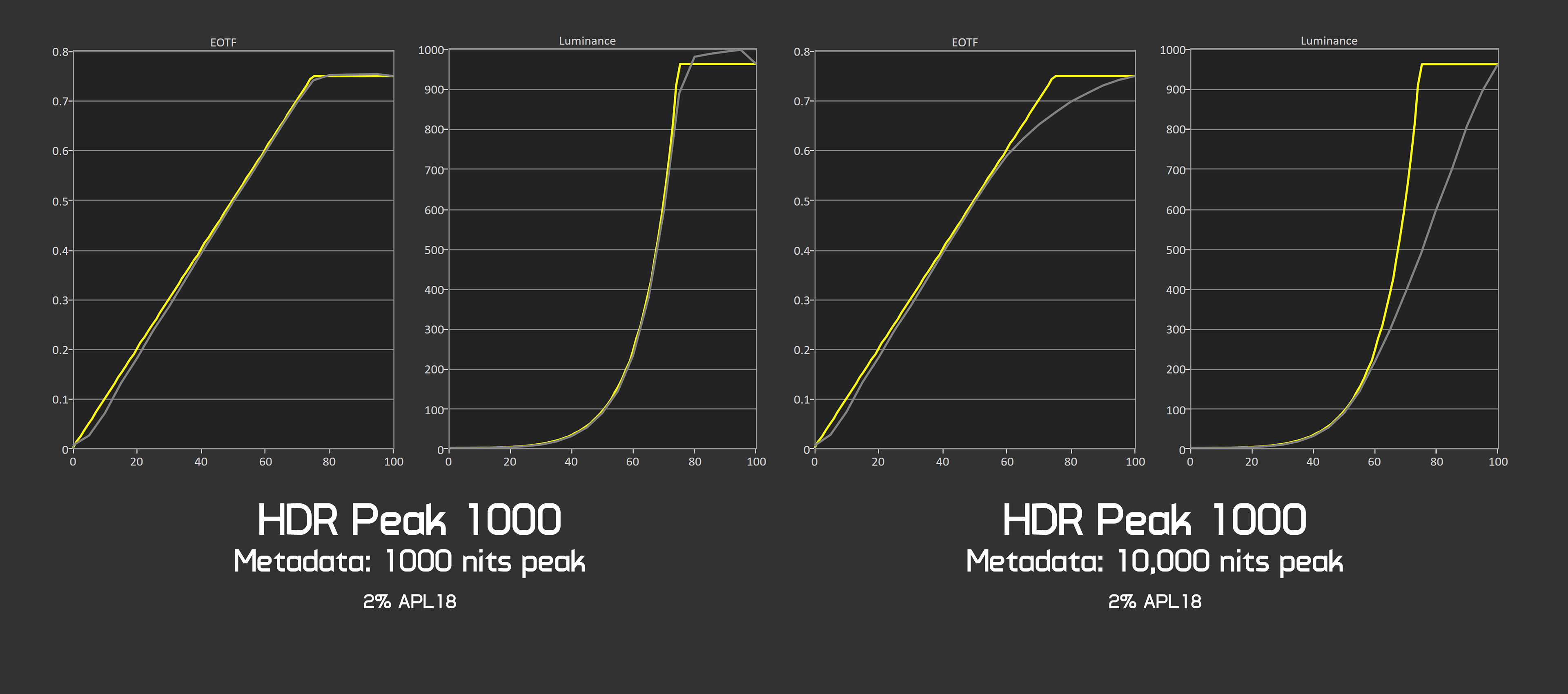
There are a few other details worth mentioning. By default, Dell uses display-side tone mapping to provide a gradual brightness roll-off when HDR content exceeds the panel's capabilities. The roll-off varies depending on the peak brightness metadata sent to the display and generally does a decent job of preventing highlight clipping. However, it can also limit brightness in certain situations.
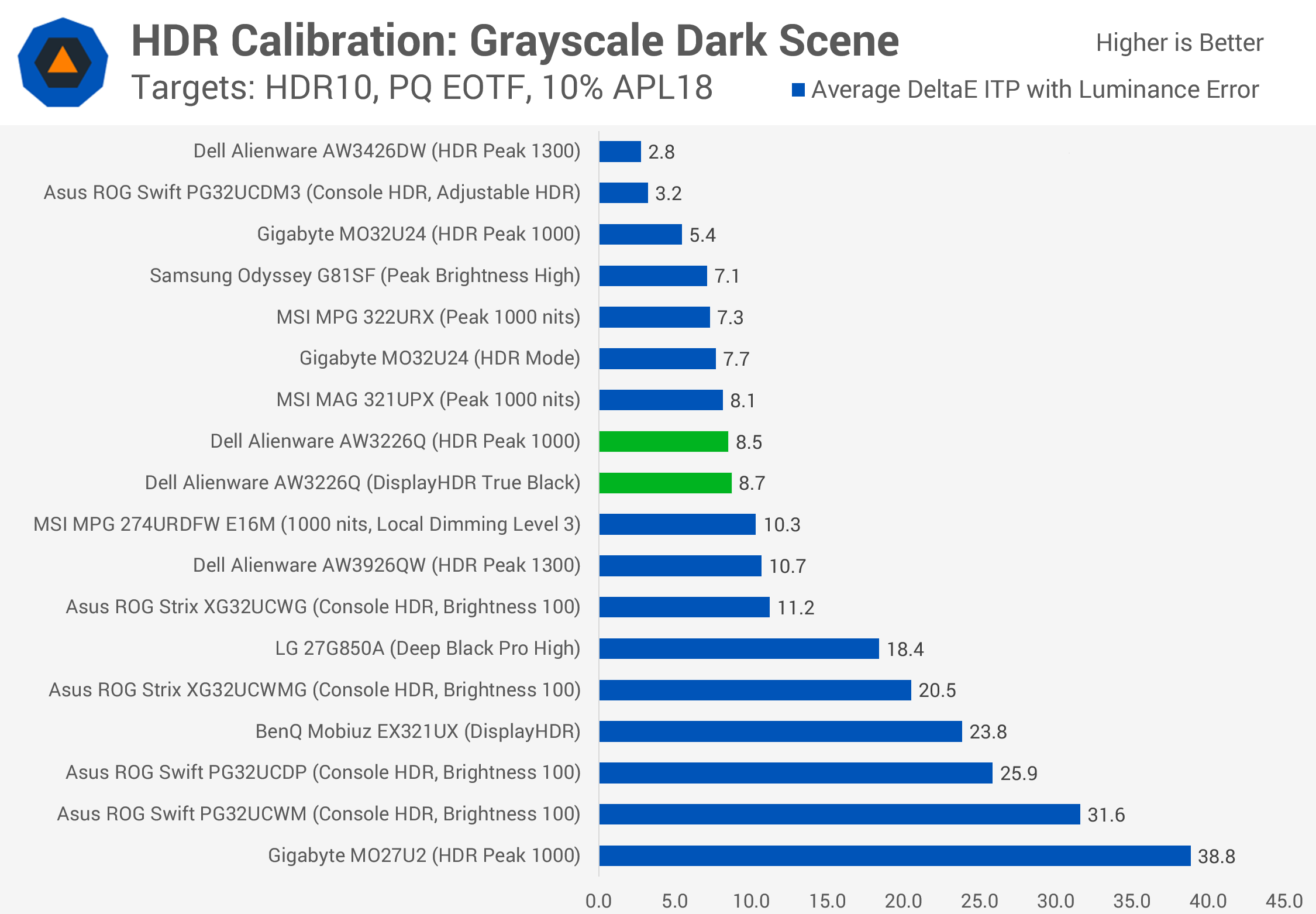
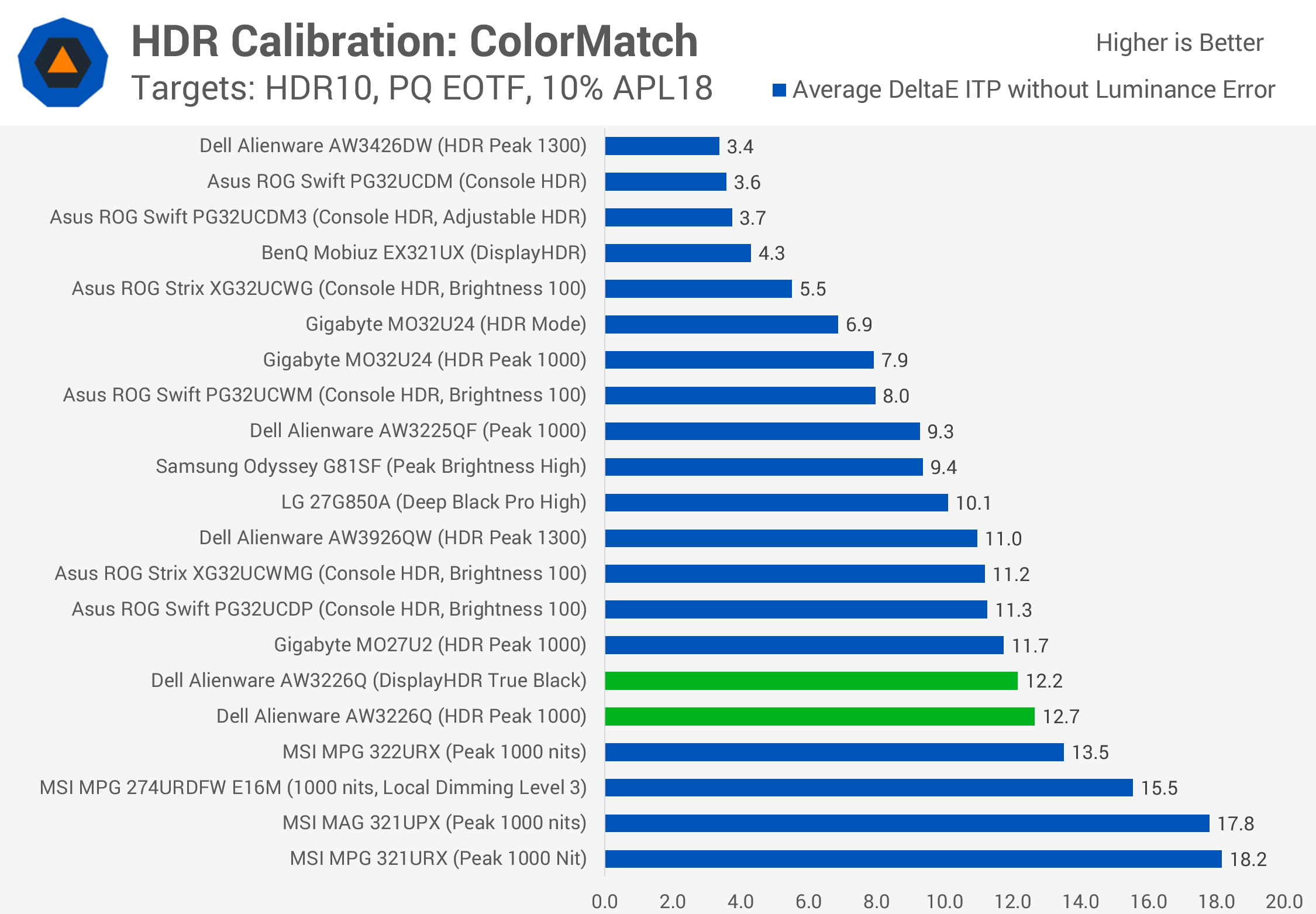
Compared to other HDR monitors, both Peak 1000 and True Black deliver decent accuracy in dark scenes. The AW3226Q performs better than the PG32UCWM, which only offers a boosted brightness configuration, and ends up similar to QD-OLEDs like the MSI 321UPX.
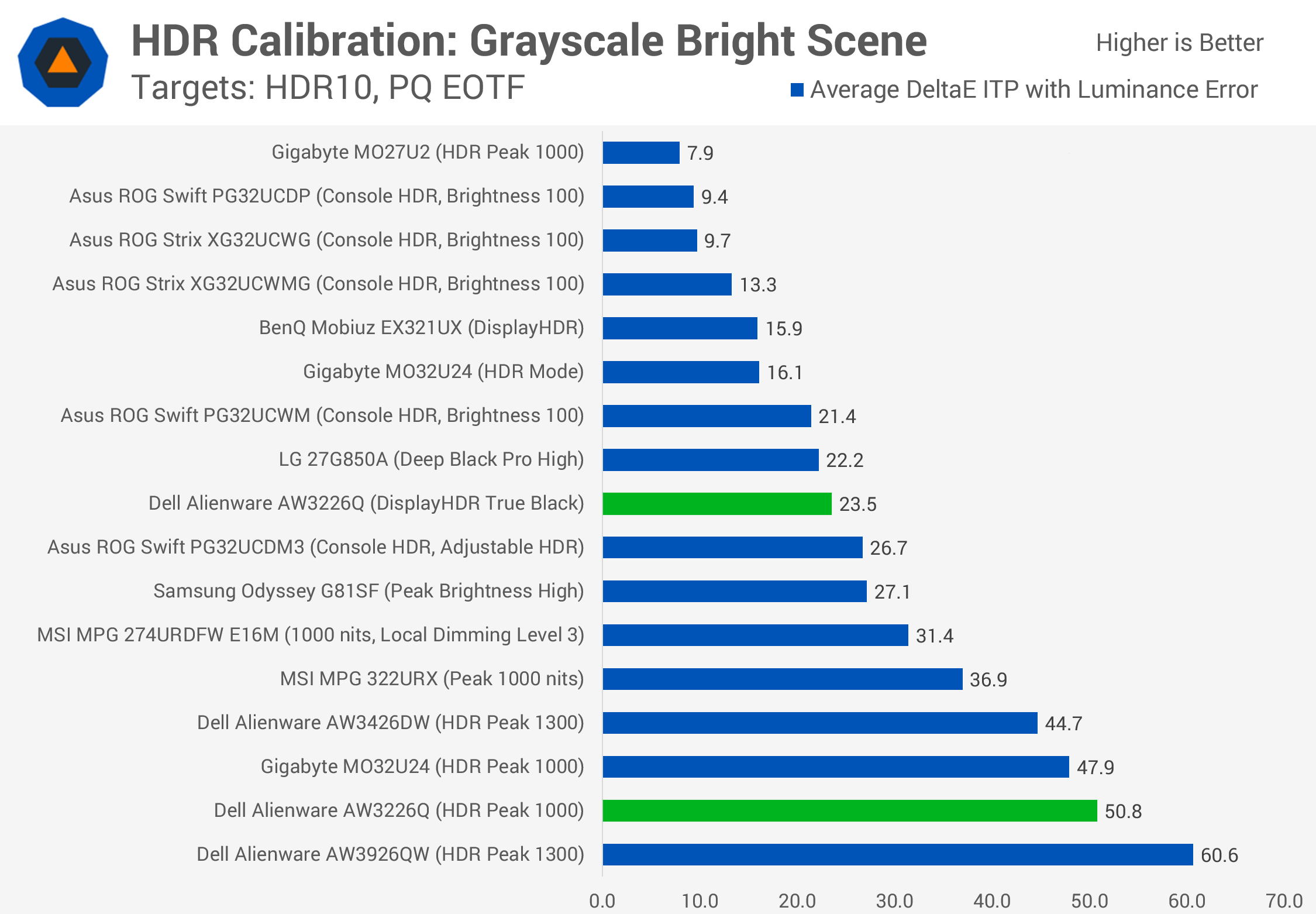
In bright scenes, True Black is somewhat underwhelming compared to the equivalent HDR mode on the Gigabyte MO32U24. Meanwhile, Peak 1000 suffers from significant inaccuracies caused by panel dimming, though its behavior is comparable to other OLED monitors with similar limitations.
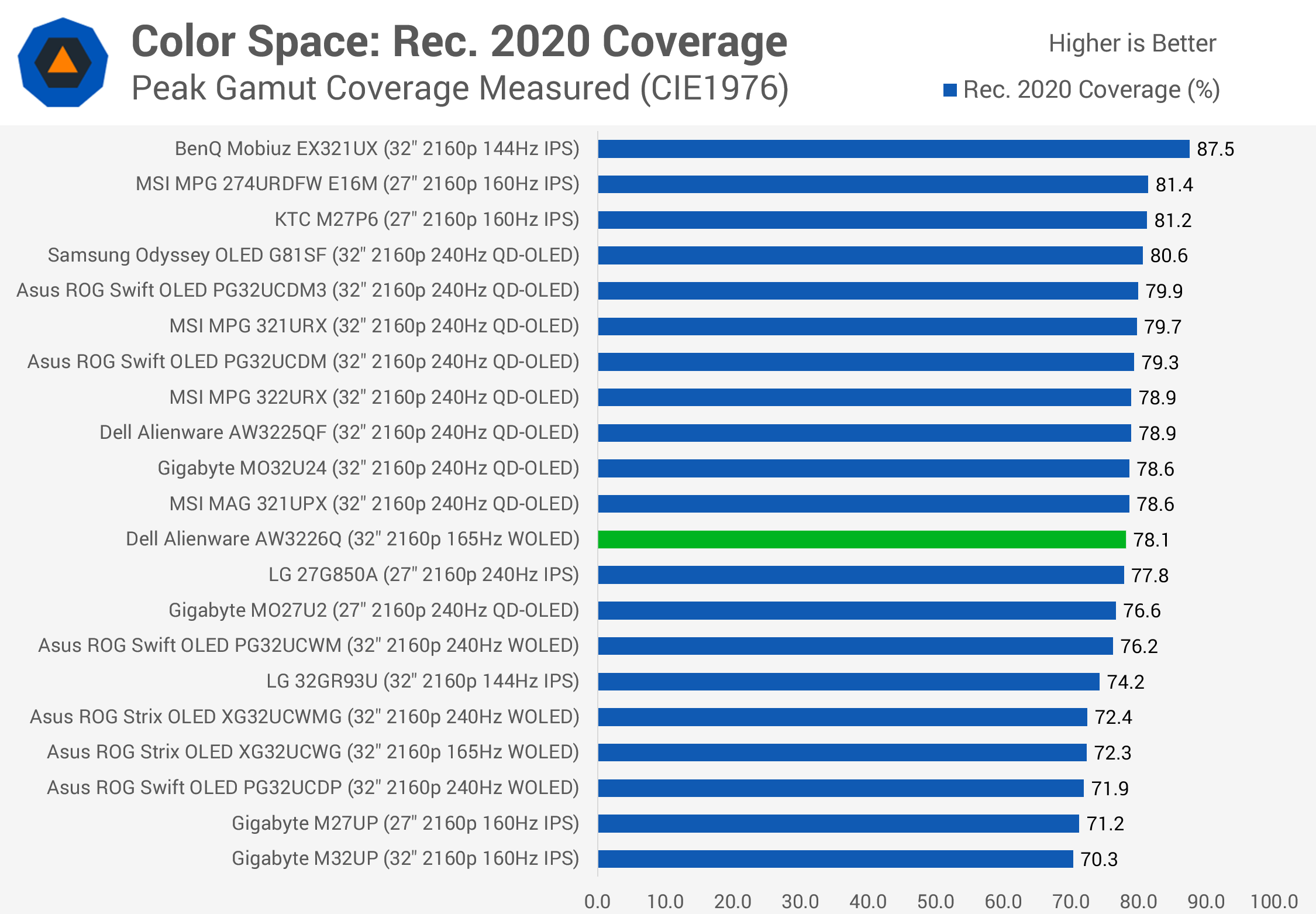
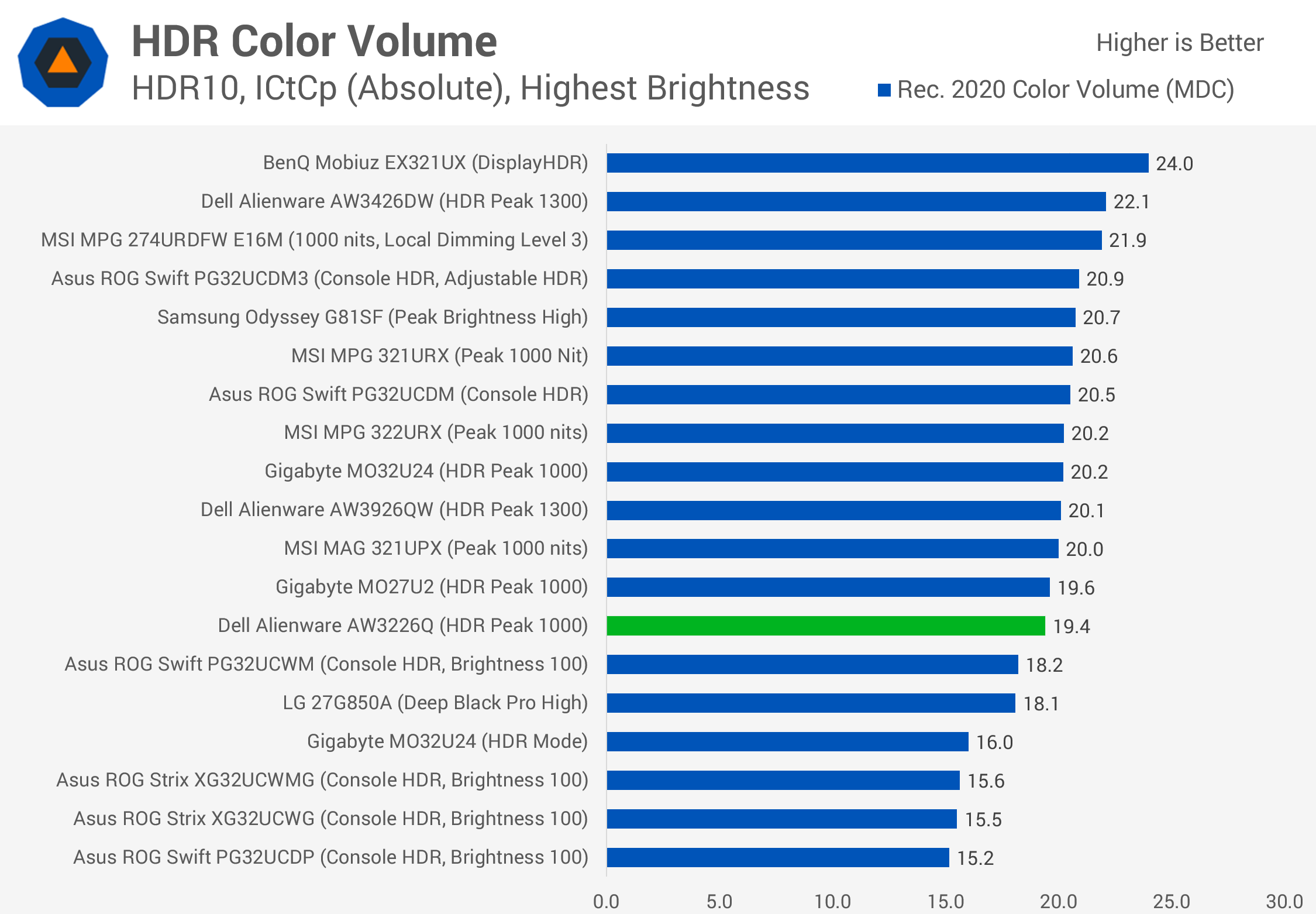
Color accuracy is decent without being exceptional. Performance is comparable to the AW3926QW, while color space coverage reaches a respectable 78% of Rec. 2020. That's slightly higher than the PG32UCWM and in the same ballpark as 32-inch 4K QD-OLED monitors. Color volume is also higher than on the Asus model and comes very close to QD-OLED, though it still trails slightly. This is one area where RGB stripe WOLED has a significant advantage over previous-generation WOLED panels.
HDR Brightness
Starting with synthetic HDR brightness tests, the AW3226Q reaches 260 nits at full screen, matching first-generation QD-OLED panels and previous-generation WOLEDs.
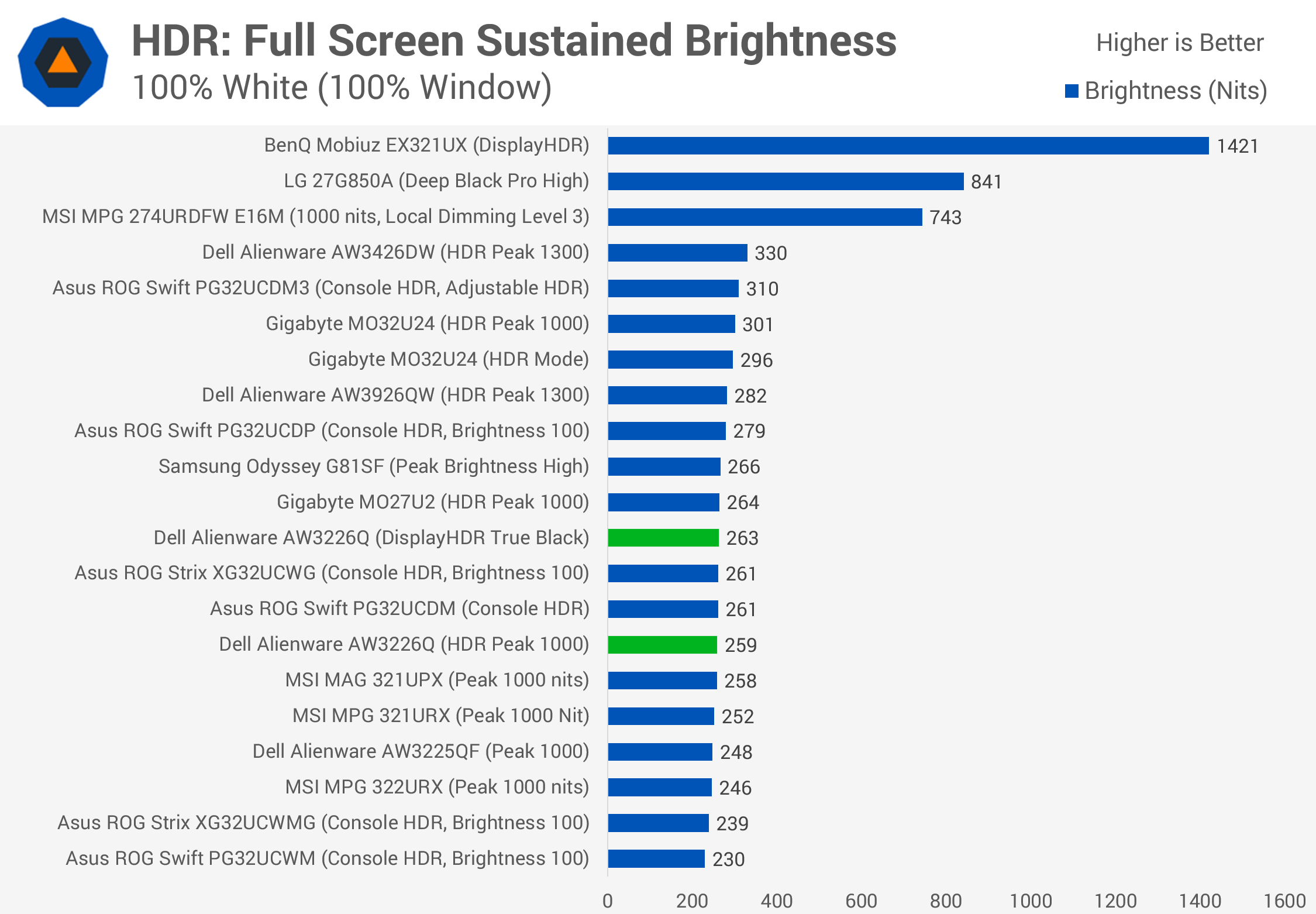
That's 13% brighter than the PG32UCWM, although it falls short of the AW3926QW, which currently delivers the highest full-screen brightness we've measured from an RGB stripe WOLED. There's also a gap to the latest 2026 QD-OLED panels, such as the Gigabyte MO32U24 and Asus PG32UCDM3, which reach 300 nits or more, around 15% brighter than the Alienware.
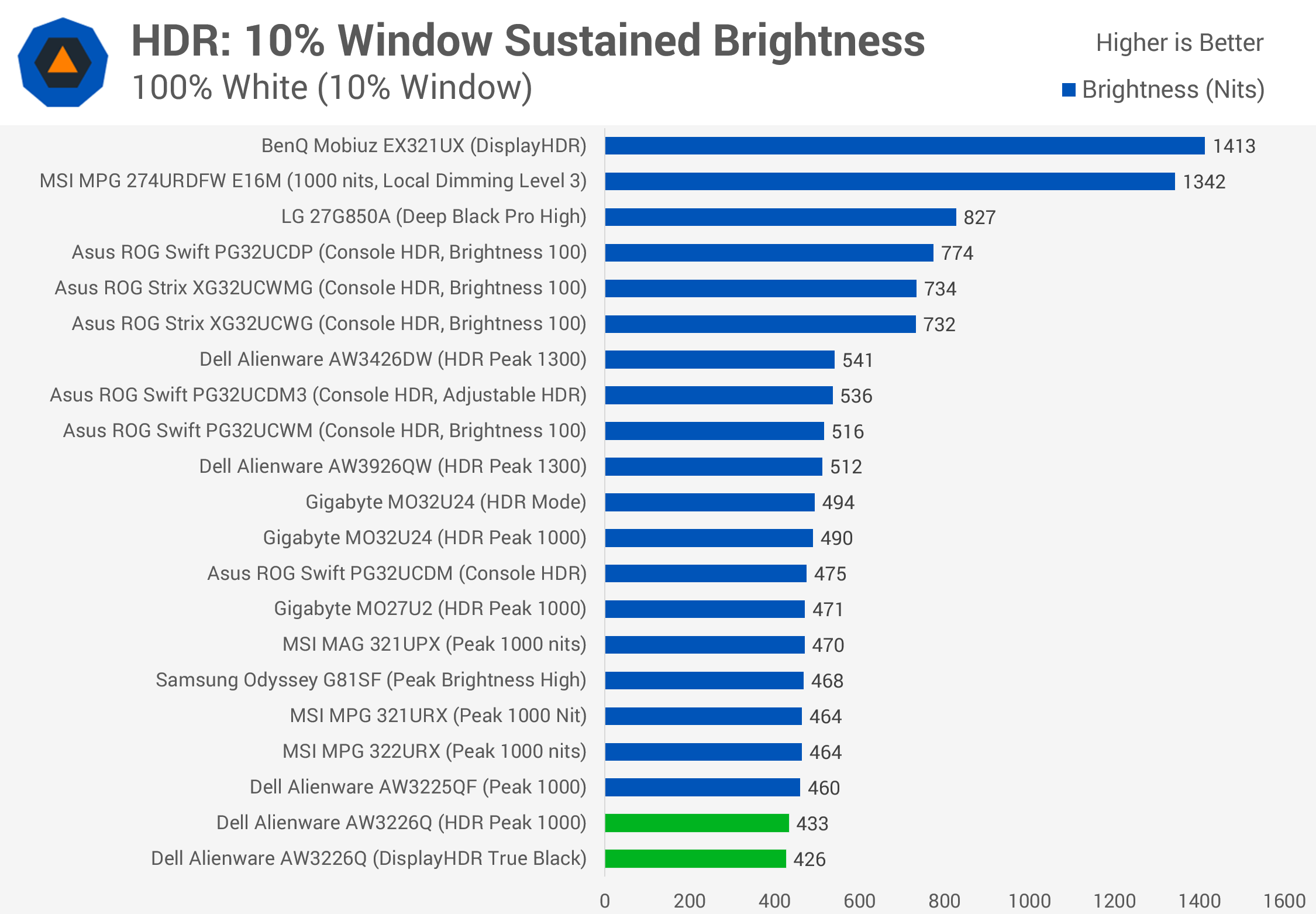
Brightness at a 10% window was disappointing on our unit, reaching just 430 nits. That's 16% below the PG32UCWM when comparing peak modes, and also behind previous-generation QD-OLEDs.
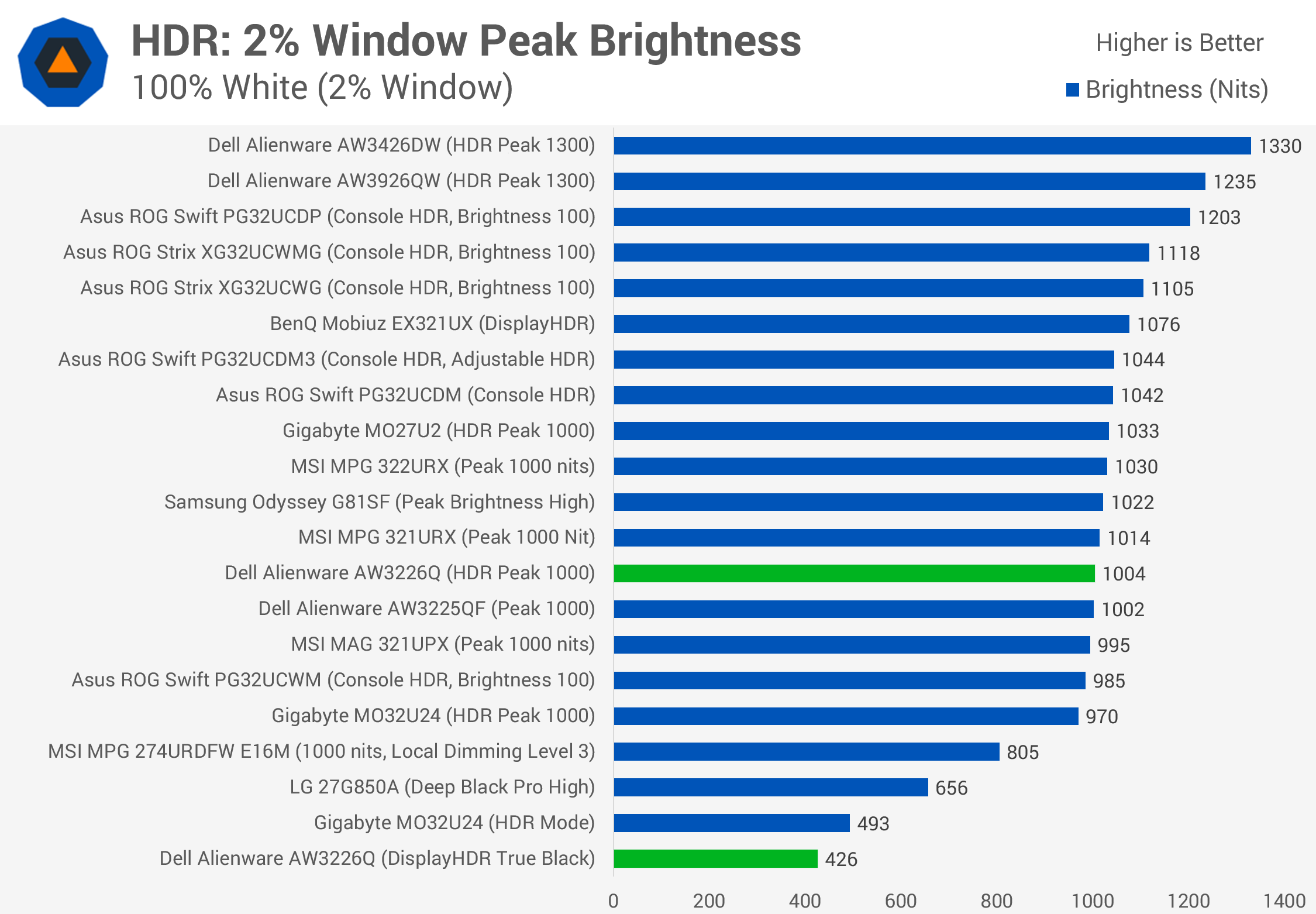
Performance recovers with a 2% window, where the AW3226Q manages to exceed 1,000 nits, similar to current QD-OLED offerings. However, WOLEDs with a white subpixel, such as the XG32UCWMG, can achieve higher brightness in this test. Dell's 39-inch AW3926QW ultrawide also gets brighter despite using largely similar technology.
Moving to real-scene brightness, the AW3226Q struggles in its True Black configuration. We recorded an average of just 291 nits, which is 23% behind the 2024-generation QD-OLED panel used in the MSI 322URX in its True Black mode. It's also more than 30% behind the newer 2026 panel found in the MO32U24 using its HDR mode. It's difficult to recommend True Black on the Alienware because it simply isn't very bright, rarely reaching 400 nits in our tests.
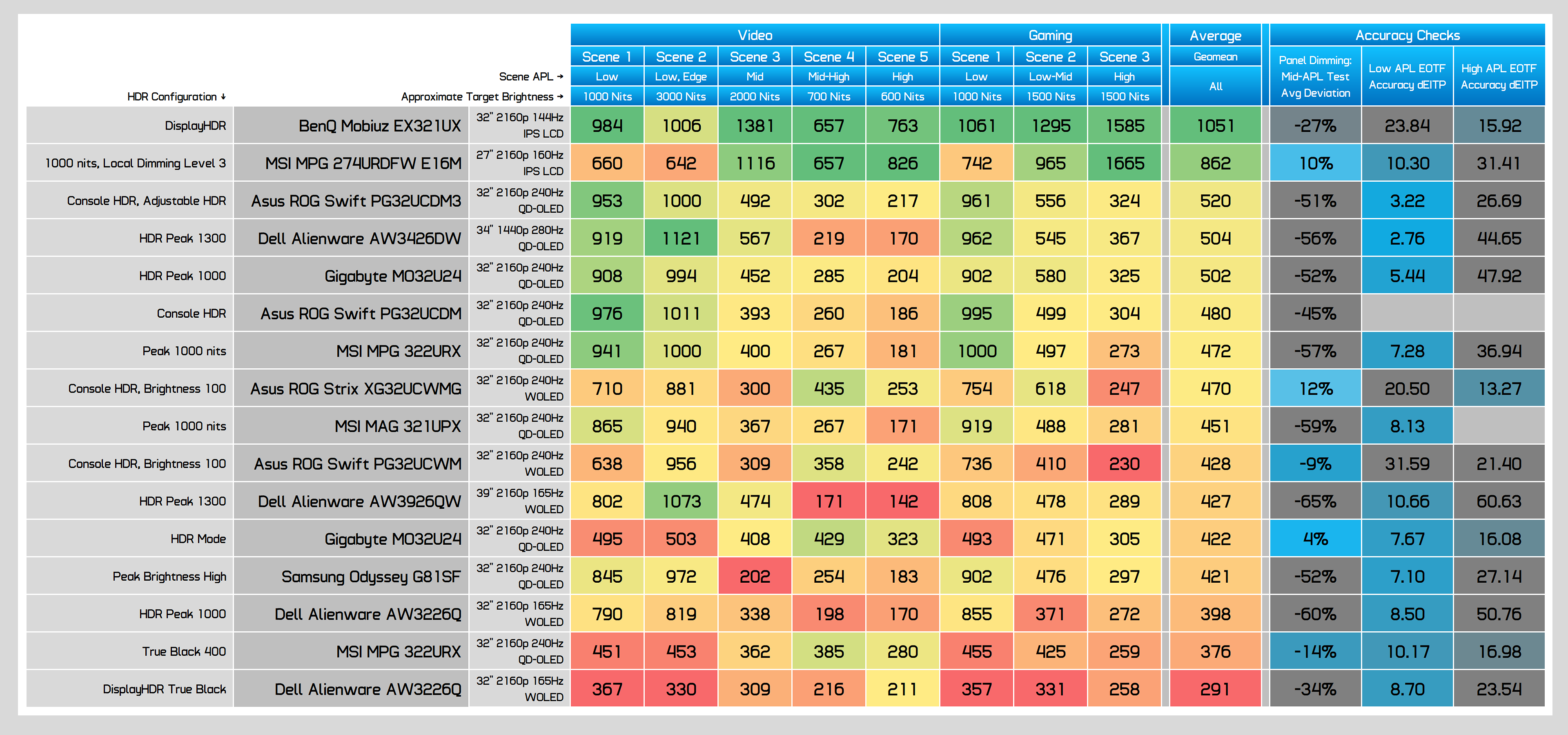
Peak 1000 is better, but still somewhat underwhelming. Compared directly with the RGB stripe WOLED panel in the PG32UCWM, the Asus was 8% brighter on average. However, the Asus uses a boosted brightness configuration that avoids panel dimming at the expense of accuracy in dark scenes. The AW3226Q performs much better in that regard.
A typical 32-inch 4K QD-OLED from 2024, such as the MSI 321UPX, is also 13% brighter on average when comparing peak modes. Both panels exhibit similar brightness behavior across individual tests, but the QD-OLED generally comes out ahead.
The reality is that this RGB stripe WOLED panel isn't especially bright in HDR and suffers from many of the same weaknesses as QD-OLED. It's certainly not unusable, reaching over 850 nits in real-world scenes and up to 1,000 nits in smaller highlights, but peak brightness is clearly not one of its strengths.
Dolby Vision
The AW3226Q also supports Dolby Vision, which is enabled by default but can be disabled through the OSD. There are no additional configuration options, and brightness is limited to around 450 nits, similar to the True Black HDR mode. When connected to a Windows PC, the monitor generally operates in Dolby Vision mode, switching to HDR10 when compatible content is detected. This involves a brief black screen as the display changes modes.
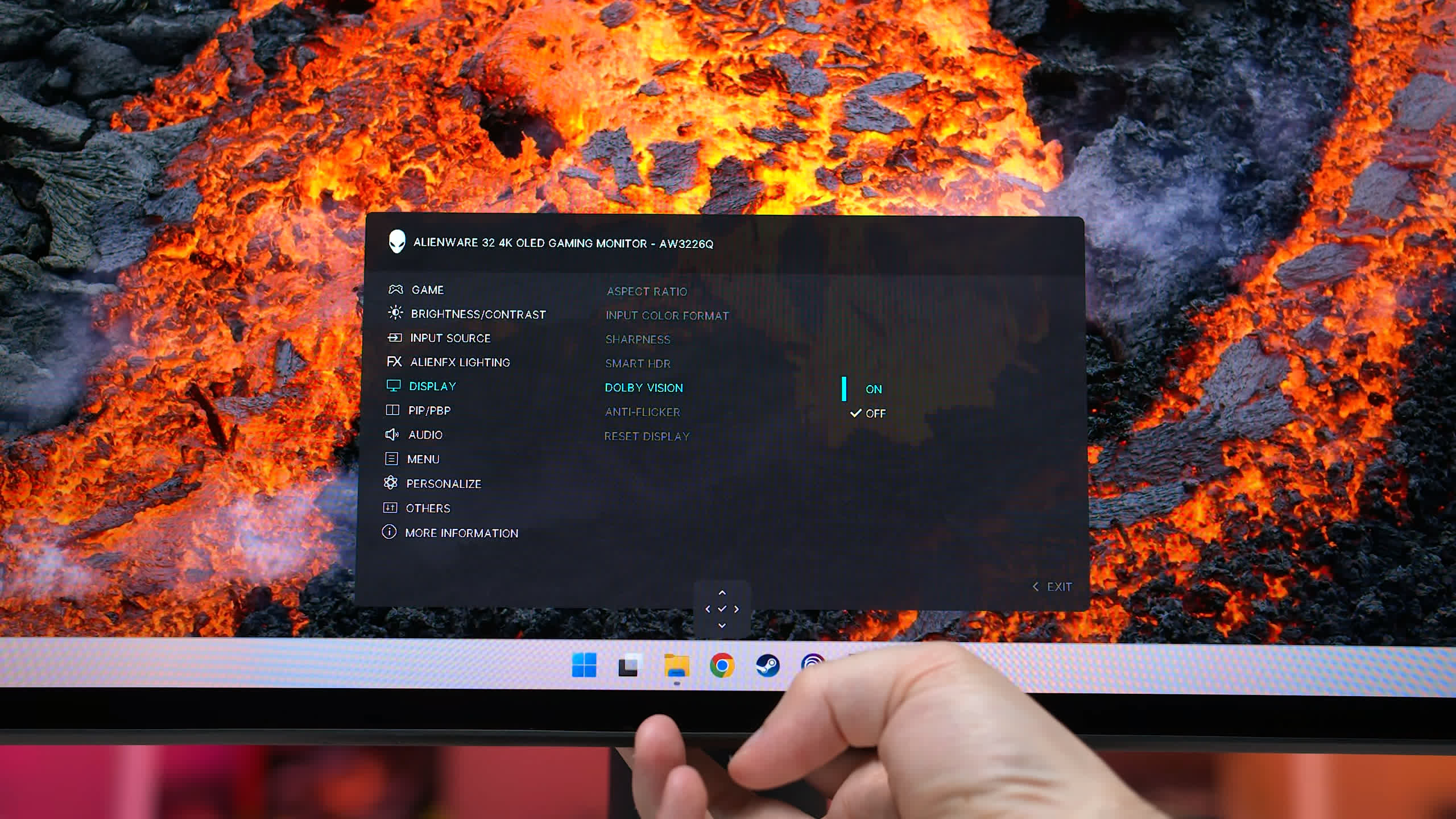
For the most part, this works reasonably well. The monitor correctly switches to HDR10 in many games, allowing users to take advantage of brighter configurations such as Peak 1000. However, HDR10 detection isn't always reliable, and the display sometimes remains in Dolby Vision mode. We encountered this behavior when watching HDR YouTube videos in Chrome, for example.
For Windows users, we'd generally recommend leaving Dolby Vision disabled. Very few PC games support it, and none have been released recently. Some streaming services may use Dolby Vision, but for gaming, sticking with HDR10 avoids unnecessary mode switching.
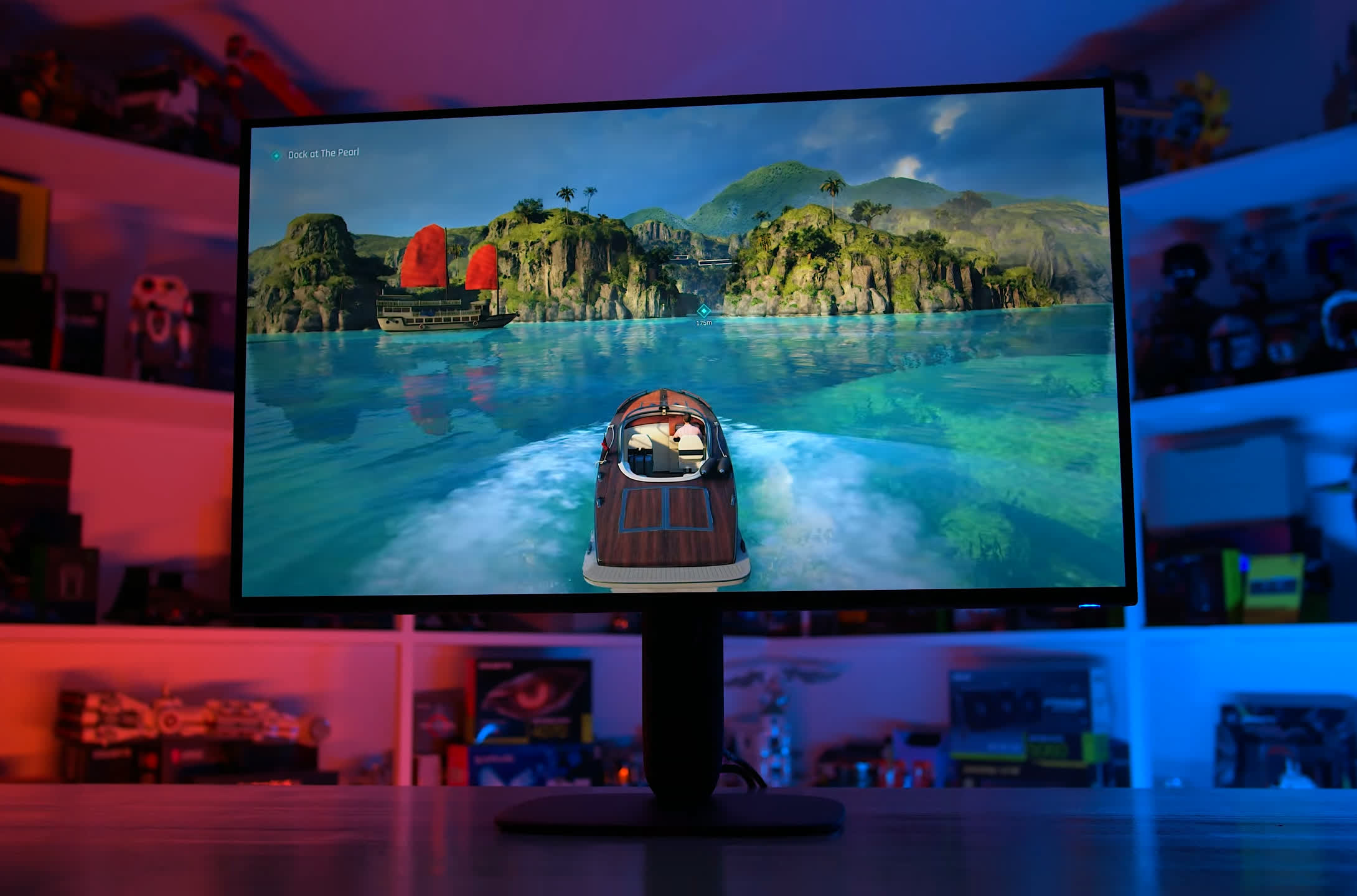
Dolby Vision becomes more useful when connecting other devices. Many media players support Dolby Vision playback through streaming apps, while the Xbox Series X also supports Dolby Vision gaming. Even then, the limited brightness of Dell's Dolby Vision implementation means HDR10 may sometimes be the better option.
Motion Performance
Motion performance is one of the key differences between this 165Hz OLED and most competing models, which offer 240Hz refresh rates. An important consideration when buying an OLED, especially one with a lower refresh rate, is that motion clarity is directly tied to refresh rate.
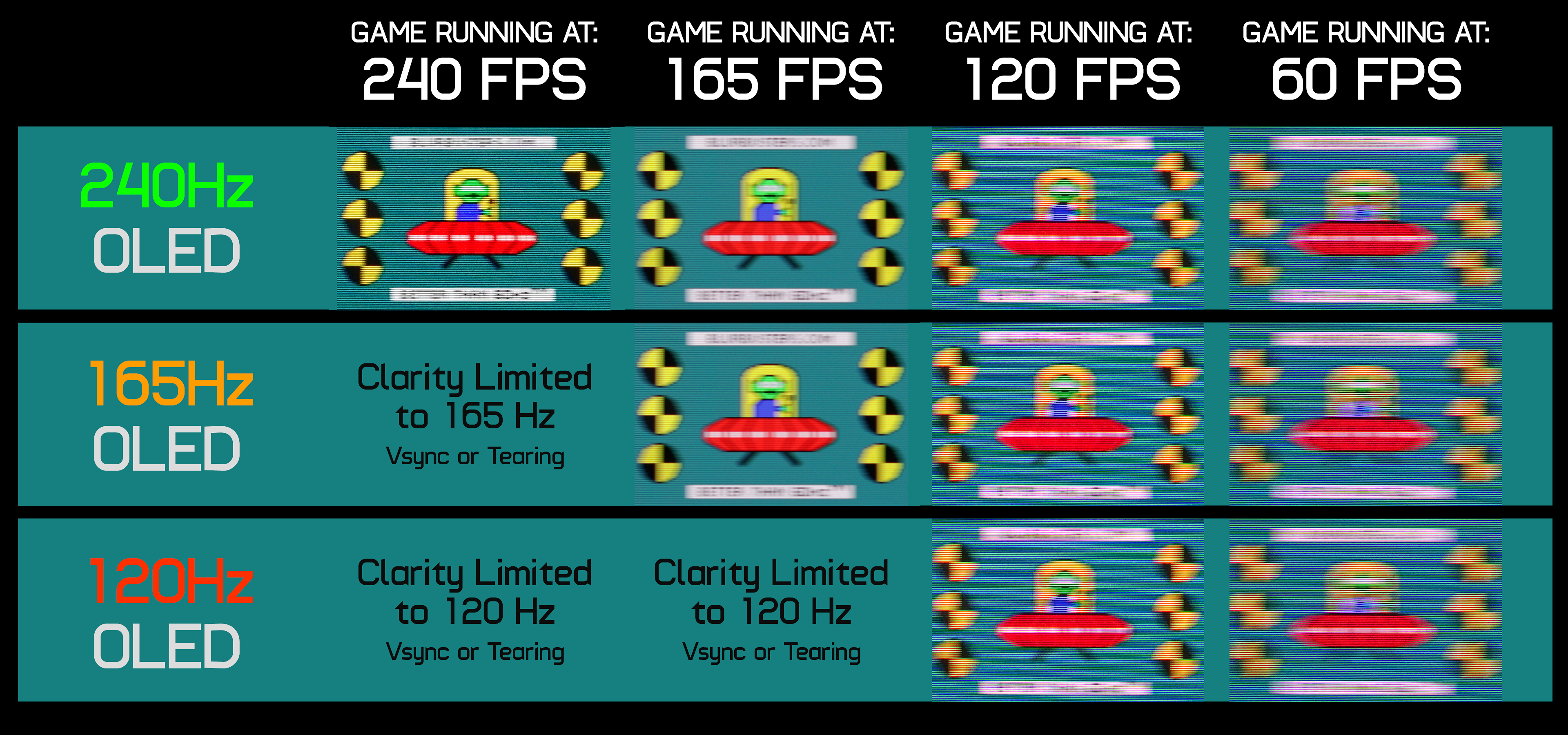
At the same refresh rate, two OLED monitors will look virtually identical in motion clarity, so the refresh rate you'll actually use matters more than the monitor's maximum capability. For example, a 240Hz OLED and a 165Hz OLED running a game at 120 FPS with a 120Hz refresh rate will deliver essentially the same experience.
Higher refresh rate OLEDs become beneficial when you can take advantage of their additional headroom. Running at 240Hz produces a clearer image than at 165Hz, with better smoothness and responsiveness. However, if you play most games below 165 FPS, the benefits of a 240Hz model will be relatively small.
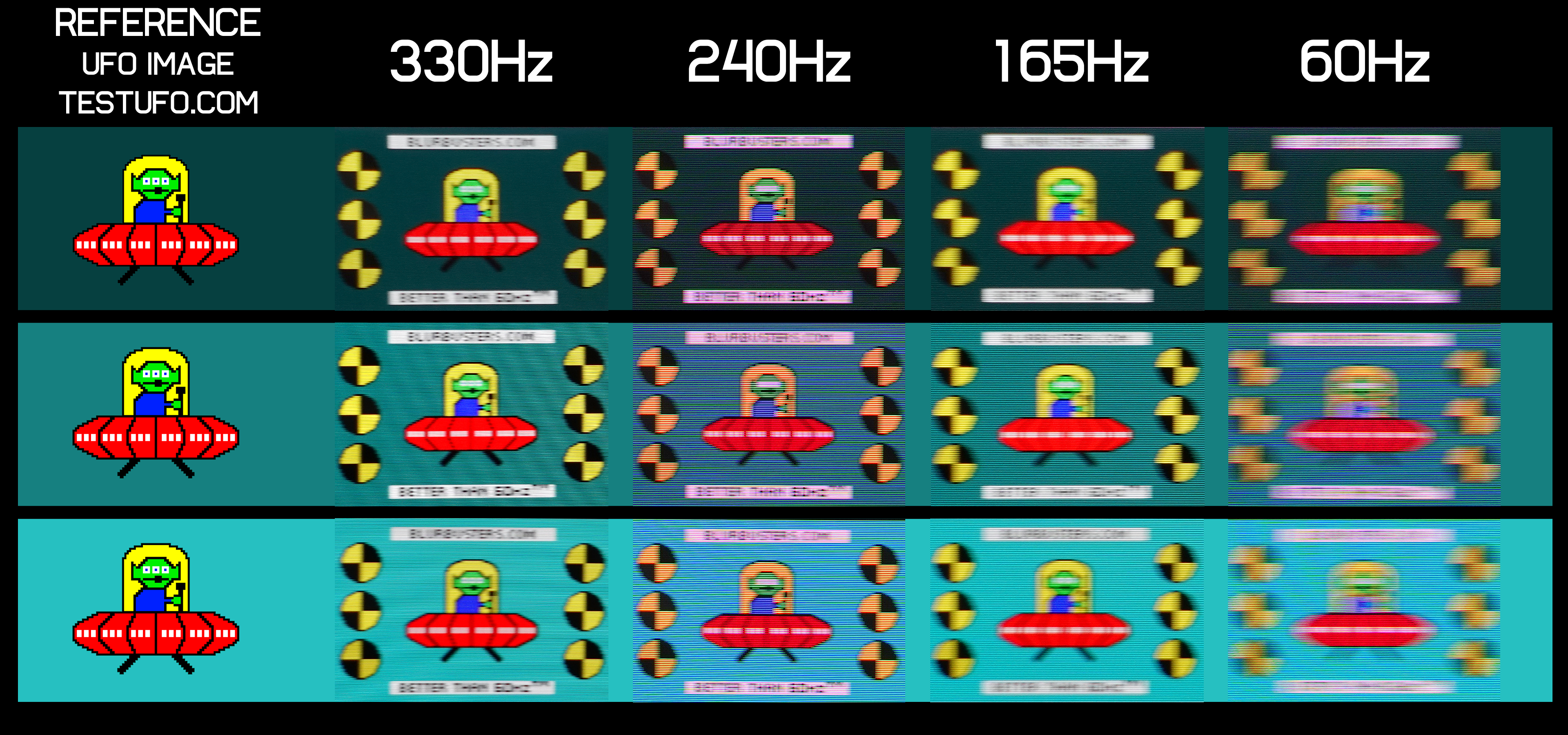
This raises the question of how much you're sacrificing by choosing a cheaper 165Hz model. In our opinion, higher refresh rate variants are best suited to multiplayer gaming. If you play a lot of fast-paced competitive titles where motion clarity and low input latency are priorities, 240Hz is the better choice. For story-driven games, 165Hz is often more than sufficient for an excellent experience.
However, 165Hz monitors have less headroom for future GPU upgrades and frame generation. With frame generation enabled, you generally want to stay within the monitor's refresh rate ceiling to avoid tearing. On a 165Hz display using 2x frame generation, the maximum base rendering rate before exceeding that ceiling is approximately 82 FPS. In other words, even with frame generation, you're limited to the input latency characteristics of a game running at around 80 FPS, plus any additional frame generation overhead.
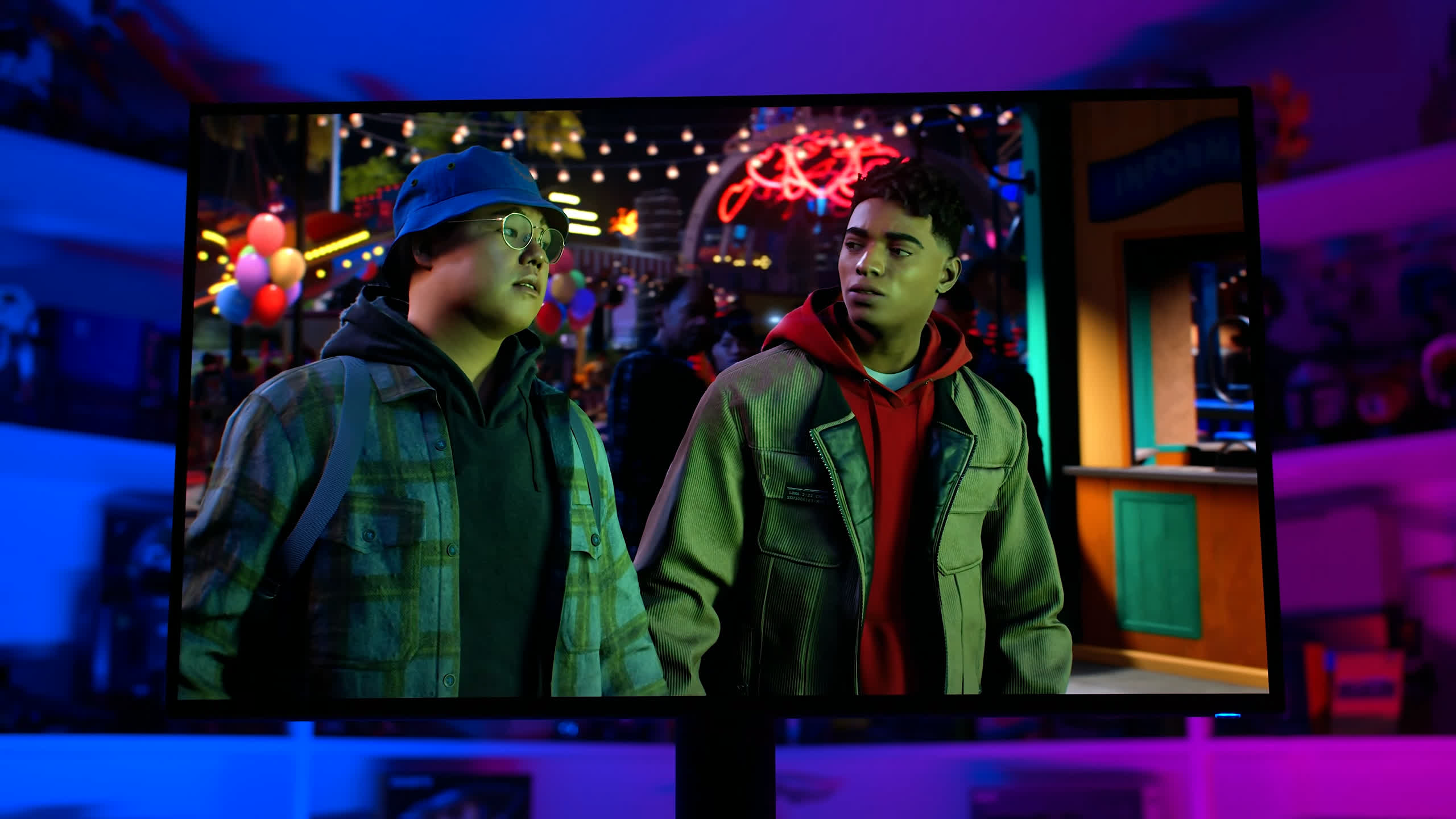
On a 240Hz display, that base rendering rate increases to 120 FPS, which provides a more responsive experience. This is a potential limitation of 165Hz displays, even for single-player gaming.
Input lag is as expected, with a processing delay below 1ms. Our latency measurements combine processing delay and refresh lag to provide a useful indication of overall responsiveness.
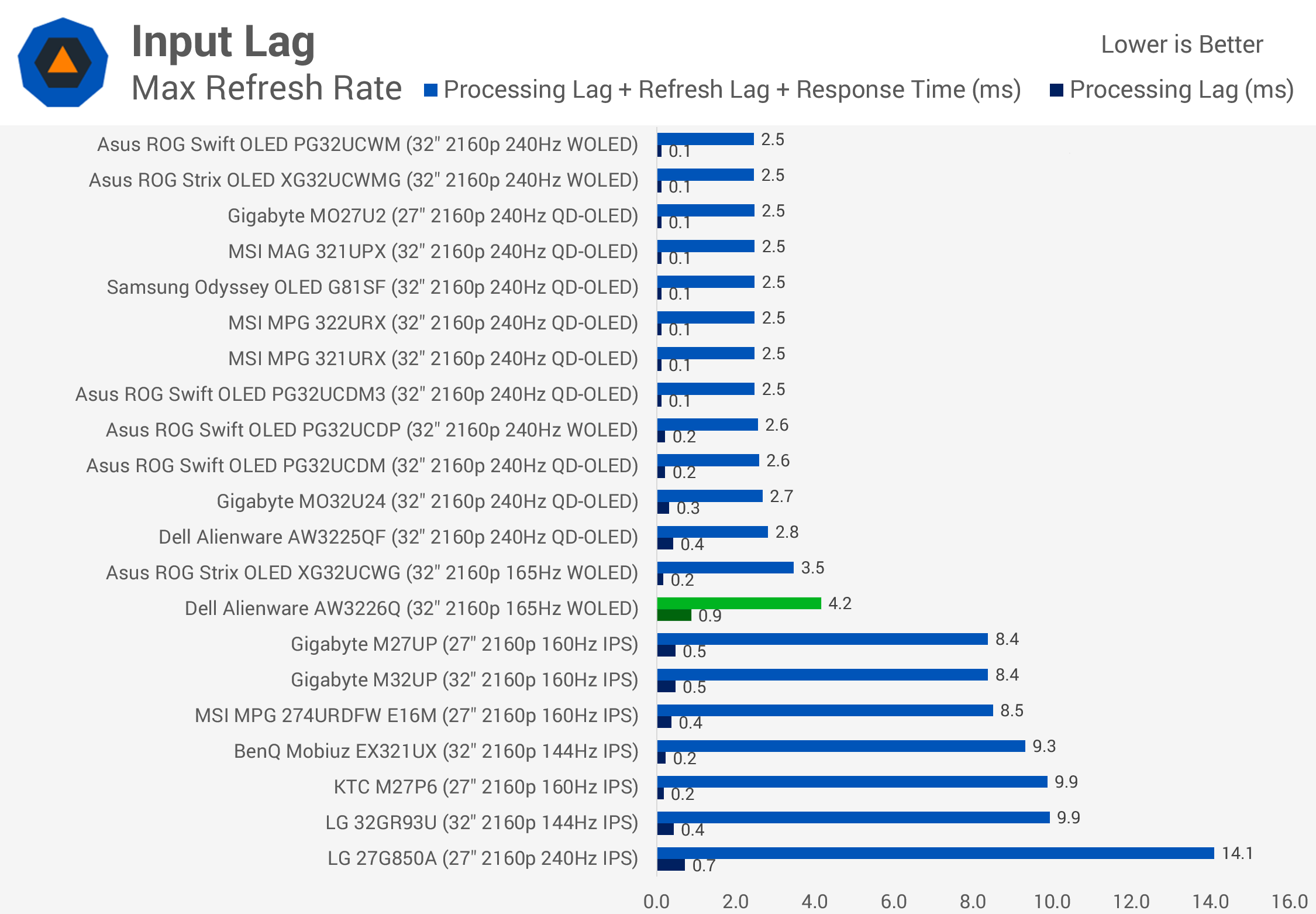
The fastest 240Hz OLEDs lead the charts, while 144Hz and 165Hz models generally sit further down due to their lower refresh rates. That's ultimately the main difference between the AW3226Q and faster OLED alternatives: the lower refresh rate results in somewhat higher latency.
SDR Performance
The AW3226Q performs quite well out of the box in SDR grayscale testing. An average Delta E of around 5 is better than usual, with very good color temperature and reasonable gamma tracking. However, like many wide-gamut monitors, it doesn't enable sRGB emulation by default, so colors appear oversaturated out of the box.
Default Color Performance
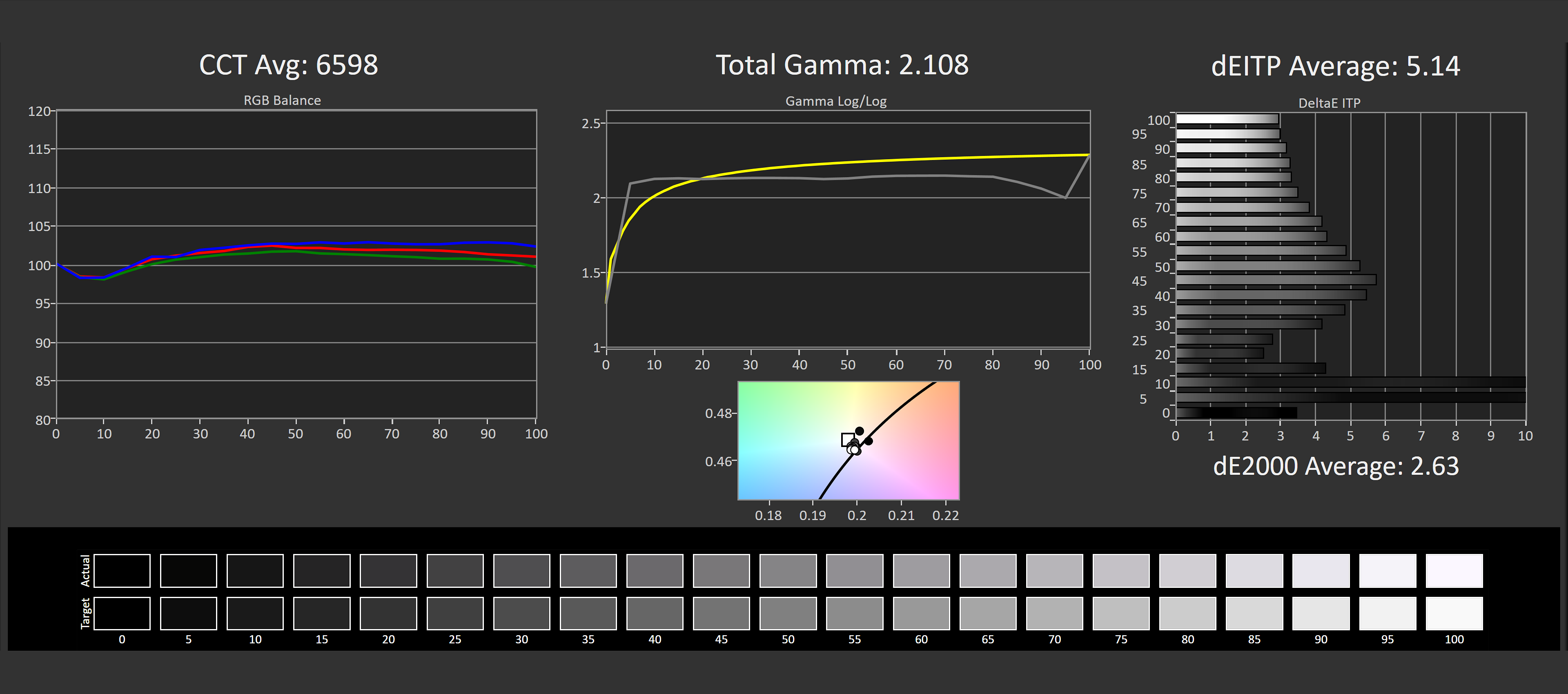
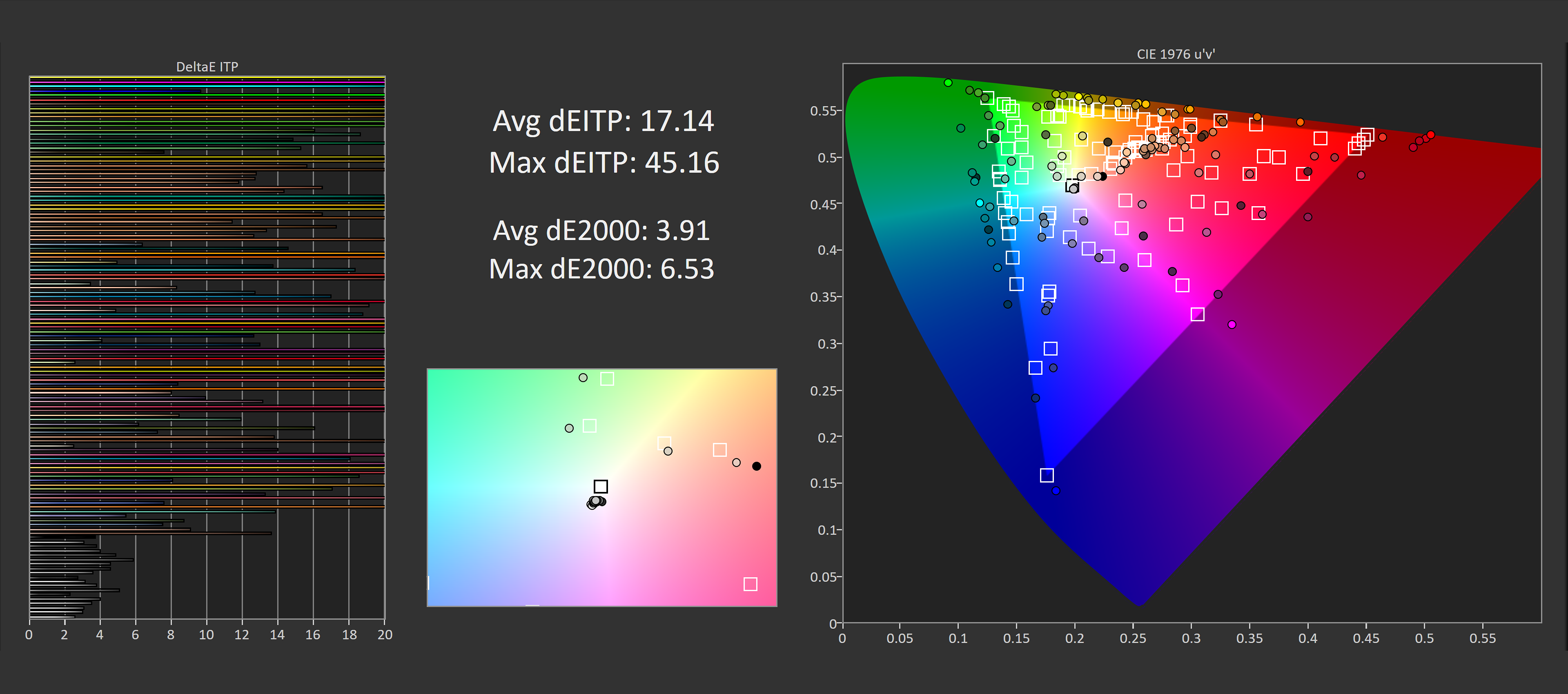
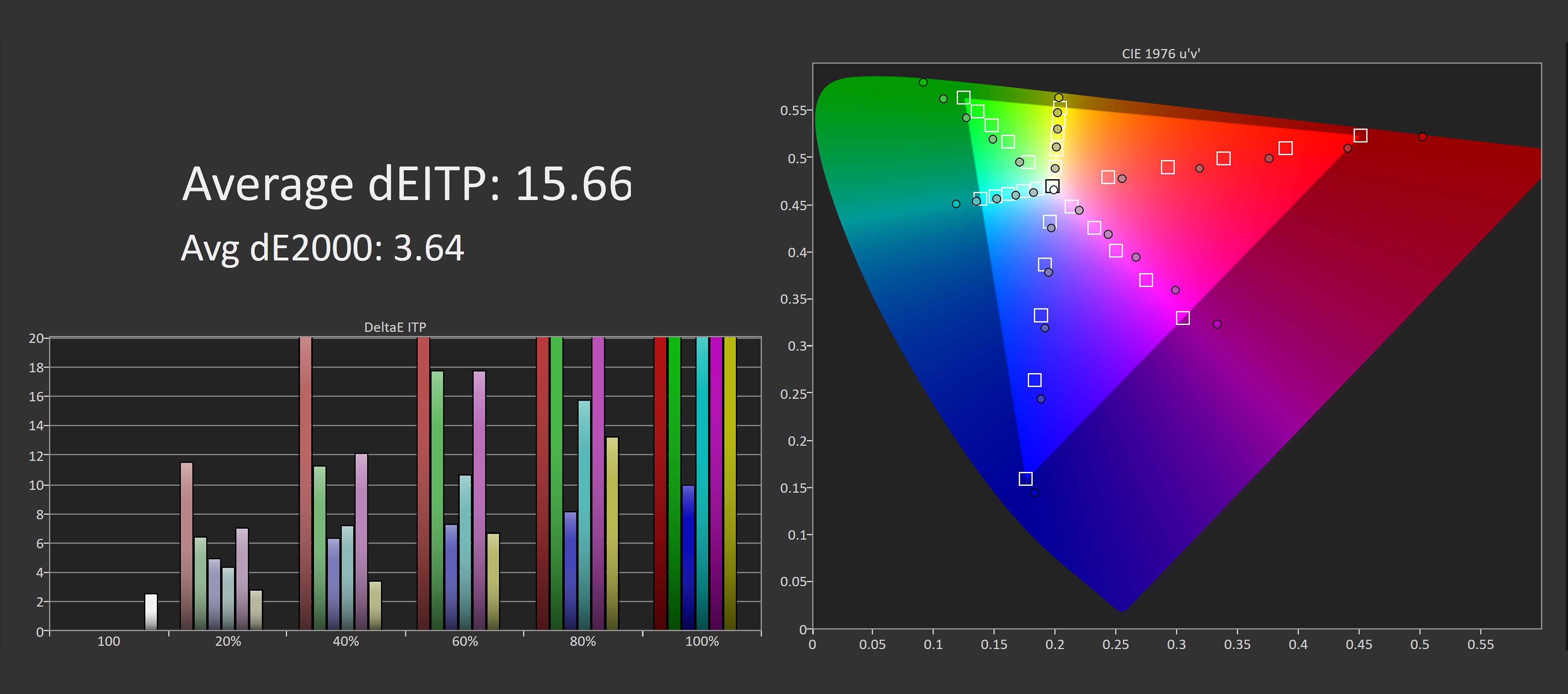
There are two ways to achieve more accurate SDR colors: the dedicated sRGB mode in the OSD or Windows Auto Color Management (ACM). The latter produces reasonably accurate results, but Dell's built-in sRGB mode is even better, although it locks several settings and offers limited customization.
Default ACM Color Performance
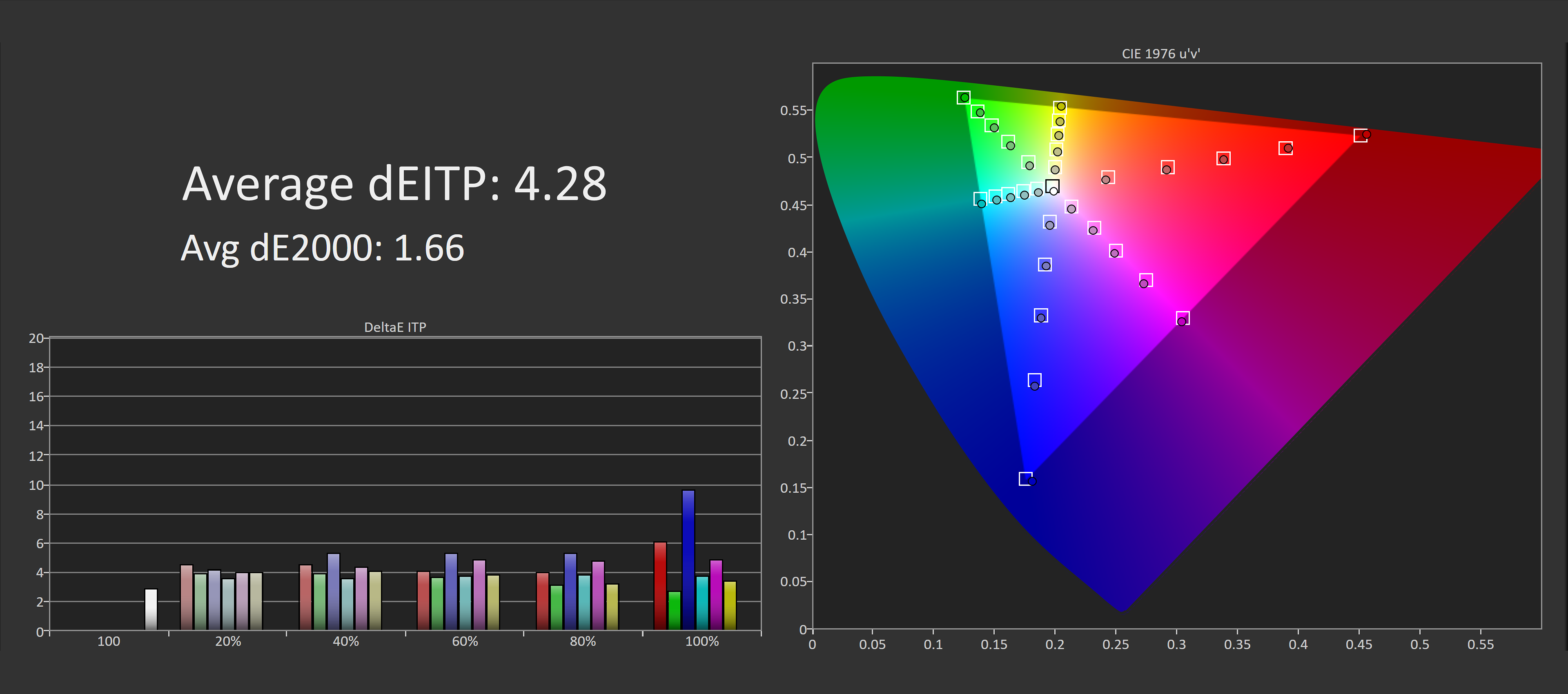
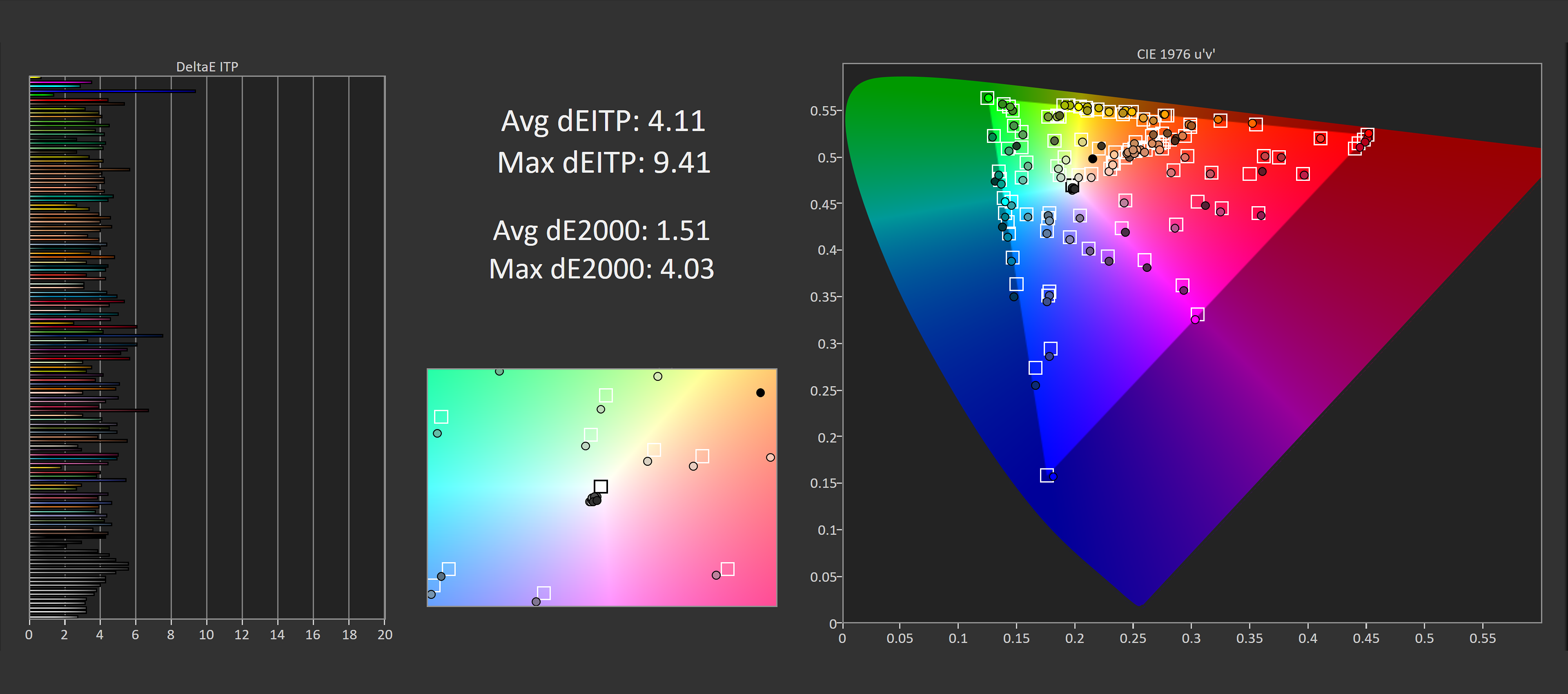
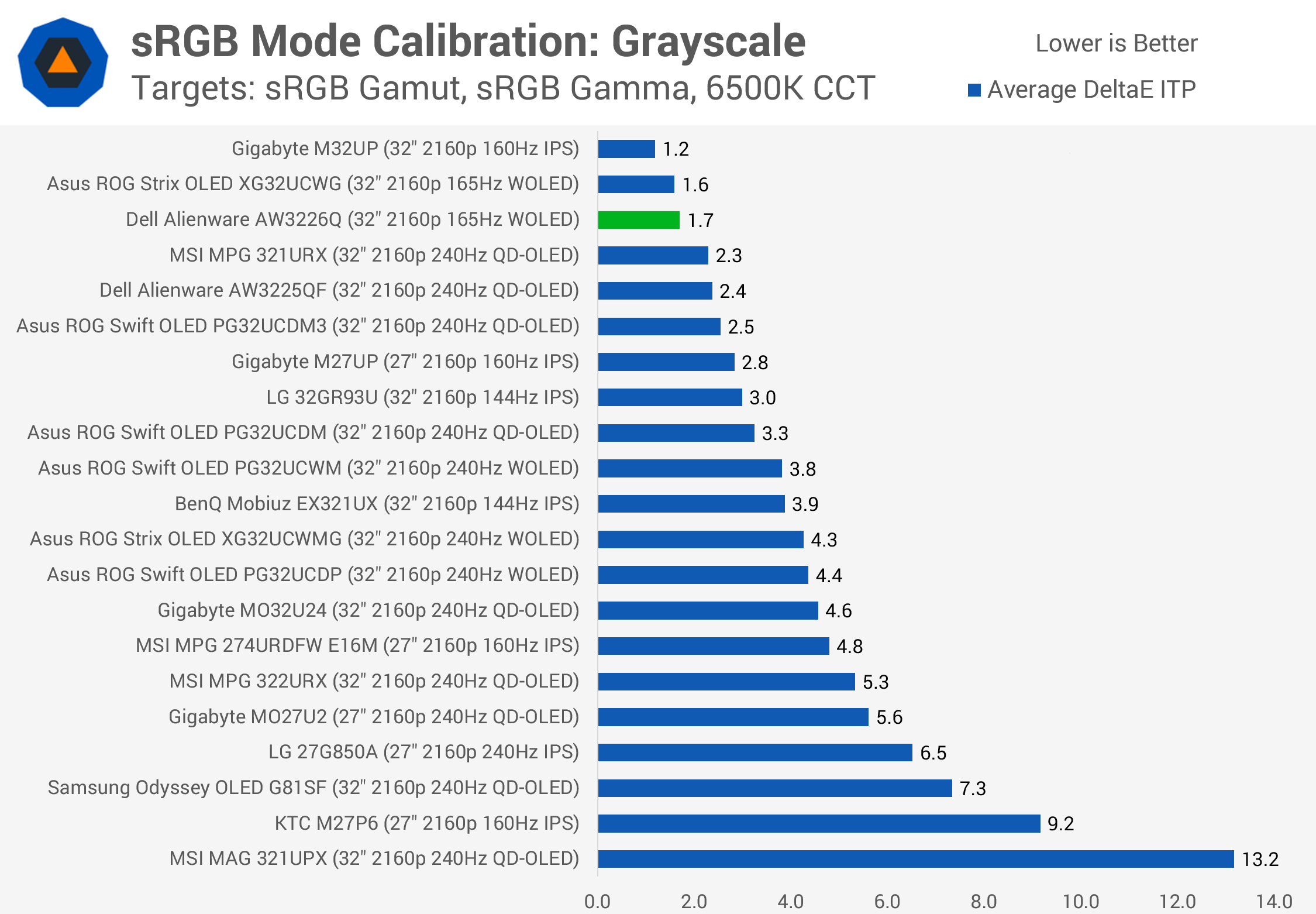
Despite those restrictions, the sRGB mode is outstanding. Grayscale calibration is nearly perfect across the board, while saturation performance is excellent, with fantastic adherence to the Rec. 709 color space.
sRGB Mode Color Performance
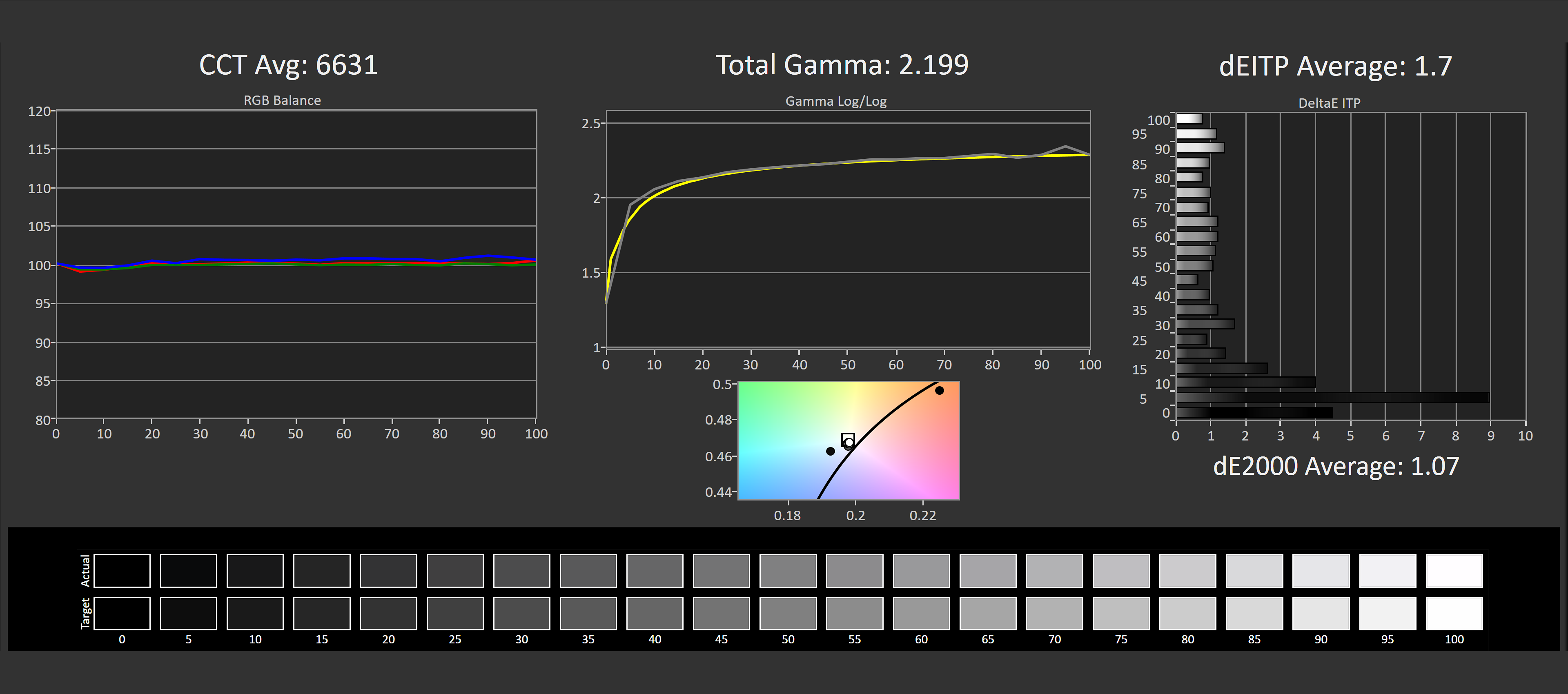
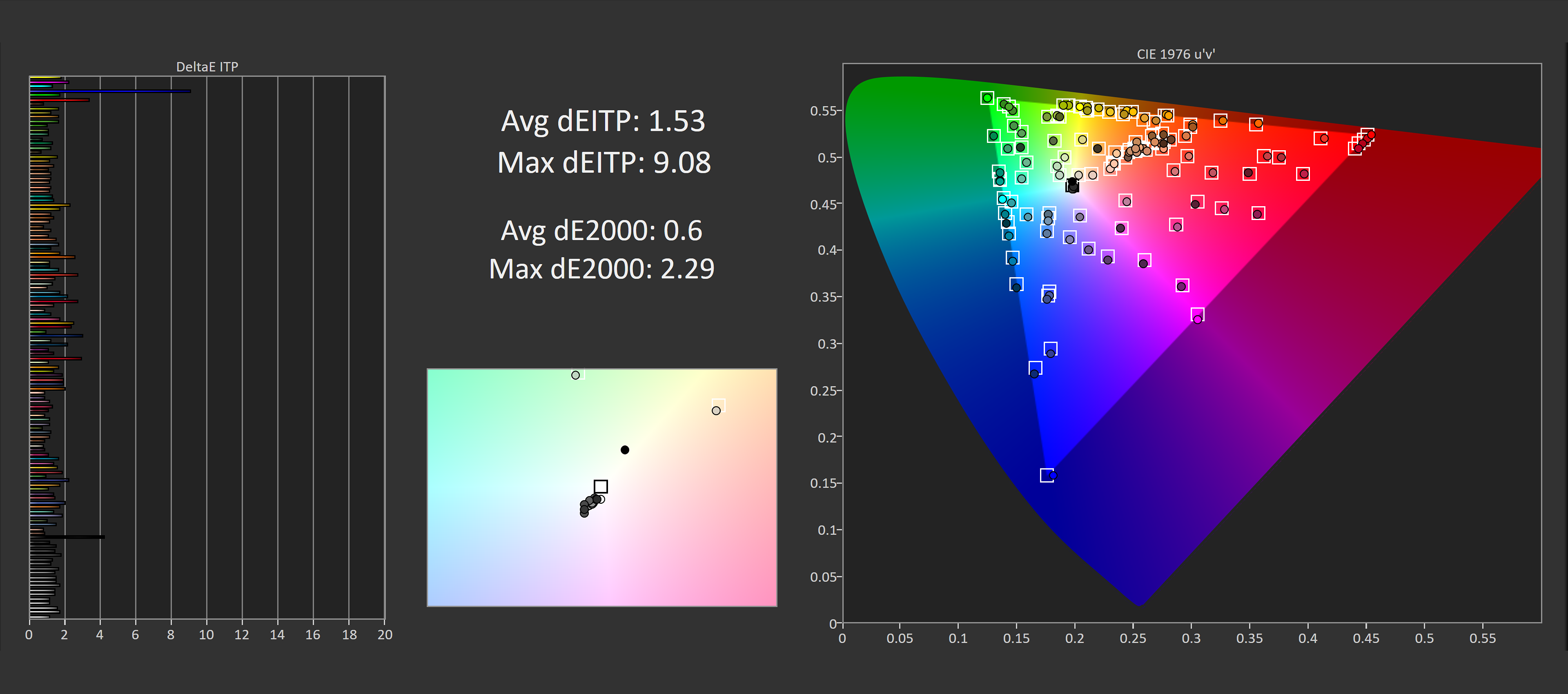
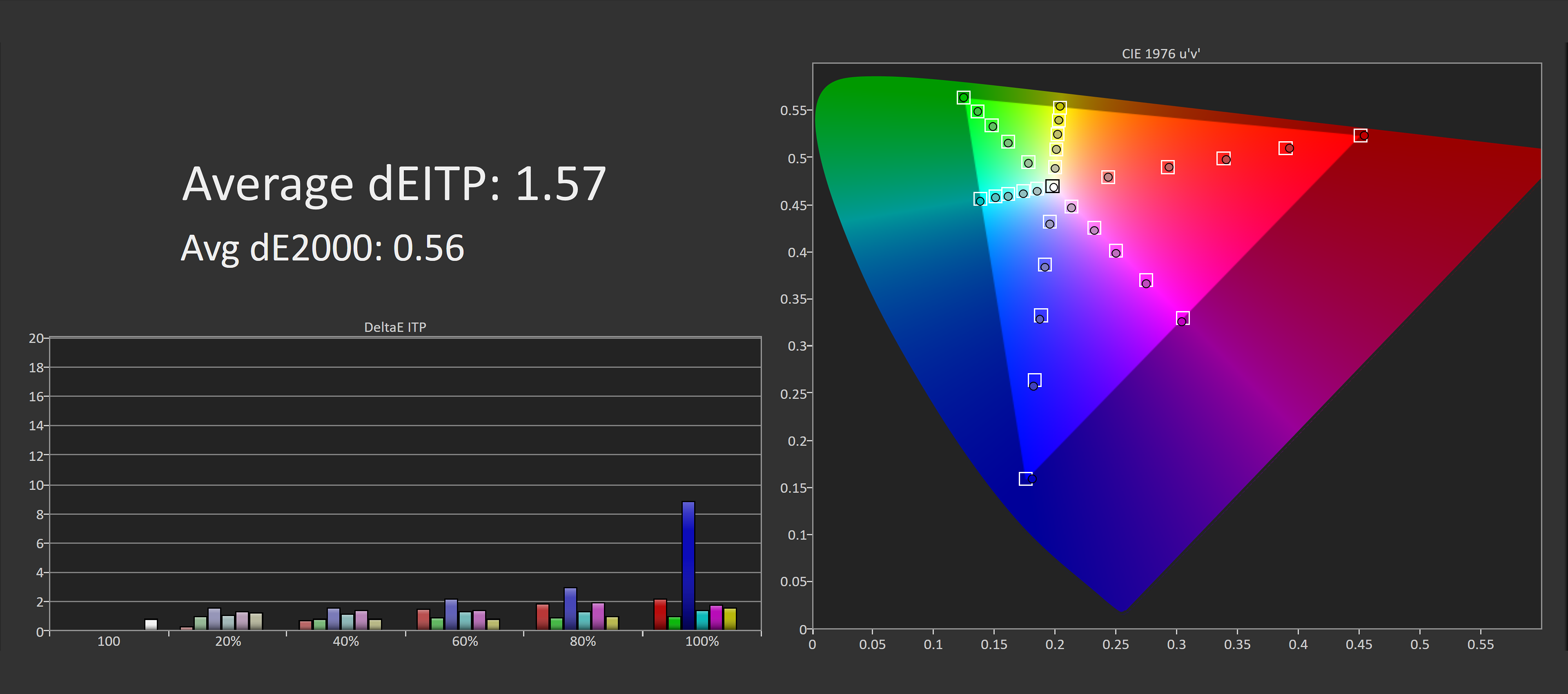
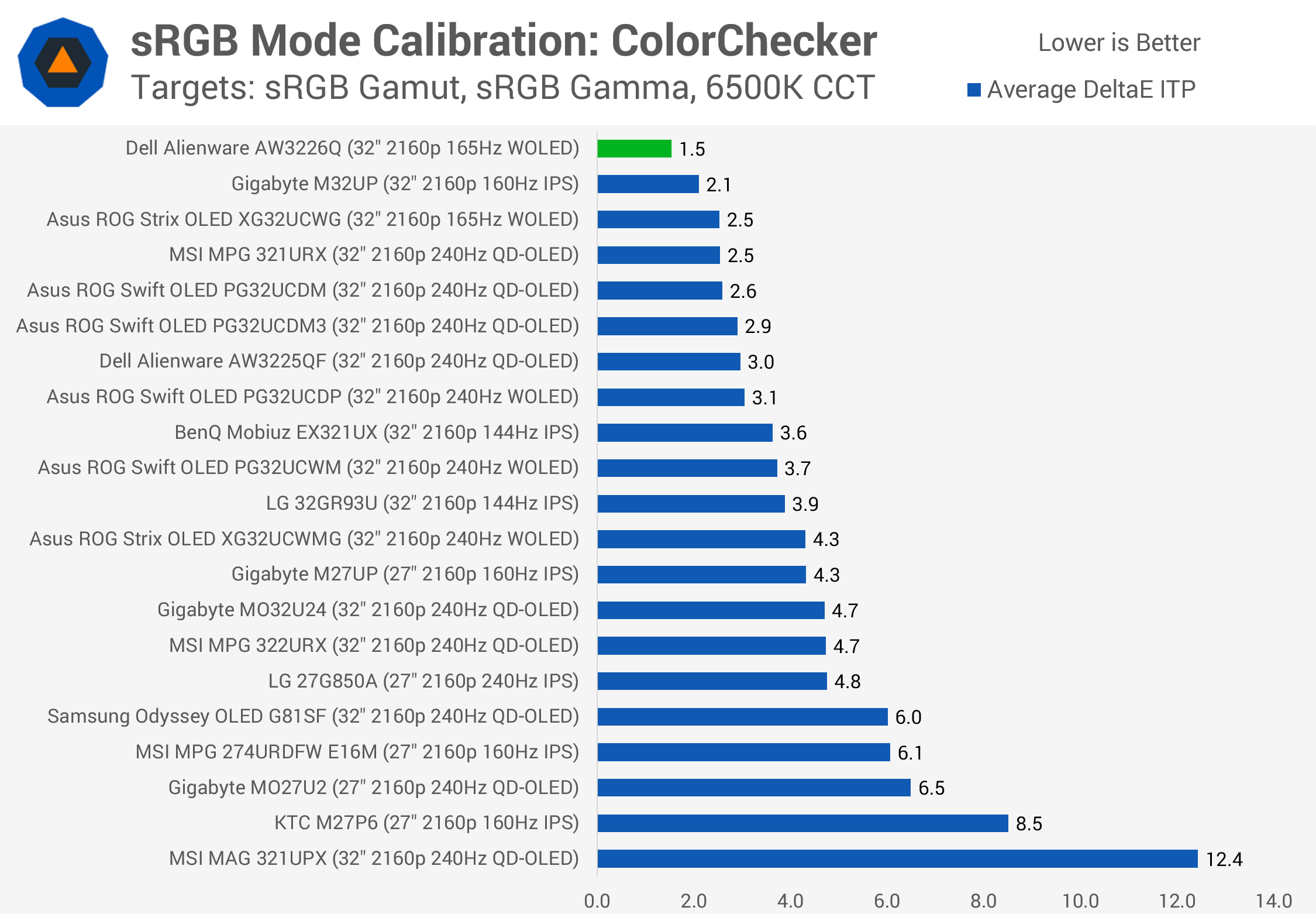
A ColorChecker Delta E ITP average of just 1.53 is the sort of performance we typically see after a full manual calibration, making additional calibration unnecessary for most users.
Compared to other monitors we've tested, the AW3226Q ranks among the very best for sRGB accuracy. A handful of models deliver similarly impressive results, but that ColorChecker score is particularly exceptional. Across 202 sRGB modes we've tested over the years, the AW3226Q ranks third overall, with Dell monitors occupying all three top spots.
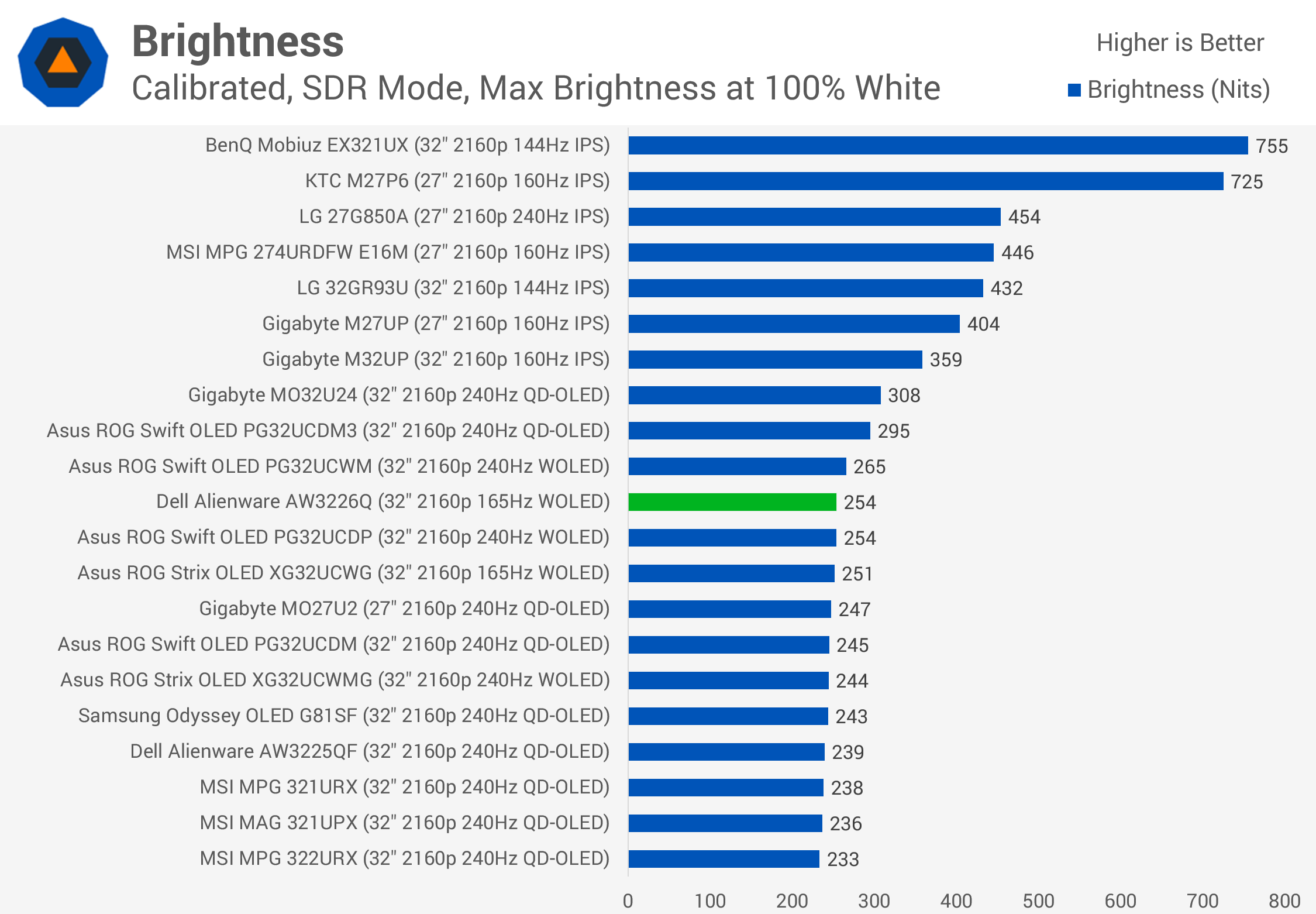
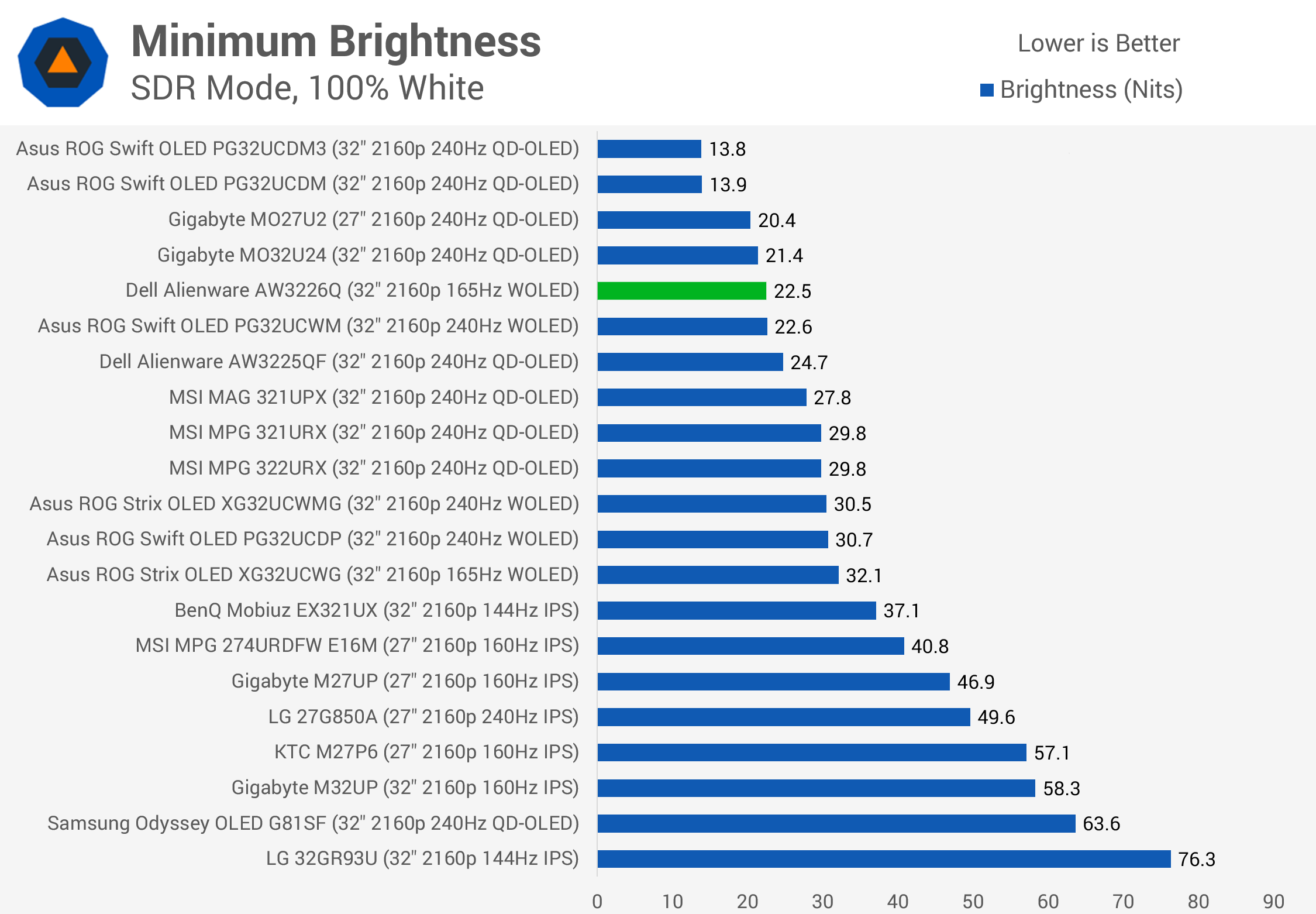
SDR brightness is largely as expected given the full-screen HDR results. The AW3226Q reaches 254 nits with a full-screen white image, putting it on par with 2024-generation QD-OLED panels. Most OLEDs fall within this range, with only the latest models, such as 2026 QD-OLEDs, pushing into the 300-nit territory. We still consider 250 nits sufficient for most users. Minimum brightness is also very good, and Dell uses a uniform brightness configuration in SDR mode.
Uniformity
Uniformity is an interesting aspect of the AW3226Q. Thanks to the new RGB stripe Tandem WOLED design, gray uniformity has improved significantly compared to previous WOLED panels, something further helped by the lower 165Hz refresh rate.
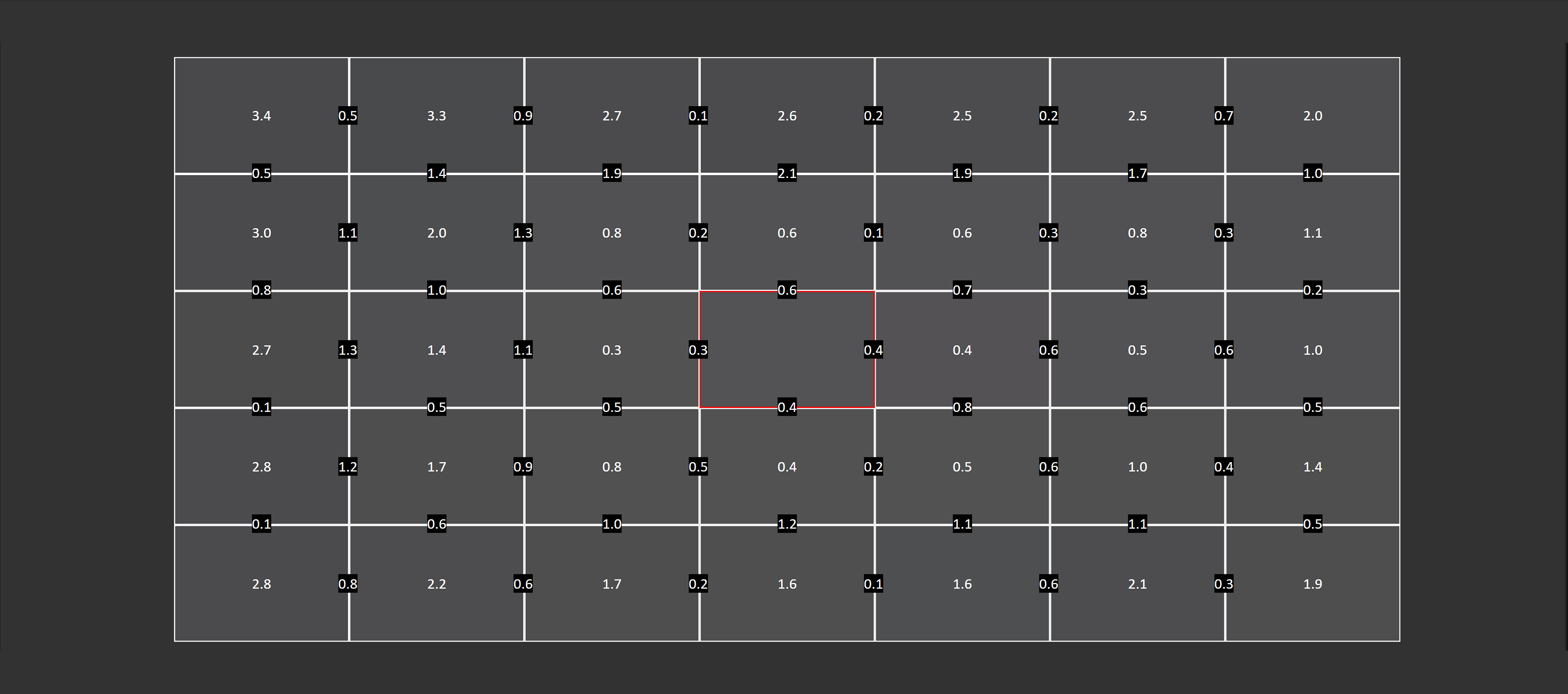
There's minimal dirty screen effect when viewing dark grays and virtually no dark gray banding. This makes the AW3226Q a better option for productivity work, particularly in applications with gray backgrounds, than previous WOLED displays.
However, the panel isn't without uniformity issues. In its settled state, the edges are dimmer than the center, creating a mild vignette effect that we don't typically see on QD-OLEDs or even other WOLED panels. This is reflected in the higher Delta E measurements around the edges. The PG32UCWM exhibited similar behavior to some degree, although it's more noticeable on our Alienware unit. By comparison, QD-OLED panels typically deliver better edge-to-edge uniformity.
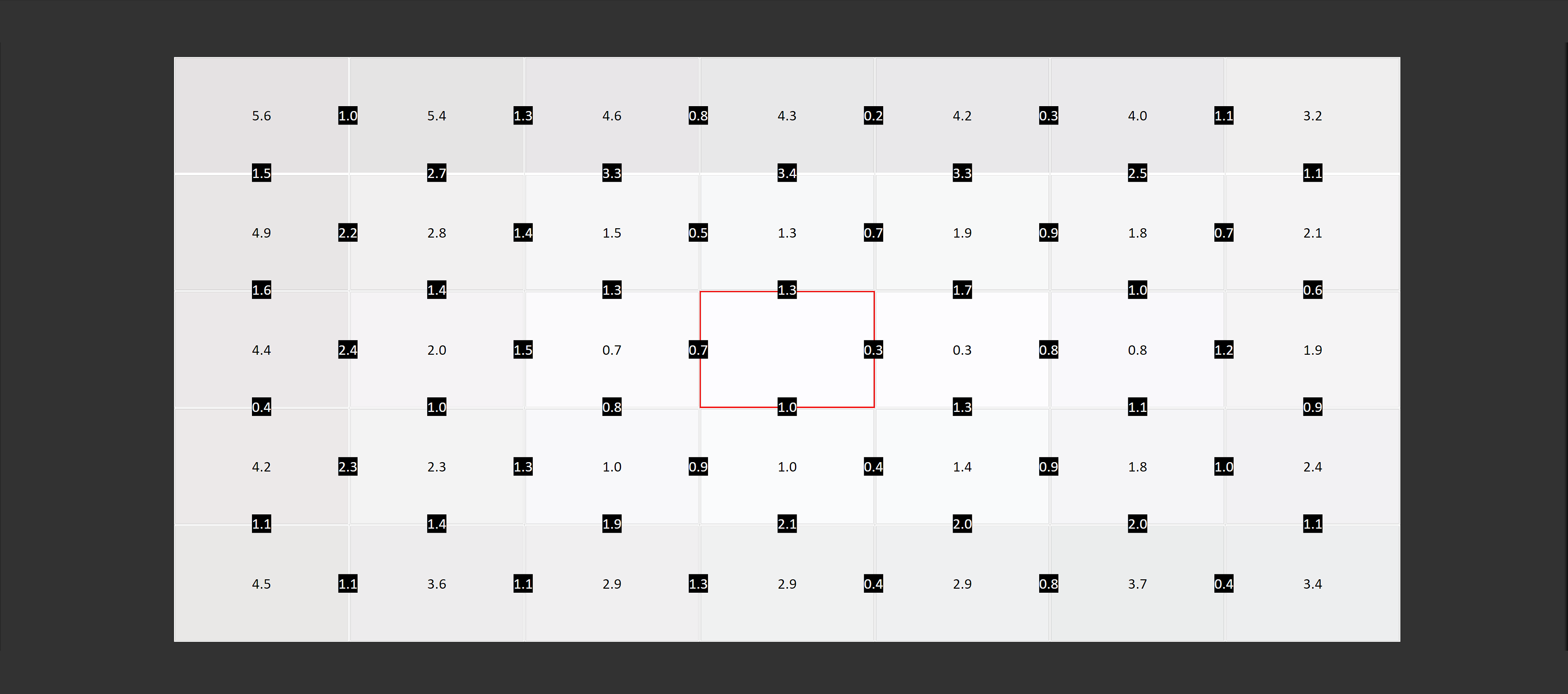
This issue is further exacerbated by dynamic edge dimming through a system called CPC, or Convex Power Control. CPC dims the edges of the screen during dynamic content, including gaming, making the vignette effect more pronounced than our static uniformity measurements suggest. The effect can be difficult to spot while gaming, as the constantly changing imagery tends to hide uniformity problems. We also didn't notice any saturation issues around the edges of this display.
CPC is an OLED care feature designed to reduce the risk of burn-in, but unfortunately, Dell provides no option to disable it. In fact, the AW3226Q offers no user control over its OLED care settings. On several competing monitors from brands like Asus and MSI, users can adjust these features, including disabling edge dimming to restore better panel uniformity. With the Alienware, you're stuck with Dell's default configuration.
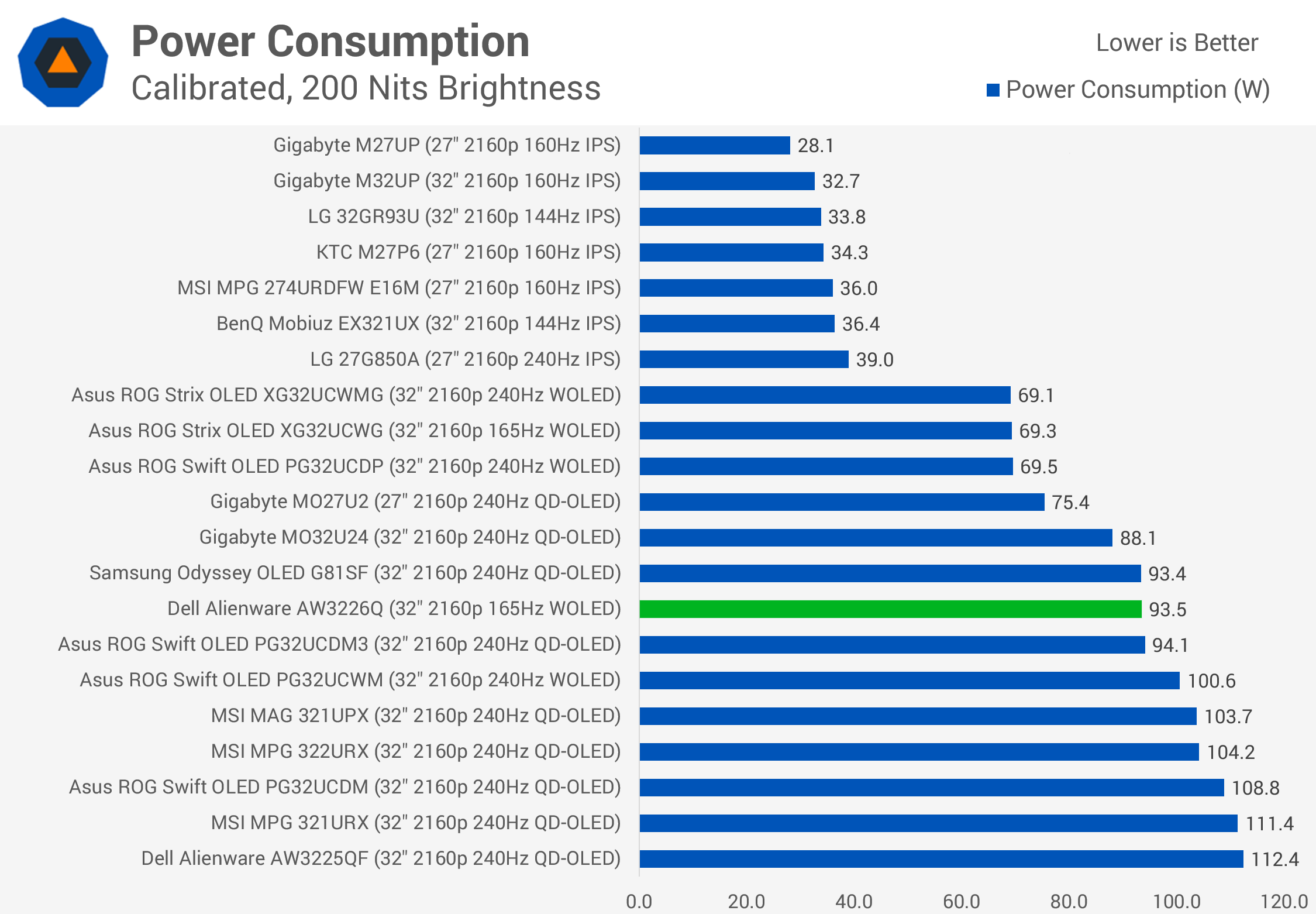
Finally, full-screen white power consumption came in at 94 watts, similar to QD-OLED alternatives and 6 watts lower than the PG32UCWM. However, removing the white subpixel makes the AW3226Q less efficient than the previous-generation RGWB WOLED panel used in the XG32UCWG. Gaming power consumption is considerably lower, averaging a very manageable 42 watts in our test.
Ports, Features and Design
The AW3226Q comes with a standard selection of ports, including one DisplayPort 1.4 with DSC, two HDMI 2.1 ports supporting the full 48 Gbps bandwidth with DSC, and a three-port USB 5 Gbps hub.
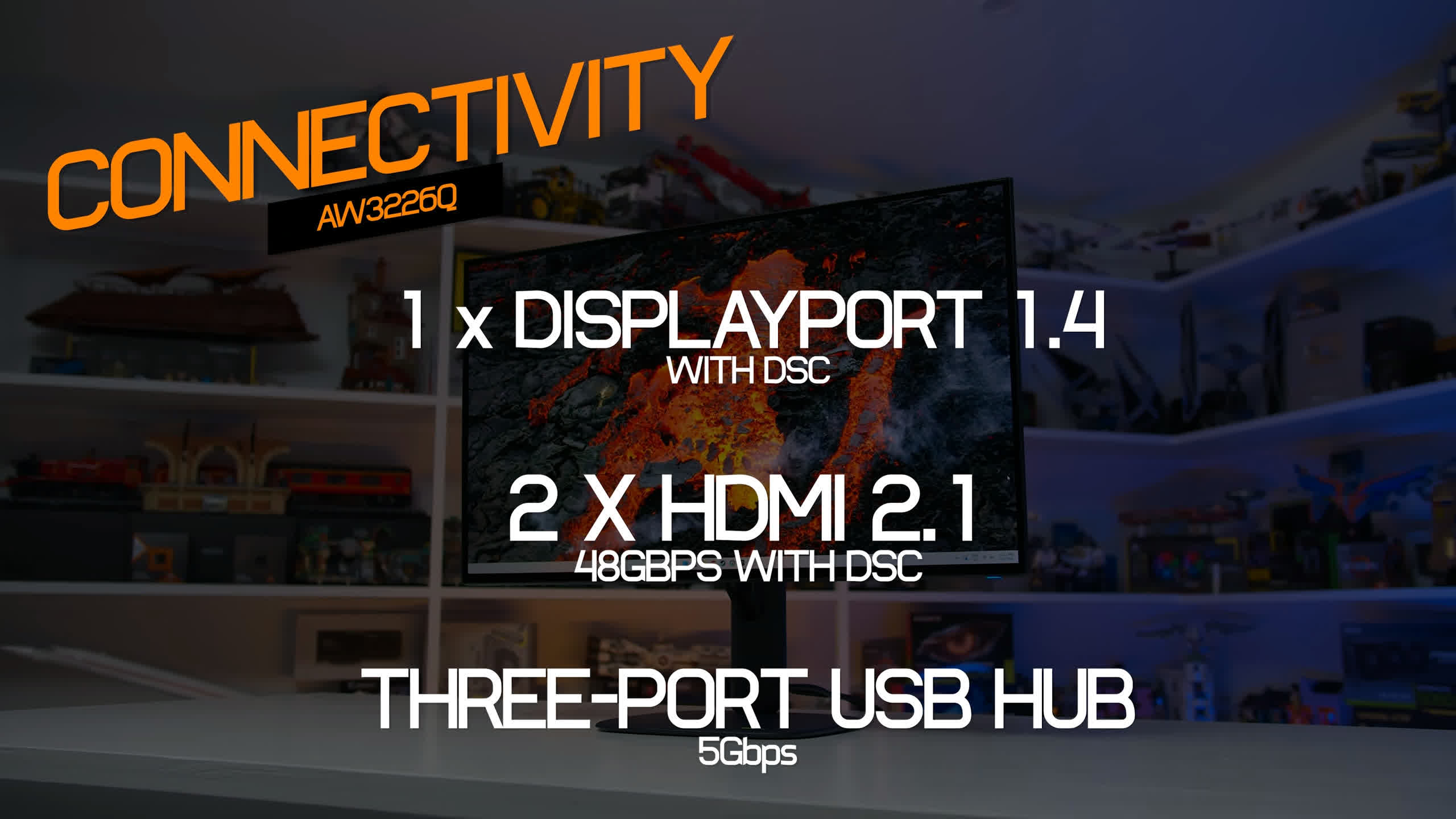
The USB hub is quite convenient, with one Type-A port on the back, another Type-A on the bottom edge, and a USB-C port alongside it. The USB-C connection supports data and 15W power delivery, but not DisplayPort Alt Mode.
All display inputs support the full 4K 165Hz at 10-bit through DSC. One of the HDMI ports also supports eARC, which could be useful in certain setups. There's a 3.5mm audio jack, but no built-in speakers.
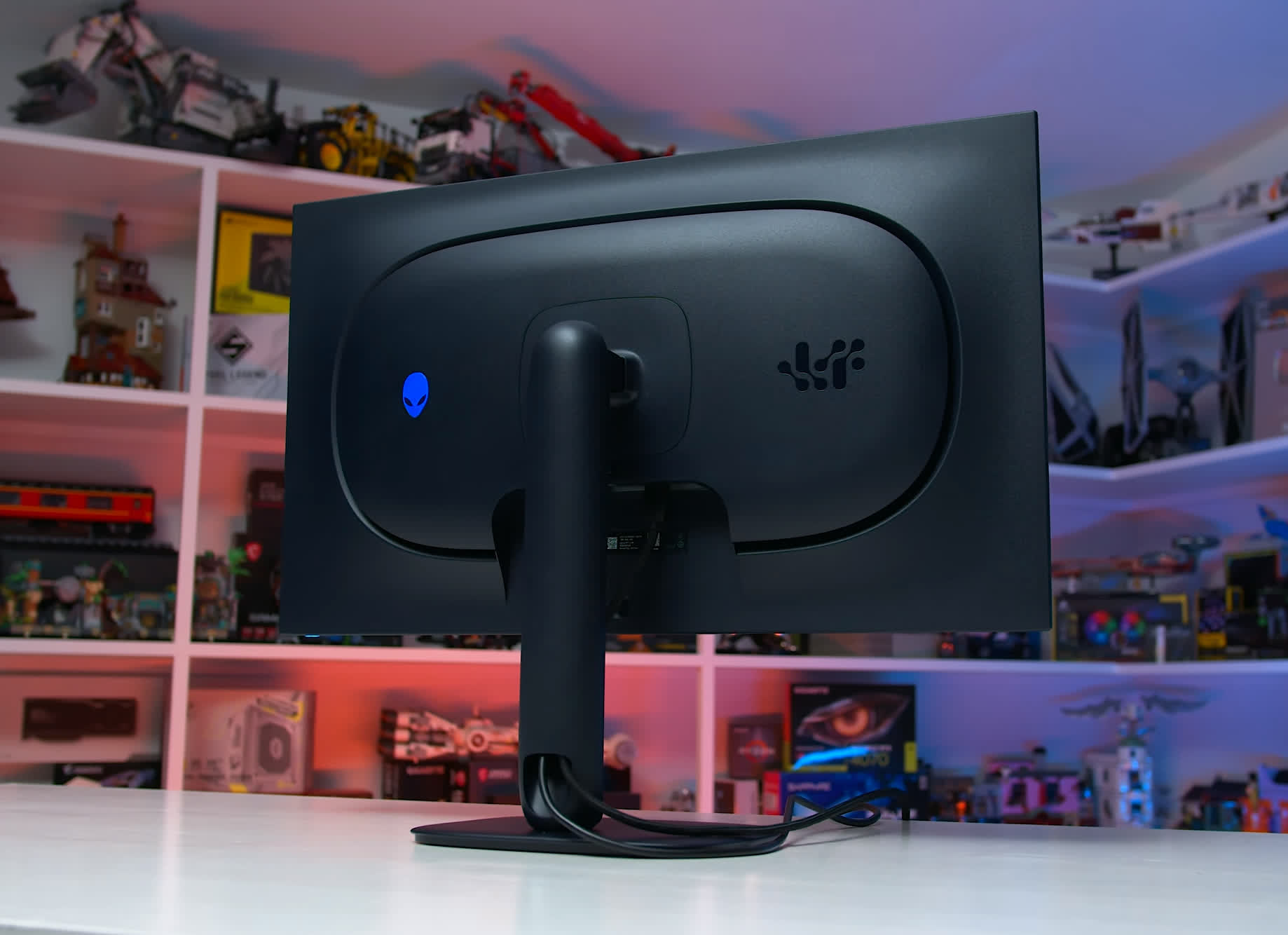
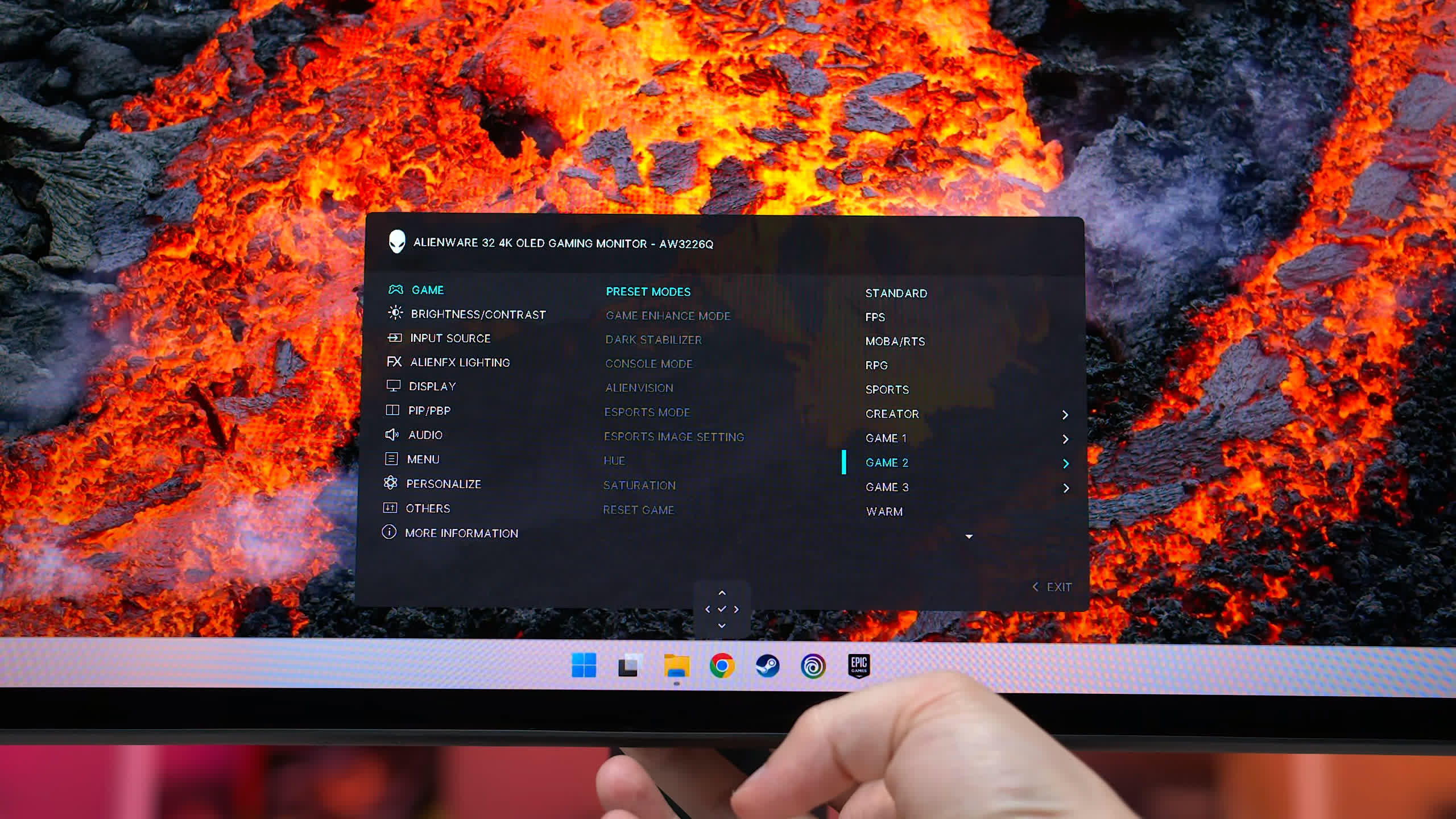
Dell has included several features in the OSD, controlled through a directional toggle on the rear of the display. These include multiple picture presets and color controls, a dark stabilizer, picture-in-picture mode, and RGB lighting controls. Most gaming-specific features are grouped under AlienVision, which allows you to display crosshairs and apply color filters to selected areas of the screen.
Unfortunately, Dell offers virtually no control over its OLED care features. Dell has implemented the usual protections, including pixel shifting and automatic dimming in certain situations, but these features are always enabled and cannot be adjusted or disabled. On the positive side, Dell continues to offer a three-year warranty covering burn-in.
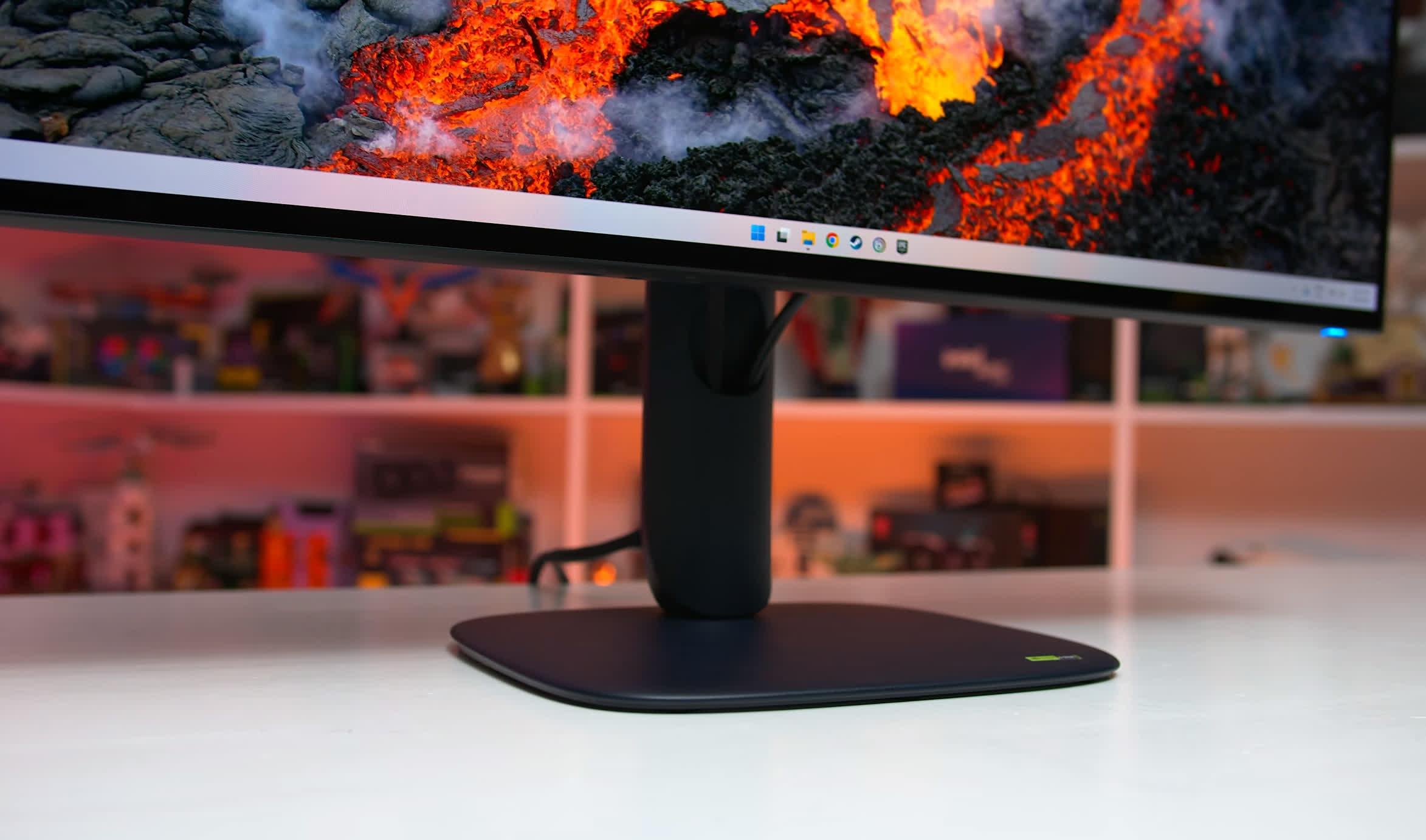
As for the design, the AW3226Q follows Alienware's recent aesthetic, although this model has a darker, almost black finish rather than the dark blue used on earlier versions. It's a relatively minimalist design that isn't overly "gamery," and I think it looks great. Build quality and surface finishes are also good, despite most of the exterior being plastic.
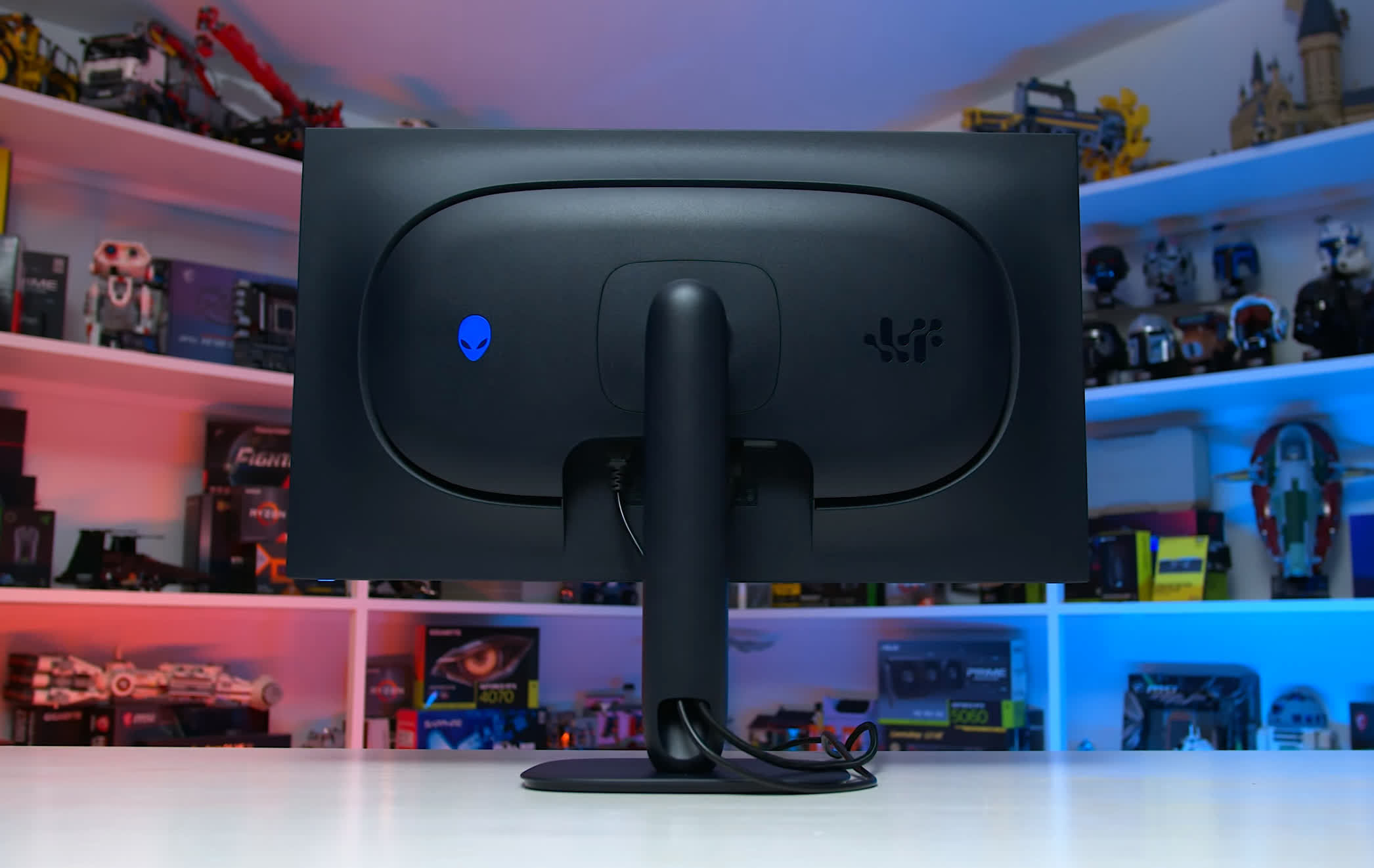
The Alienware logo on the rear features some RGB lighting, although it's fairly subtle on this model. Ergonomics are good, with height, tilt, and swivel adjustments, along with a compact, squarish base that doesn't occupy much desk space and still allows you to place items on top of it.
The front looks excellent, with uniform bezels and that attractive glossy finish. I also love that Dell has abandoned the curve here. The AW3226Q uses a standard flat panel, unlike the original 32-inch QD-OLED AW3225QF, which featured a curved display.
A Great OLED Faces Tough Competition
Overall, the Dell Alienware AW3226Q is a bit of a mixed bag. There are certainly aspects of this monitor that I really like, but whether we'd recommend buying it depends on a few factors. The 32-inch 4K OLED market is extremely competitive, especially on pricing, making it difficult for the AW3226Q to stand out even at its $700 MSRP.
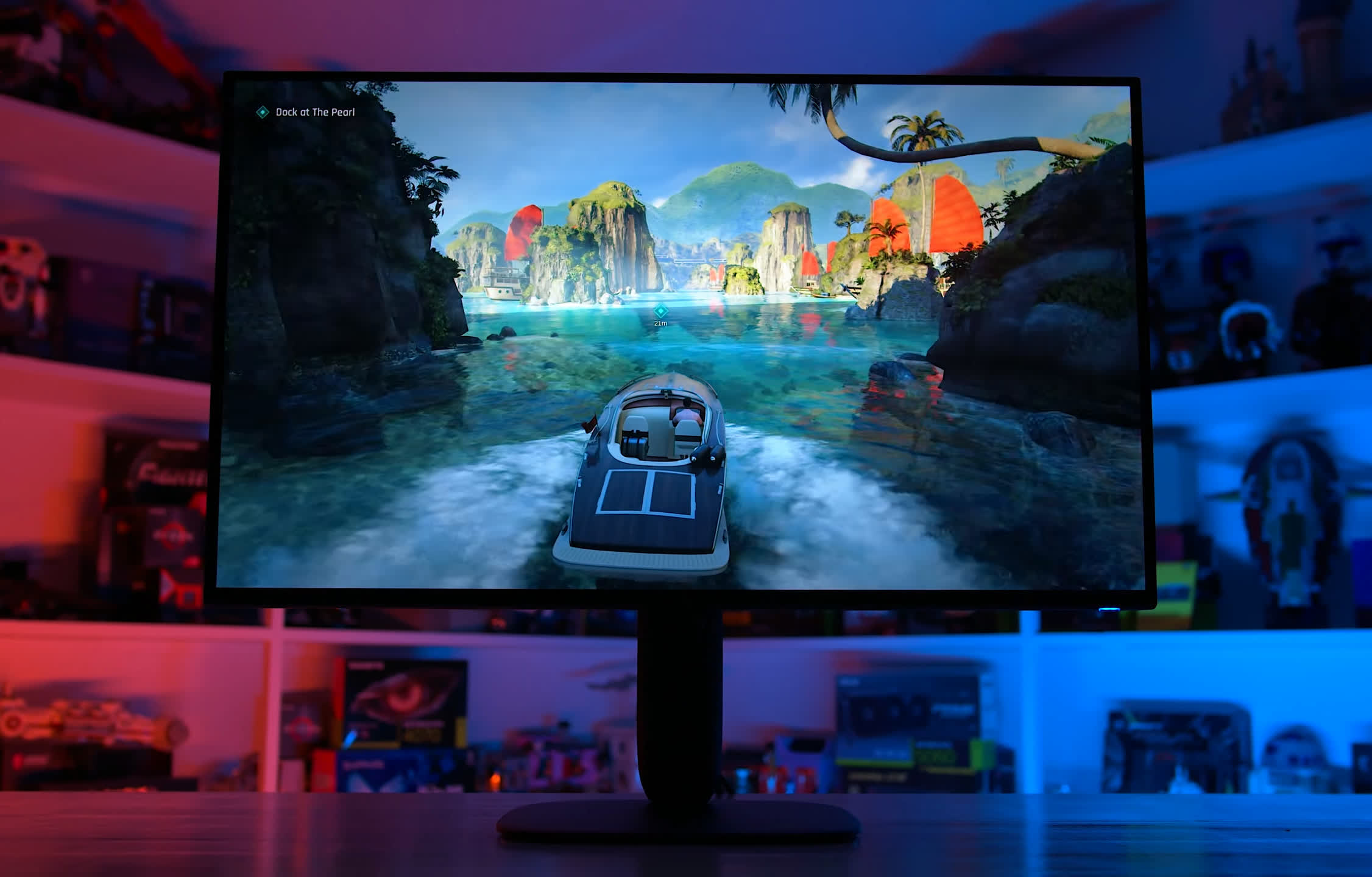
Let's start with the good stuff. This monitor gives you a brand-new RGB stripe WOLED panel with an excellent glossy finish for half the price of the Asus PG32UCWM we recently reviewed. The main sacrifice is refresh rate, dropping from 240Hz to 165Hz, along with the removal of dual mode support. Otherwise, performance is very similar, making Dell's offering a much more affordable way to access this panel technology.
And there are good reasons to go for an RGB stripe WOLED. Performance is quite similar to QD-OLED, including excellent color brightness and good gray uniformity, but it also addresses some of QD-OLED's weaknesses.
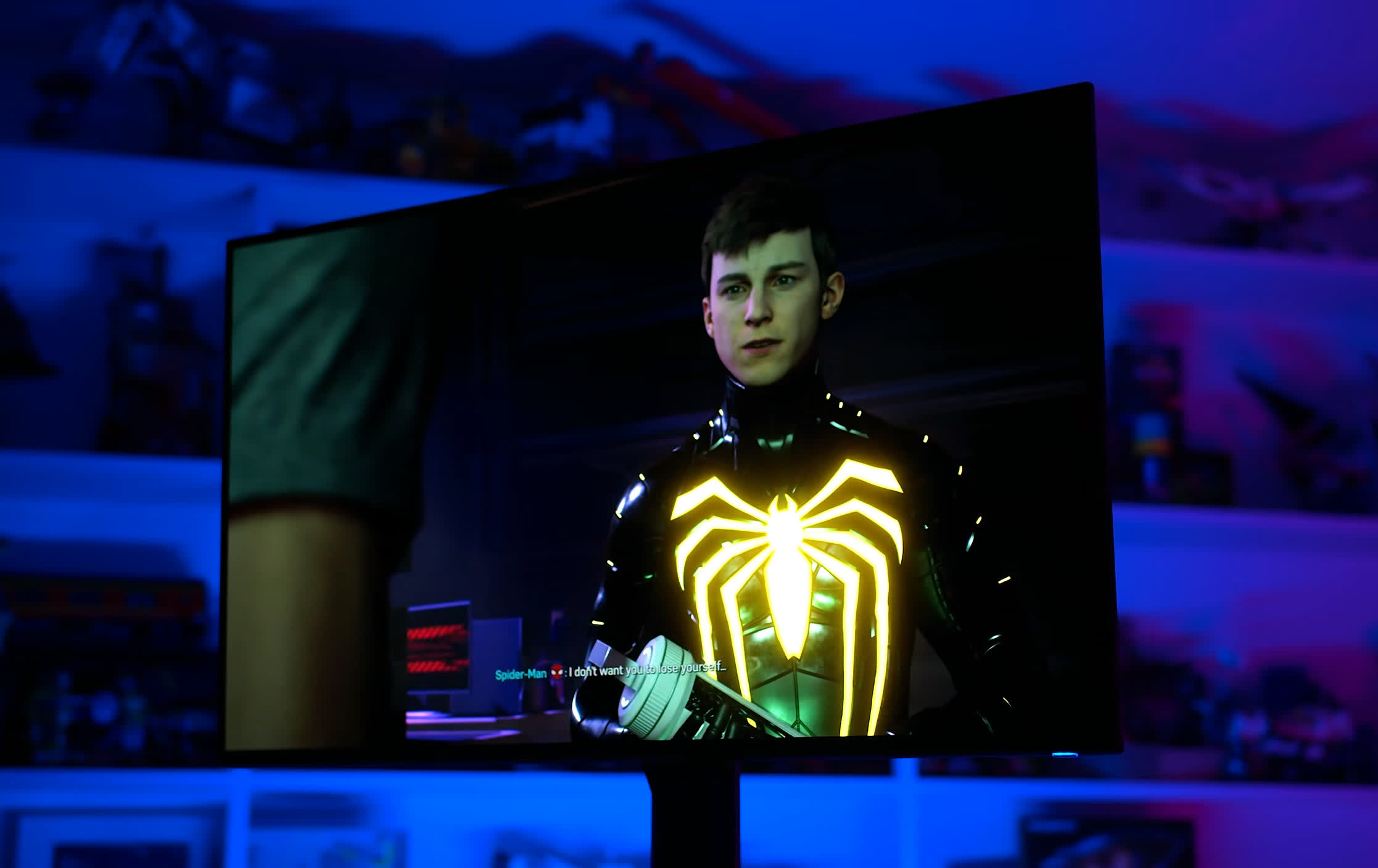
While color fringing isn't a major issue on 32-inch 4K QD-OLEDs, the RGB stripe layout eliminates it thanks to a subpixel arrangement better suited to text rendering. The glossy coating is another significant advantage, delivering deeper blacks across more lighting conditions without the reddish-purple tint associated with QD-OLED.
Dell has also done an excellent job in a few areas. The sRGB mode is outstanding, with near-perfect SDR calibration. We also appreciate having all three main HDR configurations available. Dolby Vision and HDMI eARC are welcome additions that aren't available on every competitor.
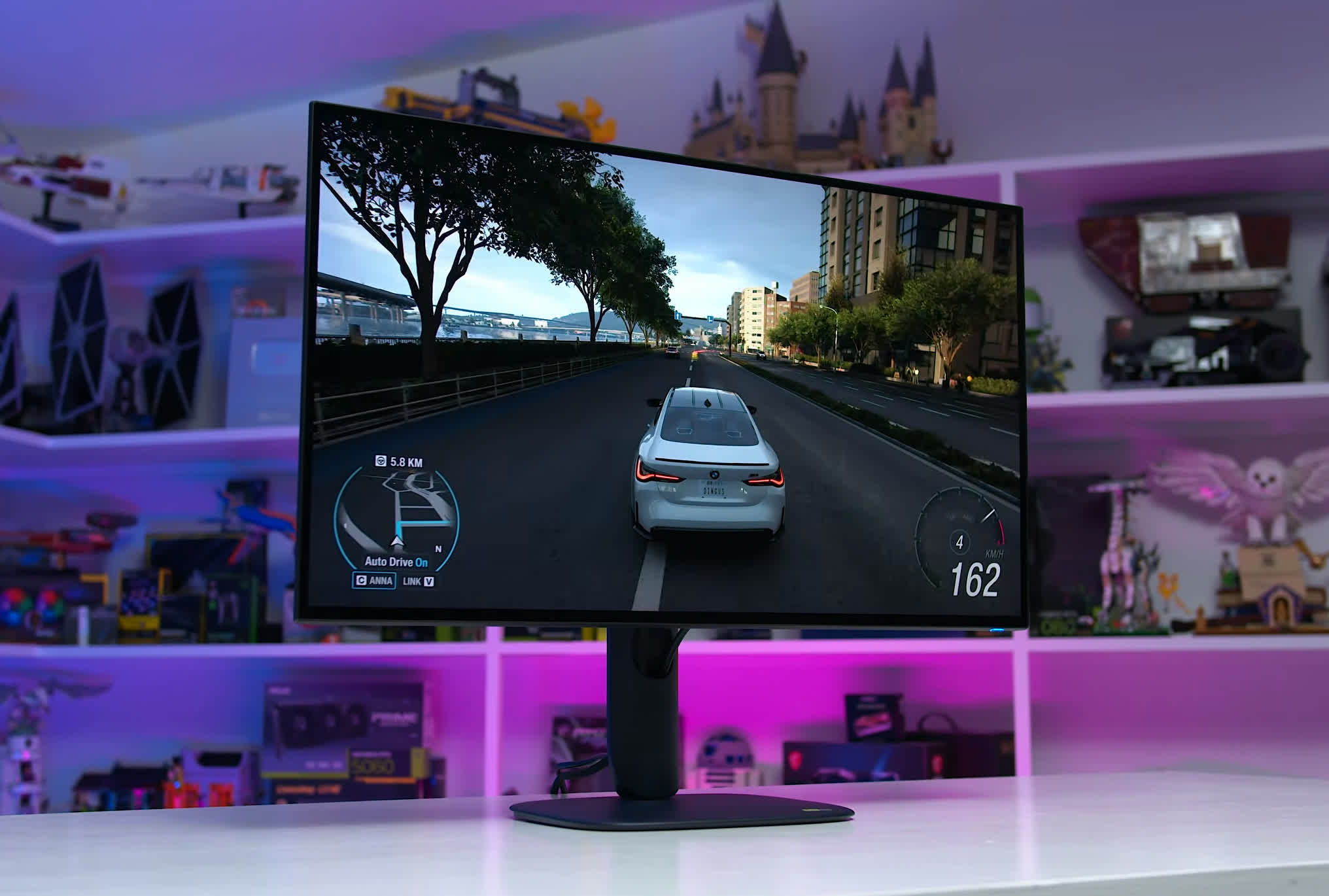
As for downsides, HDR brightness in particular is somewhat disappointing. Panel dimming in bright HDR scenes used to be something you could avoid by choosing WOLED over QD-OLED, but the new RGB stripe WOLED panels exhibit similar behavior.
Between panel dimming and the limitations of this new RGB stripe design, the AW3226Q is actually less bright in HDR scenes than first-generation 32-inch 4K QD-OLED panels released more than two years ago.
So, should you buy the AW3226Q?
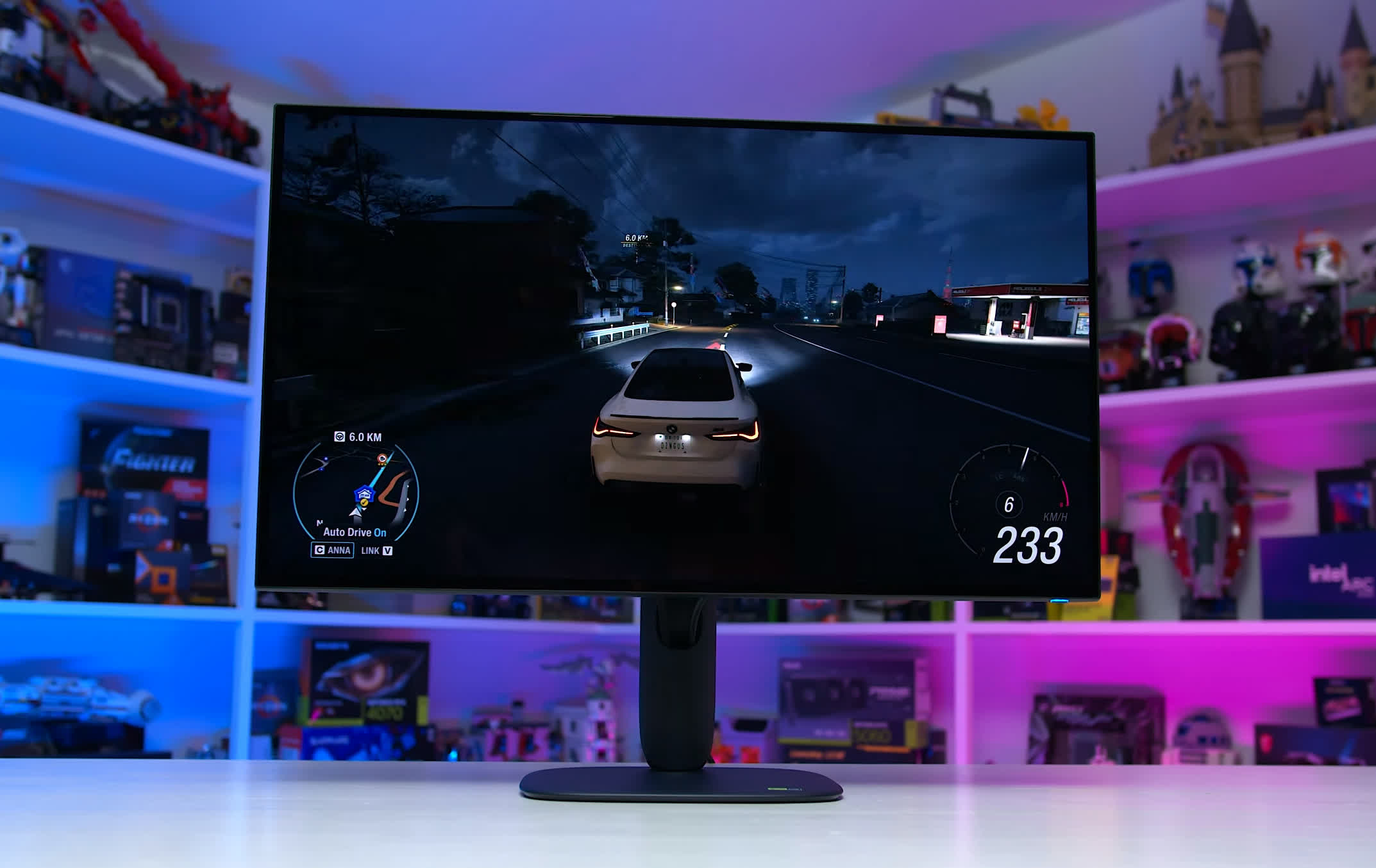
The first comparison worth making is against similarly priced 165Hz QD-OLED monitors using the original 2024 panel design. Models like the Asus XG32UCDS can typically be found for around $700, exactly the same price as the Alienware. So at price parity, the Alienware AW3226Q is the better buy. Panel performance is similar except for slightly lower HDR brightness. However, the Tandem WOLED panel has superior screen coating, which avoids the raised black issue, and its RGB stripe layout, which is better suited to text rendering.
What holds us back from giving the AW3226Q a broader recommendation is that 4K 240Hz OLED monitors aren't much more expensive, and sometimes cost exactly the same. In recent weeks, 32-inch 4K 240Hz QD-OLEDs have regularly been available for around $750, with recent sales bringing models like the MSI 321UPX down to $700.
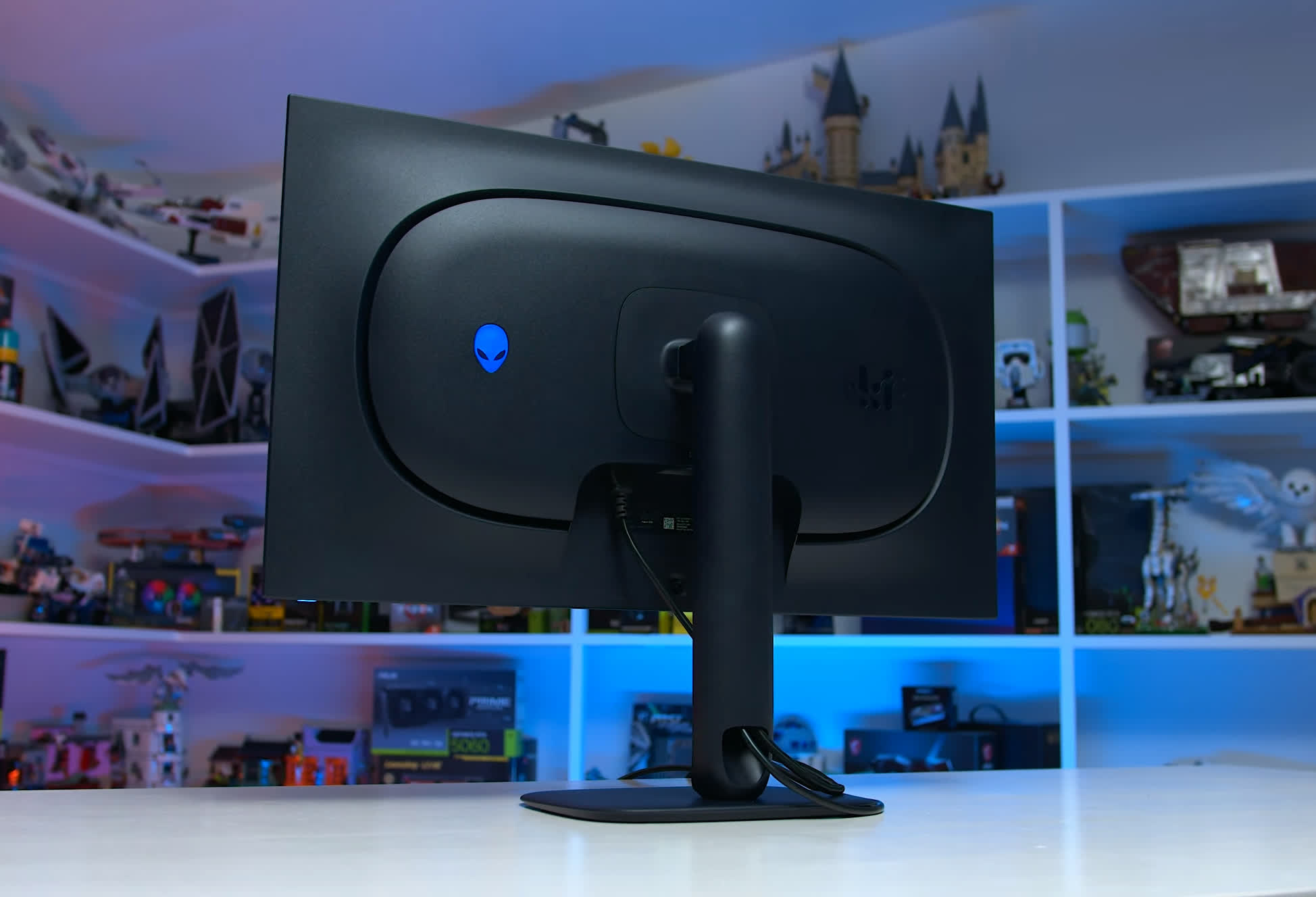
That puts the AW3226Q in a more difficult position. For the same $700, or perhaps a $50 premium, you can get a 240Hz QD-OLED with broadly similar panel performance. Instead of comparing two OLED technologies at the same price and refresh rate, you're now weighing the advantages of RGB stripe WOLED against a substantially higher refresh rate. Do you prioritize the better motion clarity, responsiveness, and headroom of a 240Hz monitor, or the superior screen coating and text clarity of the AW3226Q?
It's a tough choice. If you really dislike the raised blacks and reddish-purple tint of QD-OLED, this Tandem WOLED is a better fit. But for most gamers, we would pick the 240Hz option.
Of course, pricing varies by region and it's also worth noting that we're comparing discounted prices for QD-OLED monitors that have been on the market for months against the launch MSRP of a brand-new product. Dell could easily make the AW3226Q a more compelling option with a price adjustment. At $700, it's a good monitor facing some very strong competition. At a lower price, it could become a much easier recommendation.