
You are using an out of date browser. It may not display this or other websites correctly.
You should upgrade or use an alternative browser.
You should upgrade or use an alternative browser.
Need help with W7
- Thread starter learninmypc
- Start date

Rabbit01
Posts: 786 +58
Yes, W7 64 bit.Ok, will give it a shot.
Ok, it said nothing about a reboot, but I'm asking anyhow, is it necessary to reboot?
Don't have to.
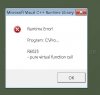
My patience is expiring with this. I just got this
View attachment 74996
Can you get by w/ using GE in a browser? Or do you need the full functionality of the program? In post #69, you said the plug-in is up-to-date.
learninmypc
Posts: 9,861 +753
I've been using https://maps.google.com/ but would like the program because of the Layers.
I was going to post the individual tabs in Google Earth so you could see the settings if you think that might help.
I'll continue using google in the browser in hopes time will heal this headache.
I was going to post the individual tabs in Google Earth so you could see the settings if you think that might help.
I'll continue using google in the browser in hopes time will heal this headache.
D
DelJo63
D
DelJo63
My my - - lot's of issues (imo) due to the moving target. First X, then Y, google earth then maps.google.com
Certainly you know Google Earth has nothing to do with Maps and they are not an alternative one for the other.
With all your issues, it's starting to beg the question, "Is your system current with Windows Updates?"
Certainly you know Google Earth has nothing to do with Maps and they are not an alternative one for the other.
With all your issues, it's starting to beg the question, "Is your system current with Windows Updates?"
learninmypc
Posts: 9,861 +753
Yes, according to WU,it is curent. I'm just curious why it worked fine from the 23rd till the start of this tread
Ithink I'm goin to forget about it & be stuck wit sing itin e browser. Tanks jobeard.
I did do the link inpost 129 & ot this

I'm not going to proceed any furher. I'm tired & you've been more than patient. Thank you.
Ithink I'm goin to forget about it & be stuck wit sing itin e browser. Tanks jobeard.
I did do the link inpost 129 & ot this
I'm not going to proceed any furher. I'm tired & you've been more than patient. Thank you.
learninmypc
Posts: 9,861 +753
jobeard & cliffordcooley & Rabbit01 & the other helpers, Problem solved. I totally removed the most current version & installed an older version a few days ago & it has been working.
For obvious reasons I hesitated posting this fearing the repeat syndrome. I know its not cool to install/use older versions, but I don't think this will matter, hopefully. Thank you all for your patience.
For obvious reasons I hesitated posting this fearing the repeat syndrome. I know its not cool to install/use older versions, but I don't think this will matter, hopefully. Thank you all for your patience.
learninmypc
Posts: 9,861 +753
Stickman, there are 3 different links http://www.microsoft.com/en-us/download/details.aspx?id=30679
http://www.microsoft.com/en-us/download/details.aspx?id=5555
& http://support.microsoft.com/kb/2019667
http://www.microsoft.com/en-us/download/details.aspx?id=5555
& http://support.microsoft.com/kb/2019667

cliffordcooley
Posts: 13,141 +6,442
It appears that the first link is an update, and the second link is the whole package. Where as the third link is a listing page for more than the first two links. I would say that since you have a message stating, you currently have a version installed then the update should be all you need. The whole package would be for those who don't currently have a version installed.
Rabbit01
Posts: 786 +58
By the way, your pic above says this: in order to install the software, you need the C++ redist that is newer than the currently installed.
You can get the update via the windows update, or manually - search for 'C++ redist' in Google and install the MS one.
Not sure if he needs the update. The way I read it is that a newer version has been detected on the computer, so the installation cannot proceed.
cliffordcooley
Posts: 13,141 +6,442
Thats actually the way I read it too but it confused me, a newer version should be backward compatible for older dependent apps. What version would need to be installed, if there is an error while running apps that are VC++ dependent?Not sure if he needs the update. The way I read it is that a newer version has been detected on the computer, so the installation cannot proceed.

St1ckM4n
Posts: 2,887 +628

LookinAround
Posts: 6,429 +188
Yes, one would think so but that doesn't seem to be case for VC++ redistributables.Thats actually the way I read it too but it confused me, a newer version should be backward compatible for older dependent apps. What version would need to be installed, if there is an error while running apps that are VC++ dependent?
Not speaking with 100% certainty, but based on what I've seen while troubleshooting in the past: A windows app that's built on a VC++ library, needs that same library version installed in order for the app to run. The tricky part is that there are many different "versions" of "assemblies" of the C++ libraries in both 32-bit and 64-bit architecture "flavors". So the trick is tracking down the right flavor of the right assembly and version of the C++ library you need for an app.
I think most apps tend to install the C++ library they need. If you look under your installed programs you may find a few or quite many different C++ libraries installed. (These are also referred to as "Windows Side-by-side" since all these different versions reside on the machine and Windows dynamicaly selects which library version it needs for an app)
/* EDIT */
p.s. Windows Side by Side (Win SxS) was Microsoft's solution/approach for what once referred to as "dll hell".
cliffordcooley
Posts: 13,141 +6,442
Off-topic but:Windows Side by Side (Win SxS) was Microsoft's solution/approach for what once referred to as "dll hell".
Unfortunately that approach more than doubled the space requirement for a Windows install. Not to mention all the DLL duplications (or should I just say multiple versions of the same DLL) that are never needed by the end user.
Rabbit01
Posts: 786 +58
Just ran the VC++ 2010 SP1 redistributable and updated mine from 10.0.30319 to 10.0.40219. I then re-ran the program to see whether the error msg in post #131 would come up. It didn't. Instead I got this, I got the same message when I ran the VC++ 2010 redist. I then exited the install.Not sure what would cause that error msg to come up. Maybe failed/incomplete install in the past?

learninmypc
Posts: 9,861 +753
learninmypc
Posts: 9,861 +753
learninmypc
Posts: 9,861 +753
LookinAround
Posts: 6,429 +188
I know its not cool to install/use older versions, but I don't think this will matter, hopefully. Thank you all for your patience.
Au contraire! Sometimes using the previous version is the BEST, and only, solution when that's the one that works! Run with the old version and you might try updating again in a few months (as the problem might be in the current version)
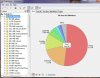
Painfully true! The Winsxs folder on my Win 7 installation is a whopping 8.3GB! (slightly more then half of the Windows folder)Off-topic but:
Unfortunately that approach more than doubled the space requirement for a Windows install. Not to mention all the DLL duplications (or should I just say multiple versions of the same DLL) that are never needed by the end user.
learninmypc
Posts: 9,861 +753
Au contraire! Sometimes using the previous version is the BEST, and only, solution when that's the one that works! Run with the old version and you might try updating again in a few months (as the problem might be in the current version)
Painfully true! The Winsxs folder on my Win 7 installation is a whopping 8.3GB! (slightly more then half of the Windows folder)
Well, I'm not sure if this helped https://www.techspot.com/community/topics/question-regarding-kb2670838.190372/
, but I've been using the latest version of Google Earth for a couple of days now & no errors at all. My fingers are crossed. Thanks everybody.(y)
Similar threads
- Replies
- 7
- Views
- 30

- Replies
- 3
- Views
- 15


-
TechSpot is dedicated to computer enthusiasts and power users.
Ask a question and give support.
Join the community here, it only takes a minute.