also @ TechSpot: Metro: Last Light Performance, Benchmarked

Partitioning a hard drive

Discussion in 'Storage and Networking' started by learninmypc, Mar 7, 2013.

Post New Reply
  1. SNGX1275 TS Special Forces Posts: 11,893   +117

    In re-reading your first post, I'm a little confused. Did you, just recently, install XP to that? If so, you could have killed off the other partitions during the setup for XP real easy. And if you don't have much installed/invested (time wise) into that XP install, that is the way I'd recommend proceeding if you are still uncomfortable with EaseUS or gParted.
  2. learninmypc TechSpot Guru Posts: 3,015   +100

    Perhaps I should just be happy with it as is. It is operating 100% better than when I first got it, but I do appreciate your input & others, thank you.
  3. learninmypc TechSpot Guru Posts: 3,015   +100

    Ok, It started out as A Vista Home Premium. I think this is the original thread
    I ended up putting XP Pro on it but it unfortunately it got put on I Drive which I believe is 11gb's & IE didn't work.
    Then several months down the road, problems again.
    This is another thread on it
    So, I once again decided to try to reinstall XP but this time I managed to get it installed on the C Drive & told the individuals mother she'd be better off letting me have this XP & get her daughter a W7 since XP will be expiring in a bit over a year.
    So, as of this date, it is operating better than ever. So like I told Rabbit01, I think I'll just be content with it as it is.
    I do appreciate everybody's input & help. (y)
  4. learninmypc TechSpot Guru Posts: 3,015   +100

    Lastly, what would happen if I did go thru with the partitioning & I messed up?
  5. Rabbit01 TechSpot Enthusiast Posts: 763   +12

    Follow SNGX1275's suggestion in #21 and reinstall Win XP.
  6. learninmypc TechSpot Guru Posts: 3,015   +100

    Ok, I might try it,but no guarantees. Thank you.:)
     
  7. SNGX1275 TS Special Forces Posts: 11,893   +117

    Unless you delete a partition, or change the flags, you aren't going to screw it up. You'd have to purposely do that. EaseUS and gParted are pretty straight-forward.

    For whatever reason I thought you were trying to resize your C partition. I've kind of re-visited this thread and what I'm getting out of this is you now have XP on C, and you have 2 other partitions that you haven't done anything with, and that you want to get that space to C so you have a lot of space on 1 partition? Is this correct? Apologies if it is not, I probably should read the thread in its entirety.

    BUT, if that is what your end goal is (get 1 big C) then just use EaseUS from within Windows and right click on your I drive from within EaseUS Partition Master and select 'Merge'. Merge that into your D. Apply those actions. Then you should no longer have I, and probably an I directory on your D. Now do the same for D, right click on it, merge, merge it into C. Apply the actions. Problem solved.
  8. learninmypc TechSpot Guru Posts: 3,015   +100

    Correct. XP is on C Drive & I & D are empty so I want to make the entire drive C : Drive. The other partitions had stuff on them I have since deleted. One thing won't leave the recycle bin is this
    D17250.JPG

    I've tried unlocker & TFC but neither did it.
    I thank you & I may try it later.
  9. SNGX1275 TS Special Forces Posts: 11,893   +117

    Sounds fine then, go ahead with the merge.
  10. learninmypc TechSpot Guru Posts: 3,015   +100

    I am quite shocked at myself. I had no intention of "literally" doing this till next weekend,if then. A friend said I could do it thru XP. I googled "Merge drives on XP & came up with this http://answers.microsoft.com/en-us/...65?msgId=141b5c82-3471-4545-ab53-d1fe4b4a993a

    but this part "
    • Right-click the drive you want the partition's space to merge with.
    • 9
      Click "Extend Volume..." Your computer will automatically assign any extra space to that drive
    didn't work. Anyhow, I'm tickled to say it now looks like this
    MERGED HMM.JPG
    A first for me but I have to thank all you wonderful teachers for your help.TS is a damn good computer school. Thanks.(y)
  11. Rabbit01 TechSpot Enthusiast Posts: 763   +12

    I've never used Windows' Disk Management to partition and merge partitions. My understanding is that it can't be done non-destructively, I.e. data will be gone. Looks like the partitions you don't need are gone, but C drive is still the same size. You'll need to use 3rd party tool to expand it. It's fairly simple like Disk Management, click and move the slider to expand. Reboot and let it do its thing.
  12. learninmypc TechSpot Guru Posts: 3,015   +100

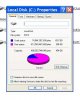
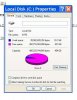
    Ok, now I'm confused. I found a before screenshot of my harddrive
    HDD Before.JPG

    Although the numbers are the same,
    AFTER.JPG
    Still confused.:)
  13. Cobalt006 TechSpot Booster Posts: 820   +43

    No the numbers are not the same. You now have less used space ,Then before. More free space. Before you merge the partition you only had 384 gigs left of free space. Know you have 421 gigs of free space.
  14. learninmypc TechSpot Guru Posts: 3,015   +100

    You're correct. Not enough caffeine :) Thanks :)
  15. Cobalt006 TechSpot Booster Posts: 820   +43

    Your welcome and glad this work out for you.
  16. learninmypc TechSpot Guru Posts: 3,015   +100

  17. Cobalt006 TechSpot Booster Posts: 820   +43

    It can if the partition you are merging are clear of data. Most usally windows will expand the C drive after.
  18. learninmypc TechSpot Guru Posts: 3,015   +100

    That tidbit that was in the recycling bin is gone also.yippee. You guys & gals are awesome,thanks(y)
  19. Cobalt006 TechSpot Booster Posts: 820   +43

    :) (y) Thanks and in the process ,You are learning, Which is Great!!!
  20. learninmypc TechSpot Guru Posts: 3,015   +100

    Yes, learning from the best.TS is #1