You are using an out of date browser. It may not display this or other websites correctly.
You should upgrade or use an alternative browser.
You should upgrade or use an alternative browser.
Questionable Java update
- Thread starter learninmypc
- Start date

learninmypc
Posts: 9,858 +752
learninmypc
Posts: 9,858 +752
learninmypc
Posts: 9,858 +752

Rabbit01
Posts: 786 +58
If the javacpl.cpl file is there then just double-click it and run it from it's folder. It'll still work. Doesn't have to be in Control Panel.
Ok I did that but still no joy
I forgot to ask what happened when you double-click on javacpl.cpl? You got an error message?
And what folder(s) other than "client" were created in "c:\program files\java\bin"? "plugin2" like before?
learninmypc
Posts: 9,858 +752
I forgot to ask what happened when you double-click on javacpl.cpl? You got an error message?
And what folder(s) other than "client" were created in "c:\program files\java\bin"? "plugin2" like before?
I hope I'm not getting too confused here. This is the "Client" folder

Now if I can re locate the java.cpl I'll answer that,too.
learninmypc
Posts: 9,858 +752

Rabbit01
Posts: 786 +58
Ok, clicking the "java.cpl", it brought up the Java Control Panel
I have a check next to Mozilla Family.
As for the folders, I have 2 in the "bin" folder:
c:\program files\Java\jre6\bin\client
c:\program files\Java\jre6\bin\new_plugin
There should be 3 files (post #25) in the "new_plugin" folder.
learninmypc
Posts: 9,858 +752
I have a check next to Mozilla Family.
As for the folders, I have 2 in the "bin" folder:
c:\program files\Java\jre6\bin\client
c:\program files\Java\jre6\bin\new_plugin
There should be 3 files (post #25) in the "new_plugin" folder.
I'm sorry,I forgot to say when I first did it, I DID put a check mark in the ones you mentioned & it told me the changes would be applied after restart & so I clicked ok & the browser disappeared.
From post # 24 "Ok, I got as far as \bin\ but there is no "new_plugin instead it says plugin2
& in there I see "npjp2.dll" ".
In the Bin folder

Rabbit01
Posts: 786 +58
I'm stumped. The only thing I can find at the moment is this:
Above is from http://plugindoc.mozdev.org/faqs/java.html#Win32
It's a registry entry.
Run regedit, if you navigate to HKEY_LOCAL_MACHINE\SOFTWARE\mozilla.org\Mozilla
You should see an entry call CurrentVersion, type REG_SZ, data (in my case) 10.0.2
The Java plugin may not work if HKLM\Software\mozilla.org\Mozilla\CurrentVersion is missing or inaccessible [Bug 400878, Sun Bug 6620045]
Above is from http://plugindoc.mozdev.org/faqs/java.html#Win32
It's a registry entry.
Run regedit, if you navigate to HKEY_LOCAL_MACHINE\SOFTWARE\mozilla.org\Mozilla
You should see an entry call CurrentVersion, type REG_SZ, data (in my case) 10.0.2
learninmypc
Posts: 9,858 +752

learninmypc
Posts: 9,858 +752
All these time I don't think I've asked this yet. If you look at the list of your plugins, is Java listed at all? In my screen cap, it's the 3rd from the bottom.
My SeaMonkey plugins,see attachment
Attachments

learninmypc
Posts: 9,858 +752
Interesting. Java SE 7? This is what you got from java.com or Oracle? When I visit java.com using FF, I'm offered version 6, update 31.
I really don't know whether that makes a difference or not. But I suppose you can try to install version 6.
In my add/remove, it shows I have version 6, update 31
If I remember correctly, I went to java.com to download it but when it was installing it,it showed Oracle & said something like 3 billion devices use java.
Is there a chance this might correct its self over time?
Rabbit01
Posts: 786 +58
This is what it says about Java SE7 @ java.com:
The typical method from java.com will only let you download v6. Looks like File Hippo installed Java SE7. Can File Hippo uninstall what it installed?
Why is Java SE 7 not yet available on java.com?
The new release of Java is first made available to the developers to ensure no major problems are found before we make it available on the java.com website for end users to download the latest version. If you are interested in trying Java SE 7 it can be downloaded from Oracle.com
The typical method from java.com will only let you download v6. Looks like File Hippo installed Java SE7. Can File Hippo uninstall what it installed?
learninmypc
Posts: 9,858 +752
This is what it says about Java SE7 @ java.com:
The typical method from java.com will only let you download v6. Looks like File Hippo installed Java SE7. Can File Hippo uninstall what it installed?
Ok, let me back up a bit. When I first got that update via filehippo, to my knowledge it said nothing about it being for developers so I installed it.
Later I found out what you said.
Now, when I click my filehippo updater that same update is being offered but I won't install it.
I think from here on out, when I see an update on filehippo, I'll update thru the program & NOT filehippo.
I do sincerely thank you for your patience & time.
I'm bookmarking this thread in case a nice miracle happens.
I doubt filehippo will remove it.
Have a great weekend,you deserve it.:grinthumb
Rabbit01
Posts: 786 +58
Found something on uninstalling Java:
http://www.help2go.com/forum/computer-help/107680-openoffice-java.html
Good luck.
Thanks. Enjoy the weekend.
http://www.help2go.com/forum/computer-help/107680-openoffice-java.html
Good luck.
Have a great weekend,you deserve it.
Thanks. Enjoy the weekend.
learninmypc
Posts: 9,858 +752
Found something on uninstalling Java:
http://www.help2go.com/forum/computer-help/107680-openoffice-java.html
Good luck.
Thanks. Enjoy the weekend.
Will try it this weekend. Taking a much needed break

learninmypc
Posts: 9,858 +752
learninmypc
Posts: 9,858 +752
Found something on uninstalling Java:
http://www.help2go.com/forum/computer-help/107680-openoffice-java.html
Good luck.
Thanks. Enjoy the weekend.
I've been to that link & did it with the exception of "Remove JavaRa Logfile (optional)".
Then,I clicked my filehippo updater & the java update was gone.
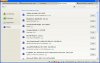
IE said I needed java & my add/remove shows

So, I then went to start>search>Files & folder & it found 112 files.
Now what?
Rabbit01
Posts: 786 +58
So, I then went to start>search>Files & folder & it found 112 files.
Now what?
Tthese 112 files are the useless JRE files the app found? Copy them to a temp directory just in case, then delete them. After you've found no issues w/ these files being gone, then delete them from the folder.
Not sure what JavaFX is, I'd remove Java 6 update 13. And do a clean install after JavaRa finishes it's thing. Java auto update, I guess that was installed when Java was installed?
learninmypc
Posts: 9,858 +752
Tthese 112 files are the useless JRE files the app found? Copy them to a temp directory just in case, then delete them. After you've found no issues w/ these files being gone, then delete them from the folder.
Not sure what JavaFX is, I'd remove Java 6 update 13. And do a clean install after JavaRa finishes it's thing. Java auto update, I guess that was installed when Java was installed?
Sorry for my ignorance, but how do I "Copy them to a temp directory"?
Does that mean something like putting them on a flashdrive?
Similar threads

- Replies
- 15
- Views
- 70

- Replies
- 8
- Views
- 114

Latest posts
-
EA launches new platform to put even more ads inside games
- scoffer replied
-
Commodore's Callback 8020 is a $499 flip phone that blocks social media and browsers
- The Talking Tech replied
-
Xbox is closing Ninja Theory and Double Fine, and Compulsion may not be far behind
- Bluescreendeath replied
-
 The end of uBlock Origin in Chrome is now weeks away, not months
- monkeylove replied
-

-
TechSpot is dedicated to computer enthusiasts and power users.
Ask a question and give support.
Join the community here, it only takes a minute.