also @ TechSpot: EU, US approve Google's $12.5 billion buyout of Motorola Mobility
Welcome to the TechSpot OpenBoards. Please read the FAQ if you have any questions. Sign up or Login to participate.

Go Back   TechSpot OpenBoards > Tech Support > Device Drivers

Download Now:

Bsod

Thread Tools Search this Thread
  #1  
Old 12-04-2006
Newcomer, in training
 
Member since: Dec 2006, 7 posts
Bsod

after BSOD in my event viewer I have this error codes. I have attached "dump" files. please look at them and give your oppinion. Thanks in advance!

Error code 100000c5, parameter1 0110070e, parameter2 00000002, parameter3 00000001, parameter4 805446f3.
Error code 100000d1, parameter1 70034353, parameter2 00000002, parameter3 00000008, parameter4 70034353.
Error code 1000000a, parameter1 80580148, parameter2 00000002, parameter3 00000008, parameter4 80580148.

the BSOD apears when computer is idle, after welcome screen or crash in apps.
Attached Files
File Type: zip dump.zip (25.6 KB, 3 views)

Last edited by copoiu; 12-04-2006 at 05:34 AM..
  #2  
Old 12-04-2006
Tmagic650's Avatar
TechSpot Ambassador
 
Location: "The Treasure State" USA
Member since: Aug 2006, 14,720 posts
System specs
BSOD's are commonly caused by dieing power supplies, bad memory and failing hardware. If you haven't messed with the bios, or added or deleted and files or programs, you can start troubleshooting your memory and your hard drive
  #3  
Old 12-04-2006
Newcomer, in training
 
Member since: Dec 2006, 7 posts
Quote:
Originally Posted by Tmagic650
BSOD's are commonly caused by dieing power supplies, bad memory and failing hardware. If you haven't messed with the bios, or added or deleted and files or programs, you can start troubleshooting your memory and your hard drive
the power supplies in Enlight 400W, a very god one.
with BIOS I don't mess up
memory is Geil 2,5-4-4-8 dual channel kit with 97 months guaranty left and was tested in DOS mode with memtest for over 7 hours with no error

I analyze the dump with WinDbg:

DRIVER_CORRUPTED_EXPOOL (c5)
An attempt was made to access a pageable (or completely invalid) address at an
interrupt request level (IRQL) that is too high. This is
caused by drivers that have corrupted the system pool. Run the driver
verifier against any new (or suspect) drivers, and if that doesn't turn up
the culprit, then use gflags to enable special pool.
Arguments:
Arg1: 0110070e, memory referenced
Arg2: 00000002, IRQL
Arg3: 00000001, value 0 = read operation, 1 = write operation
Arg4: 805446f3, address which referenced memory
MODULE_NAME: snpstd3

FAULTING_MODULE: 804d7000 nt

DEBUG_FLR_IMAGE_TIMESTAMP: 435f4813

BUGCHECK_STR: 0xC5_2

CURRENT_IRQL: 2

FAULTING_IP:
nt+6d6f3
805446f3 897104 mov dword ptr [ecx+4],esi

CUSTOMER_CRASH_COUNT: 1

DEFAULT_BUCKET_ID: WRONG_SYMBOLS

LAST_CONTROL_TRANSFER: from f5be4b6a to 805446f3

STACK_TEXT:
WARNING: Stack unwind information not available. Following frames may be wrong.
f3767b9c f5be4b6a 00000000 00000001 70627375 nt+0x6d6f3
f3767bd4 f5bf0cc9 86277028 73635254 862adb68 USBPORT+0x7b6a
f3767c0c f5bf5dfe 862c9198 86277028 00000180 USBPORT+0x13cc9
f3767c2c f5bdf1e2 862c9198 8502a590 8502a590 USBPORT+0x18dfe
f3767c50 804ede0d 8502a648 862c92f0 850504e8 USBPORT+0x21e2
f3767c68 f51b12d9 8502a590 862c9198 8502a590 nt+0x16e0d
f3767c88 f51b1afa 862a3698 8502a590 00000000 usbhub+0x42d9
f3767ca4 f51af1d8 850504e8 8502a590 f3767cfc usbhub+0x4afa
f3767cb4 804ede0d 862fe2b8 8502a590 861a7258 usbhub+0x21d8
f3767cfc ed371273 850504e8 000000f1 00000000 nt+0x16e0d
f3767d18 ed36c768 00000018 00000000 00000008 snpstd3+0x39273
f3767d40 ed37021c 00000008 00000002 000000f1 snpstd3+0x34768
f3767da8 ed370981 805c4a24 861a7258 00000000 snpstd3+0x3821c
f3767ddc 80540fb2 ed370974 861a7258 00000000 snpstd3+0x38981
00000000 00000000 00000000 00000000 00000000 nt+0x69fb2


STACK_COMMAND: kb

FOLLOWUP_IP:
snpstd3+39273
ed371273 ?? ???

SYMBOL_STACK_INDEX: a

FOLLOWUP_NAME: MachineOwner

IMAGE_NAME: snpstd3.sys

SYMBOL_NAME: snpstd3+39273

BUCKET_ID: WRONG_SYMBOLS

Followup: MachineOwner

I think it was from USB no name camera, it is now uninstalled, I have to test and see if BSOD reapears.

p.s. sorry for bad english, I'm romanian

Last edited by copoiu; 12-04-2006 at 01:36 PM..
  #4  
Old 12-04-2006
TechSpot Evangelist
 
Location: HK
Member since: Jan 2005, 2,044 posts
One miniudmp is insufficient to determine the culprit. Zip more minidumps and attach the zip file here. Bugcheck C5 is usually related to fautly ram. However I cannot confirm unless you provide more minidumps.
  #5  
Old 12-05-2006
Newcomer, in training
 
Member since: Dec 2006, 7 posts
the problem is not from USB camera, i've uninstalled the drivers but now I have another error: Probably caused by : ntoskrnl.exe ( nt+59e01 )
Attached Files
File Type: zip Minidump1.zip (78.2 KB, 3 views)
File Type: zip Minidump2.zip (98.6 KB, 2 views)

Last edited by copoiu; 12-05-2006 at 04:58 AM..
  #6  
Old 12-05-2006
TechSpot Evangelist
 
Location: HK
Member since: Jan 2005, 2,044 posts
Yours windows is crashed random and this is the symptom of hardware error. Probably the culprit is faulty ram. Reseat the memory to another memory slot and clean the dust inside the memory slot. If it still crashes, run memtest to stress test the ram.
  #7  
Old 12-06-2006
Newcomer, in training
 
Member since: Dec 2006, 7 posts
Quote:
Originally Posted by cpc2004
Yours windows is crashed random and this is the symptom of hardware error. Probably the culprit is faulty ram. Reseat the memory to another memory slot and clean the dust inside the memory slot. If it still crashes, run memtest to stress test the ram.
I first begin with a thanck you for help.
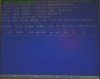
I attach a image with a test ram from ms-dos (Hiren's CD boot) with memtest v.1.65
as you can see this test is standard with 11 pass and over 5h continuos test with NO errors.
before this test I have reseat the memory and another BSOD apears.
what next?
Attached Images
File Type: jpg IMG_1510.jpg (25.0 KB, 6 views)
  #8  
Old 12-06-2006
TechSpot Evangelist
 
Location: HK
Member since: Jan 2005, 2,044 posts
Some faulty ram can pass memtest. If you have ram at another PC, swap the ram and see what happen.
  #9  
Old 12-07-2006
Newcomer, in training
 
Member since: Dec 2006, 7 posts
I have some Kingstone's at my brother computer, one 512 an another of 256Mb. let's swap and test ... get back with results in 2-3 days. 10x!

p.s. with original memory (Geil) my computer was tested another 5 h with burning test Everest and no errors, the BSOD apears when computer is idle, after welcome screen about 1h. after computer warms the BSOD don't apears ...
  #10  
Old 12-12-2006
Newcomer, in training
 
Member since: Dec 2006, 7 posts
WiTH your Help, I have found THe problem. IT waS THe VolTage for ram. I HaVe manualy SeT and now iT iS ok.
... STupid keyboard...
  #11  
Old 12-12-2006
TechSpot Evangelist
 
Location: HK
Member since: Jan 2005, 2,044 posts
Do you mean you overclock the RAM?
  #12  
Old 12-12-2006
Newcomer, in training
 
Member since: Dec 2006, 7 posts
this is the ram: http://www.geilusa.com/proddetail.asp?linenumber=36 - CAS 2.5-8-4-4 (GE5123200BDC & GE1G3200BDC), in BIOS now it's set to 2,60V and no more BSOD for 3 days now. with default and above 2,70V i have BSOD very often. this error I have only with my new ASUS A7N5X mobo, with the old one Gigabite K8NSC I have overclock the AMD 3000+ venice & memory with no errors like this:
Multiplicator HTT: 3X
Multiplicator CPU: 9X (default)
FSB: 267MHZ
Memory timings: 2-3-3-7 (CL-RCD-RP-RAS) (default)
Command rate(CR): 1T
CPU Voltage: 1.400 V (default)
Memory Voltage: 2.500 V (default)
CPU/DDR Ratio: 2/1.5
Temperatura max:
- Idle: 29-31
- Full: 38-39
I think this new mobo is worst then old one, I do this "upgrade" for PCI-E, now I am very sorry beacause with this one I can't do any overclock.
Now the sistem it's perfect stable but I don't have de performance like I want...
Closed Thread

Similar Topics
Topic Replies Forum
BSOD.BSOD Toshiba A10 Laptop 1 Windows BSOD, Freezing, Restarting Help
BSOD Episode III: The return of the BSOD 1 Windows BSOD, Freezing, Restarting Help
BSOD BSOD Go away come back another day! 0 Windows BSOD, Freezing, Restarting Help
Random BSoD and Cold Boot BSoD 7 Windows BSOD, Freezing, Restarting Help

Thread Tools Search this Thread
Search this Thread:

Advanced Search
All times are GMT -4. The time now is 07:35 PM.