Store, share, and collaborate on files and folders from your mobile device, tablet, or computer. You get 15 GB of space in your Drive at no charge.
Is Google Drive free?
Google Drive offers a free plan with 15GB of cloud storage that syncs your files with an unlimited number of devices. The storage is shared with other Google services such as Gmail, Google Docs and Google Photos. If you need more cloud storage there are paid plans that start at $1.99 per month.
Is Google Drive better than Dropbox?
Both cloud services are similar, both pack a robust infrastructure to store and sync your files, are plenty fast, and have sharing management built-in.
One key difference is how Dropbox approaches cloud storage, as it integrates with the OS seamlessly and syncs folders as you would organize local storage. Meanwhile Google Drive combines this capability with a deep integration of Google apps and services such as Gmail and Google Docs. In terms of free plan advantages, Google Drive syncs your files across an unlimited number of devices while Dropbox only allows three devices on its free plan.
What are the best Google Drive alternatives?
Dropbox and OneDrive are good free alternatives. Both offer 5GB on its free plans. For a complete look at alternatives, check out our guides comparing mainstream cloud storage services and secure cloud storage services.
How secure is Google Drive?
Google Drive files are encrypted using 256-bit AES encryption. During transit between applications and Google Drive servers, SSL/TLS is used to protect data. All these security measures keep your files private and secure, unless you deliberately share links to files or folders with others.
Features
Built-in protections against malware, spam, and ransomware
Drive can provide encrypted and secure access to your files. Files shared with you can be proactively scanned and removed when malware, spam, ransomware, or phishing is detected. And Drive is cloud-native, which eliminates the need for local files and can minimize risk to your devices.
People-first collaboration apps to supercharge teamwork
Drive integrates with Docs, Sheets, and Slides, cloud-native collaboration apps that enable your team to create content and collaborate more effectively in real time.
Integration with the tools and apps your team is already using
Drive integrates with and complements your team's existing technology. Collaborate in Microsoft Office files without the need to convert file formats, and edit and store over 100 additional file types, including PDFs, CAD files, images, and more.
Google's Search and AI technology helps your team move faster
Google's powerful search capabilities are embedded in Drive and offer speed, reliability, and collaboration. And features like Drive search chips help your team find files fast by quickly surfacing more relevant results.
Store your files in a safe place.
Things happen. Your phone goes for a swim. Your laptop takes an infinite snooze. No matter what happens to your devices, your files are safely stored in Google Drive.
Google Drive is available for:
- PC and Mac
- iPhone and iPad
- Android devices
What's New
- Windows and macOS versions updated to 130.0.2.0
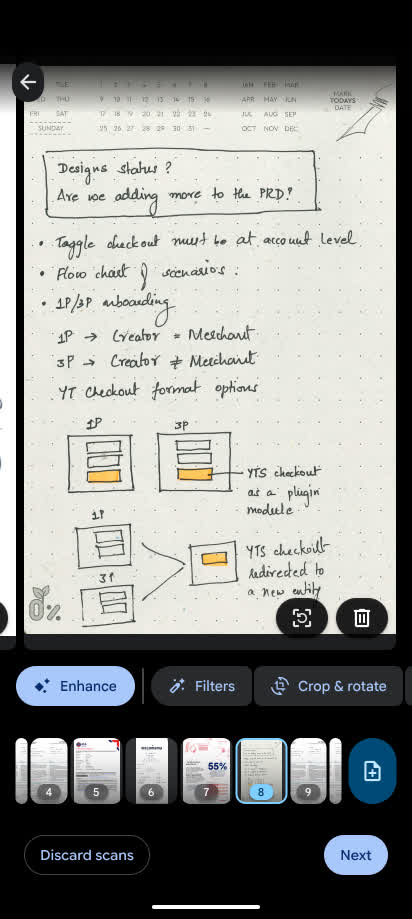
When scanning documents with Google Drive on your mobile device, you can crop or rotate your file, adjust its color by applying filters, erase shadows, and more. This week, we're excited to introduce updates to adjustment options to provide you with a seamless and improved user experience while editing scanned documents. For example, you'll notice:
- Larger page previews that allow you to see every detail of your scan
- Improved UI layout with easy access to page deletion & retake within the page preview
- New Material 3 page thumbnail carousel allows you to quickly skim through your document and simply drag and drop pages to re-order them
Previous release notes
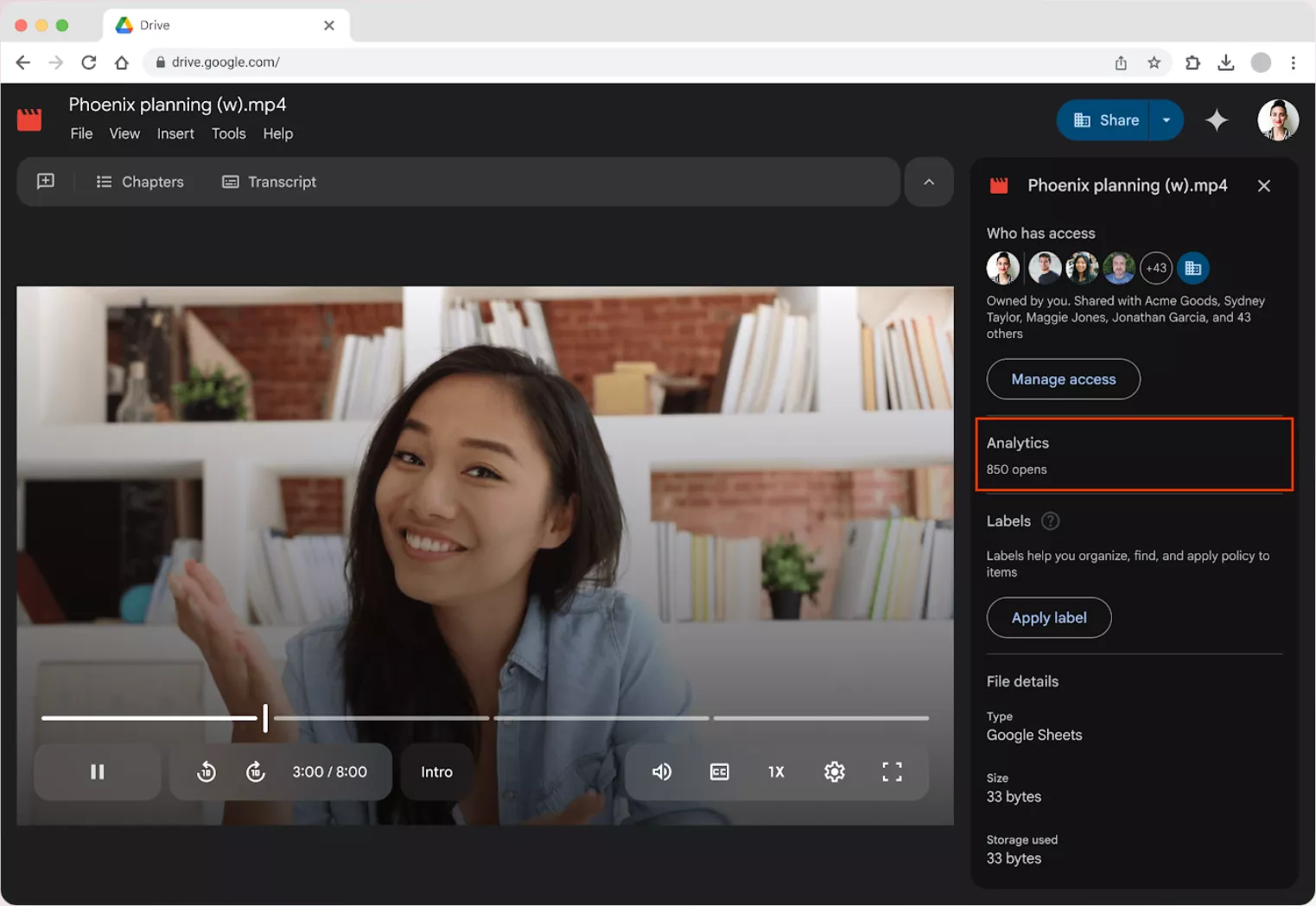
To enhance the video player experience within Google Drive, we've made numerous improvements, including a new look and feel, and enhanced functionality, automatically generated captions, and most recently, video transcripts. Now, we're introducing a feature that helps you measure the engagement on videos uploaded to Drive.
Starting today, users can see the total number of times a video is opened under a new Analytics section within the Details panel.
This highly requested feature will help users understand if viewers are engaging with their videos.