

PCSX2 is a free and open-source PlayStation 2 (PS2) emulator. Its purpose is to emulate the PS2's hardware, using a combination of MIPS CPU Interpreters, Recompilers and a Virtual Machine which manages hardware states and PS2 system memory. This allows you to play PS2 games on your PC, with many additional features and benefits.
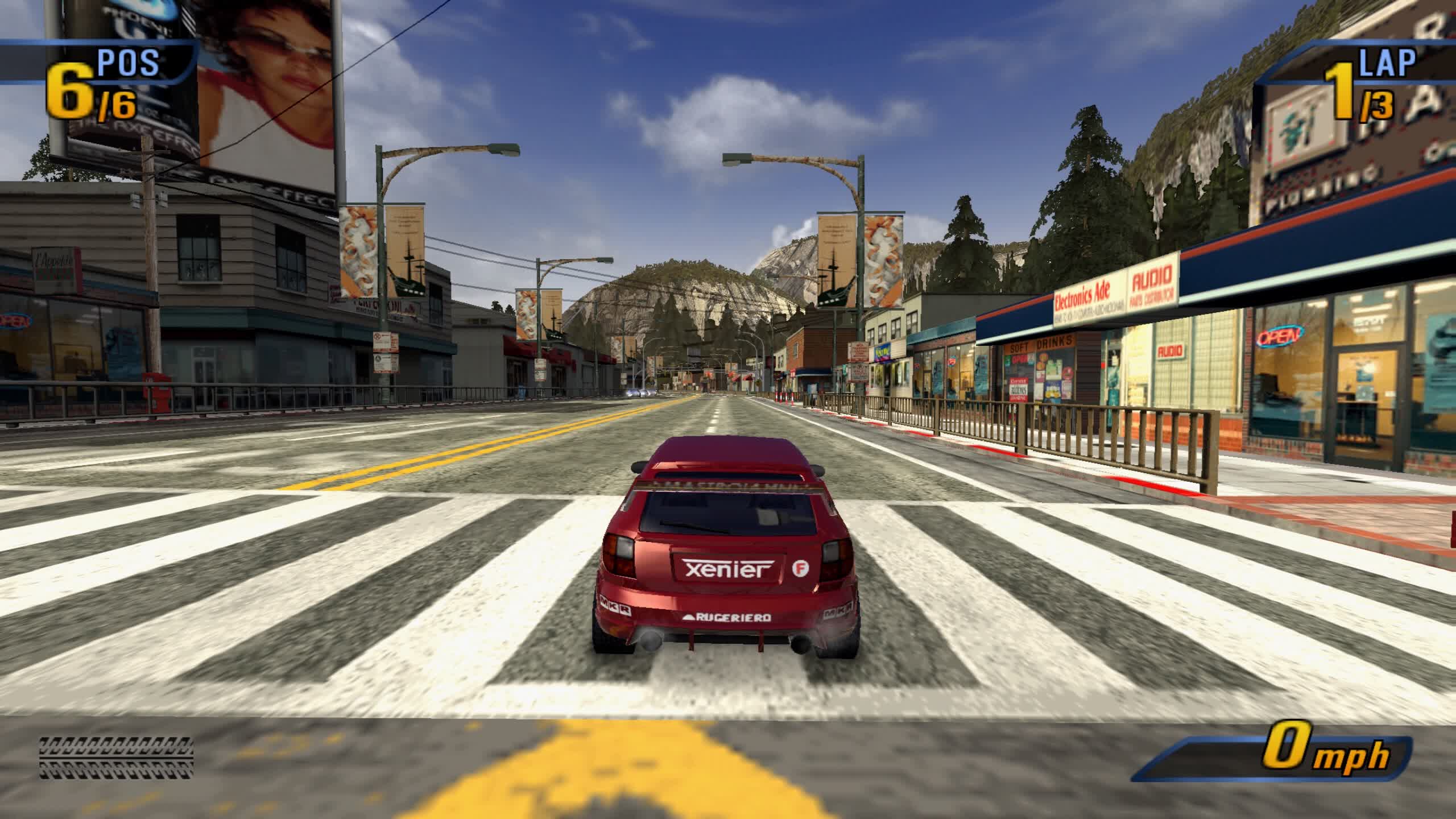
The PCSX2 project has been running for more than twenty years. Past versions could only run a few public domain game demos, but newer versions can run most games at full speed, including popular titles such as Final Fantasy X and Devil May Cry 3. Visit the PCSX2 compatibility list to check the latest compatibility status of games (with more than 2500 titles tested).
PCSX2 allows you to play PS2 games on your PC, with many additional features and benefits. A few of those benefits include:
- Custom resolutions and upscaling
- Virtual and sharable memory cards
- Save-states
- Patching system
- Internal recorder to achieve lossless quality at full speed
So how do I use it?
- Download the version suited for you, for beginners, the full installer of the latest stable release is recommended.
- Get the BIOS file from your PlayStation 2 console. This is not included with PCSX2 since it is a Sony copyright so you have to get it from your console.
Install PCSX2
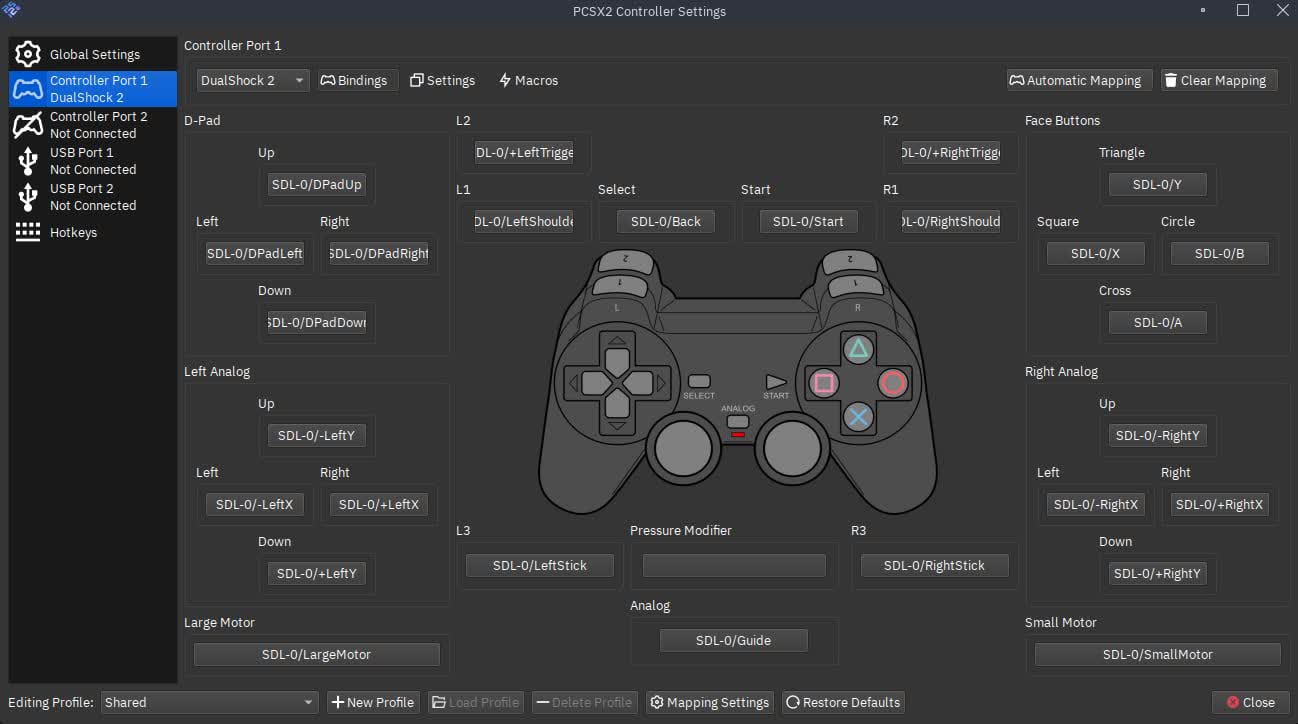
- Configure PCSX2. For beginners the Configuration Guide video and the Quick Start configuration guide should help you. For a detailed description of every single option you can always refer to the full guide.
- Insert your PS2 game CD/DVD in your DVD rom. You can either run it directly from the disc or create an ISO image of your disc with a program like IMGburn for faster reads.
- Enjoy!
Technical Notes
- You need the Visual C++ 2019 x64 Redistributables to run PCSX2 on Windows.
- Windows XP and Direct3D9 support was dropped after stable release 1.4.0.
- Windows 7, Windows 8.0, and Windows 8.1 support was dropped after stable release 1.6.0.
- 32-bit and wxWidgets support was dropped after stable release 1.6.0, with the wxWidgets code being removed completely on 25th December 2022.
- Make sure to update your operating system and drivers to ensure you have the best experience possible. Having a newer GPU is also recommended so you have the latest supported drivers.
- Because of copyright issues, and the complexity of trying to work around it, you need a BIOS dump extracted from a legitimately-owned PS2 console to use the emulator. For more information about the BIOS and how to get it from your console, visit this page.
- PCSX2 uses two CPU cores for emulation by default. A third core can be used via the MTVU speed hack, which is compatible with most games. This can be a significant speedup on CPUs with 3+ cores, but it may be a slowdown on GS-limited games (or on CPUs with fewer than 2 cores). Software renderers will then additionally use however many rendering threads it is set to and will need higher core counts to run efficiently.
- Requirements benchmarks are based on a statistic from the Passmark CPU bench marking software. When we say "STR", we are referring to Passmark's "Single Thread Rating" statistic. You can look up your CPU on Passmark's website for CPUs to see how it compares to PCSX2's requirements.
- Vulkan requires an up-to-date GPU driver; old drivers may cause graphical problems.
What's New
Deps: Bundle FFmpeg on Windows
FFmpeg is now bundled together with the Windows build of PCSX2. It's no longer necessary for you to download FFmpeg separately before you use the built-in Video Capture!
We've also hand-picked the most popular codecs. Previously, we included everything that FFmpeg offered, but this was too much wasted space on codecs that were rarely, if ever, used. The reduced set of codecs should still provide you with all the modern, efficient options you need without taking up much extra space.
Video Encoders:
- Hardware Encoders:
- AMD AMF/VCE
- Intel QSV
- Nvidia NVENC
- Media Foundations
- Vulkan Video
Software Encoders:
- libx264 (H264)
- libx265 (H265)
- libsvtav1 (AV1)
- ffv1 (FFmpeg's own codec)
- qtrle (Apple QT RLE)
Audio Encoders:
- AAC (Advanced Audio Coding)
- Opus
- FLAC (Free Lossless Audio Codec)
- pcm_s16le & pcm_s16be (WAV)
Better Feature Parity Between Big Picture Mode and Qt Interface
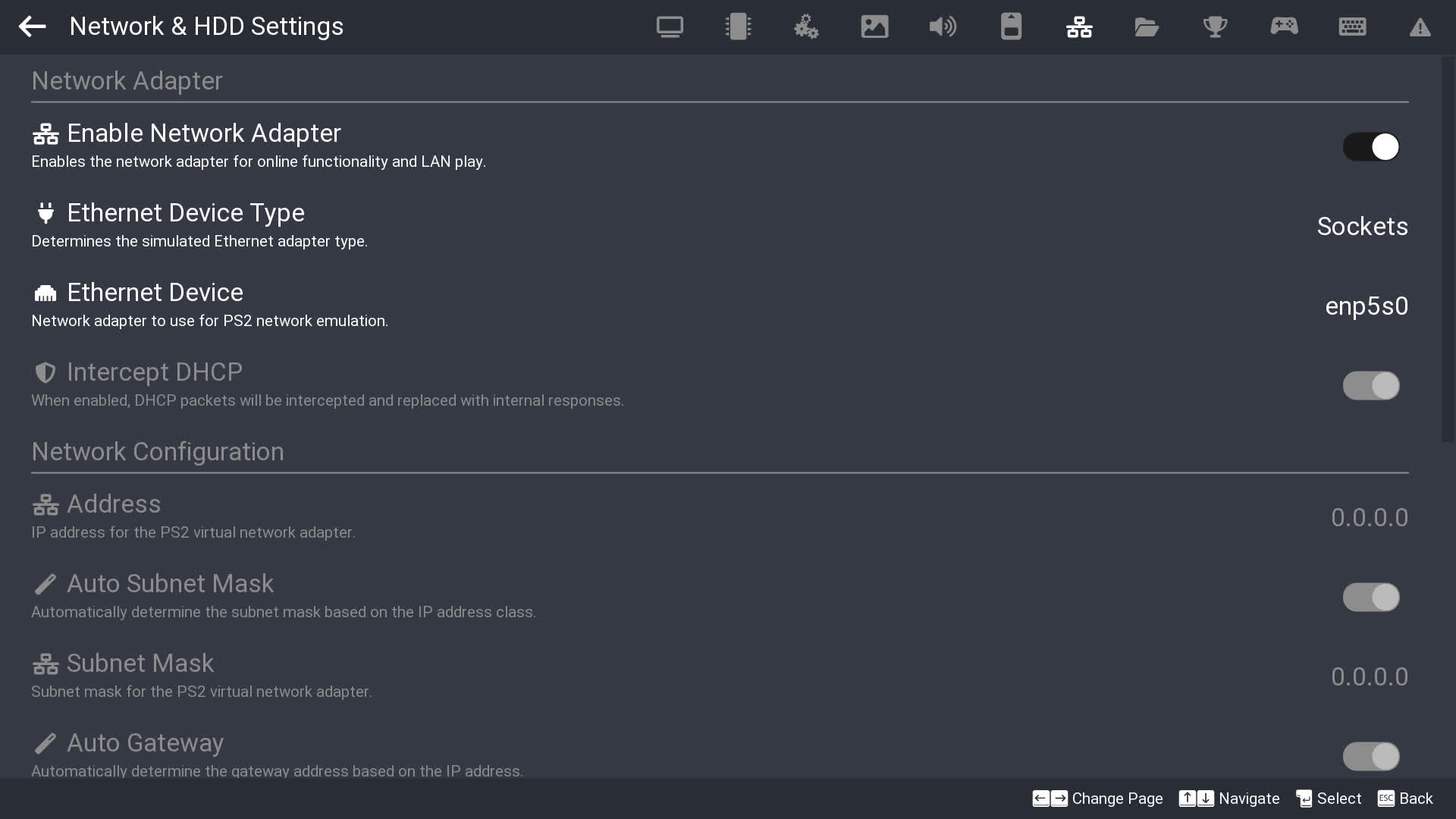
SternXD has been on a mission to achieve feature parity between Big Picture Mode and the Qt interface. Thanks to his work, you can now adjust Network & HDD Settings, create a Memory Card, as well as login to RetroAchievements directly from Big Picture Mode.
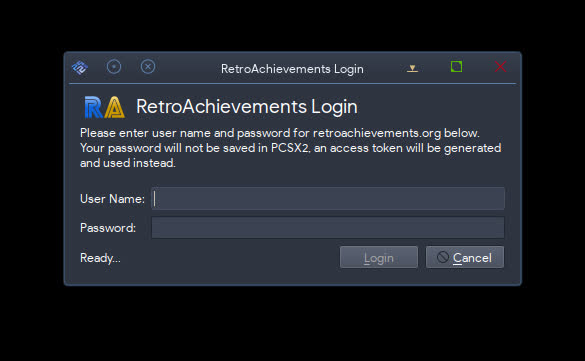
New icon for RetroAchievements Qt login dialog (#13718)
Alongside Big Picture Mode getting a new RetroAchievements login dialog, Qt's login dialog also gets a small facelift! It now shows the actual RetroAchievements icon instead of a generic login icon.
Korean Game Titles
Despite having nearly 700 known NTSC-K serials, the GameDB has for a long time only had Latin versions of the titles. These titles were pulled from the NTSC-U/PAL name or from a Romaji version of the Japanese name. PCSX2 now has 100% complete Korean translation on our Crowdin (at the time of writing), a milestone which has been a long time coming. TheTechnician27 has been working on adding Korean game titles to most NTSC-K serials which did not previously have them.
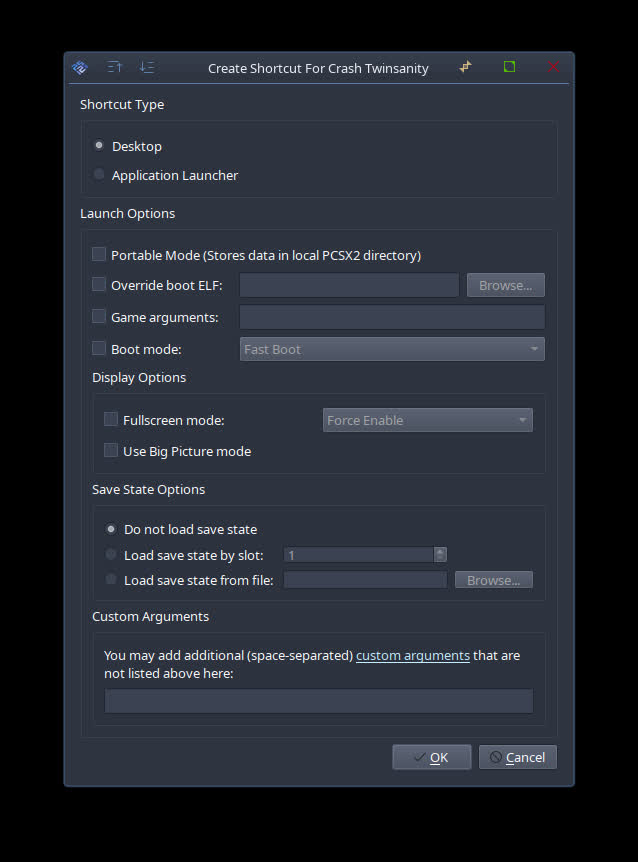
Game Shortcut Creation Feature
KamFretoZ set his sights on adding the ability to create desktop (or start menu) shortcuts for your games from inside PCSX2. Motivated by this GitHub issue and lots of feedback on Discord, this was a very popular ask from users.
Custom Background Support
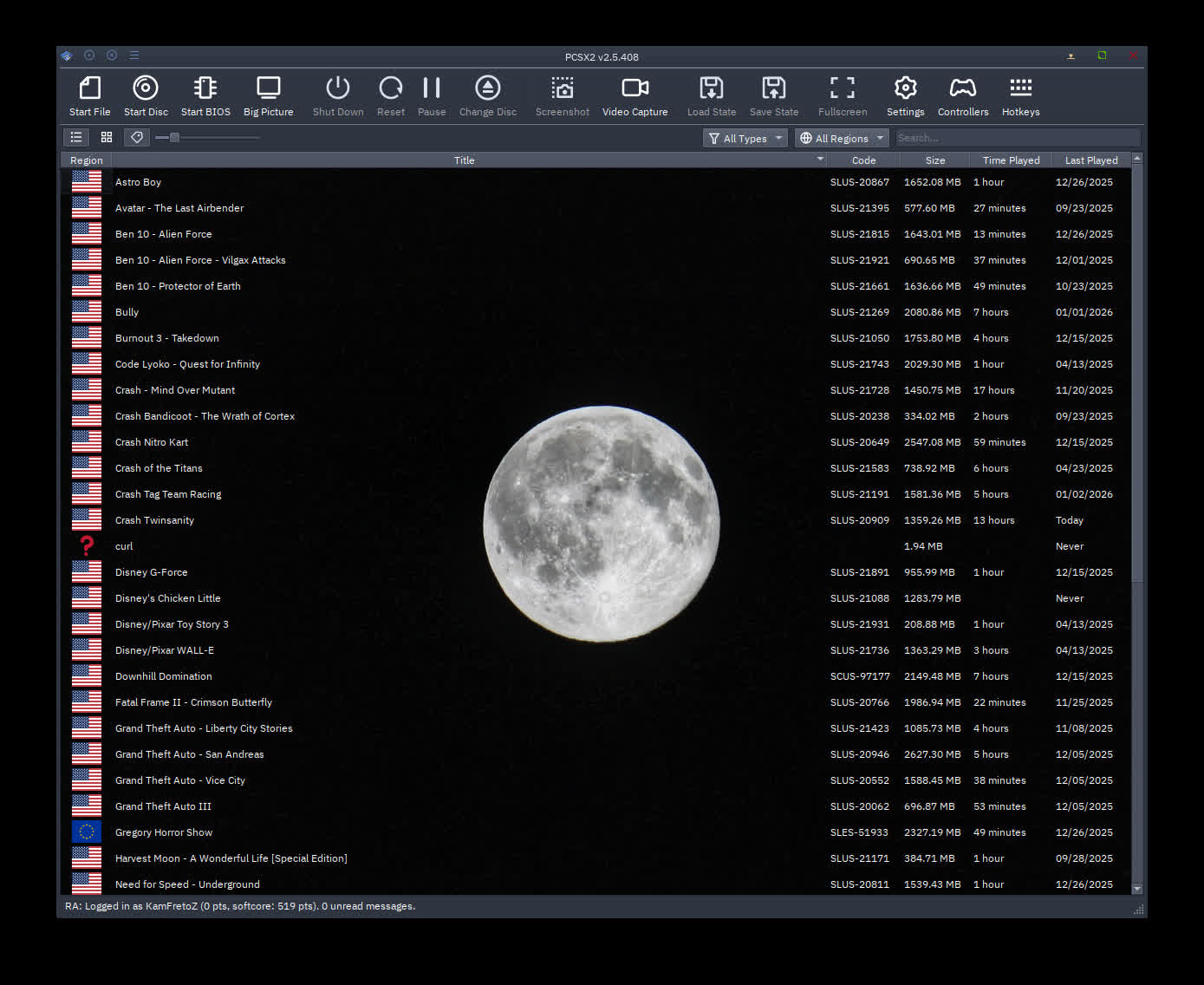
What started as a silly idea between KamFretoZ and JordanTheToast to see what's possible with Qt, ended up becoming a full blown feature. With this, you can now set a custom background (even animated ones too!) on your game list to your heart's content.
More release notes can be found here.
Previous release notes
A significant majority of the PS2 library is considered playable. For more info on compatibility, see here.
After 2.0, the 2.2 development cycle had let us catch our breath and – for the most part – focus on finer details. Brewing under the surface, though, were fresh ideas and the zeal to bring them to life. We all wanted to get back to innovating, so that's what we did. The 2.4 development cycle comes with many performance improvements and new features.
RT in RT Support
For his capstone contribution to PCSX2 after over 20 years of unimaginable dedication, former lead developer refraction turned to his unfinished work on RT in RT support. Feeling duty-bound not to leave this to rot after he left, he agonized for months to get this working, and the end result is something to behold. First, though, let's address what this even is.
"RT in RT" stands for "render target in render target". If a game wanted to render to a subset of an image (e.g. only the right half) on the PS2, it had two options. The first, which is the way PC games have to do it, is to draw with triangles whose coordinates are positioned over the subsection they want to draw over (in the example, making sure all the triangles are positioned over the right half of the image). The second is to take the memory address of the pixels in the image and adjust it so it starts at the right half (so the new RT pointed to memory that was inside the old RT, hence the feature name). Now, drawing to the top left corner of the render target actually writes to the top left corner of the right half of the image (and drawing to the right half of the render target would corrupt the image, so don't do that).
Games that chose this second option confused PCSX2 very badly, and it would end up drawing to a separate RT that it never properly merged with the outer RT, effectively deleting all the triangles drawn this way. No longer! With this change, PCSX2 now recognizes when this is happening, figures out what section the PS2 game was trying to draw to, and moves the triangles accordingly, converting option 2 draws into option 1 draws, which PC APIs know how to handle.
This brings massive fixes to a huge variety of games – at minimum, multiple games with two-player splitscreen (such as Jak X: Combat Racing), multiple games that no longer need a hack to work (such as Ghost in the Shell: Stand Alone Complex), multiple games whose effects now work (such as Drakengard; comparison below), and multiple games that would only work before in software rendering (such as Hitman: Contracts; comparison below).
Custom Real-Time Clock
The PlayStation 2 uses a real-time clock (RTC) to keep track of the date and time in the real world. Games often use the RTC in order to seed pseudorandom number generation (RNG) because of its high variability. Additionally, save files show a timestamp in the BIOS, and these timestamps are sometimes shown in-game too. However, some games use the RTC in a more interactive way. Ratchet & Clank 2 and Ratchet & Clank 3, for example, let you teleport to the post-game Insomniac Museum area from 03:00 – 04:00, bypassing completion checks. The Simpsons: Hit & Run, The Simpsons: Road Rage, SpongeBob SquarePants: Battle for Bikini Bottom, and Scooby-Doo! Night of 100 Frights have holiday-exclusive Easter eggs. Need for Speed: Hot Pursuit 2 displays the date and time on a camera recording when you get busted. And Metal Gear Solid 3... if you know, you know.
By default, when a user starts a game, PCSX2 sets the RTC to the date and time from the user's desktop. For input recordings which require perfect determinacy to function correctly, we instead used a fixed, arbitrary date and time after the release of Metal Gear Solid 3 (which crashes if the date is too old). With the introduction of RTC settings by TheTechnician27, you can now optionally select a custom RTC starting point in the per-game settings (Game Properties > Emulation > Real-Time Clock). This provides niche benefits for regular users (especially Ratchet players and enjoyers of Hideo Kojima's antics), and it brings PCSX2 closer to having a mature suite of tool-assisted speedrun (TAS) capabilities.
This currently requires you to have your BIOS set to GMT+0 and daylight savings time (DST) set to Summer Time (this is the default PCSX2 creates if no .nvm file exists). Additionally, it will only work within the bounds of 2000-01-01 at 00:00 and 2099-12-31 at 23:59, which is the range of an actual PlayStation 2. Below is the Halloween-exclusive title screen from The Simpsons: Hit & Run.
HDR Optimization
The PS2 doesn't have HDR support, so why does PCSX2 use HDR textures? When two numbers are added that sum to a result that won't fit in the output, like adding 200 + 200 with an 8-bit result (which can represent the values 0-255), there are two main ways computers may deal with this. The first is overflow / wrapping, famous for looping counters back to zero after they cross 255 in many NES games. In this case, the number wraps back around to 0, so 200 + 200 would result in the value 144. The second is clamping, where numbers greater than the maximum representable value are clamped to it, so 200 + 200 would equal 255. When rendering graphics, most humans consider clamping to look more visually pleasing than wrapping, since having brighter than white turn into white looks better than it turning into black or gray. As a result, PC blend hardware clamps the results of math on all 8-bit textures. But the PS2 lets developers pick between clamping and wrapping, so how do we emulate wrapping?
Well if we don't want the result to clamp, why not just use an HDR texture, which can store values much larger than 255. We can draw all the triangles to this texture, letting the numbers accumulate more and more, then at the end, run a separate shader that wraps them all back to 8 bits. One minus of this approach is that there's still clamping, it just happens at a value much larger than 255, decided by the HDR format we use. For a while we used 32-bit float textures, which could accurately represent values up to 16 million, allowing a minimum of 65 thousand overlapping triangles before problems started appearing, but a while back we switched to 16-bit normalized integer textures, which many GPUs process at twice the speed, giving a minimum of 257 overlapping triangles before problems. This was enough for all the games we tested.
But performance still wasn't great, so former lead PCSX2 developer refraction (codename: "One Last Job") came back from retirement swinging with a major optimization. Previously, for every group of triangles the game rendered, PCSX2 would convert the texture to an HDR texture, render the group of triangles, and then perform the wrapping while converting the texture back to non-HDR. But some games would render multiple groups of triangles in a row, and for each group, PCSX2 would convert, wrap, and convert again. Now, PCSX2 converts to HDR once at the beginning, and leaves the results in the HDR texture until the game stops using the wrapping mode, greatly reducing the number of conversions needed in games like Sly 2: Band of Thieves and Big Mutha Truckers.
Direct3D 11 Comes Back with a Speedy Vengeance
The Direct3D 11 renderer might have been the second-class citizen for some time now, but not this time! Graphics expert LightningTerror has come back with a toolbox in an attempt to revitalize the elder. How did he do it? The first phase was to lay out the groundwork by fixing the Direct3D 11 Resource Hazard API warnings, which paves the way of enabling him to implement Resource Shader Caching that manages to give noticable performance boost in quite handful of games. And as if those optimizations weren't enough, the daredevil himself has backported even more optimizations from other renderers which gives quite a performance boost in many games.
Signed macOS Binaries
macOS requires all code binaries to be signed. If not, macOS' Gatekeeper will report that the program cannot be opened because it is from an unidentified developer, thus it "cannot verify that this app is free from malware". This was a headache for users, who needed to explicitly allow an unsigned programs to run. As such, PCSX2's lead developer, fobes, worked to get PCSX2 formally signed. This means that when you download and run PCSX2 on macOS, it will now open normally.
New Upscaling Fix
Thanks again to former PCSX2 lead developer refraction, PCSX2 now has a brand-new tool in its arsenal to fix misalignment issues caused by upscaling. Based on the existing Align to Native (AtN) half-pixel offset (HPO) option, Align to Native with Texture Offset (AtNTO) often combines the best of AtN and another HPO option called Special (Texture) to make a lot of games much sharper when upscaled. Thanks to a massive effort by GameDB specialist JordanTheToast, PCSX2 now applies this new setting automatically to over 100 games. These include Ace Combat 04: Shattered Skies, the Sly Cooper trilogy, God of War and God of War II, and Shadow of the Colossus. Below is a before and after comparison of Ace Combat 04.
PCSX2 2.2 release notes
It has been over four years since the last stable PCSX2 revision released. A lot of things can happen in four years, but we could not have predicted just how much progress would be made in that time. PCSX2 has received over 6000 changes, passed 100 million downloads, and celebrated its 20th anniversary! There are lots of design changes, technical discoveries, and more to discuss. Let's jump right in and get started with the highlights from four years of development.
The Elephant in the Room: PCSX2 Enters Its Qt Era
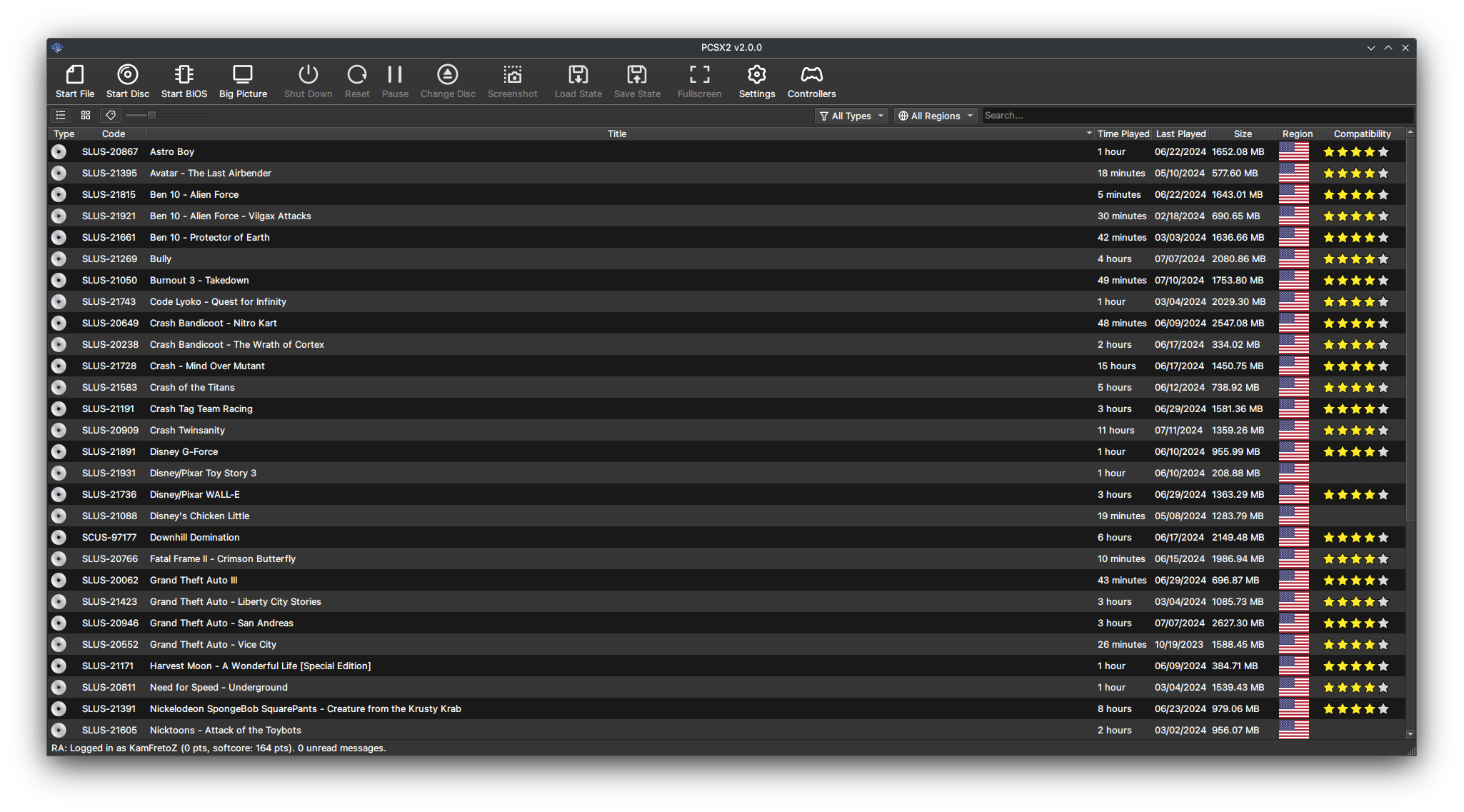
You might know the name wxWidgets from its time as PCSX2's choice of GUI, or from other emulators like Dolphin which used it before migrating to Qt. For a long time, it served us sufficiently well, but its age and implementation began to show rather quickly. Threading issues resulted in deadlocks and race conditions, because it was not properly separated from the emulation core. The technical debt started high and only got worse as the project tried to keep moving forward.
But now, wxWidgets is gone. No more desktop experience reminding you of what Windows desktop apps looked like in 2006. Qt brings with it a slick appearance, more efficient UI backend, and provided the perfect opportunity to redo all our menus and widgets. The addition of themes allows you to personalize your PCSX2 to your liking. The result is by far our best user experience to date. Massive thanks to Stenzek for bringing his Qt expertise from DuckStation and leading the charge on PCSX2's new Qt design!
Saying Goodbye to Plugins
We had a good run with plugins, but their time has come. A relic of a simpler time, plugins were once hailed as the solution where there was no single great solution to the challenges of emulation. Don't like one plugin's design? Use another. One plugin breaks a game? Use another. But in the modern era where accuracy is paramount and user experience is of ever-increasing importance, their limitations, fragmentation of the development space, and antiquated codebases have shown their age. It is time to say goodbye, and GovanifY spearheaded this major piece of development.
A difficult decision had to be made: how do we get rid of plugins, but keep feature parity with what they once had? Getting rid of plugins fixes a number of issues, but it would bring up many more if features or accuracy were lost. A middle ground was reached: plugin authors were contacted, and their was code assimilated into the core PCSX2 project. This meant the program could be built out of a single project file; no longer were plugins compiled separately and dynamically linked! You will find that there are a lot of similarities but also a lot of differences in how PCSX2's settings work now. Many common terms and options remain, while others have been upgraded, changed, or removed to keep up with the times.
Simplifying Configuration With Automatic Game Fixes
A major priority for the team has been a focus on automation. How many things are there for users to deal with that they really shouldn't need to? The answer was... A lot. Really, a lot. You might recall our old interface had graphics fixes buried in the graphics plugin. Or perhaps the CPU modes which were handled in their own tabs. Speed hacks had another tab. More graphics settings were on their own – somehow not connected to the plugin. Game fixes which were somehow supposed to be different from everything else... We could keep going. It was confusing.
But then we had a thought: since we are already shipping a database file with information on games, why not include more information about what settings a game needs to run correctly? And so PCSX2's new "game index" was made a reality. It contains a complete list of all known games, and with this index, we now ship pre-configured fixes to ensure your games will automatically run smoothly. You no longer need to remember to enable those graphics fixes every time you switch games - PCSX2 will already know what that game needs and do it for you!
Goodbye Goldfish Brain, Hello Per-Game Settings
A long-standing issue from wxWidgets was the burden of changing your settings every time you switched games. Even though automated game fixes have mostly solved this problem on their own, there remain any personal touches you might make. Say you want to run different games at different resolutions; that's still something you have to change every time you switch games, right? Not any longer!
PCSX2 now includes per-game settings which are detached from your global settings. The per-game settings will always default to inherit from your global settings, but they allow you to explicitly set a value for one game in particular. Now if you want to run a game at a higher resolution than the rest or use specific memory cards for different games, you can set it once in your per-game settings and forget about it.
Read the entire changelog here.
