
Intel NPU (Neural Processing Unit) Driver for Windows (Intel AI Boost) includes support for OpenVINO 2026.2.
Operating System: Microsoft Windows 11 64-bit (25H2, 24H2, 23H2)
Supported Platform:
- Intel Core processors (Series 3) - Products formerly Wildcat Lake.
- Intel Core Ultra Series 3 processors - Products formerly Panther Lake
- Intel Core Ultra Processors (Series 2) - Products formerly Arrow Lake.
- Intel Core Ultra Processors (Series 2) - Products formerly Lunar Lake.
- Intel Core Ultra Processors (Series 1) - Products formerly Meteor Lake.
How To Install or Update the Intel NPU Driver:
Follow the steps below to install the Intel NPU (also known as the Intel AI Boost) driver for Intel Core Ultra Processors (Series 1) and Intel Core Ultra Processors (Series 2).
- Check if an NPU driver is already installed on your device.
- Right-click the Windows start button and select Device Manager.
- Check if Intel AI Boost is visible under Neural processors.
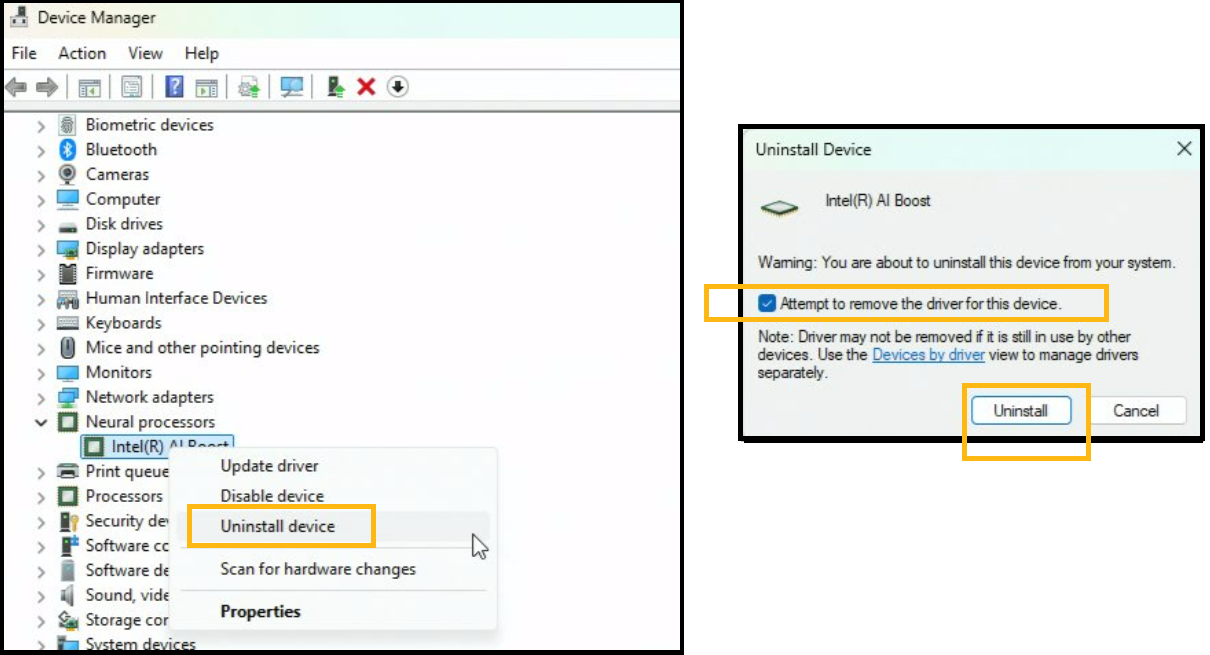
- Uninstall the NPU driver.
- In the Device Manager window, right-click the Intel AI Boost and select Uninstall Device.
- Check Attempt to remove the driver for this device.
- Click Uninstall.
- Go to Device Manage and click Scan for Hardware Changes. Clicking once on the icon located at the top menu will reveal Other devices.
- Download the latest NPU driver.
- Unpack the zip driver package downloaded. To unpack the .zip driver file, right-click the file and choose Extract All.
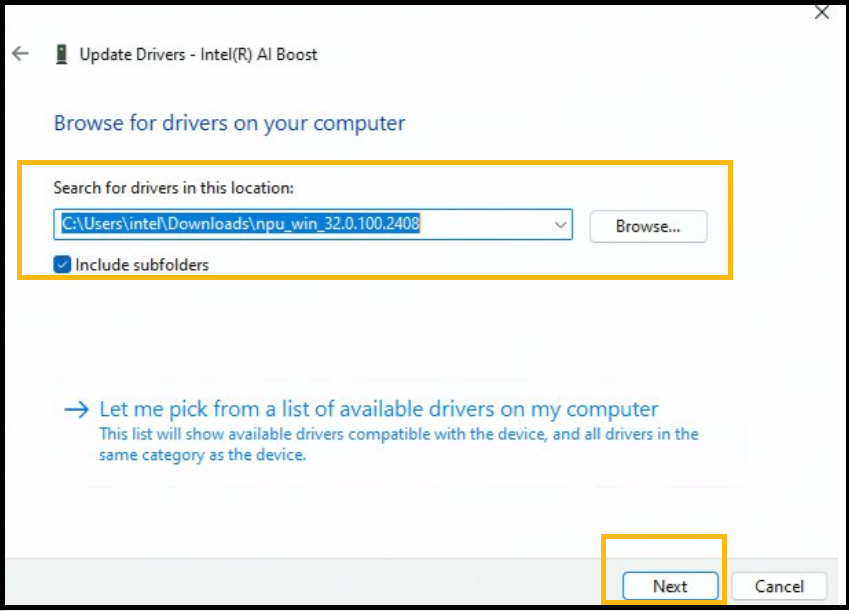
- Install the new NPU driver. Find PCI Device under Other Devices. Right-click it and select Update Driver.

- In the new window that appears, click Browse my computer for drivers and navigate to the location where the unpacked driver was saved.
- Make sure the Include subfolder is checked.
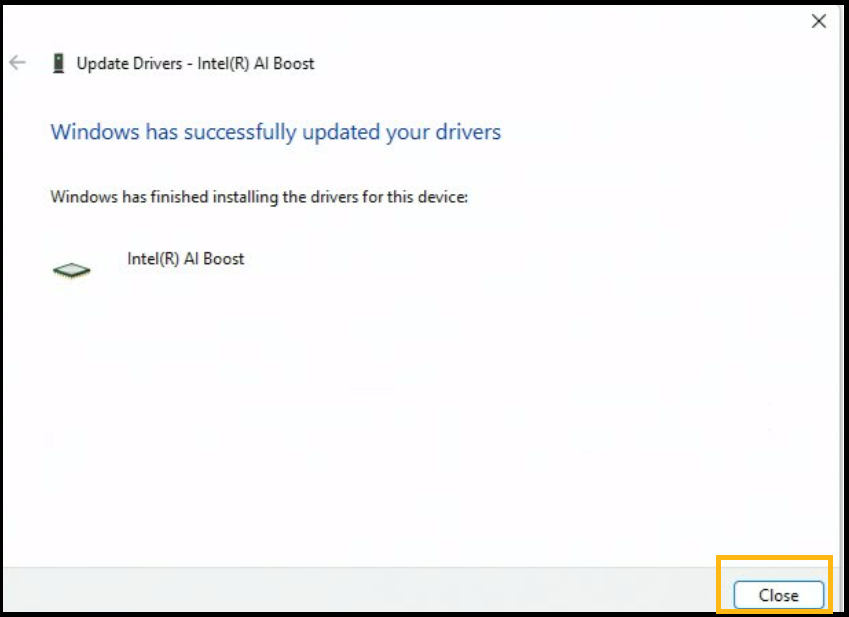
- If the driver installed correctly, you should see the following window saying Windows has successfully updated your drivers and the Device Manage should display your Intel AI Boost driver under Neural processors.
What's New:
Public Models (Enabled and Optimized):
- Support ASR model pipeline on PTL
- Support for LFM2 model - 1.2B
- Fixed PP-DocLayoutV3 result on PTL
- Power Optimization for AI Streaming Model on PTL
Supported Platform:
- Wildcat Lake
- Panther Lake
- Lunar Lake
- Meteor Lake
- Arrow Lake
AI Frameworks Support:
- OpenVINO 2026.2