

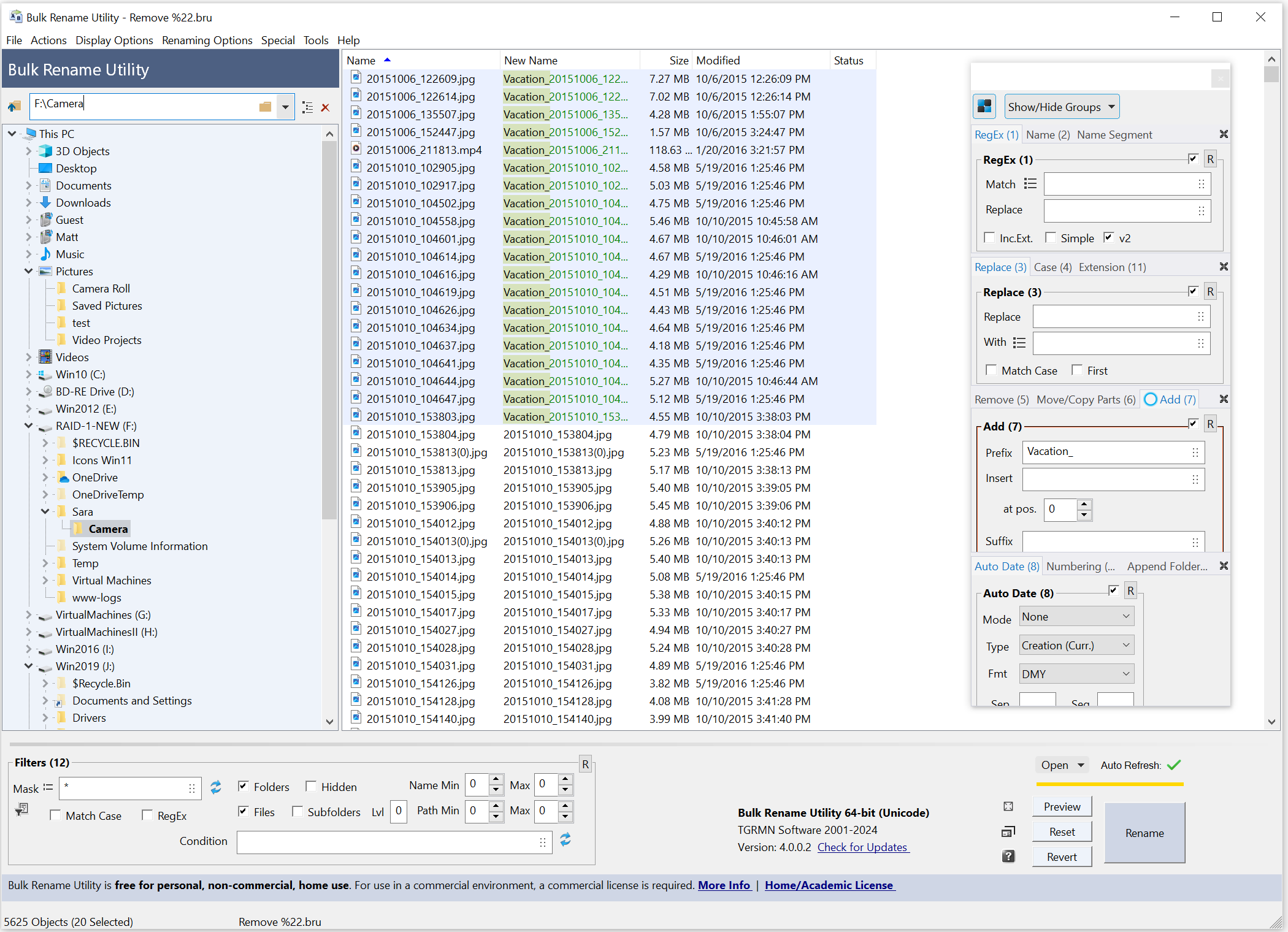
Bulk Rename Utility allows you to easily rename files and entire folders based upon extremely flexible criteria.
Can Bulk Rename Utility rename files from a list?
Yes, Bulk Rename Utility lets you import file names from a text file. The text file must consist of: the old file name followed by a pipe character (|) or a comma (,) and the new file name, one per line.
Is Bulk Rename Utility free?
Bulk Rename Utility is free for personal use, but for commercial purposes you must buy a license in order to use it.
Does Bulk Rename Utility support mp3 ID3 tags?
Yes, Bulk Rename Utility supports mp3 ID3 tags as well as video tags. It can rename all the related information such as artist, album, titles as well as frame width, frame height, length, bitrate, etc.
Features
Add date/time stamps, replace numbers, insert text, convert case, add auto-numbers, process folders and subfolders... plus a whole lot more!
- Rename multiple files quickly, according to many flexible criteria.
- Rename files in many ways: add, replace, insert text into file names. Convert case, add numbers. Remove or change file extensions.
- Check the detailed preview before renaming.
- Rename photos using EXIF metadata (i.e. "Date Picture Taken", "Resolution" and other information embedded in all JPG photo files) Rename your holiday pictures from a meaningless dsc1790.jpg to NewYork1.jpg in a flash.
- Rename MP3 files using ID3 tags (a.k.a. MP3 ID3 tag renaming).
- Rename files using Windows File Properties (e.g. media video length, width, height, rate, publisher, etc).
- Change files' creation and modification time stamps.
Renaming multiple files and/or multiple folders has never been easier! It has a small memory footprint so it can be left running all the time without consuming all your memory. It started as a freeware Visual Basic tool, but as its popularity has grown it has been completely rewritten in C++ to be robust and lightweight - and very, very fast! It can easily handle folders/discs containing well over 100,000 entries... and it can batch rename 1,000s of files in seconds.
The software gets downloaded very frequently. It has a large base of regular users and an active User's Forum. Most of the features have originated from users' suggestions. As such, it is continually being enhanced and improved.
As well as being "recommended" by a number of websites, Bulk Rename Utility has also appeared on many magazine cover-discs, from Brazil to Sweden. Bulk Rename Utility is compatible with all versions of Windows, e.g. Windows 10, 8, 7, Vista, XP, Windows Server 2019, 2016, 2012, 2008, 2003, 2000.
What's New
Create More Space with Detachable Renaming Criteria
Expand the file list and move the renaming criteria to a separate window to optimize the space. Rearrange, hide, or show only the criteria you are using.
Show Detailed Differences Between New and Old Names
New names and old names are shown side-by-side, and removed, changed, or added text is shown clearly and highlighted for easy preview.
The New Dark Mode is Amazing
The whole Bulk Rename Utility application has been updated to support dark mode on Windows: it is easier on the eye and it looks fantastic.
Change the Order of the Renaming Operations
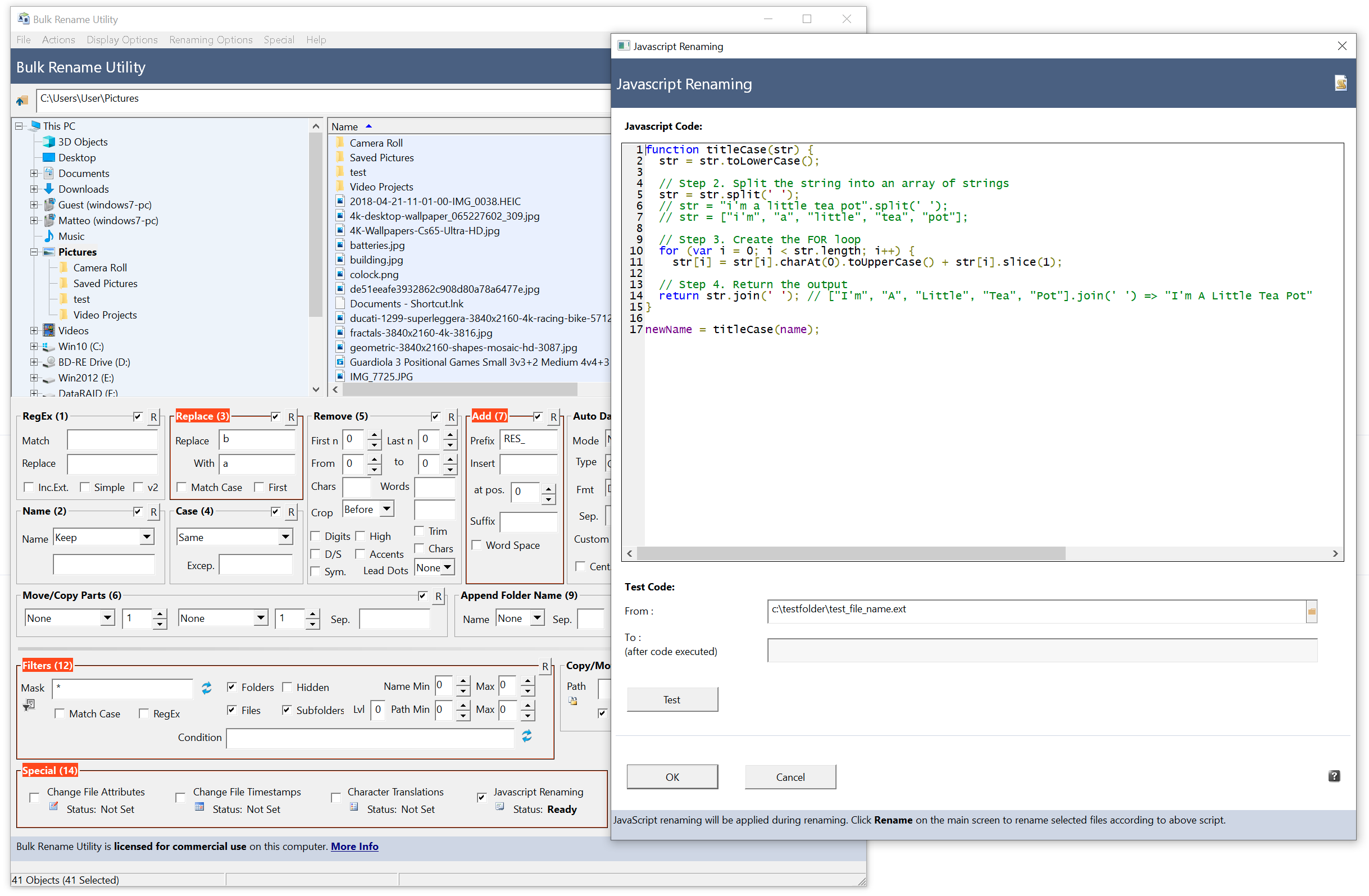
It's finally here! You can change the order of the renaming criteria and sort them as needed.
Other Improvements
- New arrow-down for renaming fields
- Shows recent entries (per-field)
- Lets you manage recent entries
- Offers "Insert Renaming Tag…"
- New "Insert Renaming Tag" dialog
- Searchable
- Shows all core tags, Windows properties, Item Date, hash tags, Documents/EXIF
- Adds PDF/MediaInfo tags when installed
- Item Date and file-property tags
- Now work without the option "Extract Windows File Properties"
- That option is only required to show Item Date as a column in the file list
- EXIF renaming tags
- Now work without the option "Extract EXIF data"
- That option is only required to show EXIF data as a column in the file list
- EXIF metadata support added
- More file formats: .dng, .heic, .heif, .avif
- Camera RAW formats: .crw, .cr2, .cr3, .nef, .nrw, .arw, .sr2, .srf, .srw, .orf, .rw2, .raf, .pef, .rwl, .3fr, .erf, .kdc, .dcr, .mef, .mos, .mrw, .x3f, .bay
- Windows File Properties cache
- Speeds up large batches
- Auto-invalidates on Refresh (F5), folder change, or metadata changes
- Picture Viewer (Windows 10/11)
- Support for more file types: .dng, .heic, .heif, .avif
- Plus the same common camera RAW formats listed above
- Auto Date (8)
- New syntax to specify custom date format (e.g., YYYY, MM, DD, HH, mm)
- Optional additional file properties via DLLs
- PDF files: Title, Author, Subject, Creator, etc.
- MediaInfo for video files: Format, Duration, BitRate, FrameRate, CodecID, EncodedDate, etc.
- Usable as renaming tags with formatters
- Examples: <(pdf:Title){default:Untitled}>, <(pdf:CreationDate){YYYY-MM-DD}>, <(MediaInfo:Format)>_<(MediaInfo:Duration){int}>
- Renaming Tags – new formatting options
- Chain formatters inside {...} on any tag (text/number/date)
- Key formatters: slice, slicere, slicenum, substr, replace, rsubstr, pad, padnum, int, len, group, math (+, −, ×, ÷, round), default, titlecase, upper, lower, trim
- Date patterns like {YYYYMMDD}
- Examples:
, <(#System.Rating){padnum:5}>, {upper}>, <($System.ItemDate){YYYYMMDD}> {math:+1}>
- New core tags
- counter, name, ext
- Example:
, {slice:0:4}{upper}>{padnum:3}>
- New JavaScript function
- parseTags("...") parses and expands renaming tags
- UI improvements
- Added button to fit detached renaming criteria and main window to full screen
- Added more shortcuts next to the folder path bar (auto-size columns, auto-fit to width, reset)

