
YouTube now hosts over 5 billion videos, with the equivalent of 500 hours of content uploaded every minute. Perhaps that's why YouTube is surpassing both Netflix and TV networks in total watch time. Certainly that's a lot of content to consume, and you won't always have a good (or any) internet connection to watch your favorite channels, especially when traveling.
The solution is to download videos to your devices so you can watch them offline. So here's the best way of not only downloading YouTube clips in up to 8K resolution, but also grabbing them from Facebook, TikTok, SoundCloud, Twitch, and other popular platforms.
What about YouTube Premium?
It goes without saying that companies don't want people downloading videos from their platforms, which is why they often make the process difficult or charge for it. YouTube Premium sets you back ~$15 per month, and subscribers can download videos for offline watching, with some caveats.
Videos are saved within YouTube and can't be played outside the platform. Files are encrypted and tied to your account, and you cannot move or share them. Moreover, the downloads are only available while your Premium subscription is active.
Let's check out 4K Video Downloader Plus
If you want something that does away with those restrictions, adds extra features, and supports downloads from multiple platforms, a dedicated app is the better option. We recommend 4K Video Downloader+, which you can download here. It's available for Windows, macOS, Ubuntu, and Android.
With the app installed, downloading YouTube videos is pretty straightforward. Copy a video URL to your clipboard, click "Paste Link," and the app automatically begins fetching the file.
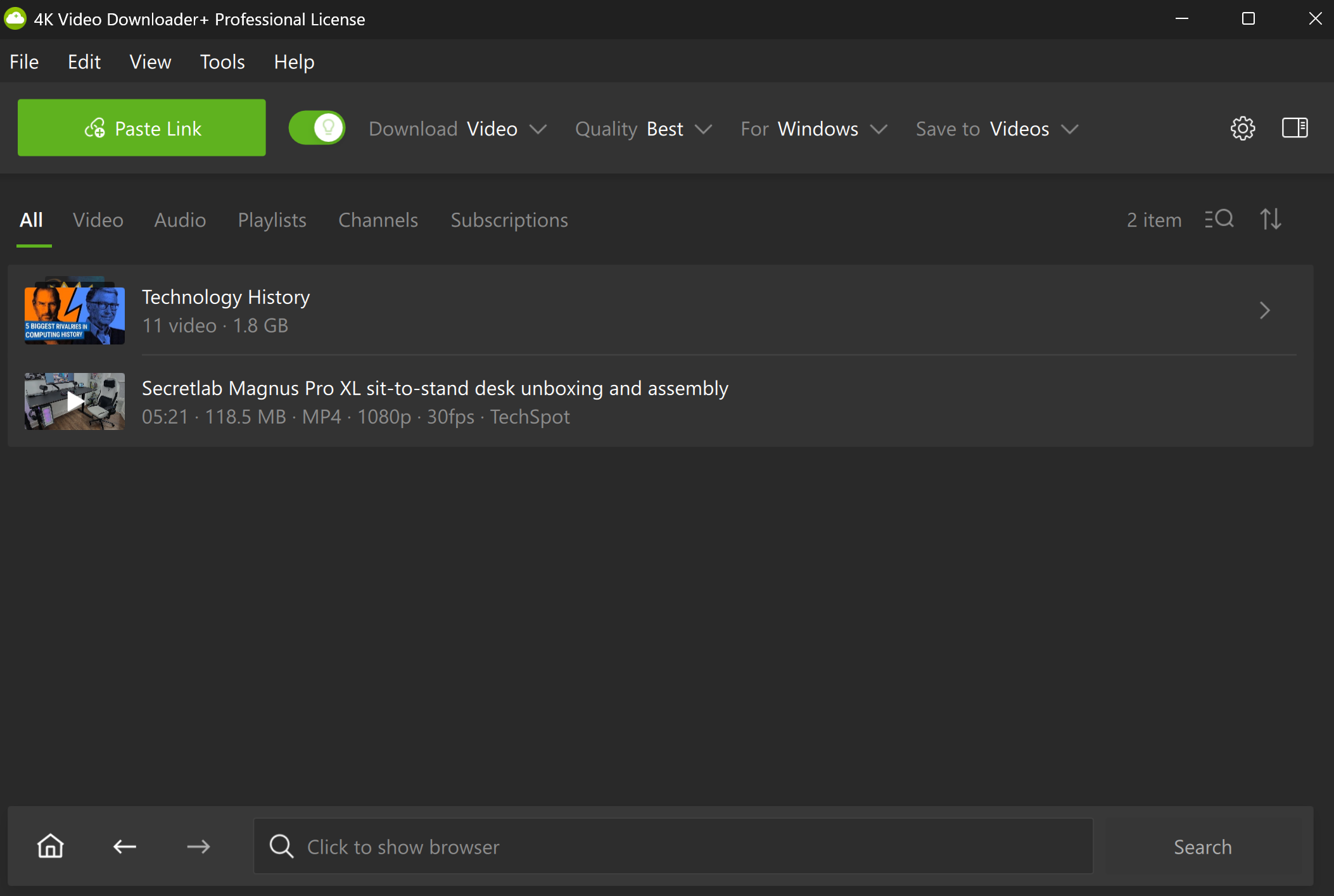
There are also several settings available next to the Paste Link button.
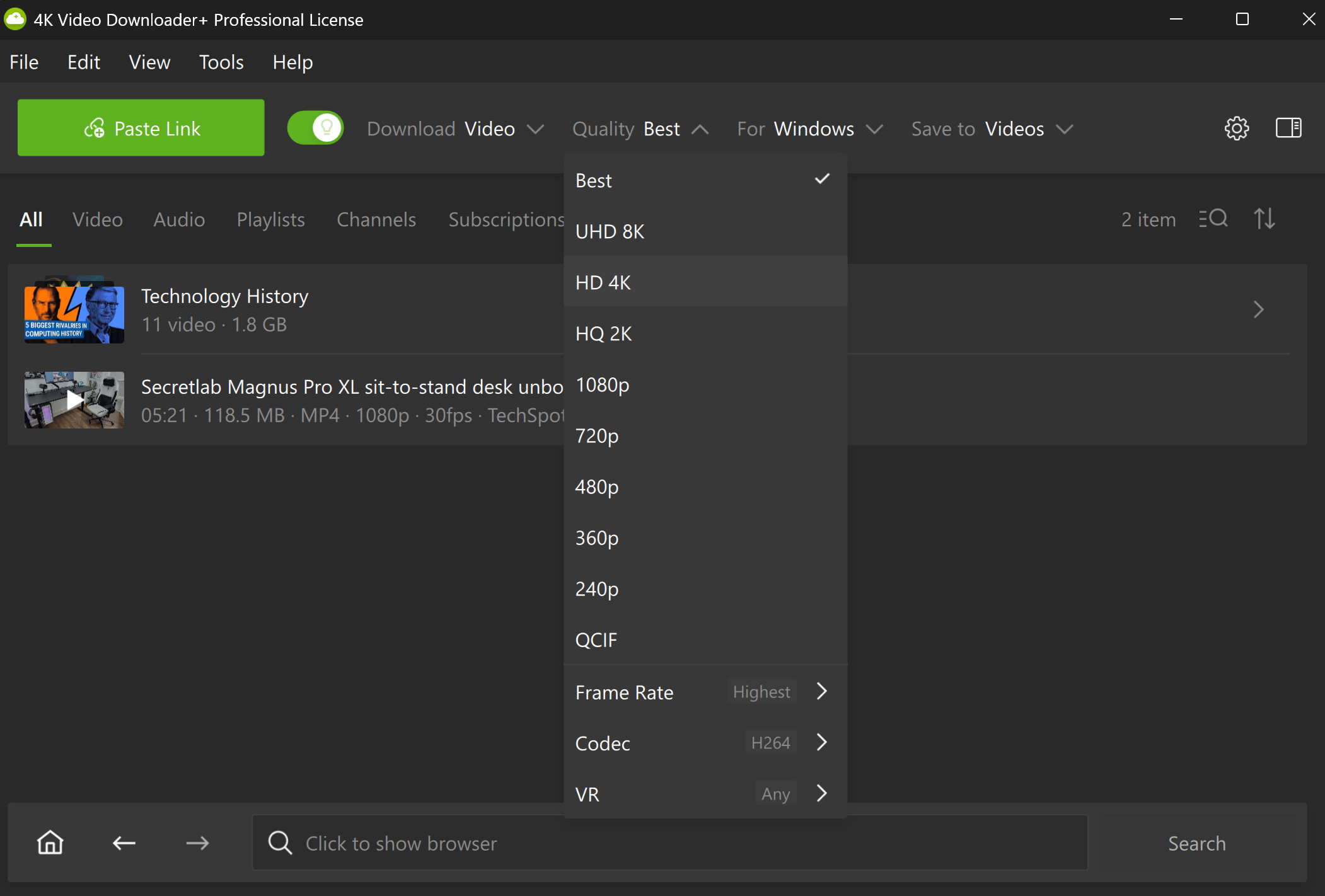
You can select the video resolution quality (including 720p, Full HD 1080p, 4K, and even 8K), frame rate, codec, OS, the file and device type, and save location.
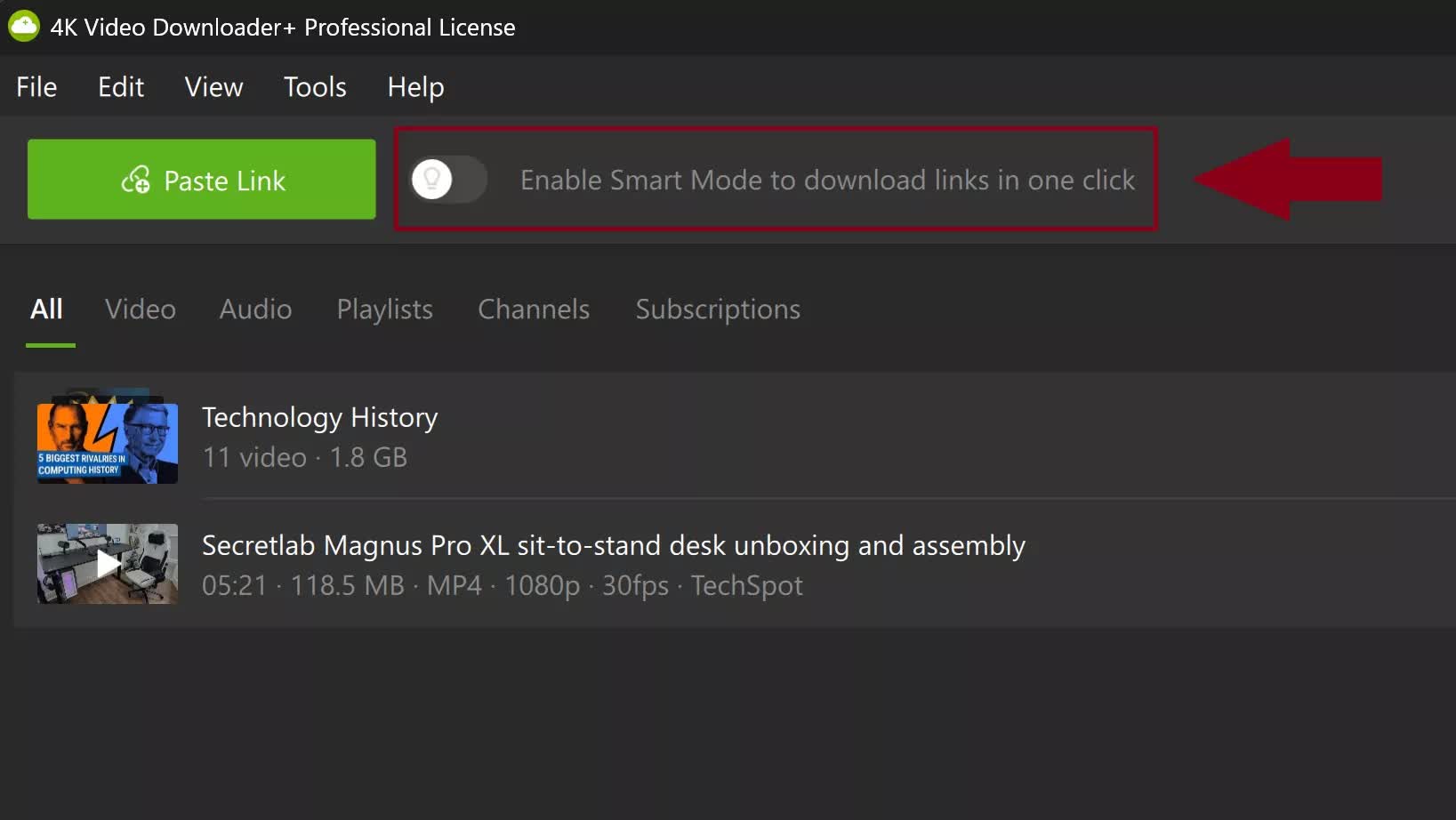
There's also a Smart Mode that remembers your preferred settings for quick, one-click downloads. And it's not limited to standard YouTube videos. The app supports Shorts, 3D videos, 360-degree clips, multi-language audio tracks, live VODs, and more.
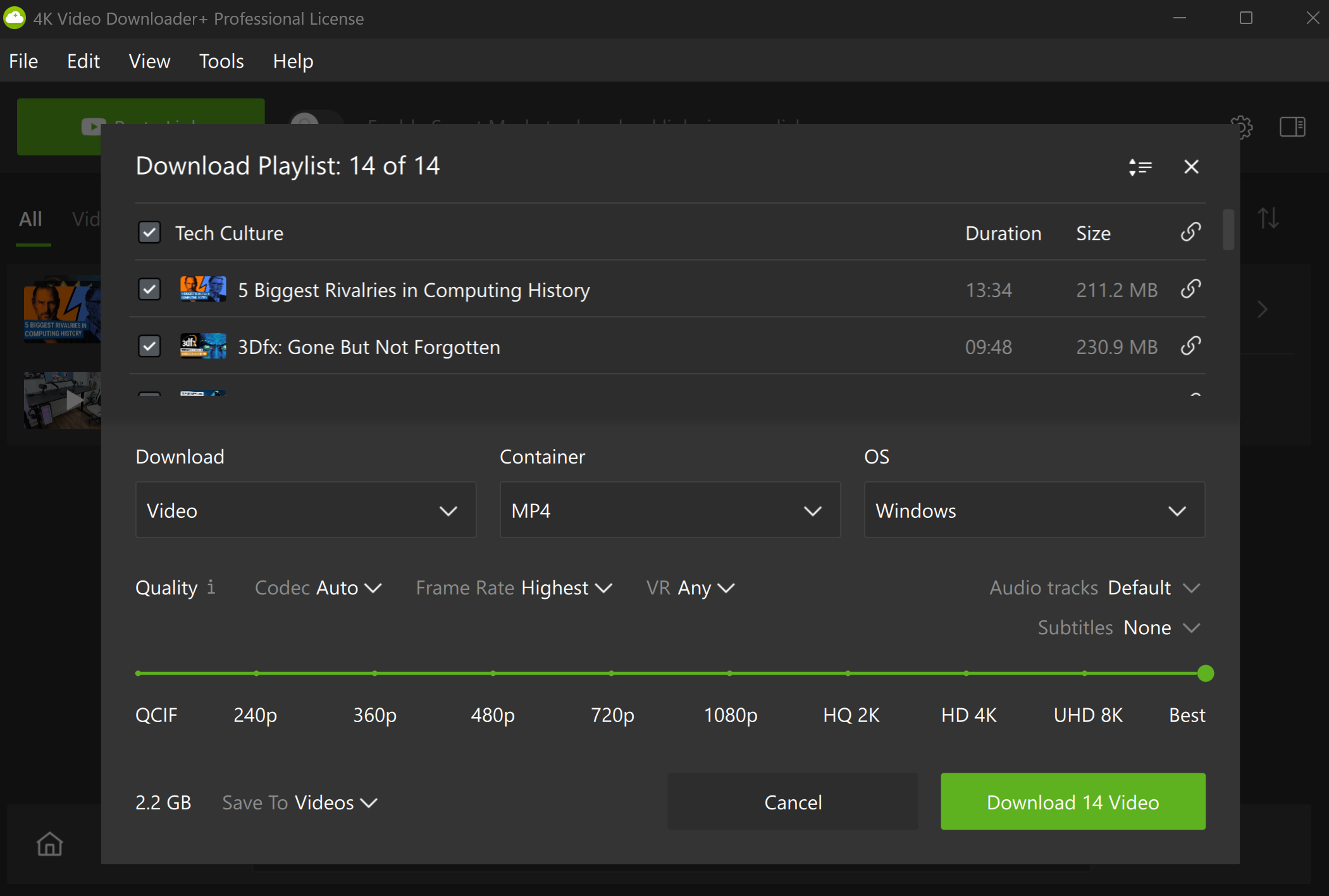
You can download playlists, too
If you've got a full playlist queued up for a long flight, you don't need to download each video individually. Copy the playlist URL, click Paste Link, and choose whether to download a single video, the entire list, or subscribe to the playlist so new uploads are automatically saved.
Another cool feature is that you can perform a YouTube search and download the videos that appear in the results. Again, it's just a matter of copying the URL after typing in your search query and pasting it into the app.
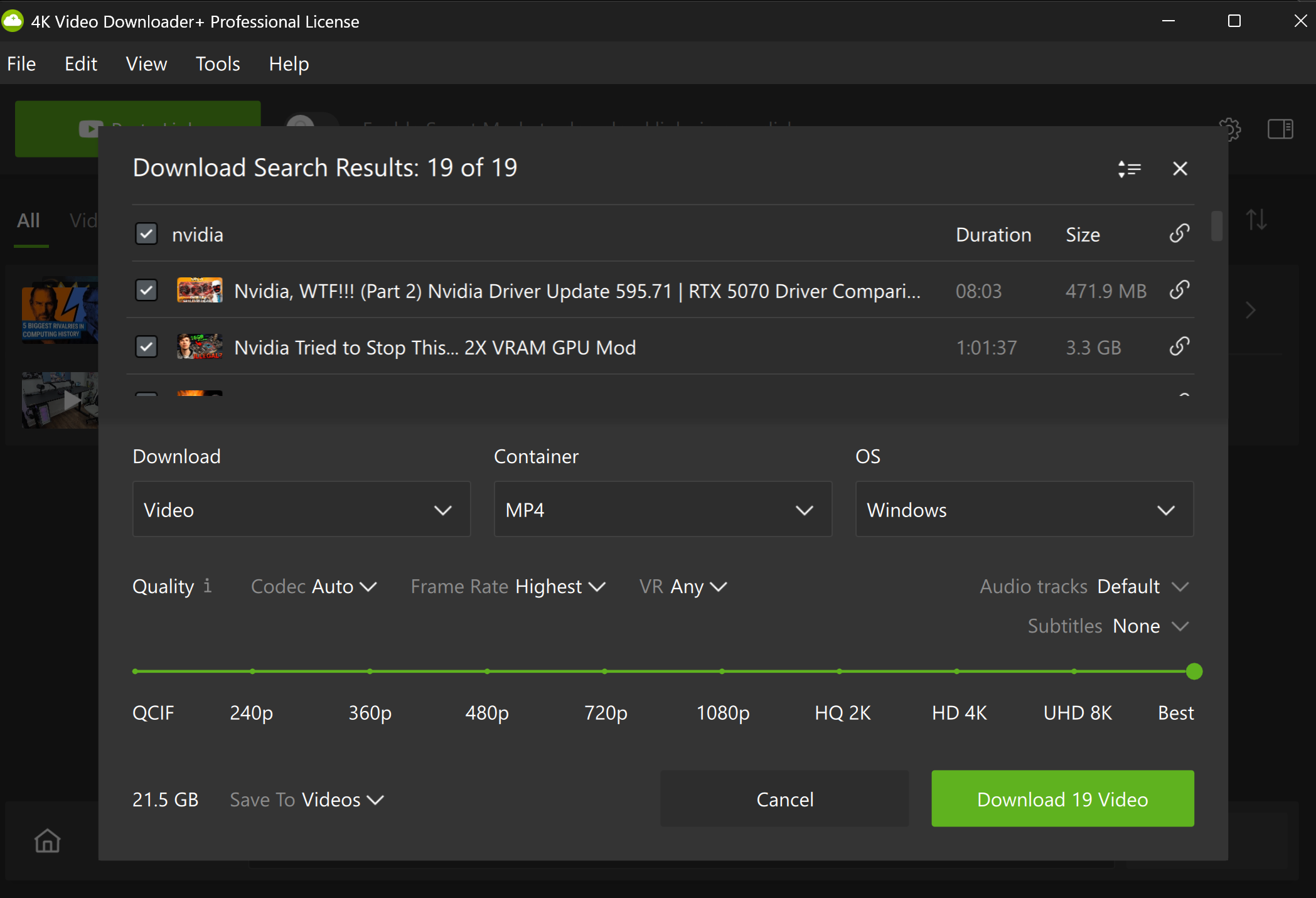
4K Video Downloader+ also includes a built-in web browser, a feature you don't often see in similar programs. This allows you to find and download videos from across the web without leaving the app. You can also log into your accounts through the browser to access any private media, which leads us to…
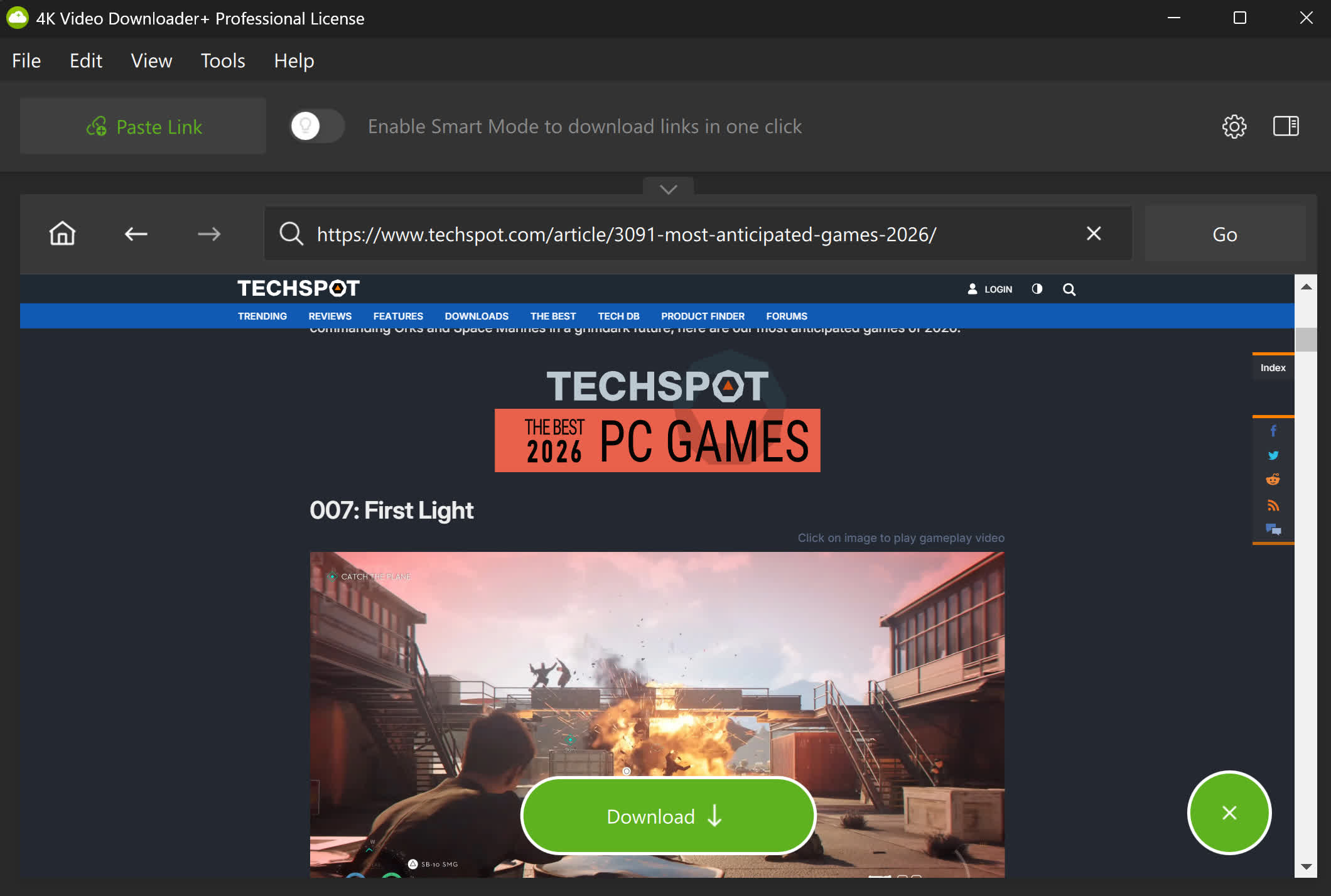
Yes, you can download protected content – including private clips and playlists you have permission to view. This applies not only to private YouTube videos but also to content from platforms like Facebook and Vimeo. Simply log in through the in-app browser and download the media as needed.
4K Video Downloader is available free of charge. The only restrictions in the free version are that you're limited to 30 downloads per day, 10 videos per playlist, and five videos per channel:
https://4kdownload.com/vd/
Should you pay for it?
While the free option will be more than enough for most people, there are paid options available for power users. The Lite plan costs $15 per year and removes download limits for videos, playlists, and channels. It also allows up to three simultaneous downloads.
The Personal tier costs $25 for a lifetime license and increases the device count from 1 to 3. There's also a $45 lifetime Pro tier that allows up to seven simultaneous downloads and unlocks AI processing features, such as audio enhancement and noise removal, along with multi-language audio downloads.
The Pro version also lets you subscribe to YouTube channels in-app, automatically saving all channel content and downloading new uploads, which is great if you're a big fan of specific creators and channels. With no monthly subscription fee and greater flexibility, 4K Video Downloader Plus offers several advantages over competitors, which are often packed with ads and aren't always 100% secure.
It's important to remember that downloading videos should always be done with the creator's permission and in line with platform rules. YouTube's Terms of Service state that content may only be downloaded when the service itself provides a download button, the copyright holder has granted permission, or the material is offered under a license that allows reuse. While third-party tools can make saving clips more flexible, users are responsible for respecting copyright, usage rights, and each platform's terms.