
Removing vocals from a song used to be the sort of job that required audio expertise, specialist software, and a lot of patience. For those of us who aren't professional sound technicians, separating a finished track into individual parts can be more than frustrating.
Thankfully, there are new tools that make the process a lot simpler than you can imagine. Enter LALAL.AI, an AI vocal remover and toolkit for pulling songs, recordings, and videos apart into editable pieces. It's not just for removing and isolating vocals either... you can also pull out instrumentals, drums, bass, guitars, and more.
TL;DR: Hear LALAL.AI make the singer disappear
Listen to rock song "Lost Myself" by Lalanne as recorded, then compare it with the same passage after the vocals have been removed.
#1 Original song with vocals
#2 Vocals removed with LALAL.AI
How does it work?
1. Upload your song or video
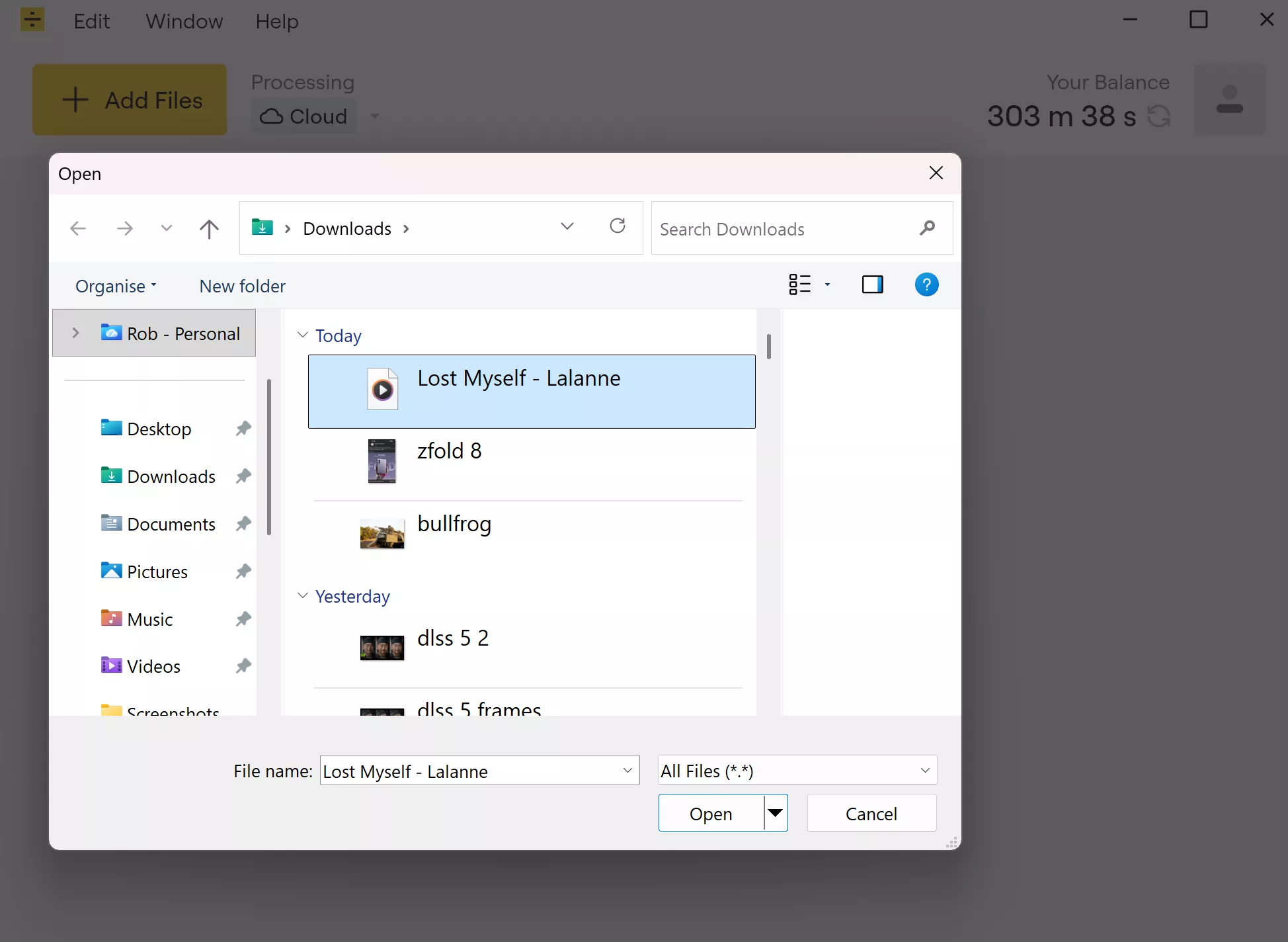
Using LALAL.AI as a vocal remover is very straightforward. Open LALAL.AI in your browser or the desktop app, select the audio or video file you want to process. This can be a song, a music video, a recording, or something from your own content.
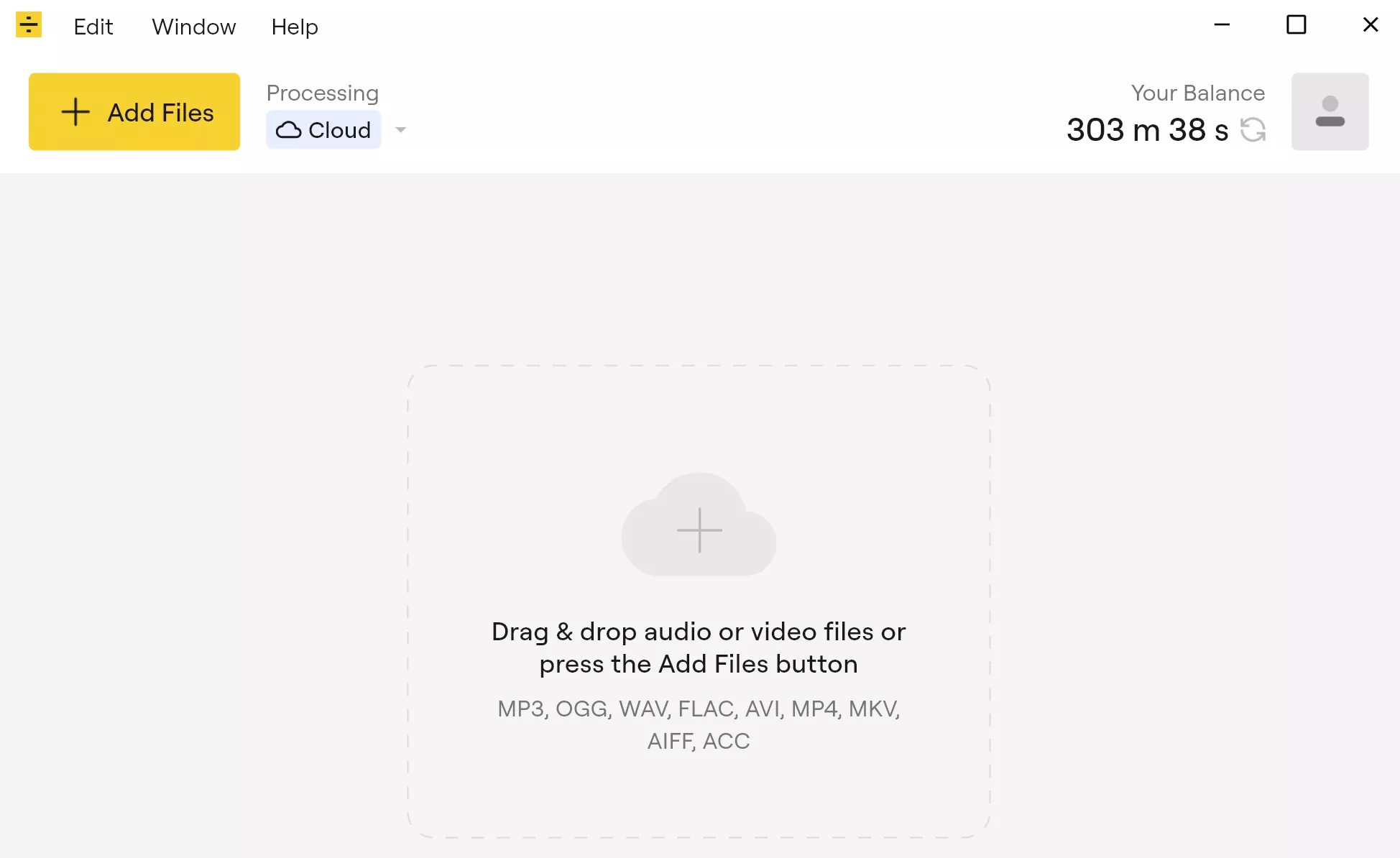
The desktop app is particularly helpful and easy to use. The simple interface lets you work with common audio and video formats, including MP3, WAV, FLAC, MP4, MKV, AVI, AIFF, and AAC.
For this example, I'm using a song in the .mp3 file format.
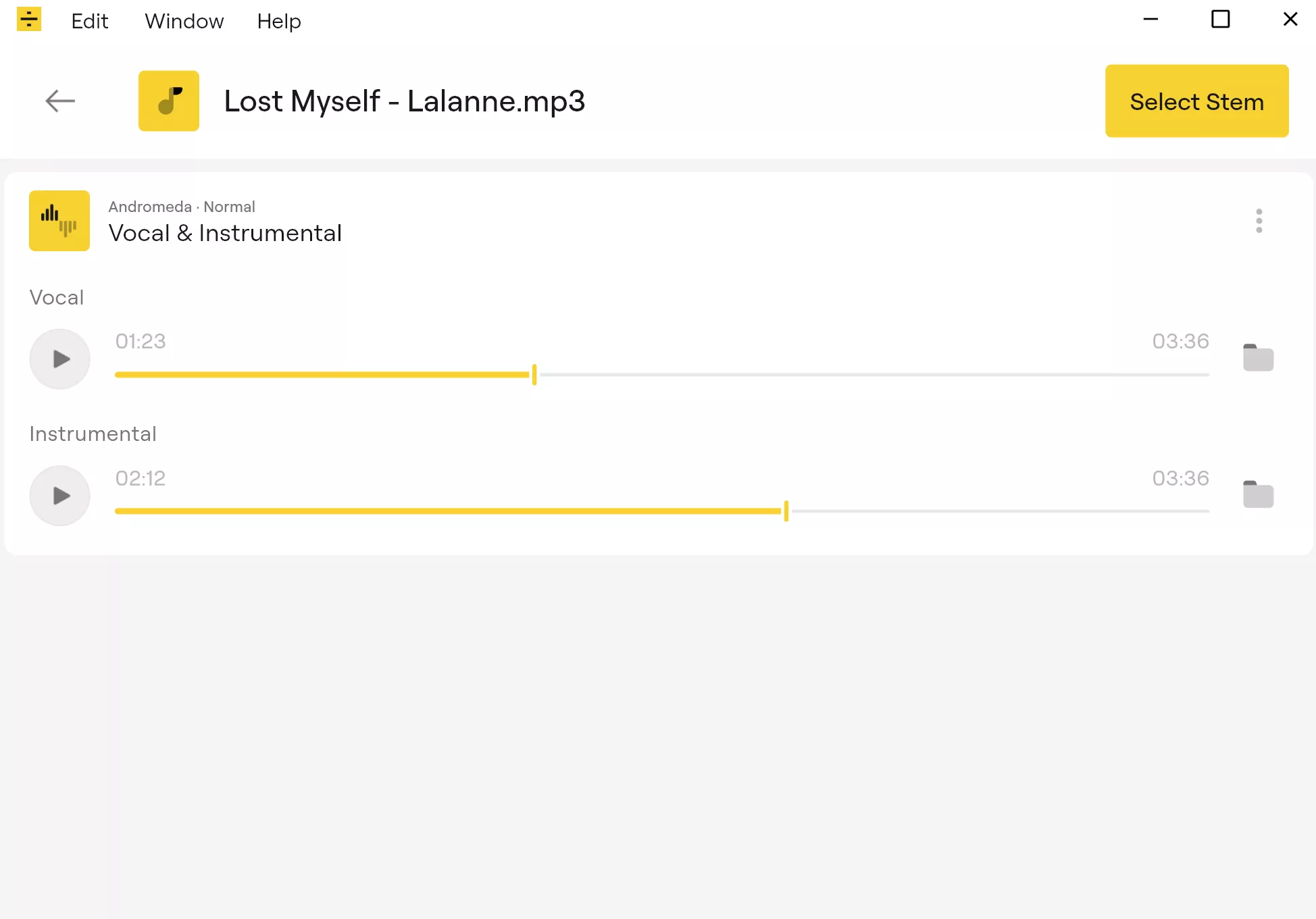
2. Select Vocal & Instrumental
Next, you're prompted to select a stem – a separated audio part from the file. To use LALAL.AI as a vocal remover, choose Vocal & Instrumental.
This tells LALAL.AI to create two versions: one with the vocal isolated and another with the vocal removed.
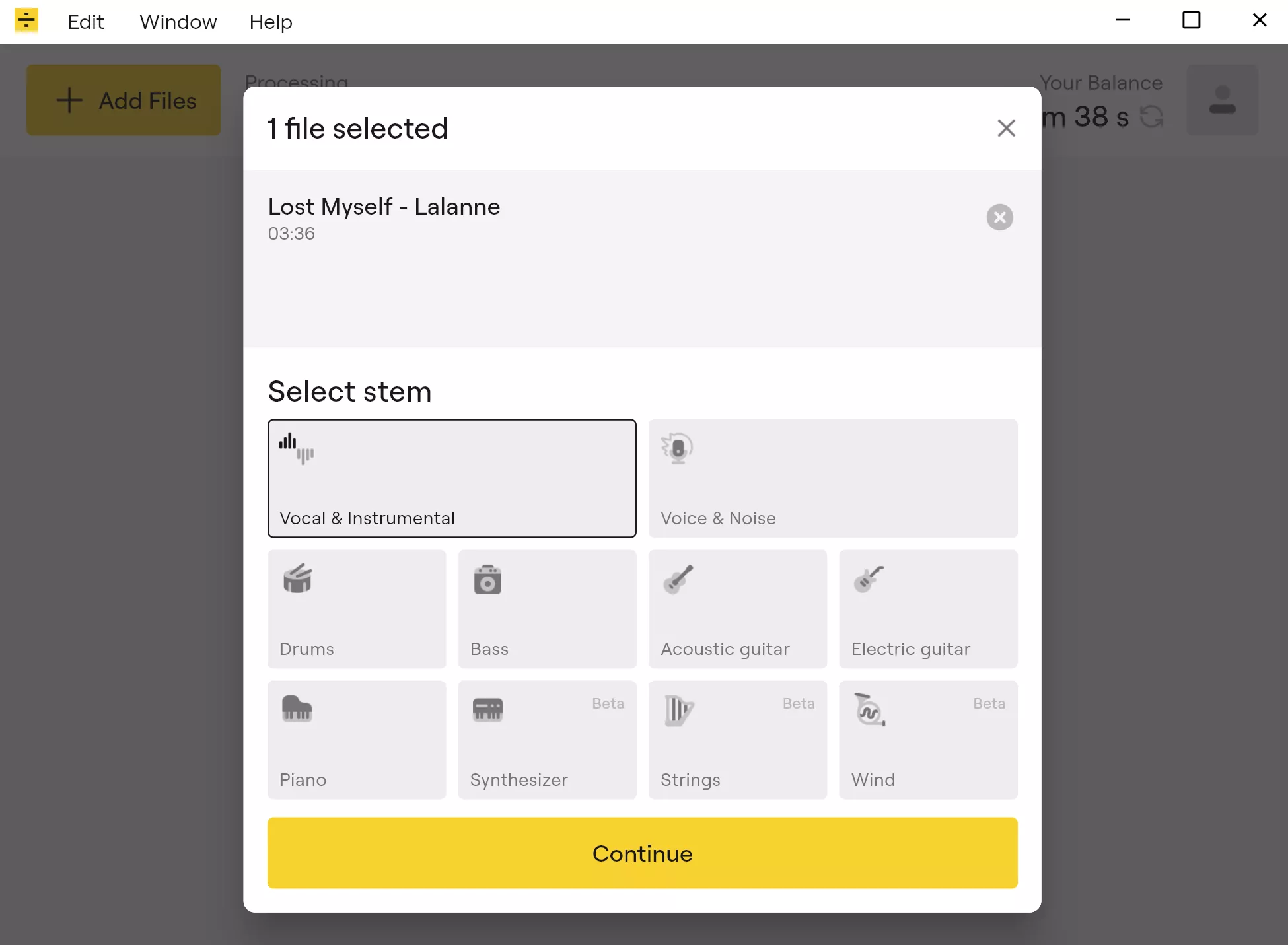
There are then a few more settings, including de-echoing vocals, before processing can start.
3. Preview the vocal and instrumental tracks
At this point, LALAL.AI generates a preview of the split vocal and instrumental tracks. This is one of the most useful parts of the process, as you can listen before committing to the full split.
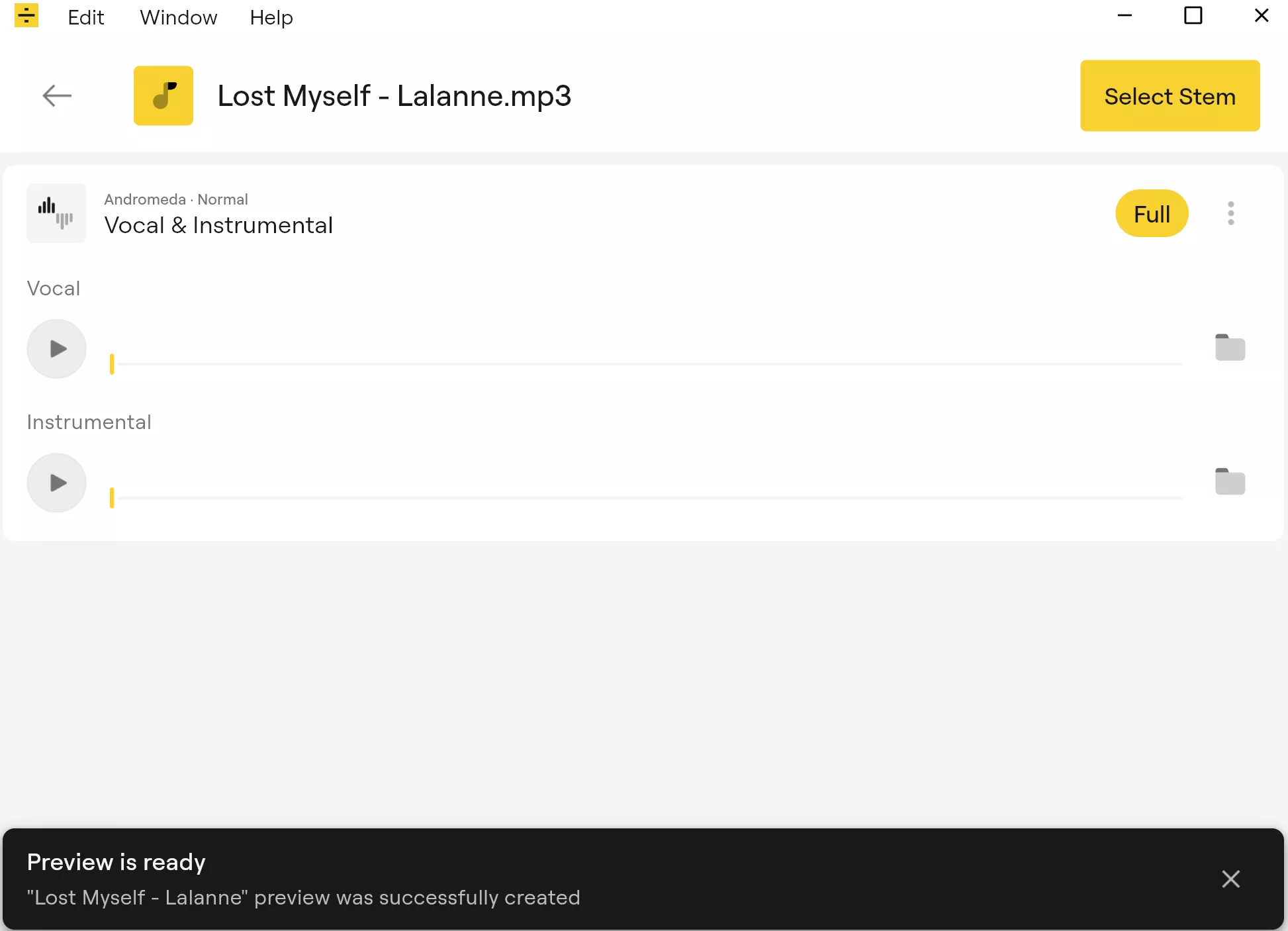
You can check the vocal stem on its own, listen to the instrumental version, or use the sliders to compare both.
If the result sounds right, you can continue and download the finished files. If it doesn't, you can change the settings, try a different stem, or process the same file in another way.
4. Process and download the finished files
Once you are happy with the preview, process the full file. LALAL.AI will create the finished stems, letting you download the isolated vocal, the instrumental version with the vocals removed, or both.
And voilà, you have your separate vocal and instrumental tracks to use however you wish, which brings us to...
Not just music. What can you use it for?
Removing vocals from a song can be useful for many reasons. Musicians can create backing tracks, singers can make karaoke-style instrumentals, DJs and producers can prepare remix material, and video creators can separate dialogue or music from clips they're editing.
You can also create the opposite result.
Instead of removing the vocal, you can isolate it. That can help with voiceovers, music analysis, sampling, transcription, language learning, or cleaning up spoken audio from a recording.
The platform is used by a wide range of people, from casual users and students to professional musicians, producers, audio engineers, journalists, and video editors.
As with all AI audio tools, the quality depends on the source. A clean track with clear vocals will usually produce better results than a noisy, heavily compressed file where the voice is buried under instruments and effects. But in many cases, LALAL.AI can save a lot of time compared with trying to do the job manually.
It does more than remove vocals
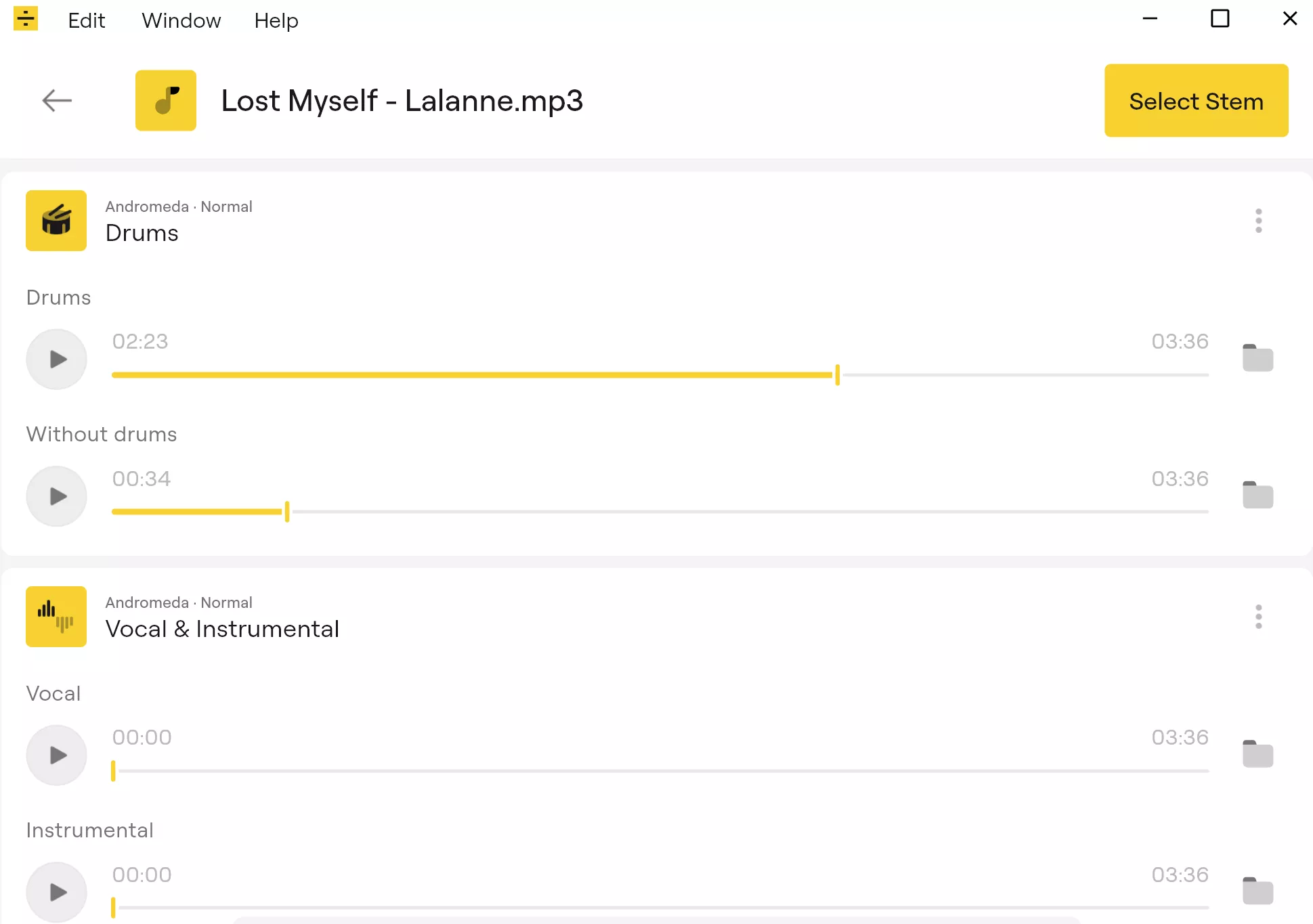
While the main focus here is how to remove vocals from a song, LALAL.AI is not limited to this functionality. The Stem Splitter can also isolate or remove drums, bass, electric guitar, acoustic guitar, piano, synthesizer, string instruments, and wind instruments.
You could, for example, upload a complete song and choose drums. LALAL.AI will create one version with the drums isolated and another with the drums removed. This can be very helpful for aspiring drummers looking to learn beats or add their own percussion to tracks. The same basic idea applies to bass, guitar, piano, and the other supported stems.
Cleaning up voices and recordings
LALAL.AI also includes tools for improving spoken audio. Voice Cleaner can remove background music, vocal plosives, mic rumble, and other unwanted sounds, which is handy for podcasts, interviews, tutorials, voiceovers, and YouTube videos recorded outside a proper studio.
There's also an Echo & Reverb Remover for making distant or roomy recordings sound clearer. If you've ever recorded audio in a large room on a phone with a less-than-perfect microphone, this can be one of those features you only appreciate after hearing the before-and-after result.
Another option is Lead/Back Splitter, which can separate lead vocals from backing vocals and harmonies. It's useful for remixers, producers, musicians, and editors who want to work with vocal layers separately rather than treating them as one combined track.
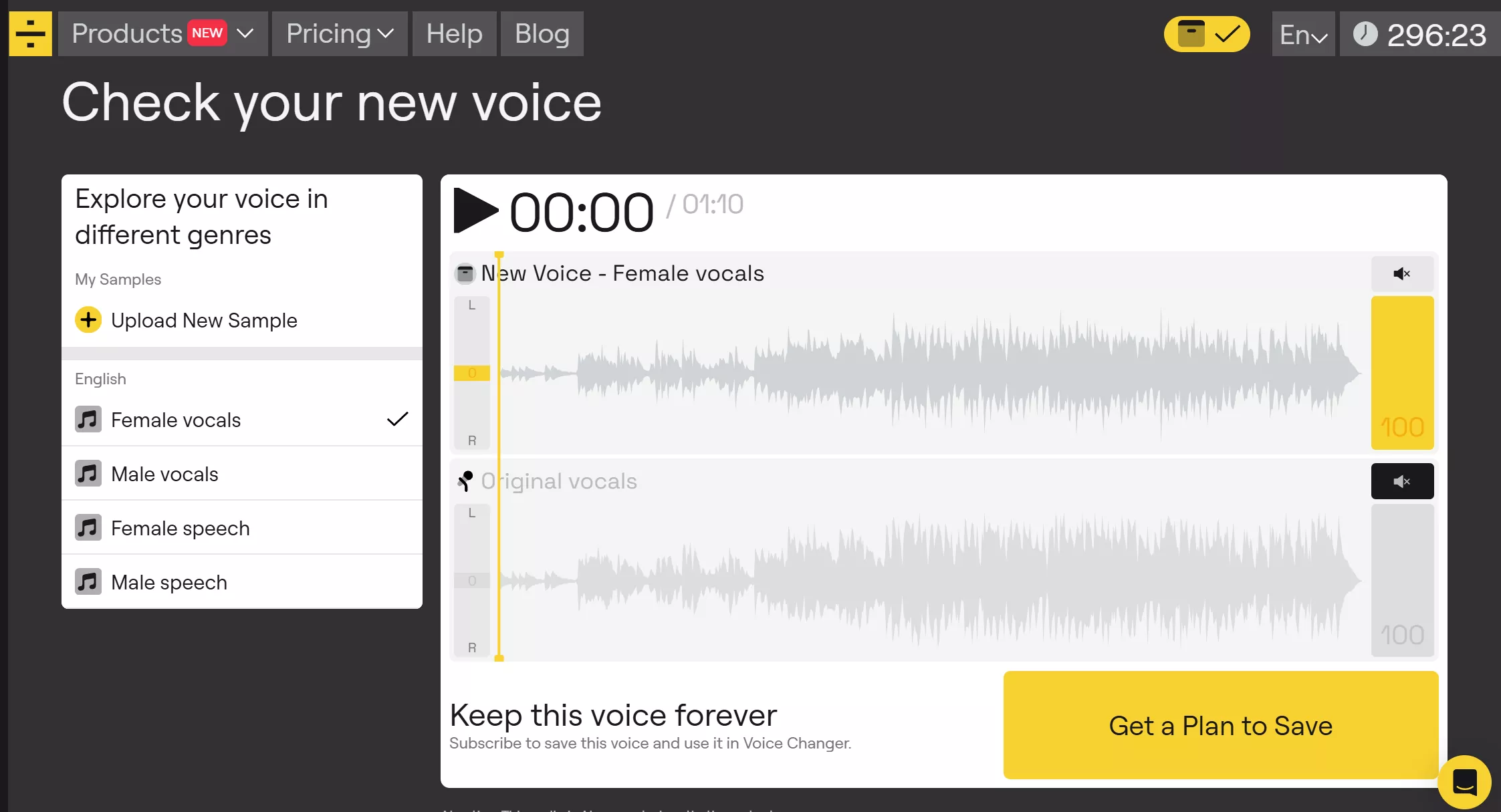
LALAL.AI also offers Voice Changer, which can transform speech and singing using different voices, and Voice Cloner, which creates a reusable AI version of a voice from uploaded recordings.
Desktop apps, mobile apps, and local processing
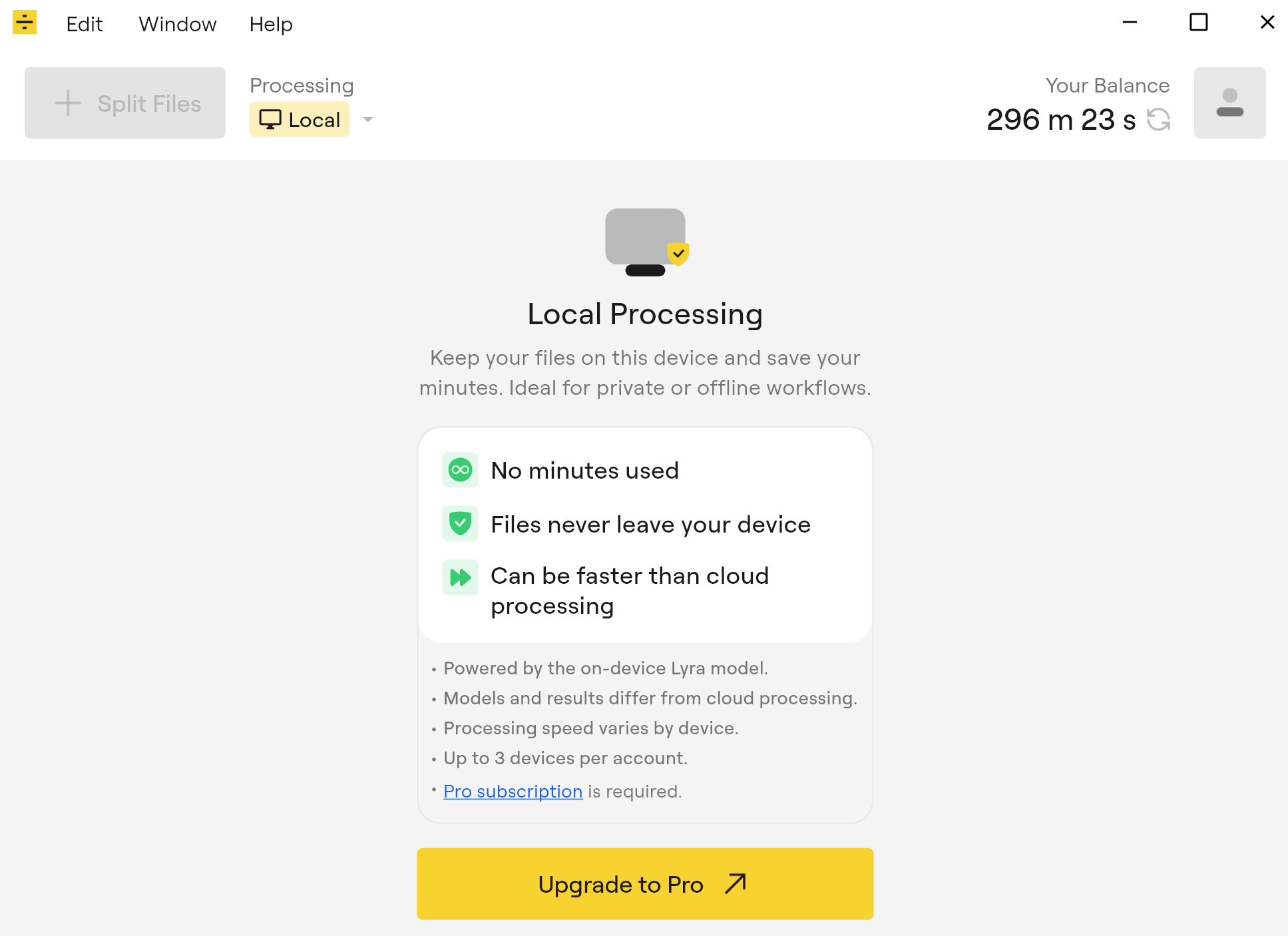
LALAL.AI works through the web, but there are also dedicated apps for Windows, macOS, and Linux, as well as mobile apps available for iOS, and Android for those on the move. For musicians and producers, the VST plugin is especially useful. Instead of exporting a file, uploading it through a browser, downloading the result, and bringing it back into a project, the plugin provides real-time stem separation inside compatible DAWs. It supports vocals, instrumentals, drums, bass, piano, acoustic guitar, and electric guitar.
The plugin also runs locally inside the DAW using LALAL.AI's on-device Lyra model. That means the processing happens on your own machine rather than through the cloud, which is useful if you want to keep files local or work without relying on an online upload. This same local processing is also available on the desktop app, meaning you don't use your credits, though it is only available to Pro subscribers.
How much does LALAL.AI cost?
LALAL.AI's Starter plan is free, though it's mainly there to test the service. It includes 10 minutes, supports uploads up to 200MB per file, and lets you preview results – full downloads require a paid plan.
The Lite plan costs $9.99 per month, or $90 annually. It includes unlimited Relaxed Queue minutes, 90 Fast Queue minutes per month, a 2GB upload size limit, result downloads, and batch processing.
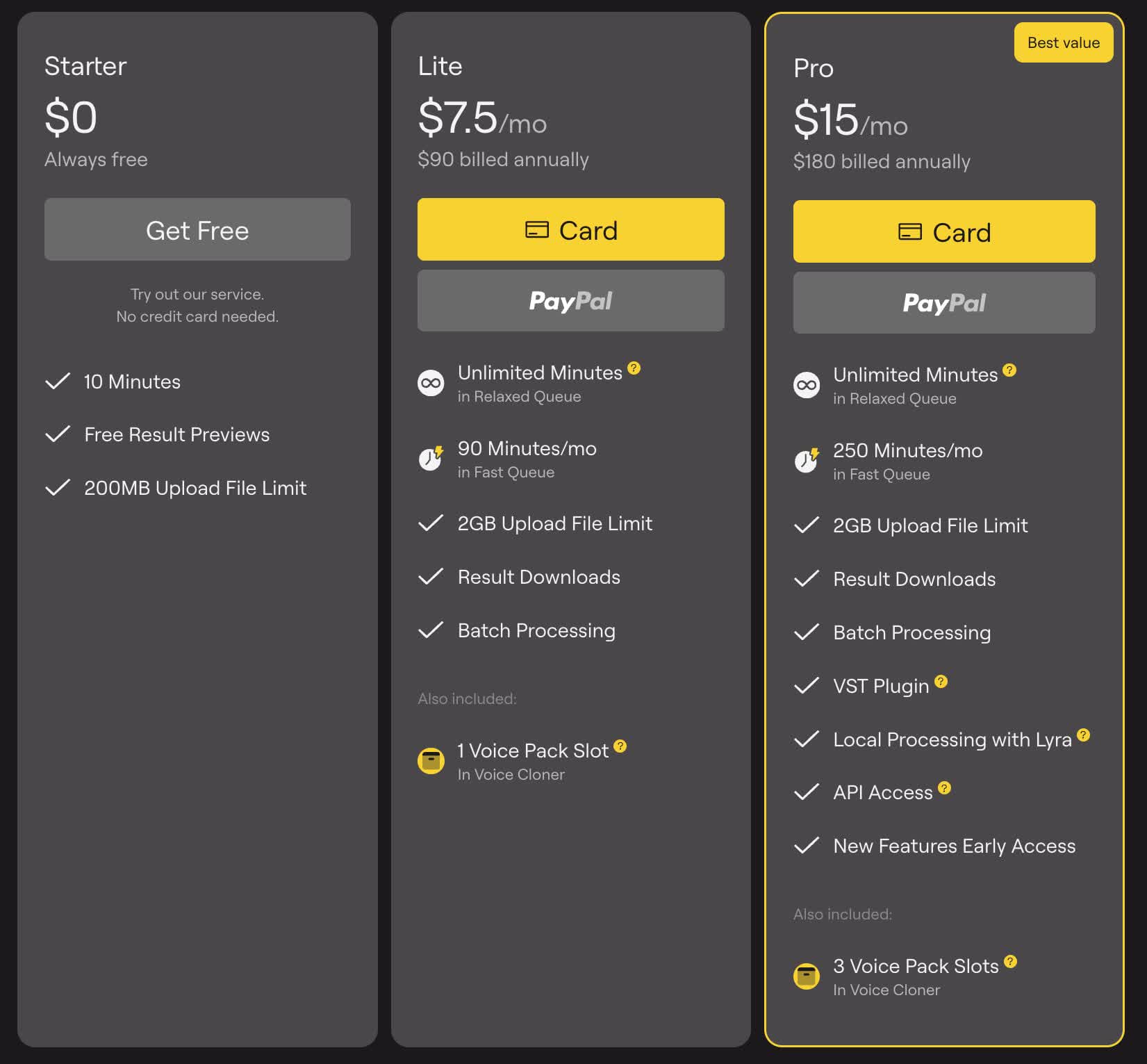
The Pro plan costs $20 per month, or $180 annually, which works out at $15 per month. It raises the Fast Queue allowance to 250 minutes per month and adds the VST plugin, local processing in the desktop app, API access, and early access to new features. There are also one-time top-ups if you need extra Fast Queue minutes without changing your subscription, and more advanced plans for Pro users.
Is it worth trying?
The main advantages of LALAL.AI as a vocal remover are its convenience and ease of use. Instead of opening a full audio-production suite for every small task, LALAL.AI gives you a simpler route of uploading the audio files, picking the stem or cleanup tool, previewing the result, and downloading what you need.
For creators, musicians, editors, producers, and anyone else who regularly needs clean vocals, instrumentals, or individual stems, LALAL.AI is a useful Swiss Army knife for audio processing.