

Transmission has been built from the ground up to be a powerful, yet lightweight BitTorrent client. Its simple, intuitive interface is designed to integrate tightly with whatever computing environment you choose to use.
Transmission strikes a balance between providing useful functionality without feature bloat. Furthermore, it is free for anyone to use or modify.
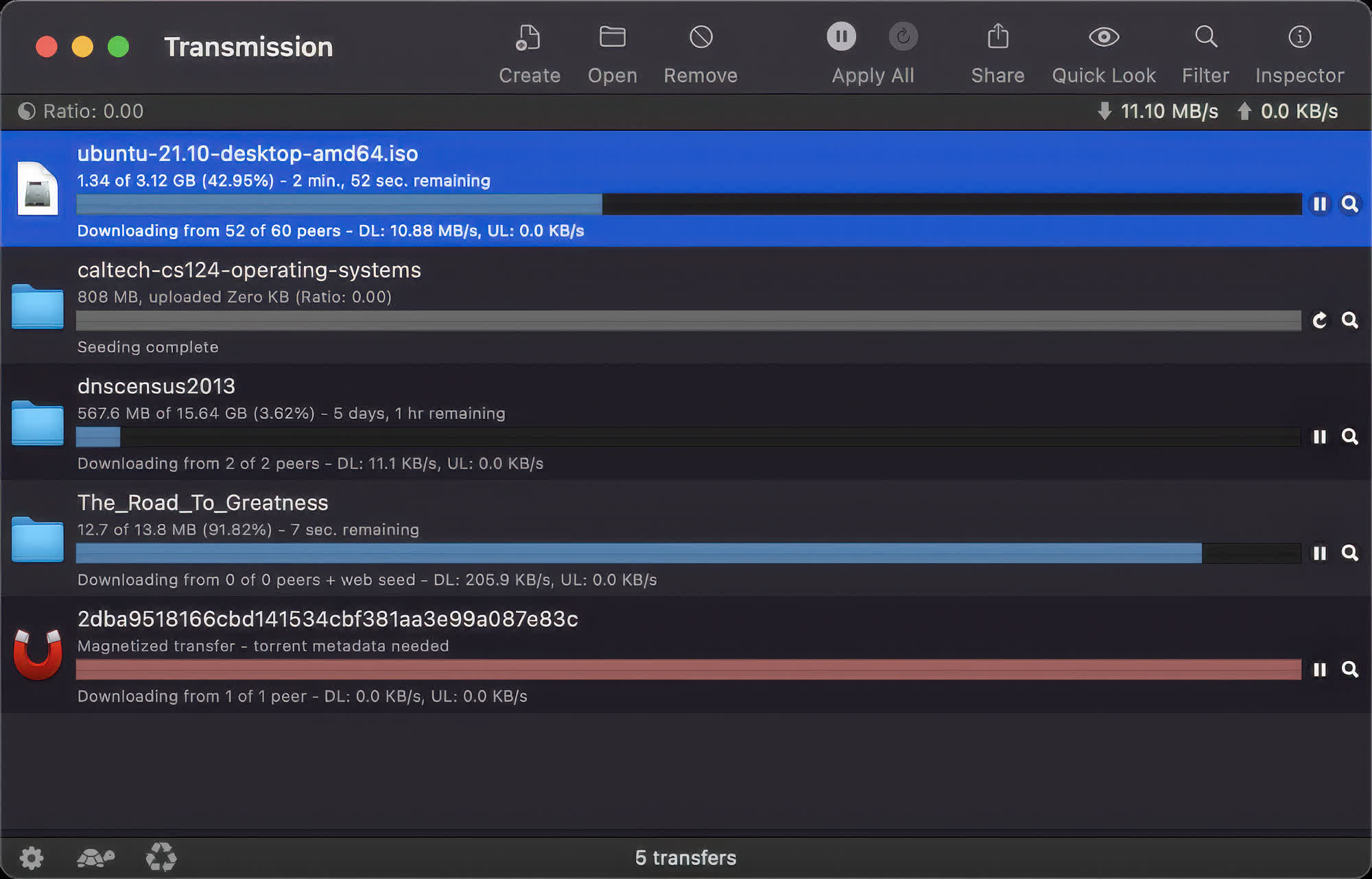
What are the best Transmission features?
Transmission stands out for its lightweight design and focus on essential functionality. Key features include support for magnet links, DHT, PEX, and encrypted connections, speed limits for better bandwidth control, and a built-in web interface for remote management.
Its low CPU and memory usage make it especially well suited for older systems, NAS devices, and always-on servers, while remaining completely free and open source with no ads or premium tiers.
Does Transmission support torrent scheduling?
Yes. Transmission supports torrent scheduling and speed limits, allowing users to reduce bandwidth usage during specific hours and run at full speed during off-peak times.
Is Transmission still a good choice compared to heavier torrent clients?
Yes. Many users stick with Transmission because it stays fast, minimal, and lightweight even on older hardware or always-on servers. Recent releases have focused heavily on stability and performance, especially when handling large numbers of torrents.
What are the best free alternatives to Transmission?
Several free BitTorrent clients offer similar functionality depending on platform and feature needs. Popular options include qBittorrent, which is also open-source and provides more features and built-in search. FrostWire combines BitTorrent support with media discovery tools. Deluge is a flexible client that stays minimal by default but supports plugins for extra functionality. All are free to use, though they differ in interface complexity, resource usage, and customization options.
Features
- Uses fewer resources than other clients
- Native Mac, GTK+ and Qt GUI clients
- Daemon ideal for servers, embedded systems, and headless use
- All these can be remote controlled by Web and Terminal clients
- Local Peer Discovery
- Full encryption, DHT, µTP, PEX and Magnet Link support
Transmission runs natively on over five operating systems. Seamless configuration of your network, intelligent banning of peers who send corrupted data, and built in Peer Exchange are some of the features which enable Transmission to download your files as quickly as possible. All this is done in the background, without the user having to worry about complicated settings.
These days, bandwidth is a precious commodity. Transmission allows you to ration this commodity efficiently. You might want to queue your torrents for maximum performance. Or throttle their speed during peak periods.
Transmission easily lets you do both, and thus only works its hardest when you want it to. Support for Growl notifications and dock badging keep you updated with what's going on so you can get back to doing more important things.
NOTE: Transmission is fully open source, with most code licensed under the liberal MIT License and with select code licensed under the GNU General Public License.
What's New
All Platforms
- Fixed a Transmission 4.1.0 regression that could cause torrents with zero-byte files to be handled incorrectly, sometimes losing downloaded progress (#9165)
- Hardened the torrent-add RPC method against malformed requests. (#9158)
- Unified launch and delegation between the Qt and GTK clients: If either is already running and then you or a browser's mime-type handler tries to start the other to add a new torrent, that new torrent will get handed off to the pre-existing session. (#9032)
- Fixed a build failure that happened when building Transmission with -Wnull-dereference -Werror in gcc 12.15. (#9057)
- Fixed a rare bug could leave Transmission hung but running on shutdown. (#9058)
- Fixed a rare bug that could prevent downloading webseeds from finishing. (#9146)
- Fixed a bug where setting TR_CURL_PROXY_SSL_NO_VERIFY broke origin server SSL verification. (#9153)
- Fixed per-torrent session speed-limit overrides so they apply to both downloads and uploads. (#9154)
macOS Client
- Fixed a potential RCE vulnerability in the macOS client. It requires local write access to the user's preferences, so it is not remotely exploitable. (GHSA-v7mp-fpv3-jf5r)
- Minimum supported version increased to macOS 12 (#9166)
- Fixed a bug that prevented some magnet links from being added correctly. (#9062)
- Migrate Sparkle update signing from DSA to EdDSA. (#9065)
Qt Client
- On Windows builds, change to zlib 1.3.2 from 1.3.1 to pick up 7ASecurity audit fixes. (#9025)
- On Windows 10+ builds, change to Qt 6.10.3 from 6.10.1 to pick up Qt bugfixes. (#9030)
- On Windows 7 builds, change to Qt 5.15.19 from 5.15.17 to pick up Qt bugfixes. (#9030)
- Improved UI code to use less CPU. (#9161)
GTK Client
- The torrent list now re-sorts and re-applies its filter when the torrent's top folder's name changes, eg after a rename or after a magnet link's metadata arrives. (#9159)
- Opening a torrent's folder now opens the correct folder when a single-file torrent uses a directory structure. (#9160)
- Fixed a bug that prevented transmission-gtk's app icon from being found on some desktops. (#9032)
Web Client
- Fixed a display bug that sometimes listed torrent names as 'Unknown'. (#9135)
transmission-remote
- Fixed a 4.0.0 bug that broke transmission-remote --list-groups. (#9157)

