

Now even further integrated with Camtasia, making it easier than ever to turn quick captures into polished, professional videos. Don't let clumsy built-in snipping tools hold you back. Snagit has all the tools you need, making it the best screen capture software for professionals.
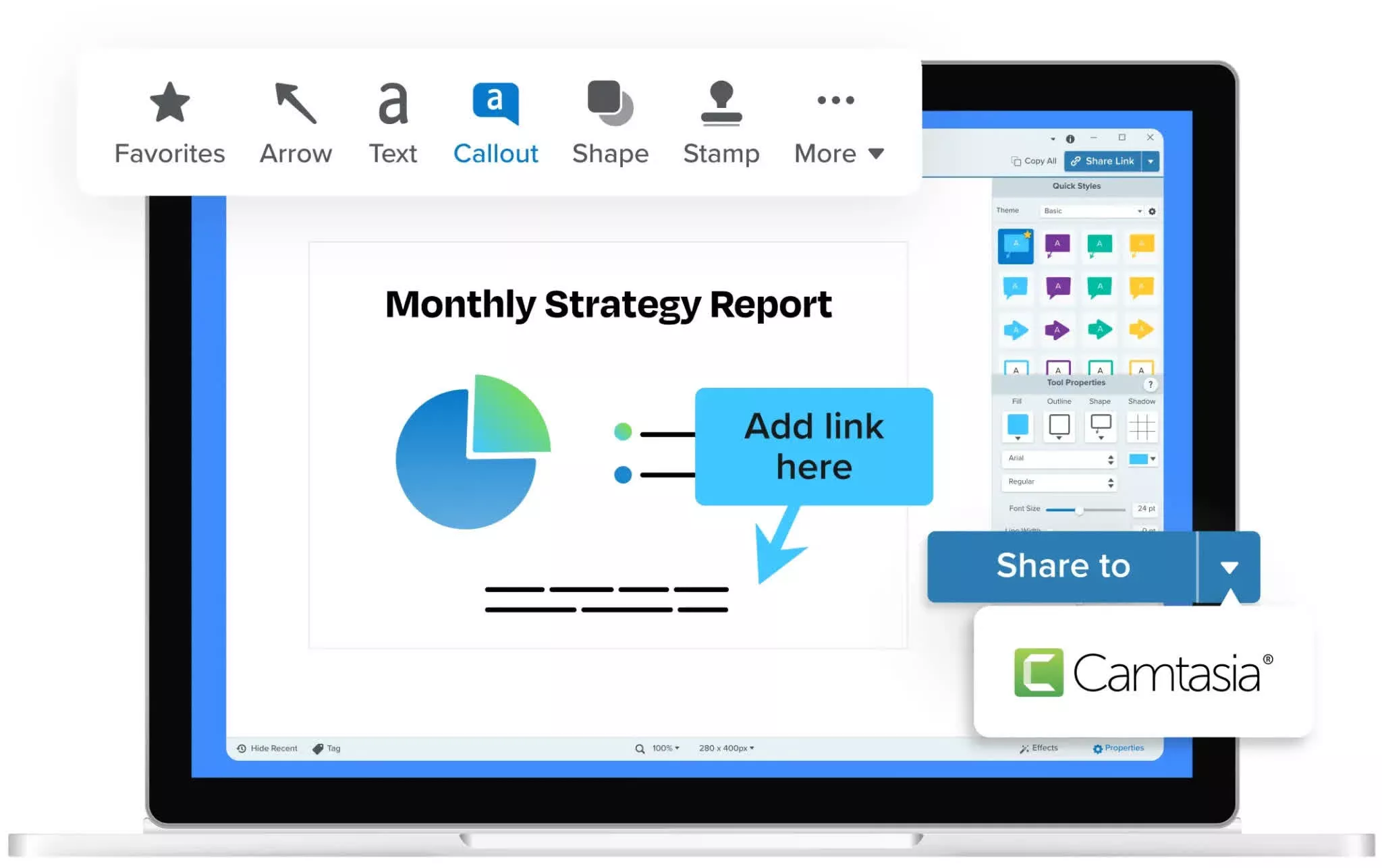
Snagit helps you capture and share so your message lands without the back-and-forth.
- Add visuals, markup, and context to screenshots so messages are instantly understood
- Share once and skip the repeat explanations, meetings, and threads
- Keep everyone aligned with accurate, visual references they can revisit anytime
Documentation that's clear at a glance
- Snagit makes it simple to capture, mark up, and organize visuals so instructions are easy to follow and hard to misinterpret.
- Turn complex processes into step-by-step screenshots people can actually use
- Add annotations, highlights, and callouts to make key details unmissable
- Build visual records your team can reference and update anytime
How-To Videos
With Snagit, you can quickly record short videos that walk people through exactly what to do, no extra meetings required.
- Capture your screen to demonstrate steps in real time
- Narrate or add text to guide viewers with clarity
- Share lightweight video clips that make tasks easier to complete
Feedback that's fast and crystal clear
- Snagit helps you give actionable feedback by pointing directly to what's working, or what needs to change.
- Capture screens, files, or designs and mark them up instantly
- Replace vague comments with precise, visual callouts
- Share feedback once and eliminate back-and-forth clarification
Other Features
- Grab a region, window, full screen, or scrolling page
- Add arrows, highlights, text, and step numbers
- Drop captures straight into email, Slack, docs, and more
- Keep every capture in a searchable, taggable library
What's New
New Features
Share Step Captures to Camtasia Online
- Quickly turn your Step Capture into a step-by-step video by sharing directly to Camtasia Online, our web-based video recorder and editor.
- Automatically bring your images to life with animated backgrounds, then record your camera, or just narrate over each image to easily create a how-to video.
Share Step Captures to Camtasia Editor
- Share your Step Capture to Camtasia Editor 2026.2.0 and newer to easily create a step-by-step video.
- Your steps are automatically added to your timeline where you can record a narration track and add other finishing touches.
Experimental Features
- Be a part of shaping Snagit's roadmap by trying out our exciting new developments! Turn features on and off via the Experiments tab in Editor Preferences, and let us know what you think with the Send Feedback button.
- Improved Smart Redact accuracy when the Optimized OCR experimental feature is on.
Feature Updates
Step Capture
- Added image count indicators to Step Capture thumbnails in the Recent Captures Tray and Snagit Library.
- Added a Step Capture category to the Library to easily find and access all of your Step Captures created with Snagit 2026.3.0 and newer.
Subscription Software
- Updated Snagit Capture and Editor interface colors and icons to better adhere to accessibility standards and provide a fresher, more modern look.
- Re-added the Import Backup button to the Library tab in Snagit Editor Preferences, with a link explaining why it may sometimes be disabled.
- Re-added the ability to share to email from the Editor menu bar. Select Share > Email > Send to Email.
- Updated the "Share Preferences" text in the Share menu for clarity in Portuguese installations of Snagit.
Performance Improvements
- Updated Snagit Editor zoom controls and Library category controls for improved accessibility with screen readers.
- Updated the Share tab in Snagit Editor Preferences and share destination options dialogs for improved accessibility with screen readers.
Updates for IT Administrators
- Updated expat to version 2.8.0 to address CVE-2024-56326, CVE-2026-32778, CVE-2026-32777, and CVE-2026-32776.
- Updated freetype to version 2.14.3 to address CVE-2026-23865.
- Updated harfbuzz to version 14.2.0.
- Updated libpng16 to version to 1.6.58.
- Updated pango-1.0.0 to version to 1.57.1.
- Updated Microsoft.AspNetCore.Http.Abstractions to version 2.3.0.
- Updated Microsoft.AspNetCore.Http.Features to version 2.3.0.
- Updated OneDrive, SharePoint, and Teams share destinations to use built-in Windows Authentication for sign-in.
Bug Fixes
- Fixed an issue where scroll bars might not appear in Snagit Editor and the Always Shrink to Fit setting might not be respected.
- Fixed a crash that could occur when stopping a manual scrolling capture.
- Fixed a crash that could occur when restoring Windows from a locked state.
- Fixed a crash that could occur when using File > New from Clipboard or File > New Image.
- Fixed a crash that could occur when minimizing the recording toolbar during a Video from Image recording.
- Fixed a crash that could occur when using Smart Move with pasted objects.
- Fixed a rare crash that could occur after displaying a notification or dialog.
- Fixed an issue where capturing with the Microsoft Snipping Tool might result in duplicate images in Snagit Editor.
- Fixed an issue that could cause hotkeys to stop working correctly.
- Fixed an issue where sharing to OneDrive Personal might fail.
- Fixed an issue where special characters in the default file name could cause sharing to OneDrive to fail.
- Fixed an issue where the button to switch between Fullscreen camera and Picture-in-Picture might be hidden behind the camera preview while recording.
- Fixed an issue where the operating system was not recorded for images created in Snagit Editor.
- Fixed an issue where the Plain Text toggle control in the Grab Text Results dialog could be obscured for Portuguese and Spanish installations of Snagit.
- Fixed an issue where button text to confirm restart recording was truncated for French installations of Snagit.
- Fixed an issue where the Record a Video tour might show a Server Busy error message.
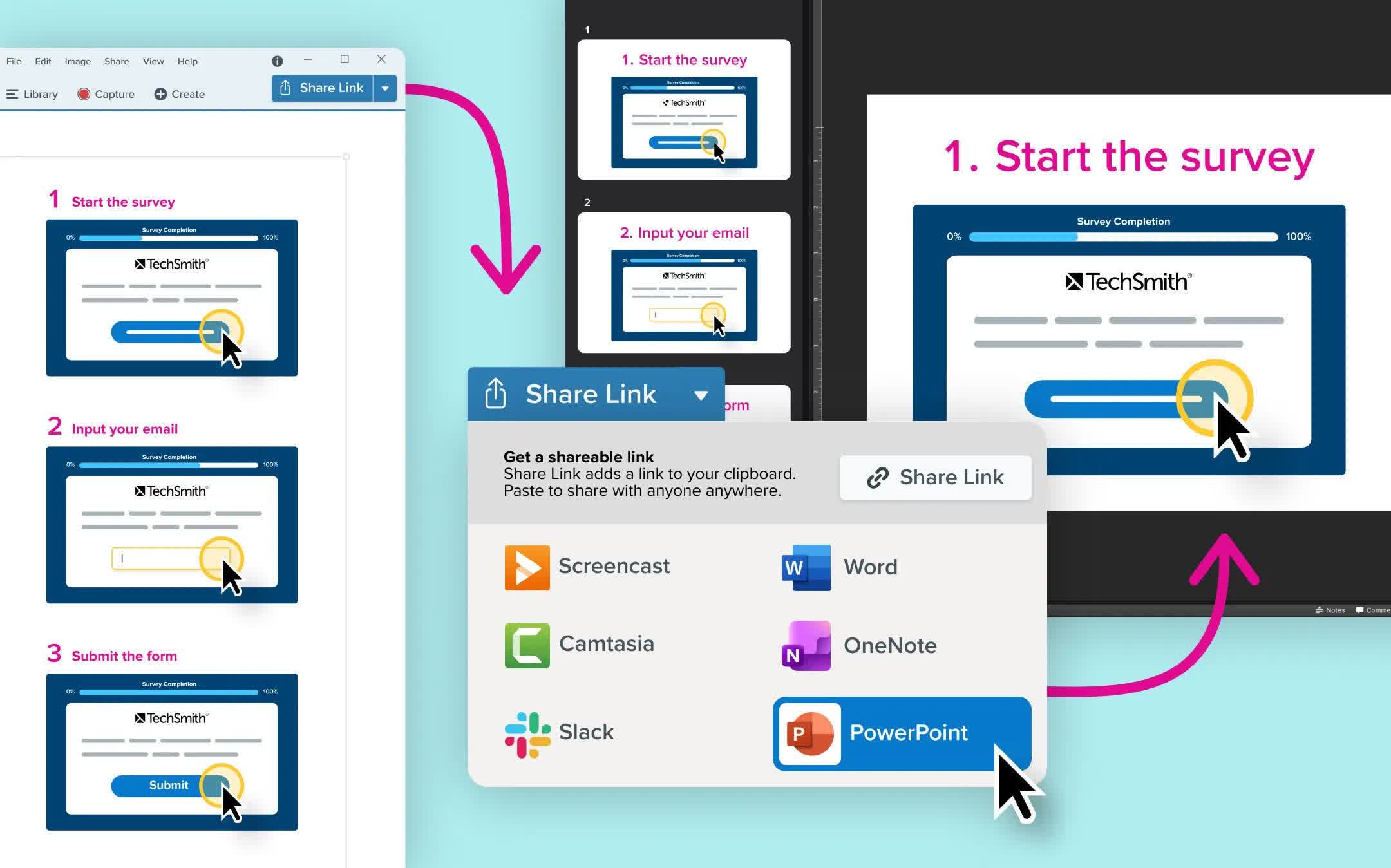
Share step captures to PowerPoint
Export Step Captures straight to PowerPoint, with each step automatically turned into an editable slide.
Turn your how-to guides into videos, presentations, or supplimental training materials by sharing your Step Capture to PowerPoint. Export step-by-step captures directly into editable slides, making it easier than ever to build SOPs and training materials.
- Send each step as its own PowerPoint slide
- Keep text fully editable for quick updates
- Adjust layouts using familiar PowerPoint tools
- Record a video over your PowerPoint for video+guide 1-2 punch.
Open Recordings in Camtasia Editor
Using Snagit, open your recordings directly in Camtasia Editor for full control and polished video editing.
When starting a recording in Snagit you can select "Open in Camtasia Editor " to instantly bring your video into Camtasia's Rev workflow for flexible, professional-quality editing.
- Capture separate tracks for screen, webcam, and cursor
- Apply Looks to create polished videos faster
- Edit with full timeline control in Camtasia Editor
- Easily graduate from quick clips to high-impact training content
Tutorial can be found here.
